
关于 Starship
Starship 是一个为主流 shell 设计的快速、可定制的提示符。通过 starship init 集成到 shell 配置中,starship preset --list 浏览预设样式,提升终端视觉效果和信息展示。
主要功能
- 01集成到 zsh、bash 等主流 shell 中显示自定义提示符
- 02浏览和应用预设的提示符主题和配色方案
- 03根据项目类型动态显示相关的开发环境信息
适用场景
- 01开发者个性化终端提示符提高工作效率
- 02快速识别当前项目的编程语言和环境状态
- 03与其他 shell 工具组合构建统一的终端体验
安装
选择你的系统或包管理器,复制命令到终端运行。
安装完成后运行starship --version确认安装成功。
命令示例
常用命令按使用顺序排列。
详细介绍







Website · Installation · Configuration


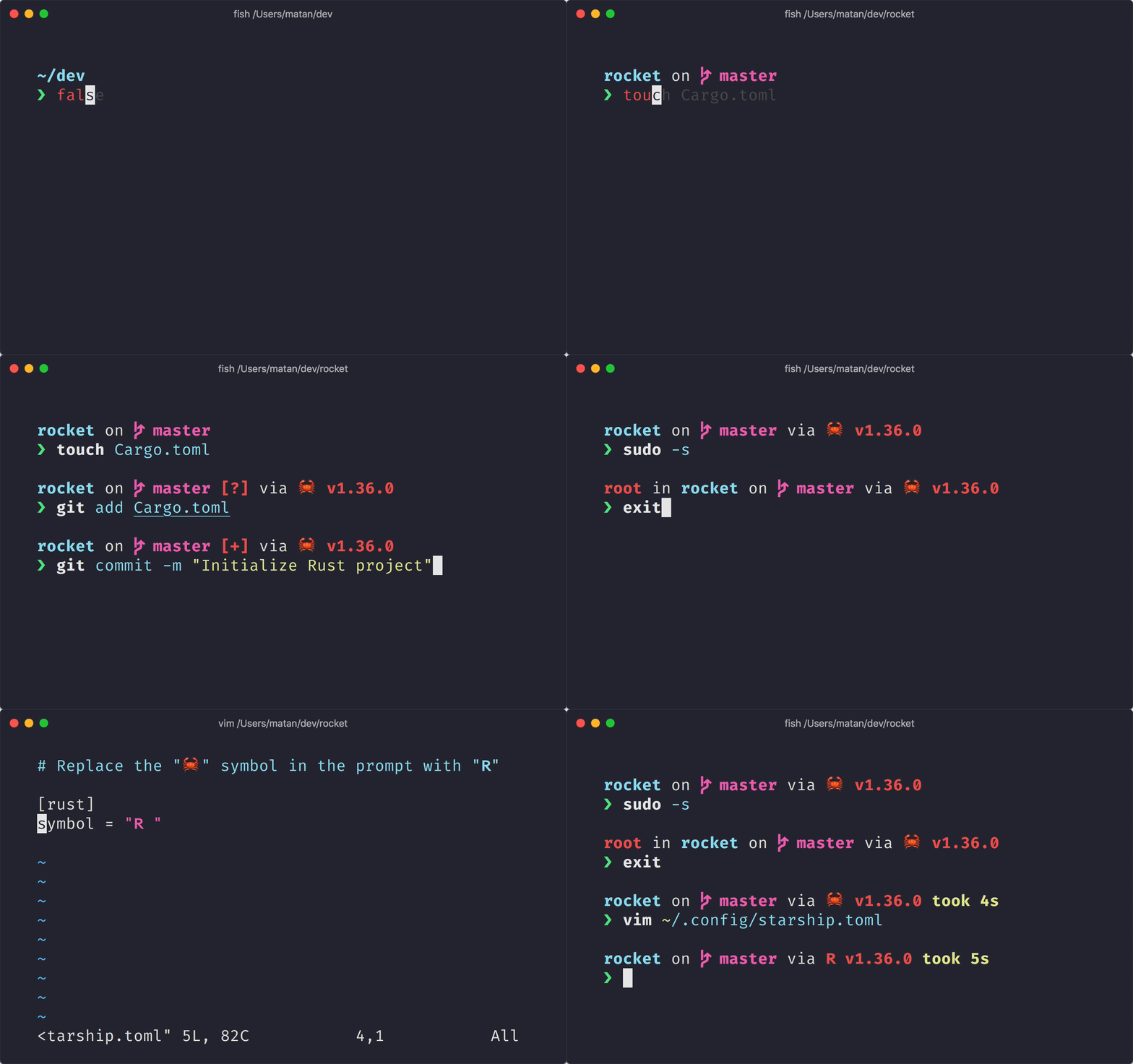
适用于任何 shell 的极简、闪电般快速且可无限自定义的提示符!
- **快速:**速度很快——真的非常快!🚀
- **可自定义:**配置提示符的每个细节。
- **通用:**适用于任何 shell 和任何操作系统。
- **智能:**一眼即可显示相关信息。
- **功能丰富:**支持所有你喜爱的工具。
- **简单:**安装快捷,几分钟内即可开始使用。
🚀 安装
前置条件
- 在终端中安装并启用 Nerd Font(例如,可以试试 FiraCode Nerd Font)。
第 1 步:安装 Starship
从下方列表中选择你的操作系统,查看安装说明:
BSD
使用以下任意包管理器安装 Starship:
| 发行版 | 仓库 | 安装说明 |
|---|---|---|
| 任意 | crates.io | cargo install starship --locked |
| FreeBSD | FreshPorts | pkg install starship |
| NetBSD | pkgsrc | pkgin install starship |
Linux
为你的系统安装最新版本:
curl -sS https://starship.rs/install.sh | sh
或者,使用以下任意包管理器安装 Starship:
| 发行版 | 仓库 | 安装说明 |
|---|---|---|
| 任意 | crates.io | cargo install starship --locked |
| 任意 | conda-forge | conda install -c conda-forge starship |
| 任意 | Linuxbrew | brew install starship |
| Alpine Linux 3.13+ | Alpine Linux Packages | apk add starship |
| Arch Linux | Arch Linux Extra | pacman -S starship |
| CentOS 7+ | Copr | dnf copr enable atim/starship dnf install starship |
| Debian 13+ | Debian Main | apt install starship |
| Fedora 40+ | Copr | dnf copr enable atim/starship dnf install starship |
| Gentoo | Gentoo Packages | emerge app-shells/starship |
| Manjaro | pacman -S starship | |
| NixOS | nixpkgs | nix-env -iA nixpkgs.starship |
| openSUSE | OSS | zypper in starship |
| Ubuntu 25.04+ | Ubuntu Universe | apt install starship |
| Void Linux | Void Linux Packages | xbps-install -S starship |
macOS
为你的系统安装最新版本:
curl -sS https://starship.rs/install.sh | sh
或者,使用以下任意包管理器安装 Starship:
| 仓库 | 安装说明 |
|---|---|
| crates.io | cargo install starship --locked |
| conda-forge | conda install -c conda-forge starship |
| Homebrew | brew install starship |
| MacPorts | port install starship |
Windows
使用 releases section 中的 MSI 安装程序为你的系统安装最新版本。
使用以下任意包管理器安装 Starship:
| 仓库 | 安装说明 |
|---|---|
| crates.io | cargo install starship --locked |
| Chocolatey | choco install starship |
| conda-forge | conda install -c conda-forge starship |
| Scoop | scoop install starship |
| winget | winget install --id Starship.Starship |
配置 shell 初始化 starship。从下方列表中选择你的 shell:
Bash
将以下内容添加到 ~/.bashrc 的末尾:
eval "$(starship init bash)"
Cmd
使用 Cmd 时,需要搭配 Clink(v1.2.30+)。
在此路径创建文件 %LocalAppData%\clink\starship.lua,并写入以下内容:
load(io.popen('starship init cmd'):read("*a"))()
Elvish
将以下内容添加到 ~/.config/elvish/rc.elv 的末尾(Windows 上为 %AppData%\elvish\rc.elv):
eval (starship init elvish)
注意:仅支持 Elvish v0.18+。对于 v0.21.0 之前的 elvish 版本,配置文件可能位于 ~/.elvish/rc.elv
Fish
将以下内容添加到 ~/.config/fish/config.fish 的末尾:
starship init fish | source
Ion
将以下内容添加到 ~/.config/ion/initrc 的末尾:
eval $(starship init ion)
Nushell
将以下内容添加到 Nushell 配置文件的末尾(在 Nushell 中运行 $nu.config-path 查找该文件):
mkdir ($nu.data-dir | path join "vendor/autoload")
starship init nu | save -f ($nu.data-dir | path join "vendor/autoload/starship.nu")
注意:仅支持 Nushell v0.96+
PowerShell
将以下内容添加到 PowerShell 配置文件的末尾(运行 $PROFILE 查找该文件):
Invoke-Expression (&starship init powershell)
Tcsh
将以下内容添加到 ~/.tcshrc 的末尾:
eval `starship init tcsh`
Xonsh
将以下内容添加到 ~/.xonshrc 的末尾:
execx($(starship init xonsh))
Zsh
将以下内容添加到 ~/.zshrc 的末尾:
eval "$(starship init zsh)"
步骤 3. 配置 Starship
启动一个新的 shell 实例,你就会看到全新的漂亮 shell 提示符。 如果你满意默认设置,就尽情享用吧!
如果你想进一步自定义 Starship:
🤝 参与贡献
我们始终欢迎各种技能水平的贡献者!如果你想轻松开始参与项目,可以试试一个适合新手的 issue。
如果你精通英语以外的语言,我们非常感谢你帮助维护其他语言文档的翻译并保持其更新。如果你愿意提供帮助,可以通过 Starship Crowdin 参与翻译。
如果你有兴趣为 starship 贡献力量,请查看我们的贡献指南。此外,也欢迎加入我们的 Discord 服务器打个招呼。👋
💭 灵感来源
请看看这些启发 starship 创作的前作。🙏
-
denysdovhan/spaceship-prompt – 为宇航员打造的 ZSH 提示符。
-
denysdovhan/robbyrussell-node – 使用 JavaScript 编写的跨 shell robbyrussell 主题。
-
reujab/silver – 带图标、可跨 shell 自定义的类 powerline 提示符。
❤️ 赞助商
通过成为赞助商支持本项目。你的姓名或徽标将显示在此处,并附上指向你网站的链接。
🔒 代码签名政策
由 SignPath.io 提供免费代码签名,证书由 SignPath Foundation 提供。
代码签名角色:
- 审核者:Astronauts
- 批准者和作者:Mission Control
除非用户或安装、运行该程序的人员明确提出请求,否则此程序不会向其他联网系统传输任何信息。

📝 许可证
版权所有 © 2019 至今,Starship 贡献者。
本项目基于 ISC 许可证授权。