
关于 usql
usql 是一个统一的命令行工具,可连接 PostgreSQL、MySQL、SQLite 等多个数据库系统。它提供交互式查询界面和脚本支持,使开发人员和 Agent 能够在单一环境中执行数据库操作。
主要功能
- 01连接 PostgreSQL、MySQL、SQLite、MongoDB 等多种数据库
- 02执行 SQL 查询并检查查询结果
- 03使用脚本命令实现可重复的数据库工作流
适用场景
- 01在编码任务中快速查询和检查数据库内容
- 02为自动化脚本和编码 Agent 提供统一的数据库访问接口
- 03调试和探索数据库结构与数据
安装
选择你的系统或包管理器,复制命令到终端运行。
安装完成后运行usql --version确认安装成功。
命令示例
常用命令按使用顺序排列。
详细介绍

usql 是适用于 PostgreSQL、MySQL、Oracle Database、SQLite3、Microsoft SQL Server
以及许多其他数据库(包括 NoSQL 和非关系型数据库)的通用命令行接口!
usql 可通过命令行操作 SQL 和 NoSQL 数据库,其命令行模式仿照 PostgreSQL 的 psql。
usql 支持大多数 psql 核心功能,例如变量、反引号、
反斜杠命令,还提供 psql 不具备的其他功能,例如支持多个数据库、
在数据库之间复制数据、基于上下文的补全,
以及终端图形。
偏好使用类似 psql 的工具来操作非 PostgreSQL 数据库的数据库管理员和开发者会发现,
usql 直观、易用,是其他数据库命令行客户端/工具的绝佳替代品。




安装
usql 可通过[发布版本][]、Homebrew、AUR、[Go][]或 [Docker][] 安装:
通过发布版本安装
- 下载适用于你平台的发布版本
- 从
.tar.bz2或.zip文件中解压出usql或usql.exe文件 - 将解压后的可执行文件移动到
$PATH(Linux/macOS)或%PATH%(Windows)中的某个位置
通过 Homebrew 安装(macOS 和 Linux)
按照常规方式,通过 brew 命令从 xo/xo tap 安装 usql:
# install usql with most drivers
$ brew install xo/xo/usql
通过 --with-odbc 安装标志可启用对 ODBC 数据库的支持:
# add xo tap
$ brew tap xo/xo

# install usql with odbc support
$ brew install --with-odbc usql
通过 AUR 安装(Arch Linux)
按照常规方式,通过 yay 命令从 Arch Linux AUR 安装 usql:
# install usql with most drivers
$ yay -S usql-bin
usql-bin 会安装已发布的二进制文件。若要改为从源代码构建,请使用 usql 软件包;由于它需要编译每个驱动程序,因此耗时会长得多:
# build usql with most drivers from source
$ yay -S usql
或者,使用 makepkg 构建并安装:
$ git clone https://aur.archlinux.org/usql.git && cd usql
$ makepkg -si
通过 Go 安装
按照常规 Go 方式安装 usql:
# install latest usql version with base drivers
$ go install github.com/xo/usql@latest

# alternately, install usql with most drivers (see below for info about build tags)
$ go install -tags most github.com/xo/usql@latest
有关 usql 构建标签的信息,请参阅下文。
通过 Docker 安装
usql 团队维护了一个官方容器映像(docker.io/usql/usql),
可与 Docker、Podman 或其他容器运行时配合使用。
使用 Docker、Podman 或其他容器运行时安装 usql:
# run interactive shell and mount the $PWD/data directory as a volume for use
# within the container
$ docker run --rm -it --volume $(pwd)/data:/data docker.io/usql/usql:latest sqlite3://data/test.db
Trying to pull docker.io/usql/usql:latest...
Getting image source signatures
Copying blob af48168d69d8 done   |
Copying blob efc2b5ad9eec skipped: already exists
Copying config 917ceb411d done   |
Writing manifest to image destination
Connected with driver sqlite3 (SQLite3 3.45.1)
Type "help" for help.

sq:data/test.db=> \q

# run postgres locally
$ docker run --detach --rm --name=postgres --publish=5432:5432 --env=POSTGRES_PASSWORD=P4ssw0rd docker.io/usql/postgres

# connect to local postgres instance
$ docker run --rm --network host -it docker.io/usql/usql:latest postgres://postgres:P4ssw0rd@localhost
Connected with driver postgres (PostgreSQL 16.3 (Debian 16.3-1.pgdg120+1))
Type "help" for help.

pg:postgres@localhost=> \q

# run specific usql version
$ docker run --rm -it docker.io/usql/usql:0.21.5
构建
使用 go build 或 go install 开箱即用地构建 usql 时,构建中只会包含用于 PostgreSQL、MySQL、SQLite3、Microsoft SQL
Server、Oracle 和 CSVQ 的base 驱动程序:
# build/install with base drivers (PostgreSQL, MySQL, SQLite3, Microsoft SQL Server,
# Oracle, CSVQ)
$ go install github.com/xo/usql@main
可以通过指定数据库驱动程序的构建标签来启用其他数据库。
# build/install with base, Avatica, and ODBC drivers
$ go install -tags 'avatica odbc' github.com/xo/usql@main
对于每个构建标签 <driver>,还有一个 no_<driver> 构建标签可用于禁用该驱动程序:
# build/install most drivers, excluding Avatica, Couchbase, and PostgreSQL
$ go install -tags 'most no_avatica no_couchbase no_postgres' github.com/xo/usql@main
指定构建标签 most 或 all,构建将分别包含大多数或所有 SQL 驱动程序:
# build/install with most drivers (excludes CGO drivers and problematic drivers)
$ go install -tags most github.com/xo/usql@main

# build/install all drivers (includes CGO drivers and problematic drivers)
$ go install -tags all github.com/xo/usql@main
数据库支持
usql 兼容 github.com/xo/dburl 支持的所有 Go 标准库兼容 SQL 驱动程序。
可以使用 \drivers 命令显示构建 usql 时使用的驱动程序列表:
$ cd $GOPATH/src/github.com/xo/usql

# build excluding the base drivers, and including cassandra and moderncsqlite
$ go build -tags 'no_postgres no_oracle no_sqlserver no_sqlite3 cassandra moderncsqlite'

# show built driver support
$ ./usql -c '\drivers'
Available Drivers:
  cassandra [ca, cass, cql, datastax, scy, scylla]
  memsql (mysql) [me]
  moderncsqlite [mq, sq, file, sqlite, sqlite3, modernsqlite]
  mysql [my, maria, aurora, mariadb, percona]
  tidb (mysql) [ti]
  vitess (mysql) [vt]
以上内容表明,构建 usql 时只使用了 mysql、cassandra 和 moderncsqlite 驱动程序。上述输出反映了 usql 可用驱动程序的信息,具体包括内部驱动程序名称、主要 URL 方案、驱动程序可用的方案别名(显示在
[...] 中),以及线缆兼容驱动程序所使用的实际/底层驱动程序(显示在 (...) 中)。
支持的数据库方案和别名
以下是 usql 支持的 Go SQL 驱动程序、对应的数据库、方案/构建标签以及方案别名:
| 数据库 | 方案 / 标签 | 方案别名 | 驱动程序包 / 备注 |
|---|---|---|---|
| Presto | presto | pr, prestodb | [github.com/xo/dbimp/trino][d-presto] |
| PostgreSQL | postgres | pg, pgsql, postgresql | [github.com/jackc/pgx/v5/stdlib][d-postgres] |
| Trino | trino | tr | [github.com/xo/dbimp/trino][d-trino] |
| PostgreSQL PGX | pgx | px | [github.com/jackc/pgx/v5/stdlib][d-pgx] |
| MySQL | mysql | my, maria, aurora, mariadb, percona | [github.com/go-sql-driver/mysql][d-mysql] |
| Microsoft SQL Server | sqlserver | ms, mssql, azuresql | [github.com/microsoft/go-mssqldb][d-sqlserver] |
| Oracle Database | oracle | or, ora, oci, oci8, odpi, odpi-c | [github.com/sijms/go-ora/v3][d-oracle] |
| SQLite3 | sqlite3 | sq, sqlite, file | [github.com/mattn/go-sqlite3][d-sqlite3] † § |
| DuckDB | duckdb | dk, ddb, duck, file | [github.com/duckdb/duckdb-go/v2][d-duckdb] † § |
| ClickHouse | clickhouse | ch | [github.com/xo/dbimp/clickhouse][d-clickhouse] |
| CockroachDB | cockroachdb | cr, cdb, crdb, cockroach | [github.com/jackc/pgx/v5/stdlib][d-cockroachdb] |
| CrateDB | cratedb | ct, crate | [github.com/jackc/pgx/v5/stdlib][d-cratedb] |
| Amazon Redshift | redshift | rs | [github.com/jackc/pgx/v5/stdlib][d-redshift] ¶ |
| SingleStore MemSQL | memsql | me | [github.com/go-sql-driver/mysql][d-memsql] |
| TiDB | tidb | ti | [github.com/go-sql-driver/mysql][d-tidb] |
| Vitess Database | vitess | vt | [github.com/go-sql-driver/mysql][d-vitess] |
| Alibaba MaxCompute | maxcompute | mc | [github.com/aliyun/aliyun-odps-go-sdk/sqldriver][d-maxcompute] ¶ |
| Alibaba Tablestore | ots | ot, tablestore | [github.com/aliyun/aliyun-tablestore-go-sql-driver][d-ots] ¶ |
| Amazon Athena | athena | s3, aws, awsathena | [github.com/xo/dbimp/athena][d-athena] ¶ |
| Apache Avatica | avatica | av, phoenix | [github.com/xo/dbimp/avatica][d-avatica] |
| Apache Drill | drill | dl | [github.com/xo/dbimp/drill][d-drill] |
| Apache Druid | druid | dr | [github.com/xo/dbimp/druid][d-druid] |
| Apache Hive | hive | hi, hive2 | [github.com/beltran/gohive/v2][d-hive] |
| Apache Impala | impala | im | [github.com/sclgo/impala-go][d-impala] |
| Apache Pinot | pinot | pi | [github.com/xo/dbimp/pinot][d-pinot] |
| Apache Solr | solr | so | [github.com/xo/dbimp/solr][d-solr] |
| ArangoDB | arangodb | ar, arango | [github.com/xo/dbimp/arangodb][d-arangodb] |
| Azure Cosmos DB | cosmos | cm | [github.com/xo/dbimp/cosmos][d-cosmos] ¶ |
| Cassandra | cassandra | ca, cql, scy, cass, scylla, datastax | [github.com/xo/cassandra][d-cassandra] |
| ChaiSQL | chai | ci, genji, chaisql | [github.com/chaisql/chai][d-chai] § |
| Couchbase | couchbase | n1, n1ql | [github.com/xo/dbimp/couchbase][d-couchbase] |
| CSVQ | csvq | cs, csv, tsv, json | [github.com/mithrandie/csvq-driver][d-csvq] § |
| Databend | databend | dd, bend | [github.com/xo/dbimp/databend][d-databend] |
| Databricks | databricks | br, brick, bricks, databrick | [github.com/xo/dbimp/databricks][d-databricks] ¶ |
| DynamoDB | dynamodb | dy, dyn, dynamo | [github.com/xo/dbimp/dynamodb][d-dynamodb] |
| Elasticsearch | elasticsearch | es, elastic | [github.com/xo/dbimp/elasticsearch][d-elasticsearch] |
| Exasol | exasol | ex, exa | [github.com/xo/dbimp/exasol][d-exasol] |
| Firebird | firebird | fb, firebirdsql | [github.com/nakagami/firebirdsql][d-firebird] |
| FlightSQL | flightsql | fl, flight | [github.com/apache/arrow-go/v18/arrow/flight/flightsql/driver][d-flightsql] |
| Google BigQuery | bigquery | bq | [github.com/xo/dbimp/bigquery][d-bigquery] ¶ |
| Google Spanner | spanner | sp | [github.com/xo/dbimp/spanner][d-spanner] ¶ |
| InfluxDB | influxdb | in, influx | [github.com/xo/dbimp/influxdb][d-influxdb] |
| InfluxDB InfluxQL | influxql | iq | [github.com/xo/dbimp/influxdb][d-influxql] |
| libSQL | libsql | ls, turso | [github.com/xo/dbimp/libsql][d-libsql] |
| ModernC SQLite3 | moderncsqlite | mq, modernsqlite | [modernc.org/sqlite][d-moderncsqlite] § |
| Neo4j | neo4j | nj, neo, n4j | [github.com/xo/dbimp/neo4j][d-neo4j] |
| ODBC | odbc | od | [github.com/xo/odbc][d-odbc] |
| OpenSearch | opensearch | os, open | [github.com/xo/dbimp/opensearch][d-opensearch] |
| PostgreSQL lib/pq | libpq | pq | [github.com/lib/pq][d-libpq] |
| QuestDB | questdb | qs | [github.com/jackc/pgx/v5/stdlib][d-questdb] |
| rqlite | rqlite | rq | [github.com/xo/dbimp/rqlite][d-rqlite] |
| SAP HANA | saphana | sa, sap, hana, hdb | [github.com/SAP/go-hdb/driver][d-saphana] |
| Snowflake | snowflake | sf | [github.com/xo/dbimp/snowflake][d-snowflake] ¶ |
| SurrealDB | surrealdb | sr, sur, surreal | [github.com/xo/dbimp/surrealdb][d-surrealdb] |
| Vertica | vertica | ve | [github.com/vertica/vertica-sql-go][d-vertica] |
| VoltDB | voltdb | vo, vdb, volt | [github.com/VoltDB/voltdb-client-go/voltdbclient][d-voltdb] |
| YDB | ydb | yd | [github.com/ydb-platform/ydb-go-sdk/v3][d-ydb] |
| Apache H2 | h2 | [github.com/jmrobles/h2go][d-h2] | |
| GizmoSQL | gizmosql | gz, gizmo | [github.com/apache/arrow-go/v18/arrow/flight/flightsql/driver][d-gizmosql] |
| 无驱动程序 | no_base | 无基础驱动程序(适用于开发) | |
| 大多数驱动程序 | most | 所有稳定的驱动程序 | |
| 所有驱动程序 | all | 所有驱动程序,不包括有问题的驱动程序 | |
| 有问题的驱动程序 | bad | 有问题的驱动程序(损坏 / 无法工作的驱动程序) | |
| 排除 <TAG> | no_<tag> | 排除带有 <tag> 的驱动程序 | |
| [d-arangodb]: https://github.com/xo/dbimp | |||
| [d-athena]: https://github.com/xo/dbimp | |||
| [d-avatica]: https://github.com/xo/dbimp | |||
| [d-bigquery]: https://github.com/xo/dbimp | |||
| [d-cassandra]: https://github.com/xo/cassandra | |||
| [d-chai]: https://github.com/chaisql/chai | |||
| [d-clickhouse]: https://github.com/xo/dbimp | |||
| [d-cockroachdb]: https://github.com/jackc/pgx | |||
| [d-cosmos]: https://github.com/xo/dbimp | |||
| [d-couchbase]: https://github.com/xo/dbimp | |||
| [d-cratedb]: https://github.com/jackc/pgx | |||
| [d-csvq]: https://github.com/mithrandie/csvq-driver | |||
| [d-databend]: https://github.com/xo/dbimp | |||
| [d-databricks]: https://github.com/xo/dbimp | |||
| [d-drill]: https://github.com/xo/dbimp | |||
| [d-druid]: https://github.com/xo/dbimp | |||
| [d-duckdb]: https://github.com/duckdb/duckdb-go | |||
| [d-dynamodb]: https://github.com/xo/dbimp | |||
| [d-elasticsearch]: https://github.com/xo/dbimp | |||
| [d-exasol]: https://github.com/xo/dbimp | |||
| [d-firebird]: https://github.com/nakagami/firebirdsql | |||
| [d-flightsql]: https://github.com/apache/arrow-go/tree/main/arrow/flight/flightsql/driver | |||
| [d-gizmosql]: https://github.com/apache/arrow-go/tree/main/arrow/flight/flightsql/driver | |||
| [d-h2]: https://github.com/jmrobles/h2go | |||
| [d-hive]: https://github.com/beltran/gohive | |||
| [d-impala]: https://github.com/sclgo/impala-go | |||
| [d-influxdb]: https://github.com/xo/dbimp | |||
| [d-influxql]: https://github.com/xo/dbimp | |||
| [d-libpq]: https://github.com/lib/pq | |||
| [d-libsql]: https://github.com/xo/dbimp | |||
| [d-maxcompute]: https://github.com/aliyun/aliyun-odps-go-sdk | |||
| [d-memsql]: https://github.com/go-sql-driver/mysql | |||
| [d-moderncsqlite]: https://gitlab.com/cznic/sqlite | |||
| [d-mysql]: https://github.com/go-sql-driver/mysql | |||
| [d-neo4j]: https://github.com/xo/dbimp | |||
| [d-odbc]: https://github.com/xo/odbc | |||
| [d-opensearch]: https://github.com/xo/dbimp | |||
| [d-oracle]: https://github.com/sijms/go-ora | |||
| [d-ots]: https://github.com/aliyun/aliyun-tablestore-go-sql-driver | |||
| [d-pgx]: https://github.com/jackc/pgx | |||
| [d-pinot]: https://github.com/xo/dbimp | |||
| [d-postgres]: https://github.com/jackc/pgx | |||
| [d-presto]: https://github.com/xo/dbimp | |||
| [d-questdb]: https://github.com/jackc/pgx | |||
| [d-redshift]: https://github.com/jackc/pgx | |||
| [d-rqlite]: https://github.com/xo/dbimp | |||
| [d-saphana]: https://github.com/SAP/go-hdb | |||
| [d-snowflake]: https://github.com/xo/dbimp | |||
| [d-solr]: https://github.com/xo/dbimp | |||
| [d-spanner]: https://github.com/xo/dbimp | |||
| [d-sqlite3]: https://github.com/mattn/go-sqlite3 | |||
| [d-sqlserver]: https://github.com/microsoft/go-mssqldb | |||
| [d-surrealdb]: https://github.com/xo/dbimp | |||
| [d-tidb]: https://github.com/go-sql-driver/mysql | |||
| [d-trino]: https://github.com/xo/dbimp | |||
| [d-vertica]: https://github.com/vertica/vertica-sql-go | |||
| [d-vitess]: https://github.com/go-sql-driver/mysql | |||
| [d-voltdb]: https://github.com/VoltDB/voltdb-client-go | |||
| [d-ydb]: https://github.com/ydb-platform/ydb-go-sdk |
† 需要 CGO
§ 嵌入式,无需运行服务
¶ 托管服务,无需运行自己的服务
通过命令行连接数据库,或使用 \connect 和
\copy 命令时,可以组合使用上述任意协议方案/别名:
# connect to a vitess database:
$ usql vt://user:pass@host:3306/mydatabase

$ usql
(not connected)=> \c vitess://user:pass@host:3306/mydatabase

$ usql
(not connected)=> \copy csvq://. pg://localhost/ 'select * ....' 'myTable'
有关构建供 usql 使用的 DSN/URL 的更多详情,请参阅下文有关连接数据库的章节。
使用
[安装][]后,可以按以下方式使用 usql:
# connect to a postgres database
$ usql postgres://booktest@localhost/booktest

# connect to an oracle database
$ usql oracle://user:pass@host/oracle.sid

# connect to a postgres database and run the commands contained in script.sql
$ usql pg://localhost/ -f script.sql
命令行选项
支持的命令行选项:
$ usql --help
usql, the universal command-line interface for SQL databases

Usage:
  usql [flags]... [DSN]

Arguments:
  DSN   database url or connection name

Flags:
  -c, --command COMMAND                     run only single command (SQL or internal) and exit
  -f, --file FILE                           execute commands from file and exit
  -w, --no-password                         never prompt for password
  -X, --no-init                             do not execute initialization scripts (aliases: --no-rc --no-psqlrc --no-usqlrc)
  -o, --out FILE                            output file
  -W, --password                            force password prompt (should happen automatically)
  -1, --single-transaction                  execute as a single transaction (if non-interactive)
  -v, --set NAME=VALUE                      set script variable NAME to VALUE (see \set command, aliases: --var --variable)
      --uset NAME=VALUE                     set setting NAME of usql to VALUE (see \uset command)
  -N, --cset NAME=DSN                       set named connection NAME to DSN (see \cset command)
  -P, --pset VAR=ARG                        set printing option VAR to ARG (see \pset command)
  -F, --field-separator FIELD-SEPARATOR     field separator for unaligned and CSV output (default "|" and ",")
  -R, --record-separator RECORD-SEPARATOR   record separator for unaligned and CSV output (default \n)
  -T, --table-attr TABLE-ATTR               set HTML table tag attributes (e.g., width, border)
  -A, --no-align                            unaligned table output mode
  -H, --html                                HTML table output mode
  -t, --tuples-only                         print rows only
  -x, --expanded                            turn on expanded table output
  -z, --field-separator-zero                set field separator for unaligned and CSV output to zero byte
  -0, --record-separator-zero               set record separator for unaligned and CSV output to zero byte
  -J, --json                                JSON output mode
  -C, --csv                                 CSV output mode
  -G, --vertical                            vertical output mode
  -q, --quiet                               run quietly (no messages, only query output)
      --config string                       config file
  -V, --version                             output version information, then exit
  -?, --help                                show this help, then exit
连接数据库
usql 会通过解析 URL并将生成的连接字符串传递给数据库驱动来打开数据库连接。数据库连接字符串(也称为“数据源名称”或 DSN)的解析规则与 URL 相同,可以通过命令行传递给 usql,也可以传递给 \connect、\c 和 \copy 命令。
可以通过\cset 命令或在config.yaml 配置文件中定义数据库连接。
数据库连接字符串
数据库连接字符串的格式如下:
  driver+transport://user:pass@host/dbname?opt1=a&opt2=b
  driver:/path/to/file
  /path/to/file
  name
上述组成部分如下:
| 组成部分 | 说明 |
|---|---|
driver | 驱动方案名称或方案别名 |
transport | tcp、udp、unix 或驱动名称 (用于 ODBC 和 ADODB) |
user | 用户名 |
pass | 密码 |
host | 主机名 |
dbname ± | 数据库名称、实例或服务名称/ID |
?opt1=a&... | 其他数据库驱动选项(可用选项请参阅相应 SQL 驱动的文档) |
/path/to/file | 磁盘上的路径 |
name | 由 \cset 或 config.yaml 设置的连接名称 |
驱动别名
usql 支持与 dburl 包相同的驱动名称和别名。每种数据库至少有一个别名。所有受支持的别名列表请参阅 dburl 的方案文档。
短别名
所有数据库驱动都有一个两个字符的简称,通常是数据库驱动名称的前两个字母。例如,postgres 的简称是 pg,mysql 是 my,sqlserver 是 ms,oracle 是 or,sqlite3 是 sq。
传递驱动选项
驱动选项以标准 URL 查询选项的形式指定,例如 ?opt1=a&opt2=b。可用选项请参阅相关数据库驱动的文档。
磁盘上的路径
如果 URL 没有 driver: 方案,usql 会检查它是否为磁盘上的路径。如果该路径存在,usql 会尝试使用合适的数据库驱动打开该路径。
如果路径是 Unix 域套接字,usql 会尝试使用 MySQL 驱动打开它。如果路径是目录,usql 会尝试使用 PostgreSQL 驱动打开它。最后,如果路径是普通文件,usql 会尝试使用 SQLite3 或 DuckDB 驱动打开该文件。
驱动默认值
与 URL 一样,URL 中的大多数组成部分都是可选的,许多组成部分可以省略。在条件允许时,usql 会尝试使用默认值进行连接:
# connect to postgres using the local $USER and the unix domain socket in /var/run/postgresql
$ usql pg://
更多信息请参阅数据库驱动的相关文档。
连接示例
以下是连接字符串示例,以及使用 usql 连接数据库的其他方式:
# connect to a postgres database
$ usql pg://user:pass@host/dbname
$ usql pgsql://user:pass@host/dbname
$ usql postgres://user:pass@host:port/dbname
$ usql pg://
$ usql /var/run/postgresql
$ usql pg://user:pass@host/dbname?sslmode=disable # Connect without SSL

# connect to a mysql database
$ usql my://user:pass@host/dbname
$ usql mysql://user:pass@host:port/dbname
$ usql my://
$ usql /var/run/mysqld/mysqld.sock

# connect to a sqlserver database
$ usql sqlserver://user:pass@host/instancename/dbname
$ usql ms://user:pass@host/dbname
$ usql ms://user:pass@host/instancename/dbname
$ usql mssql://user:pass@host:port/dbname
$ usql ms://

# connect to a sqlserver database using Windows domain authentication
$ runas /user:ACME\wiley /netonly "usql mssql://host/dbname/"

# connect to a oracle database
$ usql or://user:pass@host/sid
$ usql oracle://user:pass@host:port/sid
$ usql or://

# connect to a cassandra database
$ usql ca://user:pass@host/keyspace
$ usql cassandra://host/keyspace
$ usql cassandra://host/
$ usql ca://

# connect to an alibaba maxcompute project over https, or over http with tls=false:
$ usql "mc://accessid:[email protected]/api?project=myproject"
$ usql "mc://accessid:accesskey@host/api?project=myproject&tls=false"

# Note: the project option is required. The curr_project and scheme options of
# the previous maxcompute driver no longer work, and any option the driver does
# not recognize is sent to the server as an SQL hint.

# connect to a sqlite database that exists on disk
$ usql dbname.sqlite3

# Note: when connecting to a SQLite database, if the "driver://" or
# "driver:" scheme/alias is omitted, the file must already exist on disk.
#
# if the file does not yet exist, the URL must incorporate file:, sq:, sqlite3:,
# or any other recognized sqlite3 driver alias to force usql to create a new,
# empty database at the specified path:
$ usql sq://path/to/dbname.sqlite3
$ usql sqlite3://path/to/dbname.sqlite3
$ usql file:/path/to/dbname.sqlite3

# connect to a named connection in $HOME/.config/usql/config.yaml
$ cat $HOME/.config/usql/config.yaml
connections:
  my_named_connection: sqlserver://user:pass@localhost/
$ usql my_named_connection

# connect with ODBC driver (needs the ODBC driver manager of the system)
$ cat /etc/odbcinst.ini
[PostgreSQL ANSI]
Description=PostgreSQL ODBC driver (ANSI version)
Driver=psqlodbca.so
Setup=libodbcpsqlS.so
Debug=0
CommLog=1
UsageCount=1

# connect to a postgres database using the odbc config above
$ usql odbc+PostgreSQL+ANSI://user:pass@localhost/dbname?TraceFile=/path/to/trace.log
有关如何定义连接名称的信息,请参阅连接变量一节。
执行查询和命令
交互式解释器会读取查询和反斜杠元命令(\),并将查询发送到已连接的数据库:
$ usql sqlite://example.sqlite3
Connected with driver sqlite3 (SQLite3 3.17.0)
Type "help" for help.

sq:example.sqlite3=> create table test (test_id int, name string);
CREATE TABLE
sq:example.sqlite3=> insert into test (test_id, name) values (1, 'hello');
INSERT 1
sq:example.sqlite3=> select * from test;
  test_id | name
+---------+-------+
        1 | hello
(1 rows)

sq:example.sqlite3=> select * from test
sq:example.sqlite3-> \p
select * from test
sq:example.sqlite3-> \g
  test_id | name
+---------+-------+
        1 | hello
(1 rows)

sq:example.sqlite3=> \c postgres://booktest@localhost
error: pq: 28P01: password authentication failed for user "booktest"
Enter password:
Connected with driver postgres (PostgreSQL 9.6.6)
pg:booktest@localhost=> select * from authors;
  author_id |      name
+-----------+----------------+
          1 | Unknown Master
          2 | blah
          3 | foobar
(3 rows)

pg:booktest@localhost=>
命令接受一个或多个参数。参数可以用 ' 或 " 引起来,也可以用反引号括起来。
反斜杠命令
usql 支持交错使用反斜杠(\)元命令,以修改 usql 解释查询的方式、格式化输出,以及改变交互流程。
(not connected)=> \c postgres://user:pass@localhost
pg:user@localhost=> select * from my_table \G
使用 \? 可以显示可用的反斜杠元命令:
$ usql
Type "help" for help.

(not connected)=> \?
General
  \q                                quit usql
  \quit                             alias for \q
  \copyright                        show usage and distribution terms for usql
  \drivers                          show database drivers available to usql

Help
  \? [commands]                     show help on usql's meta (backslash) commands
  \? options                        show help on usql command-line options
  \? variables                      show help on special usql variables

Connection
  \c DSN or \c NAME                 connect to dsn or named database connection
  \c DRIVER PARAMS...               connect to database with driver and parameters
  \connect                          alias for \c
  \Z                                close (disconnect) database connection
  \disconnect                       alias for \Z
  \password [USER]                  change password for user
  \passwd                           alias for \password
  \conninfo                         display information about the current database connection

Query Execute
  \g [(OPTIONS)] [FILE] or ;        execute query (and send results to file or |pipe)
  \go                               alias for \g
  \G [(OPTIONS)] [FILE]             as \g, but forces vertical output mode
  \ego                              alias for \G
  \gx [(OPTIONS)] [FILE]            as \g, but forces expanded output mode
  \gexec                            execute query and execute each value of the result
  \gset [PREFIX]                    execute query and store results in usql variables
  \bind [PARAM]...                  set query parameters
  \timing [on|off]                  toggle timing of commands

Query View
  \crosstab [(OPTIONS)] [COLUMNS]   execute query and display results in crosstab
  \crosstabview                     alias for \crosstab
  \xtab                             alias for \crosstab
  \chart CHART [(OPTIONS)]          execute query and display results as a chart
  \watch [(OPTIONS)] [INTERVAL]     execute query every specified interval

Query Buffer
  \e [-raw|-exec] [FILE] [LINE]     edit the query buffer, raw (non-interpolated) buffer, the
                                    exec buffer, or a file with external editor
  \edit                             alias for \e
  \p [-raw|-exec]                   show the contents of the query buffer, the raw
                                    (non-interpolated) buffer or the exec buffer
  \print                            alias for \p
  \raw                              alias for \p
  \exec                             alias for \p
  \w [-raw|-exec] FILE              write the contents of the query buffer, raw
                                    (non-interpolated) buffer, or exec buffer to file
  \write                            alias for \w
  \r                                reset (clear) the query buffer
  \reset                            alias for \r

Informational
  \d[S+] [NAME]                     list tables, views, and sequences or describe table, view,
                                    sequence, or index
  \da[S+] [PATTERN]                 list aggregates
  \df[S+] [PATTERN]                 list functions
  \di[S+] [PATTERN]                 list indexes
  \dm[S+] [PATTERN]                 list materialized views
  \dn[S+] [PATTERN]                 list schemas
  \dp[S] [PATTERN]                  list table, view, and sequence access privileges
  \ds[S+] [PATTERN]                 list sequences
  \dt[S+] [PATTERN]                 list tables
  \dv[S+] [PATTERN]                 list views
  \l[+]                             list databases
  \ss[+] [TABLE|QUERY] [k]          show stats for a table or a query

Variables
  \set [NAME [VALUE]]               set script variable, or show all script variables if no
                                    parameters
  \uset [NAME [VALUE]]              set a setting of usql, show it if there is no value, or show
                                    all settings if no parameters
  \unset NAME                       unset (delete) script variable
  \pset [NAME [VALUE]]              set table print formatting option, or show all print
                                    formatting options if no parameters
  \a                                toggle between unaligned and aligned output mode
  \C [TITLE]                        set table title, or unset if none
  \f [SEPARATOR]                    show or set field separator for unaligned query output
  \H                                toggle HTML output mode
  \T [ATTRIBUTES]                   set HTML <table> tag attributes, or unset if none
  \t [on|off]                       show only rows
  \x [on|off|auto]                  toggle expanded output
  \cset [NAME [URL]]                set named connection, or show all named connections if no
                                    parameters
  \cset NAME DRIVER PARAMS...       set named connection for driver and parameters
  \prompt [-TYPE] VAR [PROMPT]      prompt user to set application variable

Input/Output
  \echo [-n] [MESSAGE]...           write message to standard output (-n for no newline)
  \qecho [-n] [MESSAGE]...          write message to \o output stream (-n for no newline)
  \warn [-n] [MESSAGE]...           write message to standard error (-n for no newline)
  \o [FILE]                         send all query results to file or |pipe
  \out                              alias for \o
  \copy SRC DST QUERY TABLE         copy results of query from source database into table on
                                    destination database
  \copy SRC DST QUERY TABLE(A,...)  copy results of query from source database into table's
                                    columns on destination database

Control/Conditional
  \i FILE                           execute commands from file
  \include                          alias for \i
  \ir FILE                          as \i, but relative to location of current script
  \include_relative                 alias for \ir
  \if EXPR                          begin conditional block
  \elif EXPR                        alternative within current conditional block
  \else                             final alternative within current conditional block
  \endif                            end conditional block

Transaction
  \begin [-read-only [ISOLATION]]   begin transaction, with optional isolation level
  \commit                           commit current transaction
  \rollback                         rollback (abort) current transaction
  \abort                            alias for \rollback

Operating System/Environment
  \! [COMMAND]                      execute command in shell or start interactive shell
  \cd [DIR]                         change the current working directory
  \getenv VARNAME ENVVAR            fetch environment variable
  \setenv NAME [VALUE]              set or unset environment variable
传递给命令的参数可以用反引号括起来。
功能与兼容性
usql 的功能、特性以及与 psql 的兼容性概览:
usql 项目的目标是支持 psql 尽可能多的核心功能和特性,并力求实现尽可能高的兼容性——欢迎随时贡献!
配置
在初始化阶段,usql 会读取标准的 YAML 配置文件 config.yaml。在 Windows 上,该文件位于 %AppData%/usql/config.yaml;在 macOS 上,位于 $HOME/Library/Application Support/usql/config.yaml;在 Linux 和其他 Unix 系统上,通常位于 $HOME/.config/usql/config.yaml。
connections:
可以在 connections: 下将命名连接 DSN定义为字符串或映射:
connections:
  my_couchbase_conn: couchbase://Administrator:P4ssw0rd@localhost
  my_clickhouse_conn: clickhouse://clickhouse:P4ssw0rd@localhost
  my_oracle_conn:
    protocol: oracle
    username: system
    password: P4ssw0rd
    hostname: localhost
    port: 1521
    database: free
定义的 connections: 可通过命令行中的 \connect、\c、\copy 和其他命令使用:
$ usql my_oracle_conn
Connected with driver oracle (Oracle Database 23.0.0.0.0)
Type "help" for help.

or:system@localhost/free=>
init:
可以将初始化脚本定义为字符串,放在 init: 下:
init: |
  \echo welcome to the jungle `date`
  \uset syntax_hl_style paraiso-dark
  \uset prompt1 '\033[32m%S%M%/%R%#\033[0m '
init: 脚本通常用于设置环境变量或其他配置,也可以通过命令行标志 --no-init / -X 禁用。该脚本会在执行任何 -c / --command / -f / --file 标志之前,以及启动交互式解释器之前运行。
其他选项
有关可用配置选项的概览,请参阅 _samples/config.yaml。
变量
usql 自带脚本变量、连接变量、显示格式变量和设置项。它们分别通过 \set、\cset、\pset 和 \uset 设置;其中 \set 仅用于脚本:像 pager 这样的设置项不是变量,使用 \set pager less 会报错并提示改用 \uset。
运行时变量
脚本变量通过 \set 和 \unset 命令管理:
(not connected)=> \unset FOO
(not connected)=> \set FOO bar
使用 \set 可以显示脚本变量:
(not connected)=> \set
FOO = 'bar'
变量插值
设置脚本变量 NAME 后,:NAME、:'NAME' 和 :"NAME" 会被插入到查询缓冲区中:
pg:booktest@localhost=> \set FOO bar
pg:booktest@localhost=> select * from authors where name = :'FOO';
  author_id | name
+-----------+------+
          7 | bar
(1 rows)
将运行时变量写作 :'NAME' 或 :"NAME" 时,插入的值会分别用 ' 或 " 引起来:
pg:booktest@localhost=> \set TBLNAME authors
pg:booktest@localhost=> \set COLNAME name
pg:booktest@localhost=> \set FOO bar
pg:booktest@localhost=> select * from :TBLNAME where :"COLNAME" = :'FOO'
可以使用 \p 和 \print 显示查询缓冲区及插入的值,也可以使用 \raw 显示原始查询缓冲区:
pg:booktest@localhost-> \p
select * from authors where "name" = 'bar'
pg:booktest@localhost-> \raw
select * from :TBLNAME where :"COLNAME" = :'FOO'
注意
包含在其他字符串中的变量不会进行插值:
pg:booktest@localhost=> select ':FOO';
  ?column?
+----------+
  :FOO
(1 rows)

pg:booktest@localhost=> \p
select ':FOO';
##### 连接变量
连接变量的工作方式与运行时变量类似,并使用 \cset 管理。连接变量可与 \c、\connect、\copy 或其他命令一起使用:
(not connected)=> \cset my_conn postgres://user:pass@localhost
(not connected)=> \c my_conn
Connected with driver postgres (PostgreSQL 16.2 (Debian 16.2-1.pgdg120+2))
pg:postgres@localhost=>
连接变量不会插值到查询中。有关定义持久连接变量的信息,请参阅配置部分。
使用 \cset 可显示连接变量:
(not connected)=> \cset
my_conn = 'postgres://user:pass@localhost'
显示格式(打印)变量
使用 \pset 和其他命令可设置显示格式变量:
(not connected)=> \pset time Kitchen
Time display is "Kitchen" ("3:04PM").
(not connected)=> \a
Output format is unaligned.
使用 \pset 可显示显示格式变量:
(not connected)=> \pset
time                     Kitchen
设置项
usql 的设置项,例如分页器、编辑器、提示词和 on_error_stop,使用 \uset 命令管理,其工作方式与 \pset 相同。不带参数时会显示所有设置项;提供名称时会显示该设置项;提供名称和值时会设置该项。读取值的方式与其他元命令读取参数的方式相同:可以加引号,:name 会进行插值,反引号会运行命令。
(not connected)=> \uset pager "less -R"
pager is "less -R"
(not connected)=> \uset on_error_stop on
on_error_stop is on
(not connected)=> \uset
echo_hidden           off
editor                ""
on_error_stop         on
pager                 "less -R"
prompt1               "%S%N%m%/%R%# "
...
也可以在命令行中通过 --uset NAME=VALUE 指定设置项,而 -q 等同于 --uset quiet=on。环境变量 USQL_PAGER、PAGER、USQL_EDITOR、EDITOR、VISUAL、USQL_SSLMODE、USQL_SHOW_HOST_INFORMATION 和 USQL_TERM_GRAPHICS 会为对应设置项提供首个值。
使用 \? variables 命令查看帮助信息,并列出 usql 识别的变量和设置项:
(not connected)=> \? variables
反引号
反斜杠(\)元命令支持在参数中使用反引号:
(not connected)=> \echo Welcome `echo $USER` -- 'currently:' "(" `date` ")"
Welcome ken -- currently: ( Wed Jun 13 12:10:27 WIB 2018 )
(not connected)=>
反引号括起的参数会按原样传递给用户的 SHELL,并且可与 \set 组合使用:
pg:booktest@localhost=> \set MYVAR `date`
pg:booktest@localhost=> \set
MYVAR = 'Wed Jun 13 12:17:11 WIB 2018'
pg:booktest@localhost=> \echo :MYVAR
Wed Jun 13 12:17:11 WIB 2018
pg:booktest@localhost=>
在数据库之间复制
usql 提供了 \copy 命令,可从源数据库 DSN 读取数据,并写入目标数据库 DSN:
(not connected)=> \cset PGDSN postgres://user:pass@localhost
(not connected)=> \cset MYDSN mysql://user:pass@localhost
(not connected)=> \copy PGDSN MYDSN 'select book_id, author_id from books' 'books(id, author_id)'
如上所示,\copy 命令不需要连接到数据库,也不会修改或更改当前打开的数据库连接或状态。
源数据库和目标数据库可以使用任何有效的 URL 或 DSN 名称:
(not connected)=> \cset MYDSN mysql://user:pass@localhost
(not connected)=> \copy postgres://user:pass@localhost MYDSN 'select book_id, author_id from books' 'books(id, author_id)'
注意
usql的\copy与psql的\copy不同,且并非以相同方式运行。
复制参数
\copy 命令有两种参数形式:
\copy SRC DST QUERY TABLE
\copy SRC DST QUERY TABLE(COL1, COL2, ..., COLN)
其中:
SRC- 要连接的源数据库 URL,并在此连接上执行QUERYDST- 要连接的目标数据库 URL,目标TABLE位于此数据库中QUERY- 在SRC连接上执行的查询,其结果将复制到TABLETABLE- 目标表名称,后面可跟一个类似 SQL 的可选列列表,格式为(COL1, COL2, ..., COLN)(COL1, COL2, ..., COLN)- 目标列名列表,数量为 1 到 N
\copy 参数遵循变量、插值和引号的常规规则。
引号
QUERY 和 TABLE **必须**在包含空格时加引号:
$ usql
(not connected)=> echo :SOURCE_DSN :DESTINATION_DSN
pg://postgres:P4ssw0rd@localhost/ mysql://localhost
(not connected)=> \copy :SOURCE_DSN :DESTINATION_DSN 'select * from mySourceTable' 'myDestination(colA, colB)'
COPY 2
列数
QUERY **必须**返回与 TABLE 表达式定义数量相同的列:
$ usql
(not connected)=> \copy csvq:. sq:test.db 'select * from authors' authors
error: failed to prepare insert query: 2 values for 1 columns
(not connected)=> \copy csvq:. sq:test.db 'select name from authors' authors(name)
COPY 2
数据类型兼容性与转换
\copy 命令不会尝试执行任何数据类型转换。
如果 QUERY 返回的列与 TABLE 列所需的数据类型不同,可使用源数据库的转换/类型转换功能,将列转换为适用于 TABLE 列的数据类型:
$ usql
(not connected)=> \copy postgres://user:pass@localhost mysql://user:pass@localhost 'SELECT uuid_column::TEXT FROM myPgTable' myMyTable
COPY 1
从 CSV 导入数据
使用 csvq 驱动程序,\copy 命令可以从 CSV(或任何其他数据库!)导入数据:
$ cat authors.csv
author_id,name
1,Isaac Asimov
2,Stephen King
$ cat books.csv
book_id,author_id,title
1,1,I Robot
2,2,Carrie
3,2,Cujo
$ usql
(not connected)=> -- setting variables to make connections easier
(not connected)=> \set SOURCE_DSN csvq://.
(not connected)=> \set DESTINATION_DSN sqlite3:booktest.db
(not connected)=> -- connecting to the destination and creating the schema
(not connected)=> \c :DESTINATION_DSN
Connected with driver sqlite3 (SQLite3 3.38.5)
(sq:booktest.db)=> create table authors (author_id integer, name text);
CREATE TABLE
(sq:booktest.db)=> create table books (book_id integer not null primary key autoincrement, author_id integer, title text);
CREATE TABLE
(sq:booktest.db)=> -- adding an extra row to books prior to copying
(sq:booktest.db)=> insert into books (author_id, title) values (1, 'Foundation');
INSERT 1
(sq:booktest.db)=> -- disconnecting to demonstrate that \copy opens new database connections
(sq:booktest.db)=> \disconnect
(not connected)=> -- copying data from SOURCE -> DESTINATION
(not connected)=> \copy :SOURCE_DSN :DESTINATION_DSN 'select * from authors' authors
COPY 2
(not connected)=> \copy :SOURCE_DSN :DESTINATION_DSN 'select author_id, title from books' 'books(author_id, title)'
COPY 3
(not connected)=> \c :DESTINATION_DSN
Connected with driver sqlite3 (SQLite3 3.38.5)
(sq:booktest.db)=> select * from authors;
 author_id |     name
-----------+--------------
         1 | Isaac Asimov
         2 | Stephen King
(2 rows)

sq:booktest.db=> select * from books;
 book_id | author_id |   title
---------+-----------+------------
       1 |         1 | Foundation
       2 |         1 | I Robot
       3 |         2 | Carrie
       4 |         2 | Cujo
(4 rows)
注意
在数据库之间导入大型数据集(> 1GiB)时,最好使用数据库原生客户端和工具。
###### 使用 Copy 重用连接
\copy 命令(以及所有 usql 命令)支持使用变量。
在编写脚本时,或需要对多个来源/目标执行多次 \copy 操作时,最佳做法是在脚本中或在 $HOME/.usqlrc RC 脚本中通过 \set 设置连接变量。
同样,也可以将密码存储在 $HOME/.usqlpass 密码文件中,以便轻松重用并避免将其写入脚本。
例如:
$ cat $HOME/.usqlpass
postgres:*:*:*:postgres:P4ssw0rd
oracle:*:*:*:system:P4ssw0rd
$ usql
Type "help" for help.

(not connected)=> \set pglocal postgres://postgres@localhost:49153?sslmode=disable
(not connected)=> \set orlocal oracle://system@localhost:1521/orasid
(not connected)=> \copy :pglocal :orlocal 'select staff_id, first_name from staff' 'staff(staff_id, first_name)'
COPY 18
语法高亮
交互式输入会在键入时高亮显示。usql 使用 transit 的语法解析输入,并使用连接对应方言的语法解析每条语句中的 SQL。颜色来自 transit 的一种样式,其中包含 Chroma 的样式。控制高亮显示的设置如下:
| 设置 | 默认值 | 值 | 描述 |
|---|---|---|---|
syntax_hl | true | true 或 false | 开启或关闭高亮显示 |
syntax_hl_format | 取决于终端支持情况 | noop、terminal、terminal256、terminal16m | 颜色数量:无、16、256 或 24 位 |
syntax_hl_override_bg | true | true 或 false | 保留终端背景,而不使用样式的背景 |
syntax_hl_style | monokai | 样式名称 | 样式名称 |
使用 \uset 设置这些选项。默认情况下,无颜色的终端或设置了 NO_COLOR 变量时,会关闭高亮显示:
$ usql
(not connected)=> \uset syntax_hl_style dracula
syntax_hl_style is dracula
(not connected)=> \uset syntax_hl off
syntax_hl is false
上下文补全
使用交互式 shell 时,在 usql 中按 <Tab> 键即可进行上下文补全。例如,在 PostgreSQL 数据库中按 <Tab> 键可以补全 SELECT 查询的某些部分:
$ usql
Connected with driver postgres (PostgreSQL 14.4 (Debian 14.4-1.pgdg110+1))
Type "help" for help.

pg:postgres@=> select * f<Tab>
fetch            from             full outer join
或者,例如,在连接到数据库时补全反斜杠命令:
$ usql my://
Connected with driver mysql (10.8.3-MariaDB-1:10.8.3+maria~jammy)
Type "help" for help.

my:root@=> \g<Tab>
\g     \gexec \gset  \gx
并非所有命令、上下文或数据库都支持补全。若要帮助改进此功能,请参阅下文的贡献部分。
按 <Control-C> 可取消命令补全。
时间格式
某些数据库支持可设置格式的时间/日期列。默认情况下,usql 会将时间/日期列格式化为 RFC3339Nano,也可以使用 \pset time FORMAT 设置格式:
$ usql pg://
Connected with driver postgres (PostgreSQL 13.2 (Debian 13.2-1.pgdg100+1))
Type "help" for help.

pg:postgres@=> \pset
time                     RFC3339Nano
pg:postgres@=> select now();
             now
-----------------------------
 2021-05-01T22:21:44.710385Z
(1 row)

pg:postgres@=> \pset time Kitchen
Time display is "Kitchen" ("3:04PM").
pg:postgres@=> select now();
   now
---------
 10:22PM
(1 row)

pg:postgres@=>
usql 的时间格式支持任何 Go 支持的时间格式,也可以使用任意标准 Go 常量名称,例如上面的 Kitchen。有关可用时间常量的概览,请见下文。
时间常量
以下是 usql 中可用的时间常量名称、对应的时间格式值和示例显示输出:
| 常量 | 格式 | 显示 ↓ |
|---|---|---|
| ANSIC | Mon Jan _2 15:04:05 2006 | Wed Aug 3 20:12:48 2022 |
| UnixDate | Mon Jan _2 15:04:05 MST 2006 | Wed Aug 3 20:12:48 UTC 2022 |
| RubyDate | Mon Jan 02 15:04:05 -0700 2006 | Wed Aug 03 20:12:48 +0000 2022 |
| RFC822 | 02 Jan 06 15:04 MST | 03 Aug 22 20:12 UTC |
| RFC822Z | 02 Jan 06 15:04 -0700 | 03 Aug 22 20:12 +0000 |
| RFC850 | Monday, 02-Jan-06 15:04:05 MST | Wednesday, 03-Aug-22 20:12:48 UTC |
| RFC1123 | Mon, 02 Jan 2006 15:04:05 MST | Wed, 03 Aug 2022 20:12:48 UTC |
| RFC1123Z | Mon, 02 Jan 2006 15:04:05 -0700 | Wed, 03 Aug 2022 20:12:48 +0000 |
| RFC3339 | 2006-01-02T15:04:05Z07:00 | 2022-08-03T20:12:48Z |
| RFC3339Nano | 2006-01-02T15:04:05.999999999Z07:00 | 2022-08-03T20:12:48.693257Z |
| Kitchen | 3:04PM | 8:12PM |
| Stamp | Jan _2 15:04:05 | Aug 3 20:12:48 |
| StampMilli | Jan _2 15:04:05.000 | Aug 3 20:12:48.693 |
| StampMicro | Jan _2 15:04:05.000000 | Aug 3 20:12:48.693257 |
| StampNano | Jan _2 15:04:05.000000000 | Aug 3 20:12:48.693257000 |
↓ 使用时间戳 2022-08-03T20:12:48.693257Z 生成
主机连接信息
默认情况下,usql 连接到数据库时会显示连接信息。某些数据库和连接不支持此功能。将环境变量 USQL_SHOW_HOST_INFORMATION 设置为 false 即可关闭:
$ export USQL_SHOW_HOST_INFORMATION=false
$ usql pg://booktest@localhost
Type "help" for help.

pg:booktest@=>
show_host_information 是 usql 的一个设置项,可通过 \uset 设置。此外,也可以通过命令行使用 --uset 传入:
$ usql --uset show_host_information=false pg://
Type "help" for help.

pg:booktest@=> \uset show_host_information true
pg:booktest@=> \connect pg://
Connected with driver postgres (PostgreSQL 9.6.9)
pg:booktest@=>
终端图形
usql 支持在启用了 Kitty、iTerm 和 Sixel 的终端中显示图形,使用的是 github.com/kenshaw/rasterm 包。终端图形仅在使用交互式 Shell 时可用。
检测与支持
usql 会尝试使用 USQL_TERM_GRAPHICS、TERM_GRAPHICS 以及其他各终端特有的环境变量,检测终端是否支持图形显示。
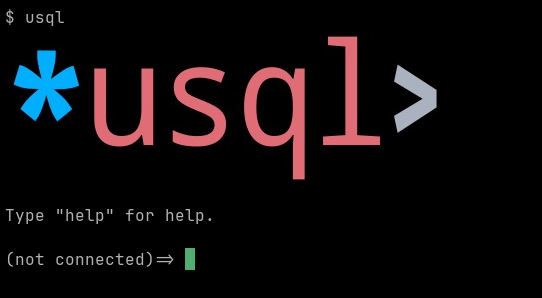
支持图形显示时,交互式会话开始时会显示徽标:
图表
可使用 \chart 命令直接在终端中显示图表:

详情请参阅有关 \chart 元命令的章节。
默认构建不包含图表功能。渲染器会在 JavaScript 引擎中运行 Apache ECharts,并使用 SVG 渲染器将结果栅格化;两者会使二进制文件增大约 12 MiB,因此该功能由 charts 构建标签控制。使用 -tags charts 或 -tags all 构建即可将其包含在内。不包含该功能的构建会报告没有图表渲染器。
启用/禁用终端图形
可以通过设置 USQL_TERM_GRAPHICS 或 TERM_GRAPHICS 环境变量,强制启用或禁用终端图形:
# disable
$ USQL_TERM_GRAPHICS=none usql

# force iterm graphics
$ TERM_GRAPHICS=iterm usql
| 变量 | 默认值 | 可选值 | 说明 |
|---|---|---|---|
TERM_GRAPHICS | `` | ``, kitty, iterm, sixel, none | 启用/禁用终端图形 |
支持图形的终端
以下终端已通过 usql 测试:
其他支持 Sixel 图形的终端可在 Are We Sixel Yet? 网站上查看。
密码
usql 支持在启动时从用户 HOME 目录中的 .usqlpass 文件读取数据库密码:
$ cat $HOME/.usqlpass
# format is:
# protocol:host:port:dbname:user:pass
postgres:*:*:*:booktest:booktest
$ usql pg://
Connected with driver postgres (PostgreSQL 9.6.9)
Type "help" for help.

pg:booktest@=>
示例请参阅 _samples/usqlpass。
当条目的每个字段都为 * 或与 URL 中的字段相同时,该条目就适用于此 URL。条目不会替换 URL 中指定的用户,而且针对某个数据库的条目只适用于该数据库。协议会匹配同一数据库的所有方案,因此 postgres: 条目也适用于 pg://、pgx:// 和 pq://。仅使用其他数据库协议的数据库仍是独立的数据库,因此 CockroachDB、CrateDB 和 Redshift 各自需要单独的条目,TiDB、SingleStore 和 Vitess 也一样。mysql: 条目不适用于 tidb://。
虽然不会移除 .usqlpass 功能,但建议定义命名连接,最好通过 config.yaml 文件进行配置。
说明
.usqlpass文件不得允许其他用户读取。请将其权限设置为0600:
chmod 0600 ~/.usqlpass
运行时配置(RC)文件
usql 支持执行用户 HOME 目录中的 .usqlrc 运行时配置(RC)文件:
$ cat $HOME/.usqlrc
\echo WELCOME TO THE JUNGLE `date`
\uset syntax_hl_style paraiso-dark

-- set color prompt (default is prompt is "%S%m%/%R%#" )
\uset prompt1 "\033[32m%S%m%/%R%#\033[0m"
$ usql
WELCOME TO THE JUNGLE Thu Jun 14 02:36:53 WIB 2018
Type "help" for help.

(not connected)=> \uset syntax_hl_style
syntax_hl_style is "paraiso-dark"
(not connected)=>
示例请参阅 _samples/usqlrc。
.usqlrc 文件会在启动时读取,方式与通过命令行 -f / --file 传入的文件相同。此文件通常用于设置启动环境变量和选项。
启动时可通过在命令行中传入 -X 或 --no-init,暂时禁用 RC 文件执行:
$ usql --no-init pg://
虽然不会移除 .usqlrc 功能,但建议在 config.yaml 文件中设置 init 脚本。
附加说明
以下是与 usql 相关的其他说明及杂项:
发布版构建
发布版构建使用 most 构建标签以及其他 SQLite3 构建标签(参见:build.sh)进行构建。
macOS
由于 macOS 上 sqlite3 驱动的库依赖处理方式,建议在 macOS 上通过 brew安装。如果运行 usql 时遇到以下错误(或类似错误):
$ usql
dyld: Library not loaded: /usr/local/opt/icu4c/lib/libicuuc.68.dylib
  Referenced from: /Users/user/.local/bin/usql
  Reason: image not found
Abort trap: 6
可以通过使用 brew 安装 icu4c 来修复缺少的库依赖:
$ brew install icu4c
Running `brew update --auto-update`...
==> Downloading ...
...

$ usql
(not connected)=>
Couchbase 常见问题解答
为什么事务提交失败并出现错误 17007?
服务器无法满足事务要求的持久性级别。事务默认要求 majority,而单节点服务器无法满足这一要求。除非你明确要求,否则 usql 不会更改持久性级别。对于单节点服务器(例如本地开发服务器),请在 URL 中设置 durability_level=none:
$ usql "couchbase://user:pass@localhost/?durability_level=none"
其他值包括 majority、majorityAndPersistActive 和
persistToMajority。
为什么事务保持打开的时间比服务器默认设置更长?
服务器默认在 15 秒后结束事务,这对于需要人工输入的事务来说太短了。如果 URL 未设置 txtimeout,usql 会设置 txtimeout=30m。在 URL 中设置该参数即可选择其他值:
$ usql "couchbase://user:pass@localhost/?txtimeout=2m"
贡献
usql 目前仍在开发中,目标是尽快发布 1.0 版本。
我们始终欢迎编写良好的 PR——GitHub 问题跟踪器中也有一批标记为 help wanted 的待处理问题!有关贡献的技术详情,请参阅 CONTRIBUTING.md。