
关于 Unified MCP Client Library
mcp-use 是用于构建和测试 MCP 服务及交互式应用的 TypeScript 框架,面向 MCP 开发者。它结合类型化工具、React 视图、Inspector 和面向 Agent 的命令行工作流。
主要功能
- 01类型化工具与界面契约
- 02用于交互应用的 React 视图
- 03内置浏览器 Inspector
- 04无头命令行调试
- 05服务脚手架与部署
适用场景
- 01构建带交互视图的 MCP 服务
- 02开发时测试工具和视图
- 03通过终端工作流调用工具
MCP 相关
该框架可构建向 MCP 客户端提供工具的 MCP 服务。其生态还包含用于连接 MCP 服务的客户端包。
详细介绍

用于 MCP 的 TypeScript 框架
构建、测试并发布 MCP 服务、ChatGPT 插件和 Claude 连接器
完整类型支持、原生视图和 MCP Apps 支持、内置 Inspector,以及一流的 Agent 体验。




说明
从 v1 迁移?交给你的 Agent:
Migrate this mcp-use project to v2 following
https://docs.mcp-use.com/v2/typescript/server/migration
开始使用
使用你的 Agent 开始
Build an MCP server: https://mcp-use.com/prompt.md
从代码开始
npx -y create-mcp-use-app@latest
在生成的项目中运行 npm run dev · 打开 http://localhost:3000/mcp/inspector
发布 MCP 所需的一切
完整类型支持Zod 模式贯穿工具、结构化结果、视图属性和工具调用。 |
原生视图将 React 视图直接绑定到工具,无需自定义扩展配置即可发布交互式应用。 |
Agent 优先,支持无头模式通过你的 Agent 创建脚手架、调用、检查、截图和部署。 |
内置调试工具在浏览器中检查工具和视图,也可以通过命令行以无头模式检查。 |
快速入门
脚手架会为你生成服务、TypeScript 配置、开发脚本、Inspector 和 React 视图流水线。启动后,MCP 端点还会提供一个客户端就绪的落地页,其中包含连接 URL 和设置说明。
将其 index.ts 替换为如下绑定了视图的工具:
|
为工具添加视图
创建 views/weather-card/view.tsx。目录名称与工具上的 view.name 相匹配:
|
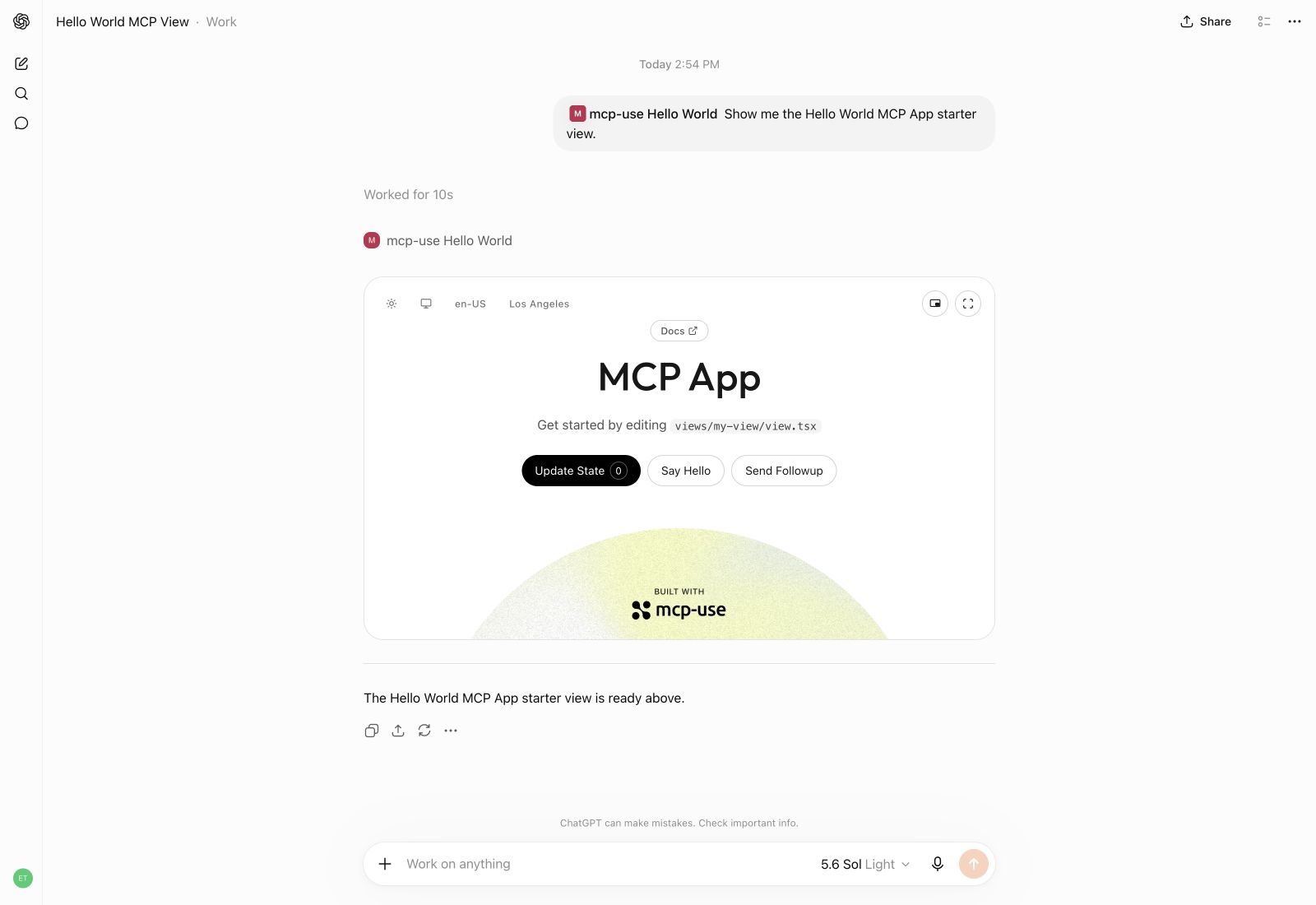
使用 mcp-use 在 ChatGPT 中打造交互式 UI 体验。
创建 ChatGPT 插件扩展
通过交互式视图构建 ChatGPT 插件扩展,让用户可以在对话旁边打开这些视图。使用 useModelContext,让用户将视图中的内容添加到对话中,例如要讨论的书籍或要探索的分析数据。
|
小书店
https://github.com/user-attachments/assets/2f9b56c1-f149-430e-b5b6-a258c08491e6
Manufact Analytics
https://github.com/user-attachments/assets/e488c66e-8f65-4930-8e08-711bdf12ec6e
构建
创建生产构建:
npm run build
检查
启动开发模式,在 http://localhost:3000/mcp 提供 MCP 端点。Inspector 会自动在 http://localhost:3000/mcp/inspector 启动:
npm run dev
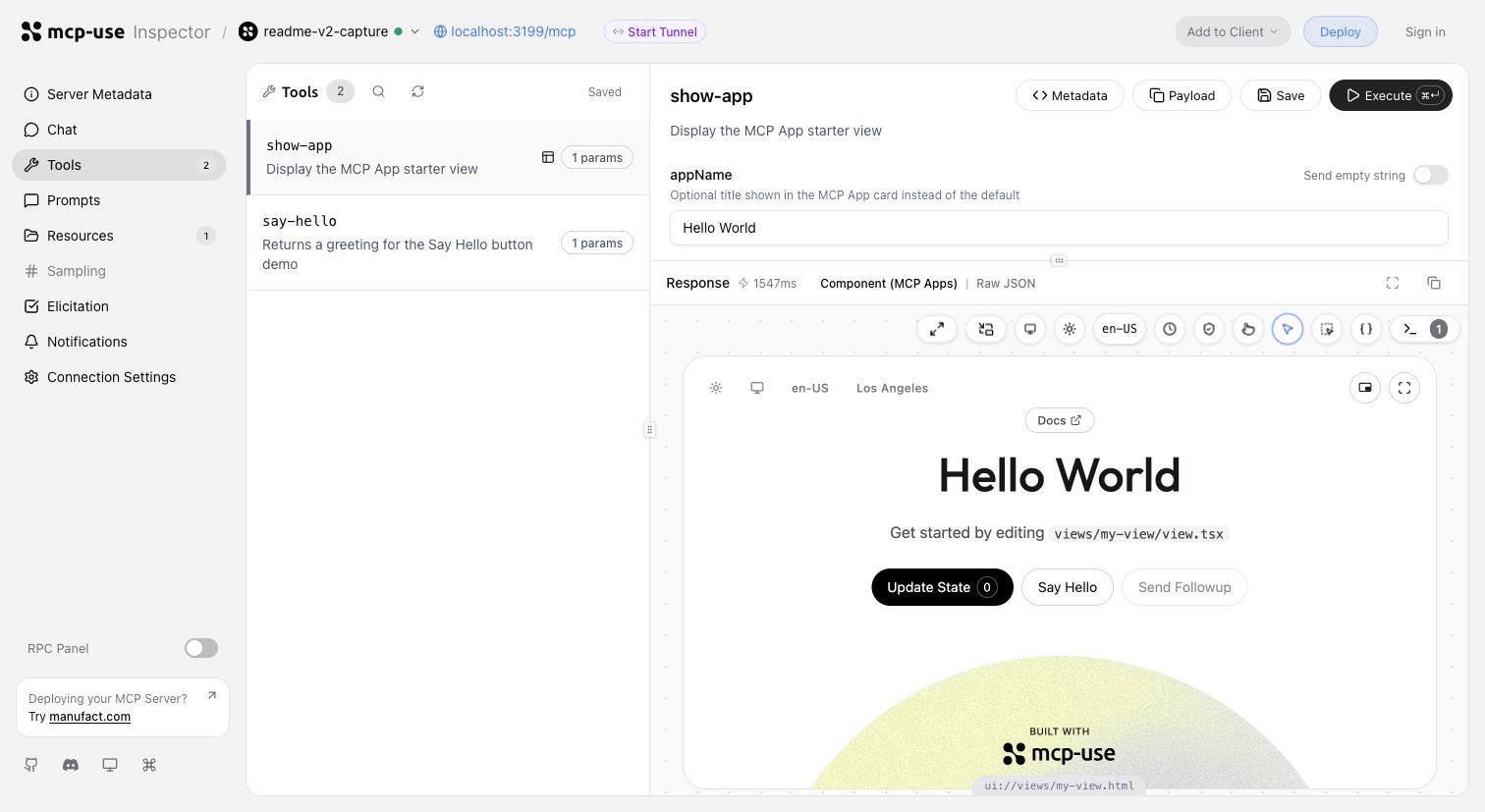
在同一个开发周期中调用工具、验证输入并检查交互式视图。
在 Inspector UI 中启动隧道,或运行 mcp-use dev --tunnel,获取本地 MCP 服务的公开 URL,并在部署前使用 ChatGPT 和 Claude 进行测试。了解隧道的更多信息 →
也可以直接在终端中无头检查同一服务、调用具有代表性的工具并截取视图:
npm install --save-dev @mcp-use/client
npx mcp-use client connect local http://localhost:3000/mcp
npx mcp-use client local tools list
npx mcp-use client local tools call get-weather city=Tokyo
npx mcp-use screenshot \
  --server local \
  --tool get-weather \
  city=Tokyo \
  --output weather-card.png
部署
部署到 Manufact,即可免费获得可观测性、分析、评估、提交准备情况,以及基于 Git 的预览环境。
npm run deploy
想要自行运行?请参阅自托管指南 →。
mcp-use 对比
mcp-use 基于官方 TypeScript SDK v2 构建,并提供一流的视图、类型化的工具到 UI 契约、经过优化的无状态运行时、Inspector、截图验证、Agent 优先的命令行工作流以及部署功能。
block-beta
  columns 7

  metric["Metric"] mcp["mcp-use v2"] fastmcp["FastMCP TS"] official["Official SDK v2*"] xmcp["xmcp"] skybridge["Skybridge"] handler["mcp-handler"]

  speed["Speed"] speedMcp["10,982 ops/s"] speedFast["6,628 ops/s"] speedOfficial["8,050 ops/s"] speedXmcp["6,585 ops/s"] speedSkybridge["8,116 ops/s"] speedHandler["6,324 ops/s"]
  install["MCP App<br/>dev stack"] installMcp["74.4 MiB"] installFast["122.5 MiB"] installOfficial["99.0 MiB"] installXmcp["121.9 MiB"] installSkybridge["137.5 MiB"] installHandler["388.0 MiB"]
  packages["Installed<br/>packages"] packagesMcp["51"] packagesFast["180"] packagesOfficial["119"] packagesXmcp["171"] packagesSkybridge["300"] packagesHandler["130"]
  views["Views"] viewsMcp["✅"] viewsFast["✅"] viewsOfficial["◐ Extension"] viewsXmcp["✅"] viewsSkybridge["✅"] viewsHandler["❌"]
  nativeViews["Native Views<br/>on MCP 2026"] nativeViewsMcp["✅"] nativeViewsFast["✅"] nativeViewsOfficial["❌"] nativeViewsXmcp["❌"] nativeViewsSkybridge["❌"] nativeViewsHandler["❌"]
  oauth["One-line<br/>OAuth adapters"] oauthMcp["✅"] oauthFast["◐ Provider/proxy"] oauthOfficial["◐ Primitives"] oauthXmcp["✅"] oauthSkybridge["✅"] oauthHandler["❌"]
  protocol["MCP 2026<br/>protocol"] protocolMcp["✅"] protocolFast["✅"] protocolOfficial["✅"] protocolXmcp["❌"] protocolSkybridge["❌"] protocolHandler["❌"]
  screenshot["Built-in View<br/>screenshot CLI"] screenshotMcp["✅"] screenshotFast["❌"] screenshotOfficial["❌"] screenshotXmcp["❌"] screenshotSkybridge["❌"] screenshotHandler["❌"]
  tunnel["Built-in<br/>tunneling"] tunnelMcp["✅"] tunnelFast["❌"] tunnelOfficial["❌"] tunnelXmcp["❌"] tunnelSkybridge["✅"] tunnelHandler["❌"]
  inspector["Built-in<br/>Inspector"] inspectorMcp["✅"] inspectorFast["✅"] inspectorOfficial["❌"] inspectorXmcp["❌"] inspectorSkybridge["◐ Limited"] inspectorHandler["❌"]

  classDef metricLabel fill:#6e76811a,font-weight:bold
  classDef brand fill:#2ea04333,stroke:#2da44e,stroke-width:3px,font-weight:bold
  classDef header fill:#6e76811a,font-weight:bold
  classDef value fill:#6e76810f,stroke-width:1px
  classDef leader fill:#2ea0432e,stroke:#2da44e,stroke-width:2px,font-weight:bold
  classDef partial fill:#bb80092e,stroke:#bf8700,stroke-width:2px,font-weight:bold
  classDef unavailable fill:#6e76810f,opacity:0.72

  class metric,speed,install,packages,views,nativeViews,oauth,protocol,screenshot,tunnel,inspector metricLabel
  class mcp brand
  class fastmcp,official,xmcp,skybridge,handler header
  class speedFast,speedOfficial,speedXmcp,speedSkybridge,speedHandler,installFast,installOfficial,installXmcp,installSkybridge,installHandler,packagesFast,packagesOfficial,packagesXmcp,packagesSkybridge,packagesHandler value
  class speedMcp,installMcp,packagesMcp,viewsMcp,viewsFast,viewsXmcp,viewsSkybridge,nativeViewsMcp,nativeViewsFast,oauthMcp,oauthXmcp,oauthSkybridge,protocolMcp,protocolFast,protocolOfficial,screenshotMcp,tunnelMcp,tunnelSkybridge,inspectorMcp,inspectorFast leader
  class oauthFast,viewsOfficial,oauthOfficial,inspectorSkybridge partial
  class viewsHandler,nativeViewsOfficial,nativeViewsXmcp,nativeViewsSkybridge,nativeViewsHandler,oauthHandler,protocolXmcp,protocolSkybridge,protocolHandler,screenshotFast,screenshotOfficial,screenshotXmcp,screenshotSkybridge,screenshotHandler,tunnelFast,tunnelOfficial,tunnelXmcp,tunnelHandler,inspectorOfficial,inspectorXmcp,inspectorHandler unavailable
* 包含 @modelcontextprotocol/ext-apps、Vite 和 zod,可用于构建支持 MCP Apps 的技术栈。
安装行比较的是自定义 React MCP App 开发技术栈。因此,FastMCP 包含 Apps 扩展、React、Vite React 插件、Vite、TypeScript 和 zod,而不只是范围更窄的服务端组件工作流。大小为常规 npm 安装后 node_modules 的实际磁盘占用,包括必需的对等依赖项。
示例
复刻完整的 MCP App、检查源代码,或将其部署为起点:
| 预览 | 应用 | 展示内容 |
|---|---|---|
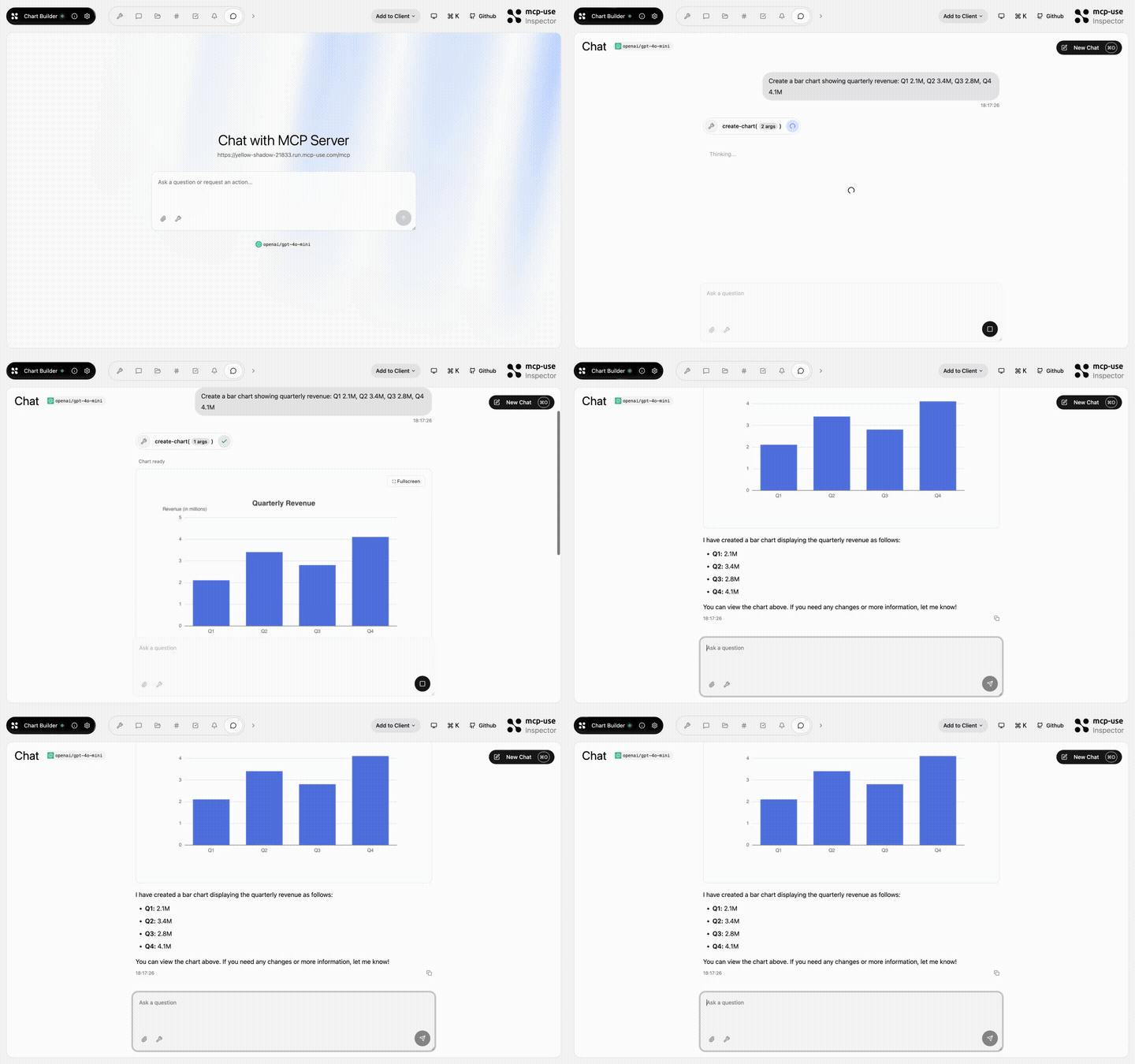 | 图表构建器 | 将结构化数据渲染为交互式图表 · 打开演示 |
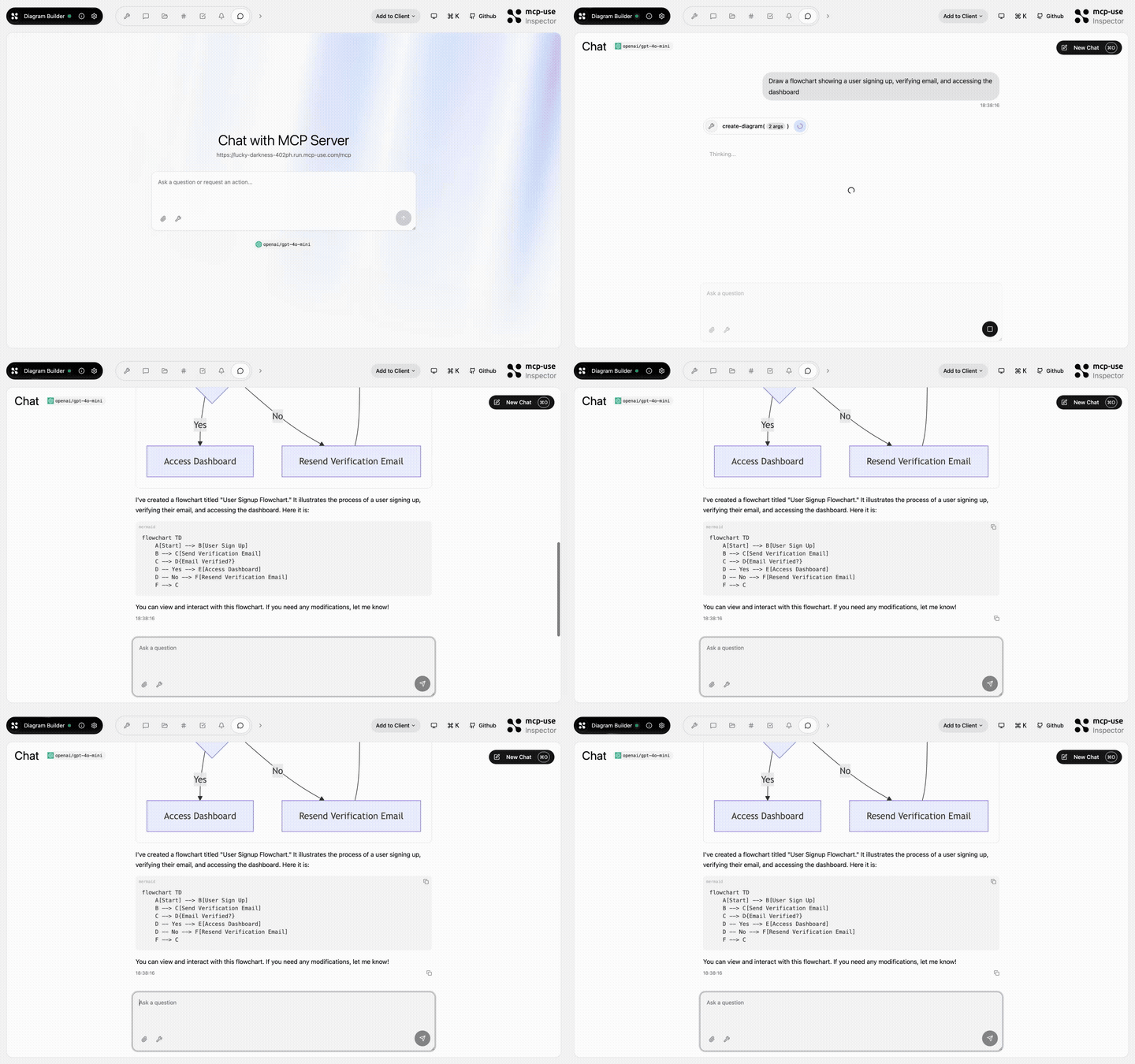 | 图表构建器 | 通过 MCP 工具创建和编辑图表 · 打开演示 |
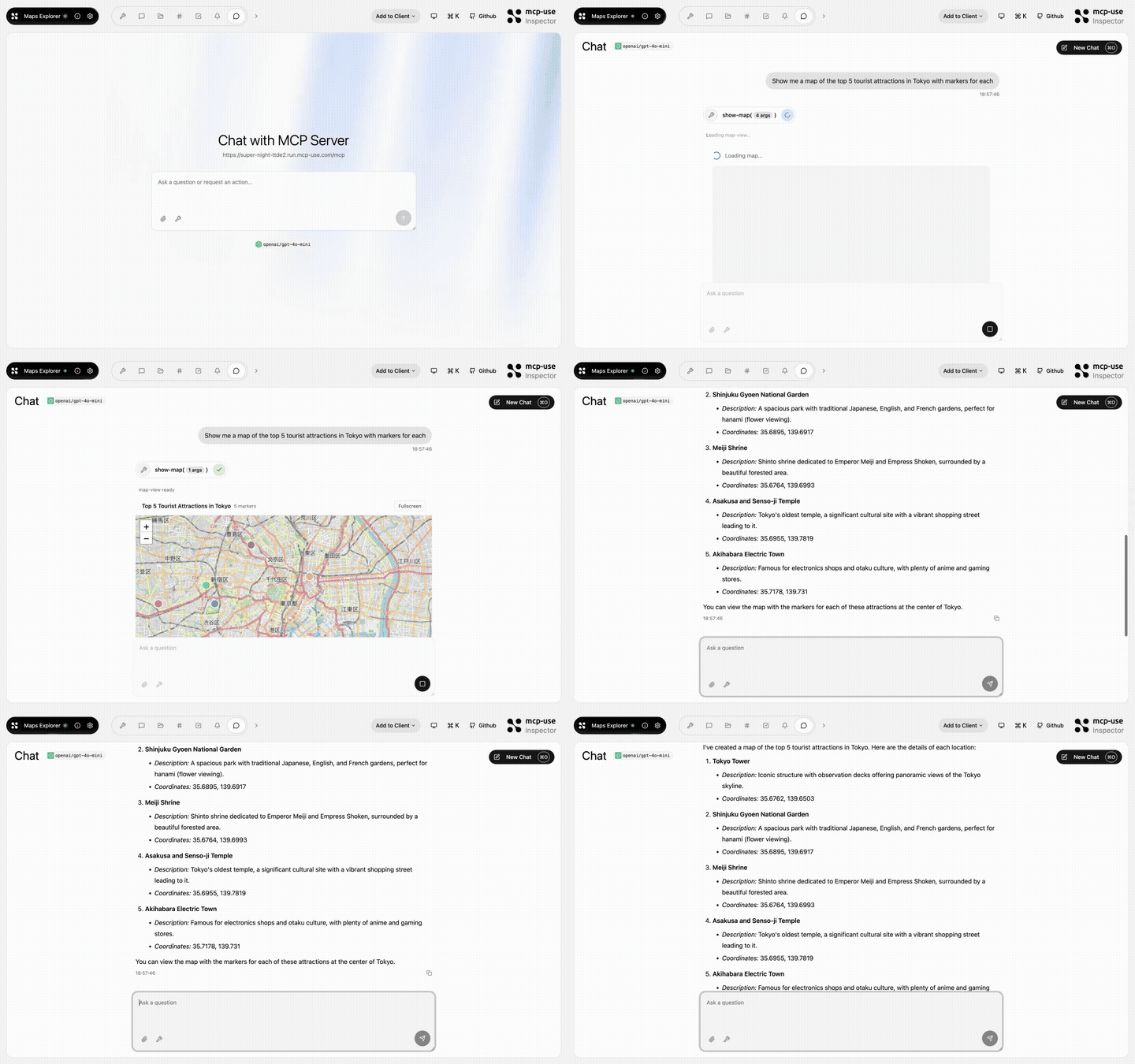 | 地图探索器 | 搜索、详情工具和交互式地图视图 · 打开演示 |
生态系统
| 软件包 | 用途 |
|---|---|
mcp-use | TypeScript v2 服务端框架、React 视图和命令行 |
@mcp-use/client | 从 Node.js、浏览器、React 和沙盒连接到 MCP 服务 |
@mcp-use/agent | 基于 MCP 客户端构建由模型驱动的 Agent |
@mcp-use/inspector | 检查和调试 MCP 服务与应用 |
@mcp-use/tunnel | 通过托管中继公开本地 HTTP、WebSocket 和 MCP 服务 |
create-mcp-use-app | 搭建服务和交互式应用的脚手架 |
mcp-use for Python | 构建 Python MCP 服务、客户端和 Agent |
协议一致性


贡献者
由 Pietro、Luigi、Enrico 和 mcp-use 社区共同打造。
评论
一个开放协议,规定了 AI 应用如何以统一方式连接外部工具与数据源。客户端负责与模型对话,MCP 服务负责提供工具、资源和提示模板,两者通过标准消息通信,同一个服务可以被不同客户端复用。