
About Flutter_mcp
A Flutter-based Claude AI desktop application following Clean Architecture with a modular monorepo managed by Melos, implementing MCP protocol for AI interactions and tool calling.
Key features
- 01Cross-platform desktop app for Windows, macOS, Linux
- 02MCP client and server implementation
- 03Chat interface with streaming updates
- 04MCP server management and configuration
- 05Built-in AI and function-calling support
Use cases
- 01Local AI desktop app for Gemini interactions
- 02Connect and manage multiple MCP servers to extend capabilities
- 03Reference implementation of Clean Architecture in Flutter
MCP support
The app implements an MCP client interacting with backend MCP services through structured messages, tool registration and invocation, content embedding, and connection lifecycle management.
Details
From the project README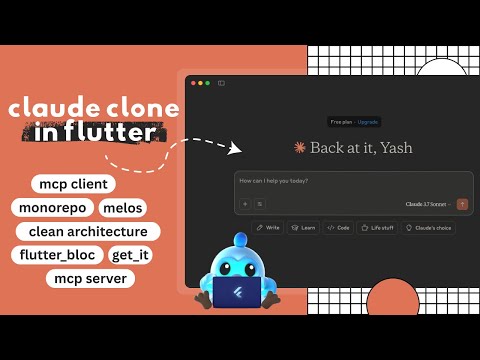
Flutter MCP Client — a Claude AI desktop interface built with Flutter, following Clean Architecture principles and powered by a modular monorepo using Melos. This application demonstrates the implementation of the Model Context Protocol (MCP) for rich AI-driven interactions.
🧰 Features
- 🖥️ Desktop-first Flutter app
- 🧼 Clean Architecture with modular monorepo
- 📦 State management using Flutter Bloc
- 🔌 MCP client/server implementation for interacting with Gemini
- 💬 Chat interface with real-time stream updates
- ⚙️ Add, edit, and manage MCP servers
- 🧠 Built-in AI and function-calling support
- 🎨 Custom widgets and clean UI
📁 Project Structure
This repository is organized using the monorepo approach with Melos:
apps/               # Main Flutter applications
external/           # External SDKs or libraries (e.g., LLM Kit)
packages/           # Feature-specific packages (Clean Architecture layers)
Key Layers
flutter_mcp_entities: Data models for AI, Chat, and MCPflutter_mcp_datasources: Local and remote data handlingflutter_mcp_repositories: Repositories for dependency injectionflutter_mcp_usecases: Use cases implementing core logicflutter_mcp_state: BLoC/Cubit state managementflutter_mcp_widgets: Custom reusable UI components
🚀 Getting Started
Prerequisites
Ensure the following tools are installed:
-
Flutter SDK
-
Dart SDK
-
Melos (Monorepo manager):
dart pub global activate melos
Installation
# Clone the repository
git clone https://github.com/your-org/flutter_mcp.git
cd flutter_mcp

# Bootstrap all packages
melos bootstrap
Run the App
# Navigate to app directory
cd apps/flutter_mcp

# Launch for your platform
flutter run -d windows
flutter run -d macos
flutter run -d linux
🧪 Running Tests
melos run test
🔍 Packages Overview
Each package in packages/ encapsulates a specific layer or feature:
| Package | Description |
|---|---|
flutter_mcp_entities | Domain models and entities |
flutter_mcp_datasources | Local persistence and data sources |
flutter_mcp_repositories | Abstraction layer for domain repositories |
flutter_mcp_usecases | Business logic and user interactions |
flutter_mcp_state | Cubit/Bloc-based state management |
flutter_mcp_widgets | Custom UI components |
🎨 UI & UX
- Utilizes fonts like Copernicus and StyreneB
- Responsive layouts and custom theming
- Reusable form fields, chat bubbles, connection indicators
📡 MCP Protocol Support
This app implements an MCP (Model Context Protocol) client, enabling AI interactions through structured messages, tool calling, and content embedding.
Supported features include:
- Streaming chat updates
- Tool registration and invocation
- Embedded content handling (text, images, resources)
- Connection lifecycle management
🤝 Contributing
We welcome contributions! To get started:
melos bootstrap
melos run analyze
Please submit issues or pull requests on GitHub.
📜 License
MIT License
Comments
New to MCP?
From what the protocol is to installing your first server, these answers cover most first questions.
An open protocol that defines how AI applications connect to external tools and data in a uniform way. Clients talk to the model; MCP servers provide tools, resources and prompt templates. They exchange standard messages, so one server can be reused by many clients.