
About MCP Server - Coda.io
MCP Server - Coda.io exposes Coda API document, table, and data management for users who need to read or modify Coda content. It supports table and column lookups and row retrieval, insertion, updating, and deletion.
Key features
- 01List Coda documents
- 02Fetch document tables
- 03Retrieve table column details
- 04Fetch table rows
- 05Insert or update rows
- 06Delete specified rows
Use cases
- 01Find available Coda documents
- 02Inspect table structure and contents
- 03Maintain table row data
MCP support
The MCP server provides document, table, column, and row tools to MCP clients through the Coda API. A Coda API key is required.
Configuration
Local server config is the same for every client. Copy it into your client’s MCP config file.
Tools
Local servers expose tools only once running on your machine, and the maintainer has not provided a tool list.
Details
From the project READMEMCP Server - Coda.io
A Model Context Protocol (MCP) server implementation for seamless integration with Coda's API, providing various tools for document, table, and data management.
Features
- Table Operations
- Fetch all tables from a document
- Retrieve specific table data
- Get table columns information
- Row Management
- Fetch rows from tables
- Upsert (insert/update) rows
- Delete rows
- Column Operations
- Fetch specific column details
- Get column metadata
Prerequisites
- Node.js (v20 or higher)
- A Coda API key
- TypeScript knowledge (for development)
Environment Setup
- Clone or fork this repository in Replit
- Create a
.envfile in the root directory:PORT=8000 CODA_API_KEY=your_coda_api_key_here - Replace
your_coda_api_key_herewith your actual Coda API key
Installation
The project uses npm for dependency management. To install dependencies:
npm install
Building the Project
Compile TypeScript files to JavaScript:
npx tsc
Running the Server
After building, start the server:
node dist/index.js
Or use the combined command:
npm install && npx tsc && node dist/index.js
The server will start on port 8000 by default, with the following endpoints available:
- GET
/sse- SSE connection endpoint - POST
/messages- Message handling endpoint
Available Tools
-
fetch-coda-docs- Fetches all available Coda documents
- Optional parameters: isOwner, limit
-
fetch-coda-tables- Fetches all tables from a specified document
- Required parameter: docId
-
fetch-coda-table- Fetches a specific table from a document
- Required parameters: docId, tableId
-
fetch-coda-table-columns- Retrieves columns information for a specific table
- Required parameters: docId, tableId
-
fetch-coda-rows- Fetches rows from a specified table
- Required parameters: docId, tableId
-
upsert-coda-rows- Inserts or updates rows in a table
- Required parameters: docId, tableId, rows
-
delete-coda-rows- Deletes specified rows from a table
- Required parameters: docId, tableId, rowIds
Error Handling
The server implements comprehensive error handling:
- Environment variable validation
- API response validation
- Request parameter validation
- Proper error messages and logging
Development
The project is structured as follows:
src/
├── tools/           # Individual tool implementations
│   ├── fetch-coda-docs.tool.ts
│   ├── fetch-coda-tables.tool.ts
│   └── ...
└── index.ts        # Main server implementation
Built With
- Express.js - Web framework
- @modelcontextprotocol/sdk - MCP implementation
- Zod - Runtime type checking
- dotenv - Environment configuration
Known Limitations and Future Improvements
The current implementation of tools requires several improvements:
- Enhanced JSON response handling and formatting
- Implementation of pagination for large datasets
- Better error handling and retry mechanisms
- Rate limiting implementation
- Batch processing for large operations
- Caching mechanisms for frequently accessed data
- There is more API tools to implement based on the documentation
MCP Client Implementation Example
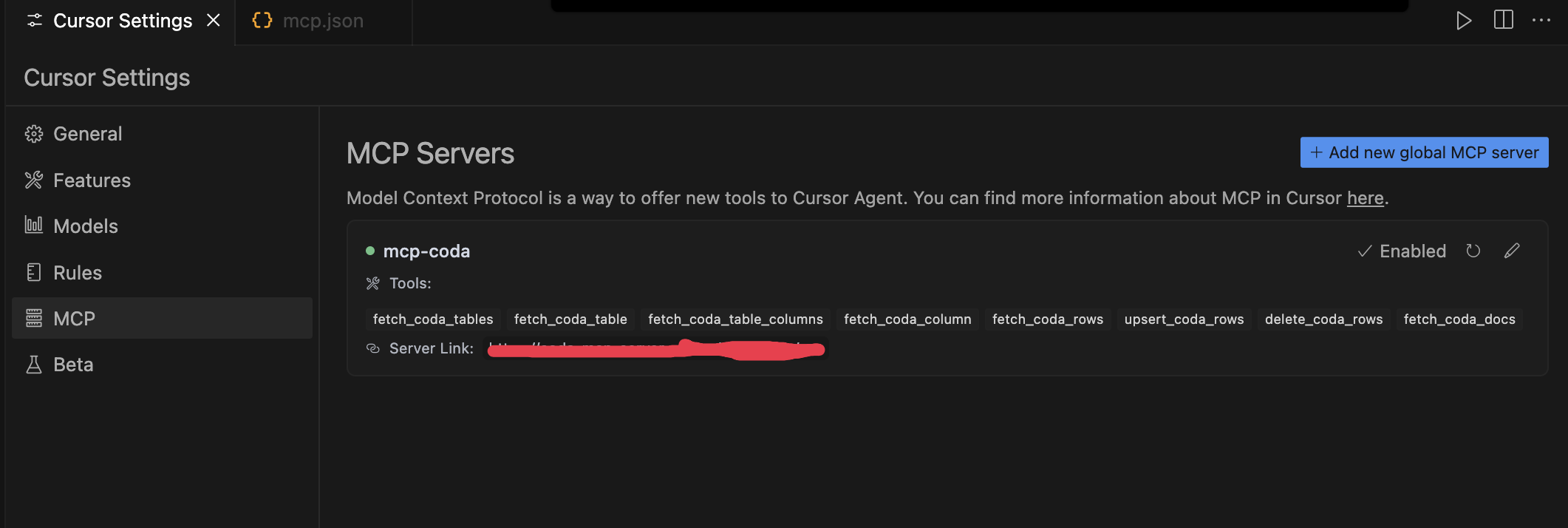
Here are examples of how to implement this MCP server in Cursor:
-
Configure the MCP server in Cursor's
mcp.json: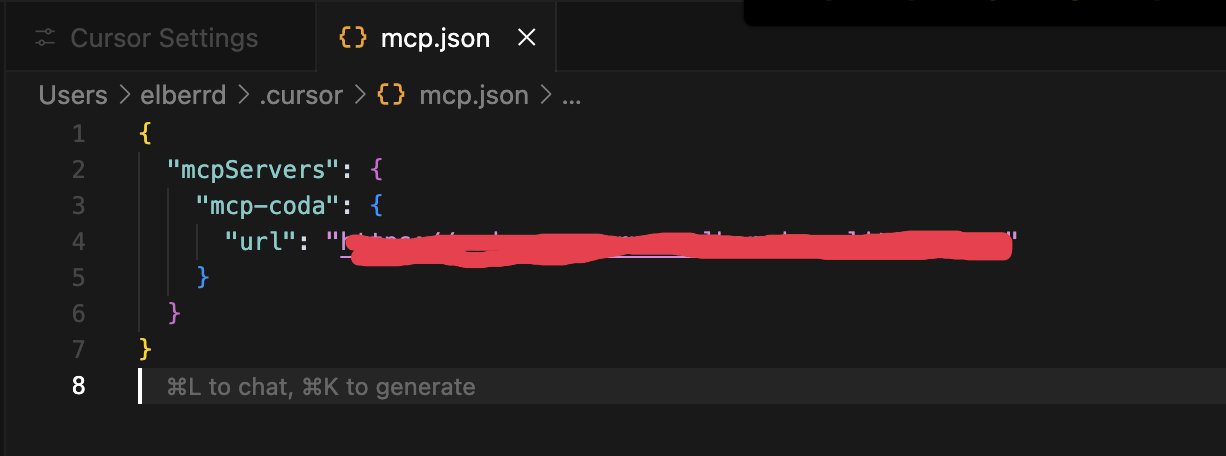
-
Enable and use the available tools in Cursor's settings:
License
This project is licensed under the ISC License.
Comments
New to MCP?
From what the protocol is to installing your first server, these answers cover most first questions.
An open protocol that defines how AI applications connect to external tools and data in a uniform way. Clients talk to the model; MCP servers provide tools, resources and prompt templates. They exchange standard messages, so one server can be reused by many clients.