
About Memory Plus
Memory-Plus is a lightweight, local RAG memory store for MCP agents that keeps notes and session context across runs. It is aimed at developers who use several AI coding tools such as Windsurf, Cursor or Copilot.
Key features
- 01Record, retrieve, update and delete memories
- 02Keyword and topic search over past entries
- 03Fetch the most recent N memories
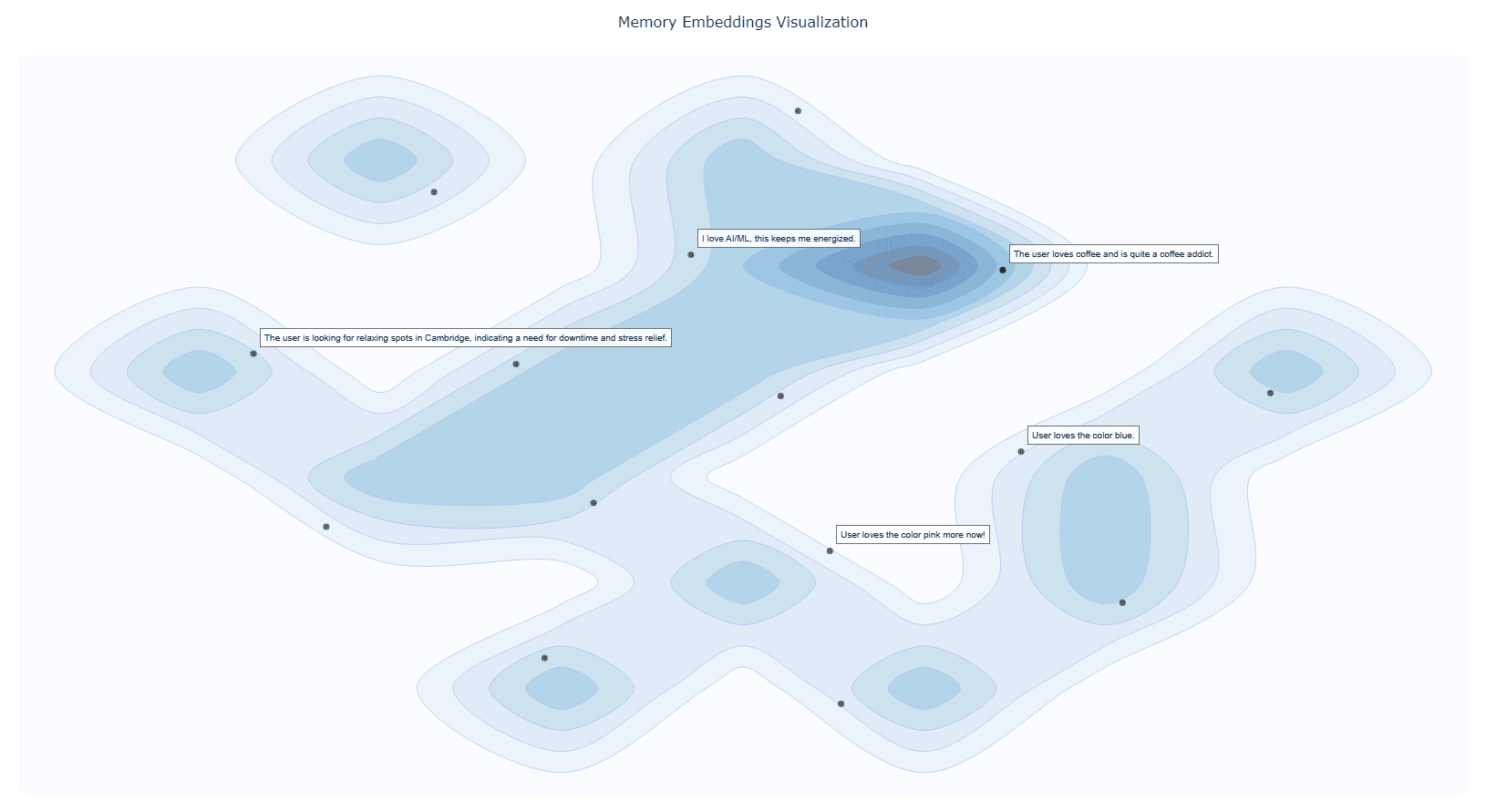
- 04Interactive graph visualization of memory relationships
- 05File import and version history for updated memories
Use cases
- 01Keeping project context across several AI coding tools
- 02Saving notes and session context between runs
- 03Recalling past interactions by topic
MCP support
The project runs as an MCP server, exposing tools to record, retrieve, update and delete memories. It also uses MCP resources to guide the AI on when to recall past interactions.
Configuration
Local server config is the same for every client. Copy it into your client’s MCP config file.
Tools
Local servers expose tools only once running on your machine, and the maintainer has not provided a tool list.
Details
From the project README




Memory-Plus
A lightweight, local Retrieval-Augmented Generation (RAG) memory store for MCP agents. Memory-Plus lets your agent record, retrieve, update, and visualize persistent "memories"—notes, ideas, and session context—across runs.
🏆 First Place at the Infosys Cambridge AI Centre Hackathon!
Key Features
- Record Memories:Save user data, ideas, and important context.
- Retrieve Memories:Search by keywords or topics over past entries.
- Recent Memories:Fetch the last N items quickly.
- Update Memories:Append or modify existing entries seamlessly.
- Visualize Memories:Interactive graph clusters revealing relationships.
- File Import (since v0.1.2):Ingest documents directly into memory.
- Delete Memories (since v0.1.2):Remove unwanted entries.
- Memory for Memories (since v0.1.4):Now we use
resourcesto teach your AI exactly when (and when not) to recall past interactions. - Memory Versioning (since v0.1.4):When memories are updated, we keep the old versions to provide a full history.
Installation
1. Prerequisites
Google API Key
Obtain from Google AI Studio and set as GOOGLE_API_KEY in your environment.
Note that we will only use the
Gemini Embedding APIwith this API key, so it is Entirely Free for you to use!
Setup Google API Key Example
# macOS/Linux
export GOOGLE_API_KEY="<YOUR_API_KEY>"

# Windows (PowerShell)
setx GOOGLE_API_KEY "<YOUR_API_KEY>"
UV Runtime Required to serve the MCP plugin.
Install UV Runtime
pip install uv
Or install via shell scripts:
# macOS/Linux
curl -LsSf https://astral.sh/uv/install.sh | sh

# Windows (PowerShell)
powershell -ExecutionPolicy ByPass -c "irm https://astral.sh/uv/install.ps1 | iex"
VS Code One-Click Setup
Click the badge below to automatically install and configure Memory-Plus in VS Code:

This will add the following to your settings.json:
  {
    "mcpServers": {
      //...,  your other MCP servers
      "memory-plus": {
        "command": "uvx",
        "args": [
          "-q",
          "memory-plus@latest"
        ],
      }
    }
  }
For cursor, go to file -> Preferences -> Cursor Settings -> MCP and add the above config.
If you didn't add the GOOGLE_API_KEY to your secrets / environment variables, you can add it with:
"env": {
        "GOOGLE_API_KEY": "<YOUR_API_KEY>"
      }
just after the args array with in the memory-plus dictionary.
For Cline add the following to your cline_mcp_settings.json:
{
  "mcpServers": {
    //...,  your other MCP servers
    "memory-plus": {
      "disabled": false,
      "timeout": 300,
      "command": "uvx",
      "args": [
        "-q",
        "memory-plus@latest"
      ],
      "env": {
        "GOOGLE_API_KEY": "${{ secrets.GOOGLE_API_KEY }}"
      },
      "transportType": "stdio"
    }
  }
}
For other IDEs it should be mostly similar to the above.
Local Testing and Development
Using MCP Inspector, you can test the memory-plus server locally.
git clone https://github.com/Yuchen20/Memory-Plus.git
cd Memory-Plus
npx @modelcontextprotocol/inspector fastmcp run run .\\memory_plus\\mcp.py
Or If you prefer using this MCP in an actual Chat Session. There is a template chatbot in agent.py.
# Clone the repository
git clone https://github.com/Yuchen20/Memory-Plus.git
cd Memory-Plus

# Install dependencies
pip install uv
uv pip install fast-agent-mcp
uv run fast-agent setup
setup the fastagent.config.yaml and fastagent.secrets.yaml with your own API keys.
# Run the agent
uv run agent_memory.py
RoadMap
- Memory Update
- Improved prompt engineering for memory recording
- Better Visualization of Memory Graph
- File Import
- Remote backup!
- Web UI for Memory Management
If you have any feature requests, please feel free to add them by adding a new issue or by adding a new entry in the Feature Request
License
This project is licensed under the Apache License 2.0. See LICENSE for details.
FAQ
1. Why is memory-plus not working?
- Memory-plus has a few dependencies that can be slow to download the first time. It typically takes around 1 minute to fetch everything needed.
- Once dependencies are installed, subsequent usage will be much faster.
- If you experience other issues, please feel free to open a new issue on the repository.
2. How do I use memory-plus in a real chat session?
- Simply add the MCP JSON file to your MCP setup.
- Once added, memory-plus will automatically activate when needed.
Comments
New to MCP?
From what the protocol is to installing your first server, these answers cover most first questions.
An open protocol that defines how AI applications connect to external tools and data in a uniform way. Clients talk to the model; MCP servers provide tools, resources and prompt templates. They exchange standard messages, so one server can be reused by many clients.