
About Adobe Commerce Dev MCP
Adobe Commerce Dev MCP is an MCP server for developers working with Adobe Commerce. It searches GraphQL and REST API schemas and offers prompts for writing and validating API integrations. It runs from an npm package without a local or hosted installation.
Key features
- 01Keyword search of the GraphQL schema for types and operations
- 02Keyword search of the REST OpenAPI 2.0 schema
- 03Schema selection by ADOBE_COMMERCE_VERSION for 2.4.7 or 2.4.8
- 04Prompt for drafting GraphQL operations or REST requests
- 05Validation of integration code with valid, deprecated or invalid markers
Use cases
- 01Finding available GraphQL types or REST endpoints while building an Adobe Commerce integration
- 02Checking an existing GraphQL query or REST call against a target store version
- 03Generating schema files from a local store for use with the server
MCP support
This project is an MCP server that exposes two schema search tools and provides the adobe_commerce_api and validate_adobe_commerce_implementation prompts to MCP clients.
Configuration
Local server config is the same for every client. Copy it into your client’s MCP config file.
Tools
1Saved tool list · updated 3w ago
| Parameter | Type | Required | Description |
|---|---|---|---|
| query | string | Yes | Search term to filter schema elements by name. Only pass simple terms like 'product', 'category', etc. |
| filter | array | No | Filter results to show specific sections. Can include 'types', 'queries', 'mutations', or 'all' (default) |
Details
From the project README
Adobe Commerce Dev MCP Server
This project implements a Model Context Protocol (MCP) server that interacts with Adobe Commerce. It provides tools to search the GraphQL and REST API schemas, and prompts to help write and validate API integrations.
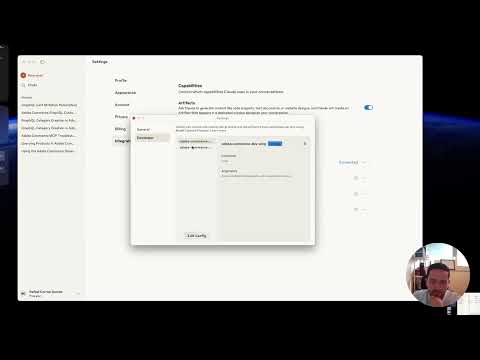
Usage with MCP Server via NPM Package
You can use this MCP server directly without downloading or hosting anything yourself. Simply configure your MCP client (such as Cursor or Claude Desktop) to use the NPM package:
{
  "mcpServers": {
    "adobe-commerce-dev-mcp": {
      "command": "npx",
      "args": ["-y", "@rafaelcg/adobe-commerce-dev-mcp@latest"],
      "env": {
        "ADOBE_COMMERCE_VERSION": "2.4.8"
      }
    }
  }
}

- Replace the server name (
adobe-commerce-dev-mcp) as you wish. - The
npxcommand will always use the latest version of the MCP server from NPM. - Set
ADOBE_COMMERCE_VERSIONto match your store (2.4.7or2.4.8). Defaults to2.4.8. - No need to install or host anything locally or remotely.
On Windows, you might need to use this alternative configuration:
{
  "mcpServers": {
    "adobe-commerce-dev-mcp": {
      "command": "cmd",
      "args": ["/k", "npx", "-y", "@rafaelcg/adobe-commerce-dev-mcp@latest"],
      "env": {
        "ADOBE_COMMERCE_VERSION": "2.4.8"
      }
    }
  }
}
Version configuration
The ADOBE_COMMERCE_VERSION setting controls which schema files are loaded by both tools and which version is referenced in prompts.
| Method | Example | When to use |
|---|---|---|
env in MCP config | "ADOBE_COMMERCE_VERSION": "2.4.7" | Claude Desktop, Cursor, production |
| CLI argument | ADOBE_COMMERCE_VERSION=2.4.7 in the Arguments field | MCP Inspector |
Supported versions: 2.4.7, 2.4.8 (default).
REST schema fallback: if the REST schema file for the configured version is not found, the server falls back to
2.4.8and includes a note in the tool response.
Available tools
| Tool | Description |
|---|---|
introspect_admin_graphql_schema | Search the Adobe Commerce GraphQL schema for types, queries, and mutations matching a keyword |
introspect_admin_rest_schema | Search the Adobe Commerce REST API (OpenAPI 2.0) schema for endpoints and definitions matching a keyword |
Both tools use the schema for the configured ADOBE_COMMERCE_VERSION.
Available prompts
| Prompt | Parameters | Description |
|---|---|---|
adobe_commerce_api | query (required), api_type: graphql | rest | auto (optional, default auto) | Helps you write a GraphQL operation or REST request. When api_type is auto the AI picks the best API for the use case and explains why. |
validate_adobe_commerce_implementation | code (required), context (optional) | Validates an existing GraphQL query, REST call, or integration snippet against the configured Adobe Commerce version. Reports each type, field, argument, and endpoint as ✅ valid, ⚠️ deprecated, or ❌ invalid, and provides a corrected version of the code when needed. |
Getting the GraphQL schema for your local store
Run an introspection query against your local store and save the result as a gzipped file in the data/ folder:
curl -s https://magento.test/graphql \
  -X POST \
  -H "Content-Type: application/json" \
  -H "Authorization: Bearer YOUR_ADMIN_TOKEN" \
  --insecure \
  -d '{"query":"fragment FullType on __Type { kind name description fields(includeDeprecated: true) { name description args { ...InputValue } type { ...TypeRef } isDeprecated deprecationReason } inputFields { ...InputValue } interfaces { ...TypeRef } enumValues(includeDeprecated: true) { name description isDeprecated deprecationReason } possibleTypes { ...TypeRef } } fragment InputValue on __InputValue { name description type { ...TypeRef } defaultValue } fragment TypeRef on __Type { kind name ofType { kind name ofType { kind name ofType { kind name ofType { kind name ofType { kind name ofType { kind name ofType { kind name } } } } } } } } query IntrospectionQuery { __schema { queryType { name } mutationType { name } subscriptionType { name } types { ...FullType } directives { name description locations args { ...InputValue } } } }"}' \
  | gzip > data/schema_2-4-8.json.gz
Get an admin token first if needed:
curl -s -X POST https://magento.test/rest/V1/integration/admin/token \
  --insecure \
  -H "Content-Type: application/json" \
  -d '{"username":"admin","password":"YOUR_PASSWORD"}'
Getting the REST API schema for your local store
curl -s "https://magento.test/rest/all/schema?services=all" \
  --insecure \
  -H "Authorization: Bearer YOUR_ADMIN_TOKEN" \
  | gzip > data/rest_schema_2-4-8_admin.json.gz
Development
The server is built using the MCP SDK and communicates with Adobe Commerce.
npm install- Modify source files
- Run
npm run buildto compile - Run
npm testto run tests - Add an MCP server pointing to the built file (see below)
Local MCP config:
{
  "mcpServers": {
    "adobe-commerce-dev-mcp": {
      "command": "node",
      "args": ["/absolute/path/to/adobe-commerce-dev-mcp/dist/index.js"],
      "env": {
        "ADOBE_COMMERCE_VERSION": "2.4.8"
      }
    }
  }
}
MCP Inspector:
npm run inspector
Then set ADOBE_COMMERCE_VERSION=2.4.7 (or any supported version) in the Arguments field to switch schemas without restarting.
License
ISC
Comments
New to MCP?
From what the protocol is to installing your first server, these answers cover most first questions.
An open protocol that defines how AI applications connect to external tools and data in a uniform way. Clients talk to the model; MCP servers provide tools, resources and prompt templates. They exchange standard messages, so one server can be reused by many clients.