
About ExpoKit
ExpoKit is a CLI for animated UI components for Expo and React Native apps, copying component source into the app for developers to manage. Its touch-oriented components support iOS, Android, web, and Expo Go.
Key features
- 01Add buttons, inputs, cards, and charts
- 02Animated components and full screens
- 03Light and dark modes
- 04Touch, gesture, and haptic support
- 05Component source copied into the app
- 06Preview file changes with dry-run
Use cases
- 01Add UI components to an Expo app
- 02Include animated charts in a React Native project
- 03Preview installation changes before applying them
MCP support
The README mentions AI / MCP setup documentation but does not describe MCP server capabilities.
Configuration
Local server config is the same for every client. Copy it into your client’s MCP config file.
Tools
4Saved tool list · updated 2d ago
| Parameter | Type | Required | Description |
|---|---|---|---|
| tier | enum | No | Only free or only Pro items.free | pro |
| type | enum | No | Only items of this type.component | chart | block | template | lib |
Details
From the project README@expokit/cli




The CLI for ExpoKit — animated UI components for Expo and React Native. It copies the component source into your app (like shadcn/ui), so you own the code.
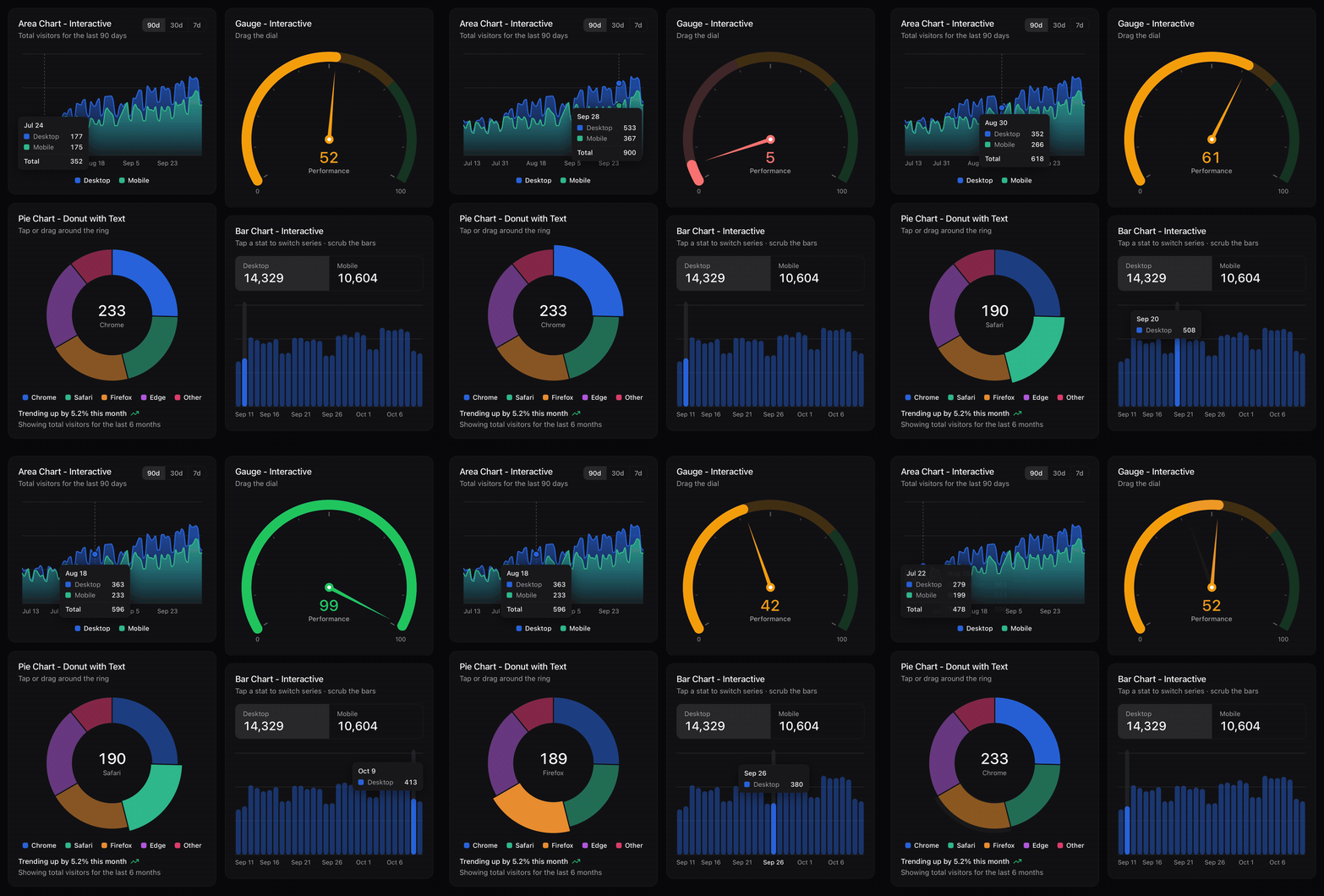
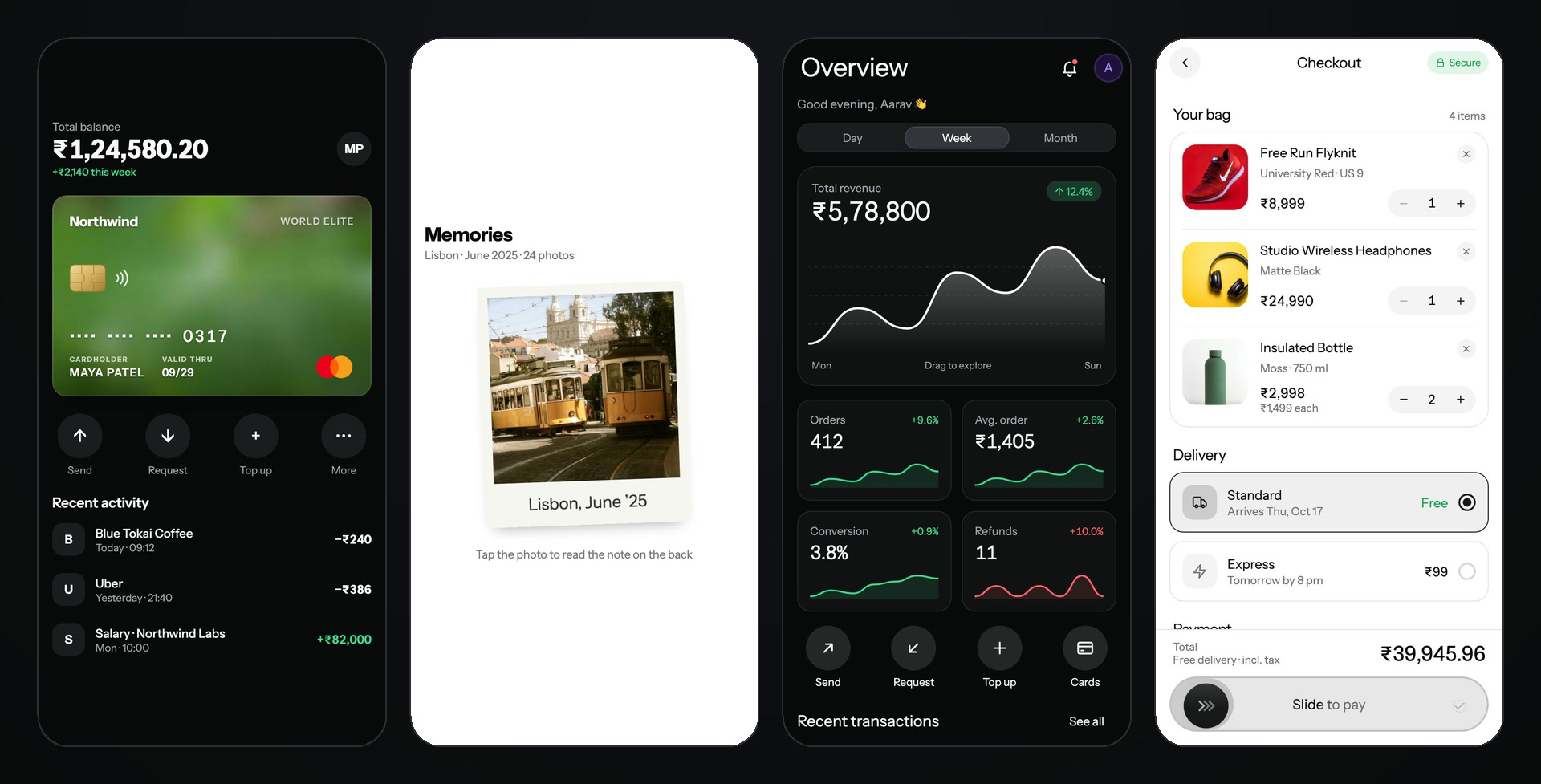
Payment card and flip card are free; the dashboard and checkout screens are Pro blocks.
- Buttons, inputs, cards, sheets, tabs, charts and full screens, all animated, with light and dark mode
- Built for touch: springs, drag gestures and haptics, on iOS, Android, web and in Expo Go
- You own the code: plain typed files in your app, with no runtime library to lock you in
Browse every component with live previews → · Try them on your phone in Expo Go →
Usage
In your Expo app's folder:
npx @expokit/cli@latest init
npx @expokit/cli@latest add button otp-input
import { Button } from '@/components/ui/button';

<Button onPress={save}>Save</Button>;
See every component: npx @expokit/cli@latest add --list
Docs
Everything else — live previews, props, installation, theming, Pro, AI / MCP setup and help — is on expokit.in.
Security
- No dependencies, no install scripts.
- Anonymous install counts only — after a successful
add, the CLI sends the item's name ({"items":["button"]}) to expokit.in so the site can show how often each component is installed. No token, files, paths or machine details; repeat adds count once a day. Turn it off withDO_NOT_TRACK=1orEXPO_KIT_TELEMETRY=0; it never runs in CI,--dry-runorupdate. - Writes only inside your app —
components.json, the@/*alias intsconfig.jsonand the component files.--dry-runshows every change first;addnever overwrites a file you changed unless you pass--force.pathsincomponents.jsonthat point outside the app are refused. Symlinks inside the app are followed, not checked, so a cloned repo that symlinks a folder elsewhere can still send writes there. - Free components need no network to install — they ship inside this package. Pro components are downloaded over HTTPS from
expokit.in; your token is stored readable only by you, sent only to that site and never through a redirect.
In scripts, pipe it to
loginor setEXPO_KIT_TOKEN(--tokenleaves it in your shell history). - Runs one command:
npx expo installfor the packages a component needs — withoutEXPO_KIT_TOKENin its environment, so install scripts never see your token.
Report a vulnerability privately: SECURITY.md.
License
MIT
Comments
New to MCP?
From what the protocol is to installing your first server, these answers cover most first questions.
An open protocol that defines how AI applications connect to external tools and data in a uniform way. Clients talk to the model; MCP servers provide tools, resources and prompt templates. They exchange standard messages, so one server can be reused by many clients.