
About Aws Nova Canvas Mcp
Aws Nova Canvas Mcp is an MCP server for generating and editing images with Amazon Bedrock’s Nova Canvas model. It supports several image transformation modes and saves output files locally.
Key features
- 01Text-to-image generation
- 02Inpainting and outpainting
- 03Image variation and conditioning
- 04Color-guided generation
- 05Background removal and thumbnails
Use cases
- 01Create images from text prompts
- 02Modify selected areas of an image
- 03Extend image borders or create variations
- 04Remove image backgrounds and inspect thumbnails
MCP support
Exposes image generation and editing capabilities to MCP clients, using the Nova Canvas model through Amazon Bedrock.
Configuration
Local server config is the same for every client. Copy it into your client’s MCP config file.
Tools
Local servers expose tools only once running on your machine, and the maintainer has not provided a tool list.
Details
From the project READMEAWS Nova Canvas MCP Server


An MCP server that allows you to generate and edit images using the Nova Canvas model of Amazon Bedrock.
Features
- Text to Image
- Image Inpainting
- Image Outpainting
- Image Variation
- Image Conditioning
- Color Guided Generation
- Background Removal
- Show Image Thumbnails
Installation
Claude Desktop Setup
- Configure Claude Desktop
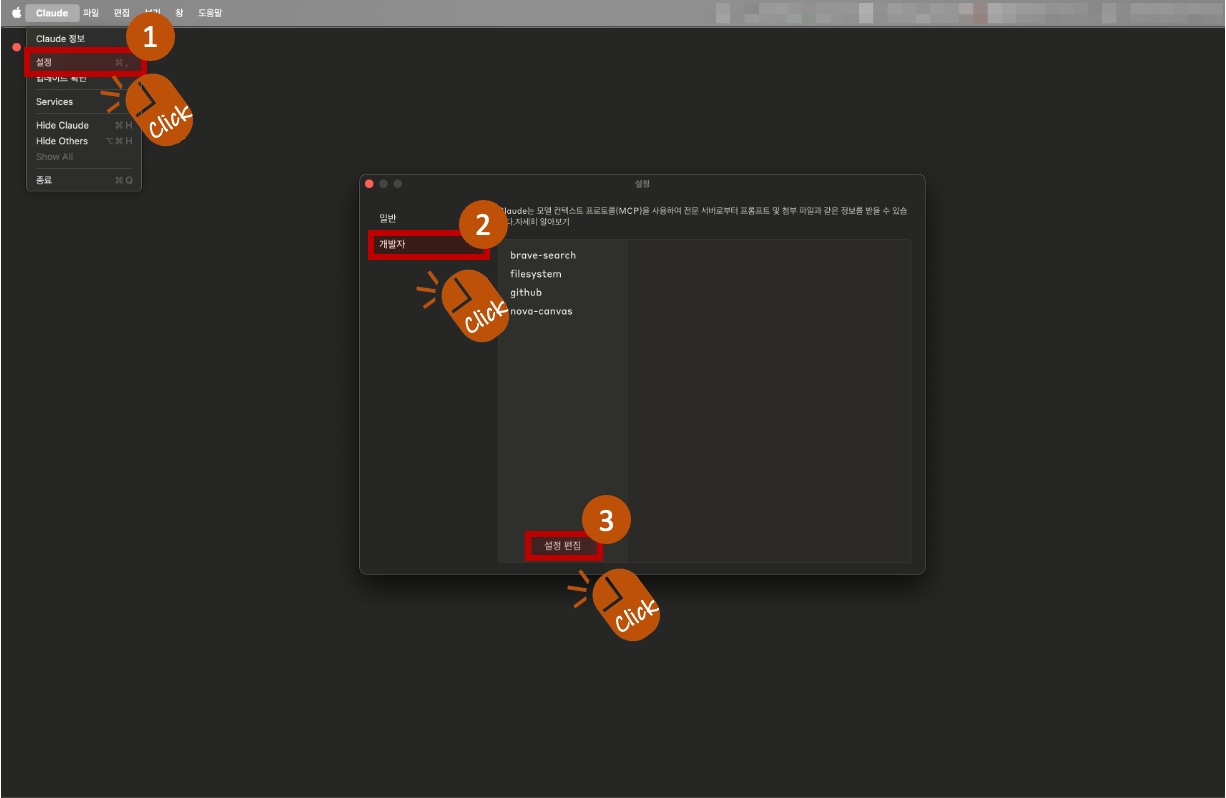
- Click on Claude > Settings from the Claude Desktop menu.
- When the popup appears, select Developer from the left menu, and click the Edit Settings button.
- This will open a folder containing the settings file. The name of this settings file is:
claude_desktop_config.json
-
Add the following content to the settings file (Python version):
-
python version
"nova-canvas": {
  "command": "uvx",
  "args": [
    "aws-nova-canvas-mcp"
  ],
  "env": {
    "AWS_PROFILE": "YOUR_AWS_PROFILE"
  }
}
✅ Only AWS_PROFILE is required. Other variables like AWS_ACCESS_KEY_ID, AWS_SECRET_ACCESS_KEY, AWS_REGION, and PORT are optional and not necessary if your AWS profile is set correctly.
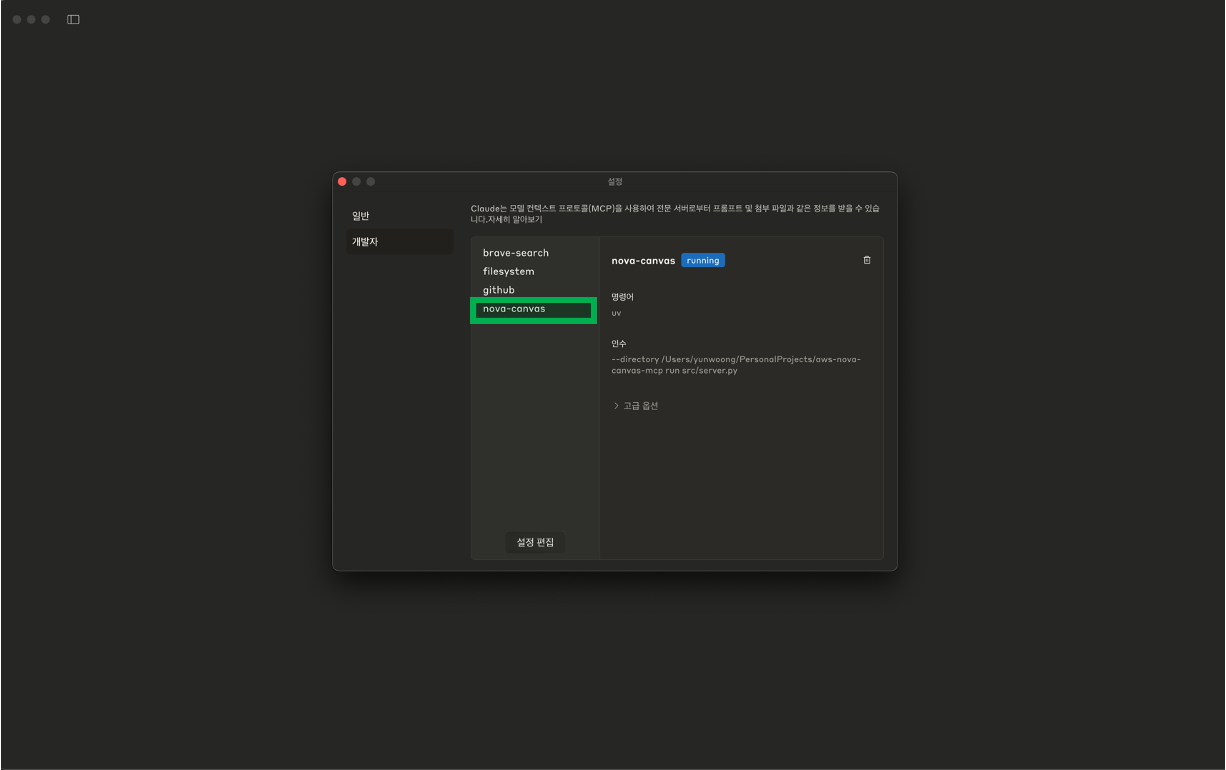
⚙️ If the setup is completed successfully, you can see that the "nova-canvas" item has been added in Claude > Settings > Developer tab. ⚠️ Important: MCP settings only work on the Claude desktop app, not the Claude web browser version
-
Image Save Location
By default, all generated or edited images will be saved in the following directory:
- macOS / Linux:
~/Desktop/aws-nova-canvas - Windows:
C:\Users\YourUsername\Desktop\aws-nova-canvas
📁 If no image save path is specified, the application will automatically create and use the folder above.
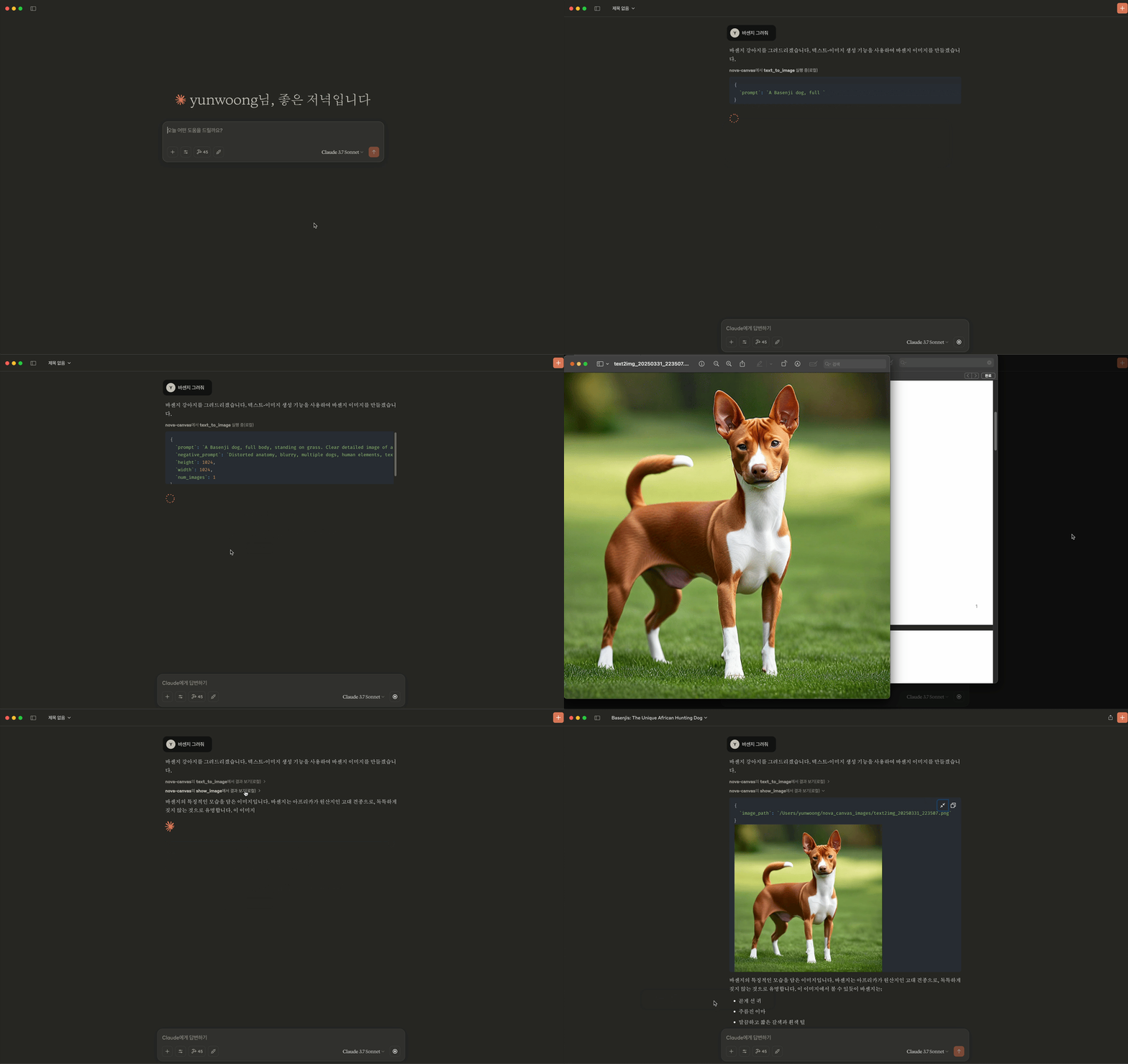
Usage Example
Limitations
- Prompt text supports up to 1024 characters
- Image generation allows up to 3 images at a time
- Image variation requires 1-5 reference images
- Color guide supports 1-10 color codes
License
MIT License
Comments
New to MCP?
From what the protocol is to installing your first server, these answers cover most first questions.
An open protocol that defines how AI applications connect to external tools and data in a uniform way. Clients talk to the model; MCP servers provide tools, resources and prompt templates. They exchange standard messages, so one server can be reused by many clients.