
About portfolio-mcp-server
portfolio-mcp-server lets MCP clients query Ayush Singh Tomar’s bundled portfolio data, including projects, technology stacks, and a resume summary. Its five focused tools run locally over stdio.
Key features
- 01List all projects
- 02Retrieve project details
- 03Search projects by technology
- 04Select a flagship project
- 05Summarize resume background
Use cases
- 01Find projects built with a given technology
- 02Review details about a specific project
- 03Get a concise overview of the portfolio
MCP support
An MCP server that exposes five portfolio-query tools to MCP clients. It communicates over stdio and answers from bundled project data.
Configuration
Local server config is the same for every client. Copy it into your client’s MCP config file.
Tools
Local servers expose tools only once running on your machine, and the maintainer has not provided a tool list.
Details
From the project README🗂️ Portfolio MCP Server
Ask an AI about my work. It answers from real data, not a PDF.
An MCP server that makes my AI project portfolio queryable.
Connect it to Claude, Cursor, or any MCP client and just ask.


Quickstart · Tools · Demo · Connect a client · Limitations · Roadmap
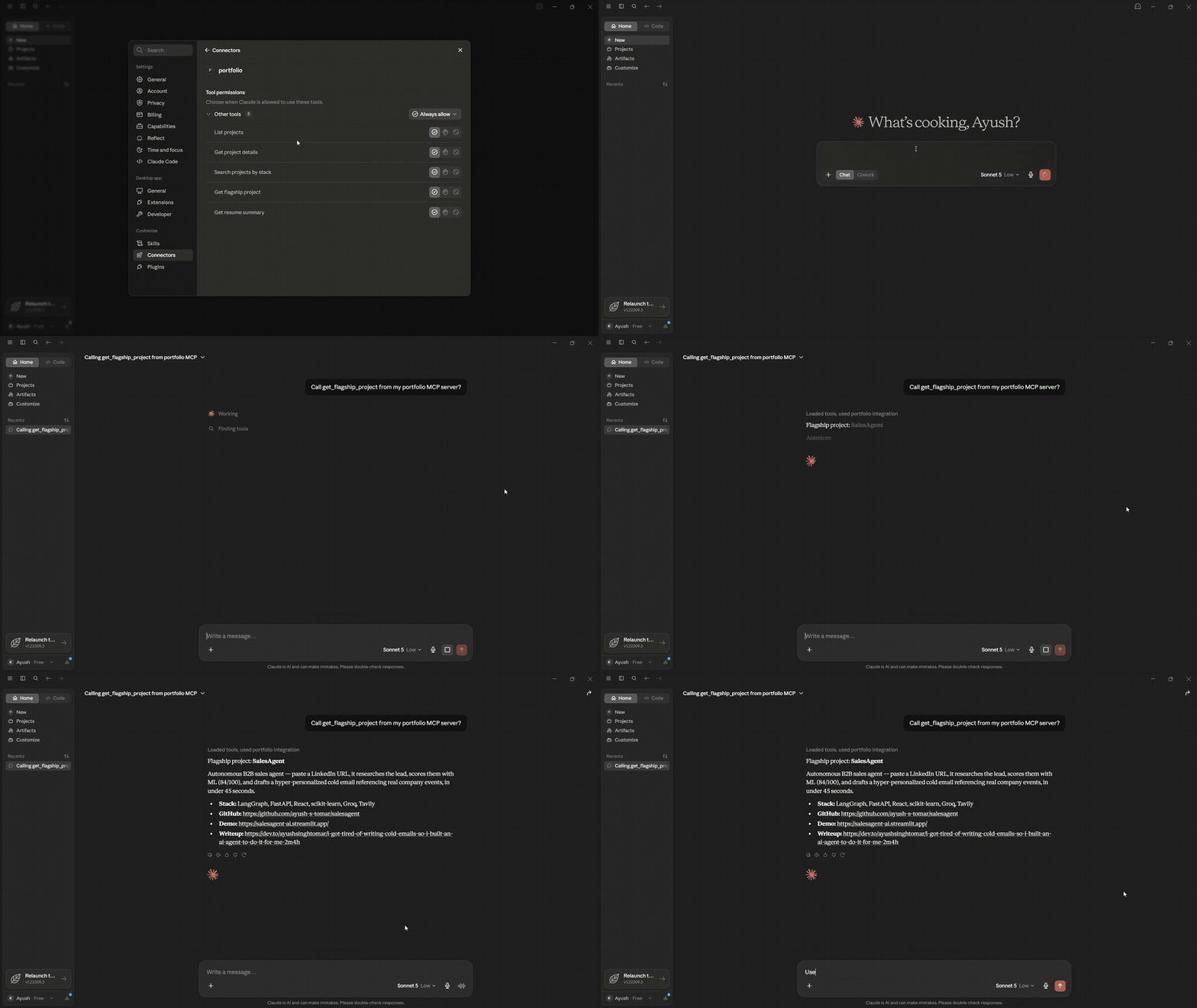
⚡ Quickstart
The server command (clients launch it for you; run by hand, it just waits silently for a client):
uvx --with "mcp<2" portfolio-mcp-server
Add it to Claude Code with one line:
claude mcp add --scope user portfolio -- uvx --with "mcp<2" portfolio-mcp-server
Then ask:
"What has Ayush built with LangGraph?"
Prefer pip? pip install portfolio-mcp-server
💡 Why this exists
Most AI-developer portfolios are a list of links. This is a working MCP server built around my own portfolio, using the same protocol agentic products use to connect to tools. It is a real implementation of the spec and a direct answer to "show me you've actually built with MCP."
| 📦 Published | Live on PyPI and the official MCP registry |
| 🔧 5 tools | List, detail lookup, stack search, flagship pick, resume summary |
| ✅ Tested | Lint, type-check, and a stdio smoke test on every push |
🧰 Tools
| Tool | What it does | Try asking |
|---|---|---|
list_projects | Summary of every project in the dataset | "List everything Ayush has built." |
get_project_details(project_name) | Full details for one project | "Tell me about his RAG chatbot." |
search_projects_by_stack(technology) | Projects using a given technology | "Which projects use FastAPI?" |
get_flagship_project | The best project to look at first | "What should I look at first?" |
get_resume_summary | Background, target role, core stack | "Summarize his background." |
🧠 How it works
MCP client (Claude, Cursor, agents) <--stdio--> portfolio-mcp-server (FastMCP) --> bundled project data
The client launches the server as a local process and talks to it over stdio. The server answers each tool call from its bundled project data. Nothing is hosted, and no API keys are needed.
🎬 Demo
| MCP Inspector: tool discovery | Live chat demo |
|---|---|
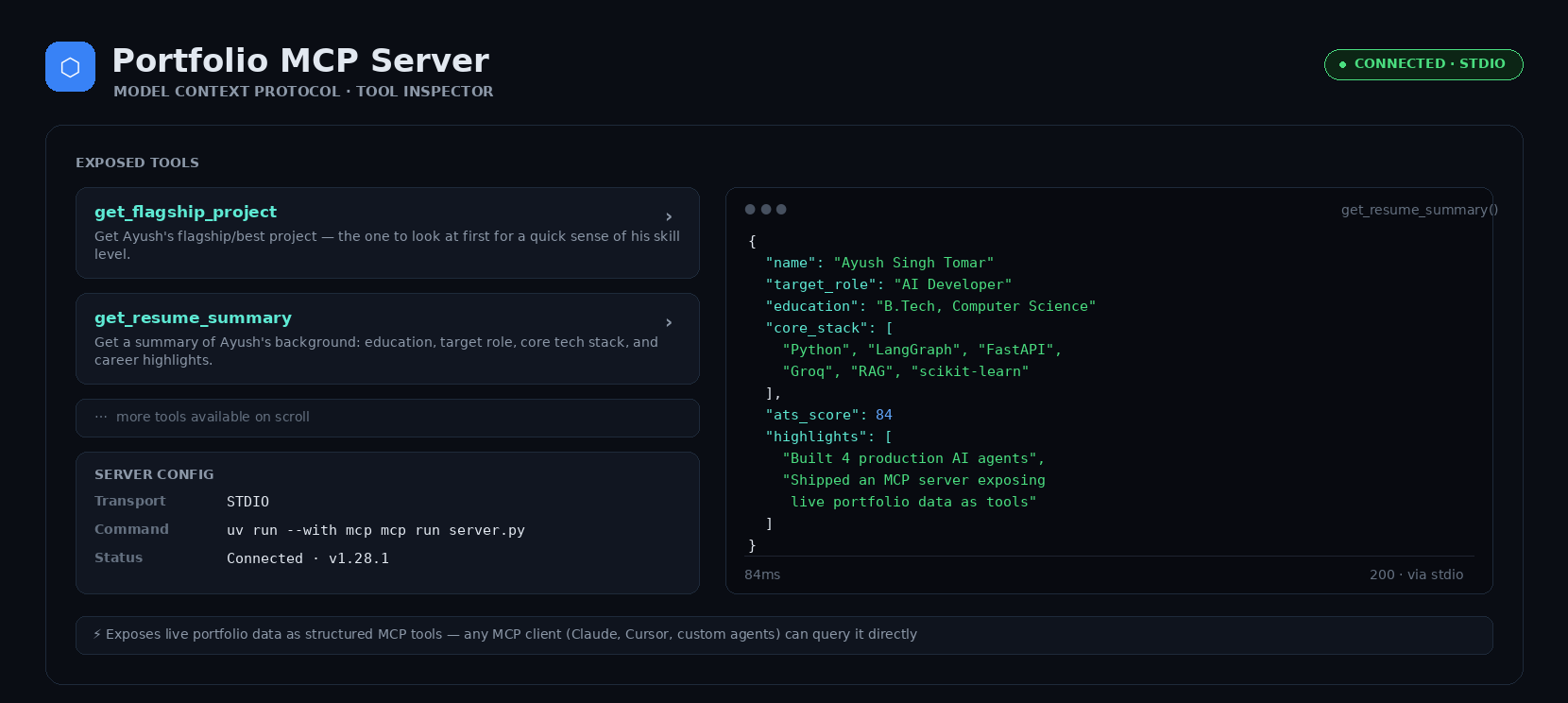 | 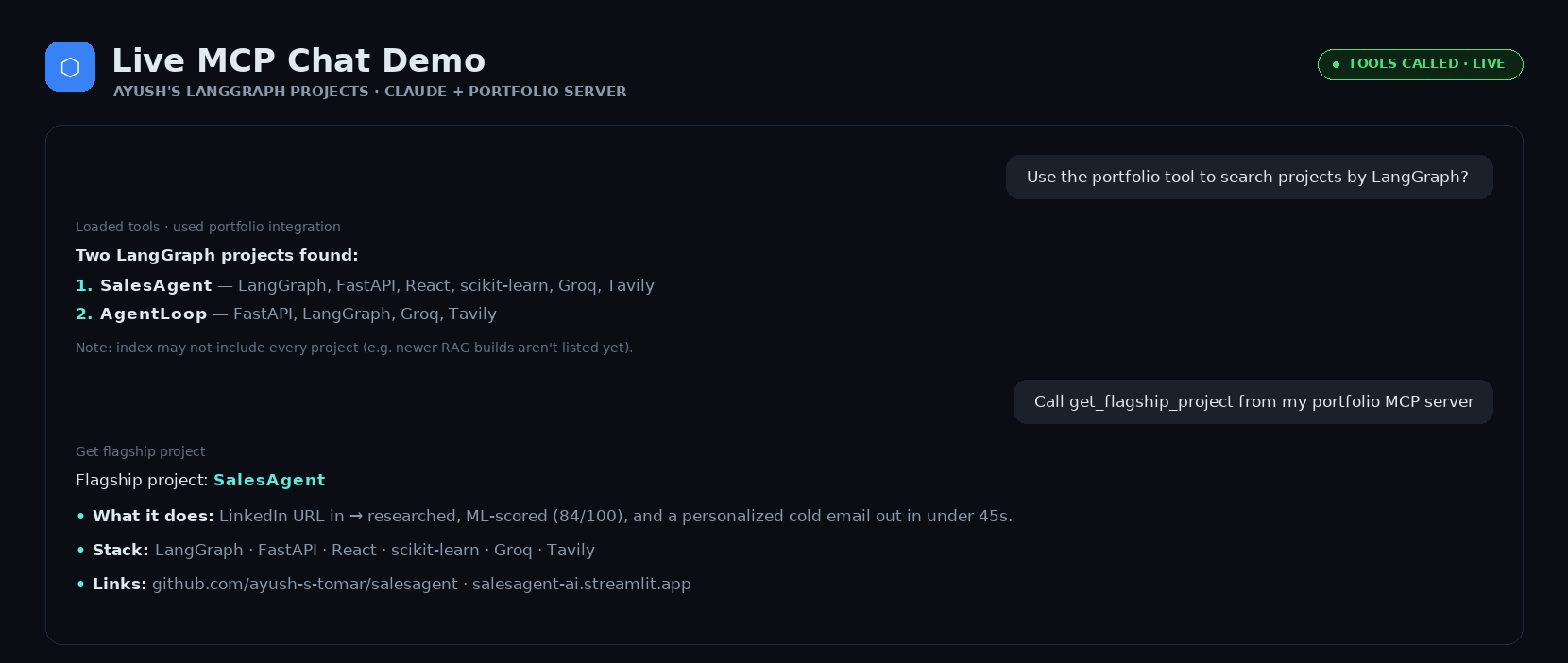 |
🎥 Full video walkthrough
https://github.com/user-attachments/assets/4c1b844a-087f-48a6-b156-bdef27282acc
Setup → tool calls → live answers, end to end.
🔌 Connect a client
Claude Code
claude mcp add --scope user portfolio -- uvx --with "mcp<2" portfolio-mcp-server
Claude Desktop
Open your config file:
| OS | Path |
|---|---|
| macOS | ~/Library/Application Support/Claude/claude_desktop_config.json |
| Windows | %APPDATA%\Claude\claude_desktop_config.json |
If the file already has an mcpServers key, add "portfolio" inside it instead of overwriting the file.
Installed with pip:
{
  "mcpServers": {
    "portfolio": {
      "command": "portfolio-mcp-server"
    }
  }
}
Running from a cloned checkout (use the absolute path to server.py):
{
  "mcpServers": {
    "portfolio": {
      "command": "python",
      "args": ["/absolute/path/to/portfolio-mcp-server/server.py"]
    }
  }
}
Restart Claude Desktop and ask: "What projects has Ayush built with FastAPI?"
Cursor and other clients
Any MCP client that can launch a stdio server works. Use portfolio-mcp-server (after pip install) or the uvx command above as the server command.
🛠️ Development
Run from source
git clone https://github.com/ayush-s-tomar/portfolio-mcp-server.git
cd portfolio-mcp-server

python -m venv venv
source venv/bin/activate        # Windows: venv\Scripts\activate

pip install -r requirements.txt
Test it interactively with the MCP Inspector:
mcp dev server.py
This opens a browser UI where you can call each tool and inspect raw request and response payloads.
Testing & CI
Every push and pull request runs through GitHub Actions:
| Check | Command |
|---|---|
| Lint | ruff check . |
| Type check | mypy server.py |
| Smoke test | Starts the server and calls all 5 tools over stdio, confirming each returns valid, schema-matching JSON |
Run the same checks locally before opening a PR:
pip install -r requirements-dev.txt
ruff check .
mypy server.py
pytest
Project structure
portfolio-mcp-server/
|-- portfolio_mcp_server/
|   |-- __init__.py
|   `-- server.py          # packaged module (what PyPI ships)
|-- server.py              # top-level entry point (dev / MCP Inspector / CI)
|-- tests/
|   |-- smoke_test.py      # stdio smoke test: calls all 5 tools, validates JSON schema
|   |-- test_tools.py      # per-tool tests
|   |-- test_data.py       # data integrity checks for the bundled projects
|   `-- check_links.py     # checks every URL in the data (runs weekly in CI)
|-- assets/                # demo GIF and screenshots
|-- .github/
|   |-- workflows/         # ci.yml, links.yml
|   |-- ISSUE_TEMPLATE/
|   |-- PULL_REQUEST_TEMPLATE.md
|   `-- dependabot.yml
|-- pyproject.toml         # PyPI packaging config
|-- server.json            # MCP registry manifest
|-- requirements.txt
|-- requirements-dev.txt
|-- claude_desktop_config_snippet.json
|-- CHANGELOG.md
|-- CONTRIBUTING.md
|-- SECURITY.md
`-- LICENSE
Built with: Python 3.10+ · MCP Python SDK (FastMCP) · stdio transport · registered on the MCP registry as io.github.ayush-s-tomar/portfolio-mcp-server
⚠️ Known limitations
Warning: The installed package is a snapshot.
pip installgets the portfolio as it was at that release (v1.0.4, published 2026-10-27, at the time of writing). Projects added and demo links changed since then won't appear until a new version is published, and tool responses can't yet say how current they are.
- Static project data. Tools read from bundled data, so updating a project means editing it and republishing. There is no live sync with the GitHub repos or portfolio site yet.
- stdio only. It works for local clients that can spawn the process, such as Claude Desktop, but there is no HTTP/SSE option yet for remote clients.
- One technology per search.
search_projects_by_stackfilters on a single technology per call, so "LangGraph and FastAPI together" isn't supported yet.
🗺️ Roadmap
Done
- Publish to PyPI as an installable package
- Publish to the official MCP server registry
- Refresh the bundled project data (v1.0.2)
- Weekly CI link check of every URL in the bundled data
Next
- Fetch project data from the portfolio site at startup, with the bundled snapshot as an offline fallback (one source of truth instead of two copies that drift apart)
- Return a
last_updateddate from every tool so an answer can say how current it is - Support matching multiple technologies at once in
search_projects_by_stack - Add an HTTP/SSE transport option alongside stdio for remote clients
🌐 Also listed on
📄 License
Released under the MIT License.
Built by Ayush Singh Tomar
If this helped you build your own MCP server, a ⭐ on the repo is appreciated.
mcp-name: io.github.ayush-s-tomar/portfolio-mcp-server
Comments
New to MCP?
From what the protocol is to installing your first server, these answers cover most first questions.
An open protocol that defines how AI applications connect to external tools and data in a uniform way. Clients talk to the model; MCP servers provide tools, resources and prompt templates. They exchange standard messages, so one server can be reused by many clients.