
About Bambu Lab Printer (LAN)
Bambu Lab Printer (LAN) is an unofficial MCP server for monitoring and controlling Bambu Lab 3D printers over the local network. It also tracks maintenance locally and requires confirmation for selected actions.
Key features
- 01Read printer status and temperatures
- 02Inspect AMS filament and active warnings
- 03Pause, resume, preheat and adjust print settings
- 04Track maintenance and recent print sessions
- 05Require confirmation for destructive controls
- 06Run a printer simulator for testing
Use cases
- 01Check print progress and remaining time
- 02Review AMS slots and printer warnings
- 03Pause a print or preheat the nozzle
- 04Log maintenance and check upcoming tasks
MCP support
Exposes printer status, AMS, warning, maintenance and control tools to MCP clients. It connects directly to the configured printer over LAN using MQTT, without Bambu cloud.
Configuration
Local server config is the same for every client. Copy it into your client’s MCP config file.
npx -y mcp-server-for-bambuBAMBU_IPPrinter IP on your LAN. Optional: leave all three unset and run the setup_printer tool instead.BAMBU_SERIALPrinter serial number (Settings > Device > Device Info).BAMBU_ACCESS_CODESecret8-character LAN access code (Settings > WLAN > LAN Mode Liveview).BAMBU_READ_ONLYSet to 1 to register only read tools: no pause, cancel, heating or G-code.Local servers need a runtime on your machine (e.g. Node.js 18+). Config file locations differ by client; see your client’s docs.
Tools
2Saved tool list · updated 3d ago
| Parameter | Type | Required | Description |
|---|---|---|---|
| ip | string | Yes | Printer LAN IP address, e.g. 192.168.1.50 |
| serial | string | Yes | Printer serial number (15 chars, P1S starts with 01P00A) |
| access_code | string | Yes | 8-character LAN access code from the printer's WLAN settings |
Details
From the project READMEmcp-server-for-bambu


Ask Claude (or Cursor, or VS Code) what your Bambu Lab printer is doing, and have it pause, preheat or log maintenance, over your LAN with no cloud.
An MCP server for Bambu Lab 3D printers. It talks to the printer directly over its local MQTT interface. Built and tested against the P1S; other MQTT-speaking models (P1P, X1C, A1) should work.
⚠️ Unofficial — not affiliated with Bambu Lab
This is a community-built project. It is not affiliated with, endorsed by, or sponsored by Bambu Lab / Shenzhen Tuozhu Technology Co., Ltd. "Bambu Lab", "Bambu Studio", "P1S", "P1P", "X1C", and "AMS" are trademarks of their respective owners; references in this project are descriptive only (nominative fair use), made for compatibility purposes. Provided "as is" with no warranty.
Demo
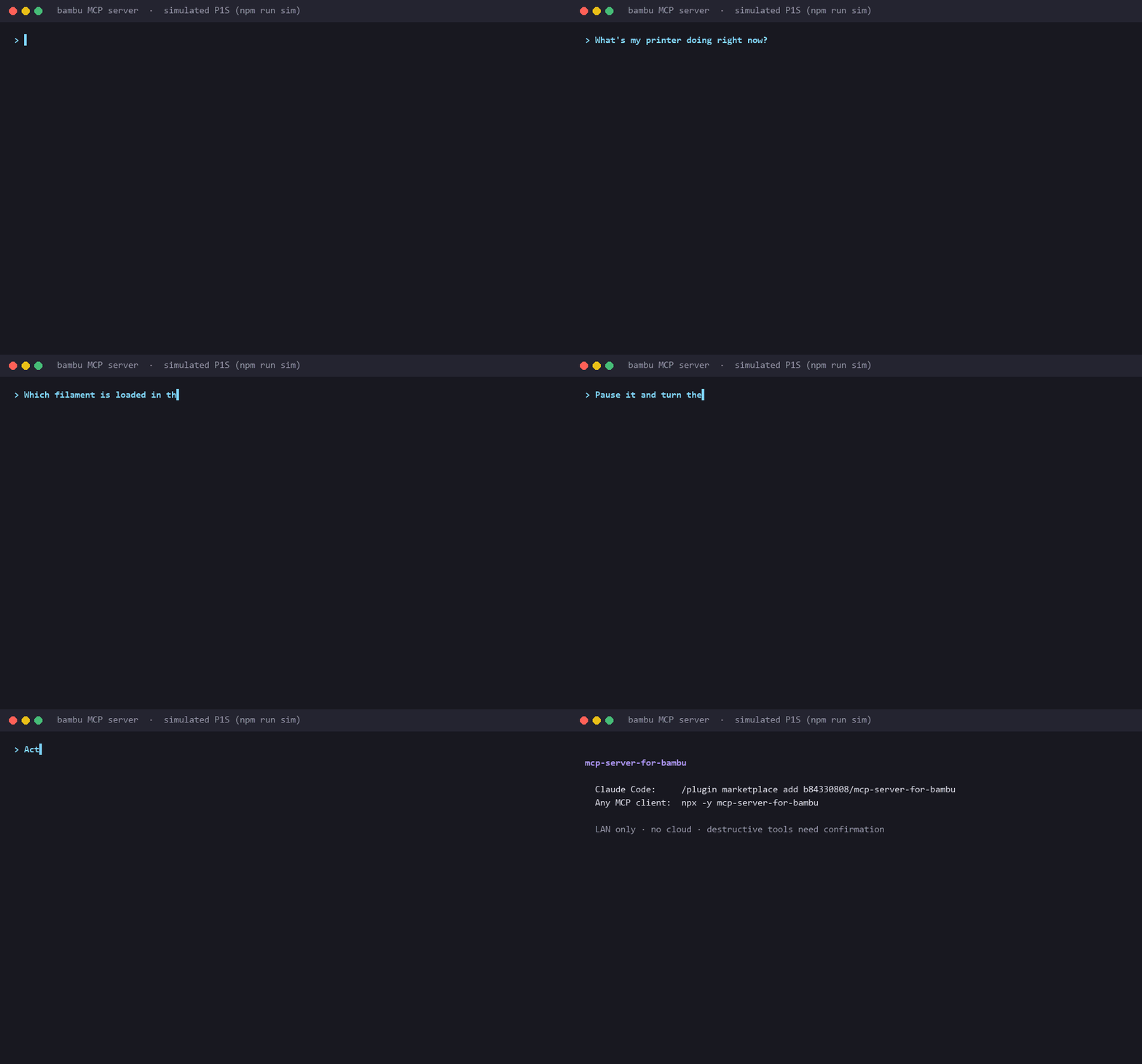
Real tool calls and output, run against the built-in printer simulator (npm run sim). Regenerate with scripts/demo/; docs/demo-script.md covers recording a session with a real printer.
Features
| Live status | State, current stage, progress, layer, time left, nozzle/bed/chamber temperatures, Wi-Fi signal |
| AMS | Filament type, brand, color and remaining % per slot, plus the active slot |
| Health | Active HMS warnings decoded to module and severity, each with its Bambu wiki link |
| Control | Pause, resume, cancel, chamber light, speed profile, preheat, AMS slot switch, raw G-code |
| Maintenance ledger | Counts print-hours locally and tells you when rails, carbon rods or the hotend are due |
| Guided setup | No config editing: tell Claude your IP, serial and access code; it tests them before saving |
| Safety | Cancel, G-code and AMS switch need explicit confirmation; read-only mode; LAN addresses only |
| Works anywhere MCP does | Claude Code plugin, Claude Desktop, Cursor, VS Code, any stdio MCP client |
| Printer simulator | npm run sim starts a fake printer for trying it out, demos and tests |
Quick start
You need Node.js 20+ and a printer on the same network with LAN Mode Liveview turned on.
Claude Code
Install the plugin (MCP server plus a short skill that teaches Claude the confirmation rules):
/plugin marketplace add b84330808/mcp-server-for-bambu
/plugin install bambu-printer@mcp-server-for-bambu
Or add just the MCP server:
claude mcp add --transport stdio --scope user bambu -- npx -y mcp-server-for-bambu
Claude Desktop
Open Settings → Developer → Edit Config (%APPDATA%\Claude\claude_desktop_config.json on Windows, ~/Library/Application Support/Claude/claude_desktop_config.json on macOS) and add:
{
  "mcpServers": {
    "bambu": {
      "command": "npx",
      "args": ["-y", "mcp-server-for-bambu"]
    }
  }
}
Fully quit Claude Desktop (tray icon → Quit) and reopen it.
Cursor

Or put this in ~/.cursor/mcp.json (all projects) or .cursor/mcp.json (one project):
{
  "mcpServers": {
    "bambu": {
      "command": "npx",
      "args": ["-y", "mcp-server-for-bambu"]
    }
  }
}
VS Code
code --add-mcp "{\"name\":\"bambu\",\"type\":\"stdio\",\"command\":\"npx\",\"args\":[\"-y\",\"mcp-server-for-bambu\"]}"
Or add it to .vscode/mcp.json. This version passes the credentials as env vars and asks for the access code as a hidden input:
{
  "inputs": [
    {
      "type": "promptString",
      "id": "bambu-access-code",
      "description": "Bambu LAN access code (Settings > WLAN > LAN Mode Liveview)",
      "password": true
    }
  ],
  "servers": {
    "bambu": {
      "type": "stdio",
      "command": "npx",
      "args": ["-y", "mcp-server-for-bambu"],
      "env": {
        "BAMBU_IP": "192.168.1.50",
        "BAMBU_SERIAL": "01P00A1234567890",
        "BAMBU_ACCESS_CODE": "${input:bambu-access-code}"
      }
    }
  }
}
All of these are in examples/.
Connect your printer
On first start the server is in setup mode and offers one tool, setup_printer. Read three values off the printer's touchscreen:
- IP:
Settings → WLAN →tap the connected network - Serial:
Settings → Device → Device Info(P1S:01P00A…) - Access code:
Settings → WLAN → LAN Mode Liveview, 8 characters, not the Wi-Fi password. LAN Mode Liveview must be ON.
Then tell your assistant:
"Set up my Bambu printer. IP is 192.168.1.50, serial 01P00A1234567890, access code 12345678."
setup_printer checks the format, connects to the printer, and saves the credentials only if the connection works. Restart the server once (Claude Desktop: quit and reopen; Claude Code: /mcp → reconnect bambu) and the printer tools appear.
You can skip this and pass BAMBU_IP, BAMBU_SERIAL and BAMBU_ACCESS_CODE as env vars instead, as in the VS Code example.
Try it
- "What's my printer doing right now?"
- "What filament is in AMS slot 2?"
- "Any HMS warnings?"
- "Anything overdue on the printer maintenance?"
- "Pause the print." / "Resume."
- "Preheat the nozzle to 210 and bed to 60."
- "Cancel this print." (asks you to confirm first)
- "I just lubricated the rails, log it."
Tools
| Tool | What it does | Asks first? |
|---|---|---|
get_status | State, stage, temperatures, progress, layer, HMS warnings, Wi-Fi | |
get_ams_info | Per-slot filament type / color / remaining %, active slot | |
list_active_warnings | Active HMS warnings with links to Bambu's wiki | |
get_maintenance_status | Print-hours and lube / clean / inspect warnings | |
forecast_maintenance | When each maintenance task will be due at your recent print rate | |
get_recent_prints | Last N print sessions: name, duration, finish time | |
mark_maintenance_done | Log a maintenance task (optionally back-dated by hours_ago) | |
pause_print / resume_print | Pause and resume the current print | |
set_light | Chamber light on/off | |
set_speed | silent / standard / sport / ludicrous | |
preheat | Set nozzle and/or bed target temperature | |
stop_print | Cancel the print. Not reversible | yes (confirm: true) |
run_gcode | Send raw G-code (homing, Z moves, manual unload…) | yes (confirm: true) |
change_active_tray | Switch the AMS to another slot | yes (confirm: true) |
Every tool also carries MCP annotations (readOnlyHint, destructiveHint), so clients that ask before running tools can treat the read tools and the destructive ones differently.
Safety
This server can move a heated toolhead and cancel hours of printing. It is built to make that hard to do by accident:
- Confirmation for destructive tools.
stop_print,run_gcodeandchange_active_trayrefuse to run unless called withconfirm: true, and their descriptions tell the model to set it only after you agree in plain words. Keep your client's own tool-approval prompts on as a second check. - Read-only mode. Set
BAMBU_READ_ONLY=1and the server registers only the read tools. Nothing can pause, cancel, heat or move the printer. A good default for a shared machine or a demo. - LAN only. It connects to the one printer IP you configure, on port 8883, and nowhere else: no Bambu cloud, no telemetry.
setup_printerrejects addresses outside private ranges (192.168.x.x, 10.x.x.x, 172.16–31.x.x, plus link-local, loopback and the 100.64/10 range Tailscale uses). Never forward the printer's MQTT port to the internet. - Trusted network. The printer uses a self-signed certificate, so the connection is encrypted but the printer's identity is not verified. Use it on a network you trust.
- Heaters stay on.
preheatandM104/M140leave the heaters at the target until something changes them. Turn them off (set 0) before you walk away. - Credentials stay local. They are stored in your user config directory (below), with owner-only permissions on macOS and Linux.
Configuration
| Env var | Default | Meaning |
|---|---|---|
BAMBU_IP, BAMBU_SERIAL, BAMBU_ACCESS_CODE | from the saved .env | Printer credentials. Env vars win over the saved file |
BAMBU_READ_ONLY | 0 | 1 registers only the read tools |
BAMBU_CONFIG_DIR | see below | Where the .env and the maintenance ledger live |
MAINTENANCE_LEDGER_PATH | <config dir>/maintenance.json | Ledger file location |
The config directory is:
- Windows:
%APPDATA%\mcp-server-for-bambu\ - macOS:
~/Library/Application Support/mcp-server-for-bambu/ - Linux:
~/.config/mcp-server-for-bambu/(or$XDG_CONFIG_HOME)
Versions up to 0.2.0 kept .env and maintenance.json inside the installed package, where npx updates could delete them. 0.3.0 still reads an old .env from there and copies an old ledger into the config directory on first start.
The ledger persists to a local JSON file and survives crashes (active sessions are checkpointed every 5 elapsed minutes). Thresholds are in src/types.ts:
| Task | Interval |
|---|---|
| Clean carbon rods | 100 print-hours |
| Lubricate linear rails | 200 print-hours |
| Inspect hotend / nozzle wear | 500 print-hours |
A task flips to DUE_SOON (🔔) within 10 hours of the threshold and OVERDUE (⚠️) past it.
Try it without a printer
npm run sim (from a clone, after npm install) starts a simulated P1S halfway through a Benchy, with a 4-slot AMS, on mqtts://127.0.0.1:8883. It answers status requests and applies pause, resume, cancel, speed, preheat, light and AMS commands. Point the server at it:
BAMBU_IP=127.0.0.1 BAMBU_SERIAL=01P00ASIMULATOR BAMBU_ACCESS_CODE=12345678 node dist/index.js
Set SIM_PORT to use another port, then pass the same value as BAMBU_MQTT_PORT. The test suite uses the same simulator.
Development
git clone https://github.com/b84330808/mcp-server-for-bambu.git
cd mcp-server-for-bambu
npm install
npm test             # builds, then runs unit + end-to-end tests against the simulator
npm run dev          # tsc --watch
npm run sim          # simulated printer
To run your local build from an MCP client, point it at node /absolute/path/to/mcp-server-for-bambu/dist/index.js.
src/
  index.ts          MCP server bootstrap + tool definitions
  config.ts         Env / .env loading, LAN address check
  paths.ts          Per-user config directory
  mqtt-client.ts    TLS MQTT client for the printer (port 8883, self-signed cert)
  setup.ts          setup_printer: validate, test the connection, save
  maintenance.ts    Print-time ledger with crash-safe atomic writes + recovery
  hms.ts            Bambu HMS error code → human label
  stages.ts         Stage / speed / tray code → human label
  commands.ts       MQTT command payloads
sim/printer.mjs     Simulated printer (aedes broker over TLS)
plugins/            Claude Code plugin; .claude-plugin/marketplace.json lists it
server.json         MCP Registry metadata
Protocol notes:
- Subscribe:
device/{serial}/report - Publish:
device/{serial}/requestwith{"pushing":{"sequence_id":"...","command":"pushall"}} - Auth: username
bblp, password = access code, a random client ID per connection (reusing one makes two clients kick each other off) - Cert is self-signed →
rejectUnauthorized: false
License
MIT
Comments
New to MCP?
From what the protocol is to installing your first server, these answers cover most first questions.
An open protocol that defines how AI applications connect to external tools and data in a uniform way. Clients talk to the model; MCP servers provide tools, resources and prompt templates. They exchange standard messages, so one server can be reused by many clients.