
About Balldontlie MCP Server
Balldontlie MCP Server is an MCP server that integrates the Balldontlie API to provide team, player and game information for the NBA, NFL and MLB. It is aimed at users who want to query sports data from Claude Desktop or other LLM clients. The README also describes a prompt that builds an interactive schedule.
Key features
- 01List teams for NBA, NFL and MLB
- 02Search players by name with pagination
- 03Filter games by date and team
- 04Fetch details for a specific game
- 05schedule_generator prompt for interactive schedules
Use cases
- 01Checking which baseball games are played on a given day
- 02Looking up football players by last name
- 03Generating an NBA schedule for a date range
MCP support
This project is an MCP server that exposes team, player and game tools to MCP clients, along with a schedule generation prompt.
Configuration
Local server config is the same for every client. Copy it into your client’s MCP config file.
Tools
Local servers expose tools only once running on your machine, and the maintainer has not provided a tool list.
Details
From the project READMEBalldontlie MCP Server

An MCP Server implementation that integrates the Balldontlie API, to provide information about players, teams and games for the NBA, NFL and MLB.
Tools
-
get_teams
- Gets the list of team from one of the following leagues NBA (National Basketball Association), MLB (Major League Baseball), NFL (National Football League)
- Inputs:
league(enum ['NBA', 'NFL', 'MLB']): The sports league to get teams for
-
get_players
- Gets the list of players from one of the following leagues NBA (National Basketball Association), MLB (Major League Baseball), NFL (National Football League)
- Inputs:
league(enum ['NBA', 'NFL', 'MLB']): The sports league to get players forfirstName(string, optional): The first name of the player to search forlastName(string, optional): The last name of the player to search forcursor(number, optional): Cursor for pagination
-
get_games
- Gets the list of games from one of the following leagues NBA (National Basketball Association), MLB (Major League Baseball), NFL (National Football League)
- Inputs:
league(enum ['NBA', 'NFL', 'MLB']): The sports league to get games fordates(string[], optional): Get games for specific dates, format: YYYY-MM-DDteamIds(string[], optional): Get games for specific gamescursor(number, optional): Cursor for pagination
-
get_game
- Get a specific game from one of the following leagues NBA (National Basketball Association), MLB (Major League Baseball), NFL (National Football League)
- Inputs:
league(enum ['NBA', 'NFL', 'MLB']): The sports league to get the game forgameId(number): The id of the game from the get_games tool
Prompts
- schedule_generator
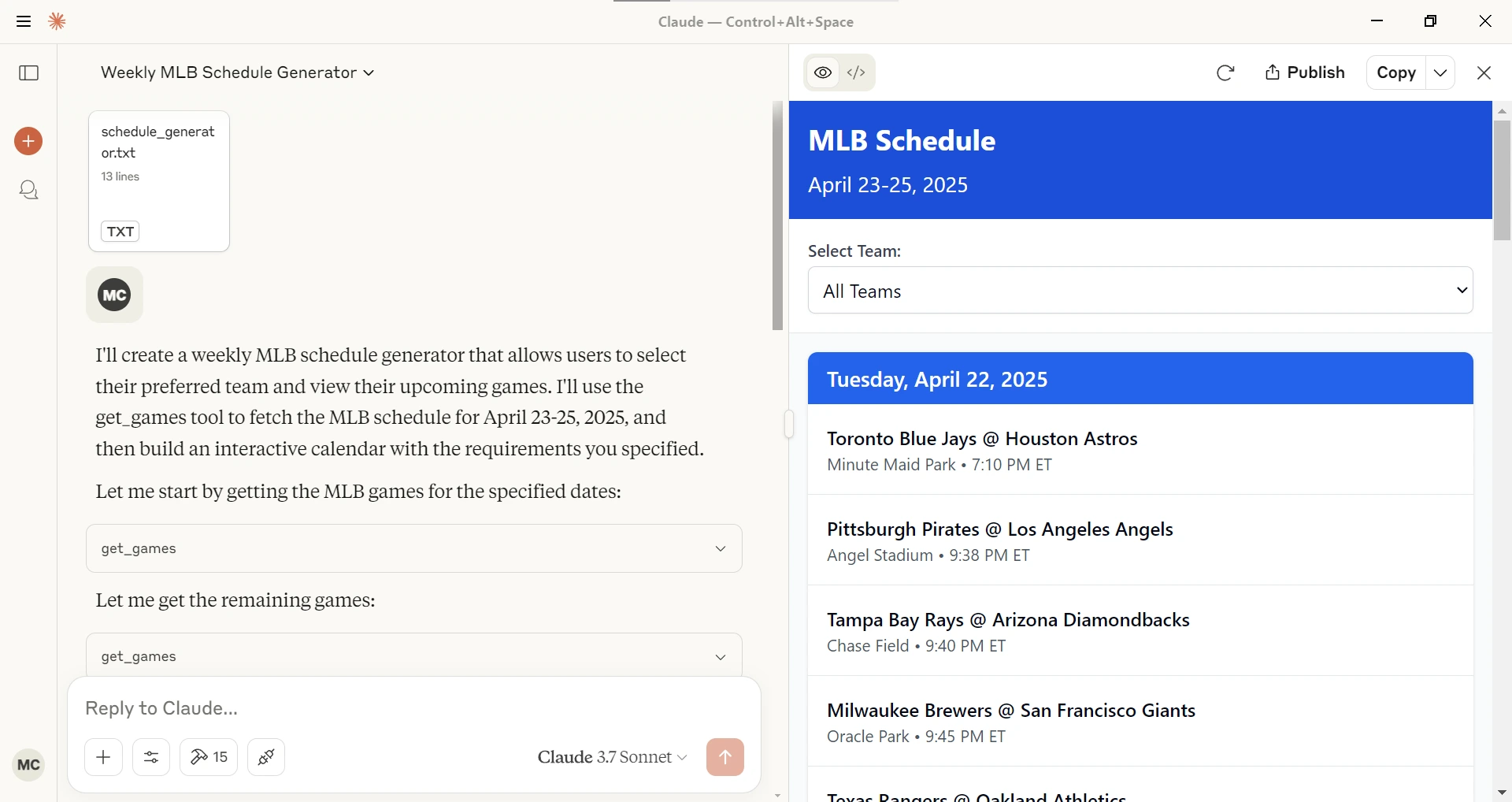
Given a league (NBA, MLB, NFL), a starting date and ending date generates an interactive schedule in Claude Desktop.
Sample queries
With this MCP Server installed you can ask Claude or other LLM questions like the following.
Show me today's baseball games.
Can you find football players with the last name Purdy?
How many NBA players have the last name Ming?
Configuration
Getting an API Key
- Sign up for account at Balldontlie.io
- The free plan is enough for this MCP Server
Installing using Desktop Extension (DXT)
- Download the
dxtfile from the Releases - Open it with Claude Desktop or Go to File -> Settings -> Extensions and drag the .DXT file to the window to install it
Installing via Smithery
To install balldontlie-mcp for Claude Desktop automatically via Smithery:
npx -y @smithery/cli install @mikechao/balldontlie-mcp --client claude
Usage with Claude Desktop
Add this to your claude_desktop_config.json:
{
  "mcp-servers": {
    "balldontlie": {
      "command": "npx",
      "args": [
        "-y",
        "balldontlie-mcp"
      ],
      "env": {
        "BALLDONTLIE_API_KEY": "YOUR API KEY HERE"
      }
    }
  }
}
Usage with LibreChat
mcpServers:
  balldontlie:
    command: sh
    args:
      - -c
      - BALLDONTLIE_API_KEY=your-api-key-here npx -y balldontlie-mcp
License
This MCP server is licensed under the MIT License. This means you are free to use, modify, and distribute the software, subject to the terms and conditions of the MIT License. For more details, please see the LICENSE file in the project repository.
Disclaimer
This library is not officially associated with balldontlie.io. It is a third-party implementation of the balldontlie api with a MCP Server.
Hosted deployment
A hosted deployment is available on Fronteir AI.
Comments
New to MCP?
From what the protocol is to installing your first server, these answers cover most first questions.
An open protocol that defines how AI applications connect to external tools and data in a uniform way. Clients talk to the model; MCP servers provide tools, resources and prompt templates. They exchange standard messages, so one server can be reused by many clients.