
About RepoLens
RepoLens scans repositories and generates architecture documentation for engineers and stakeholders, with publishing to documentation platforms or Markdown. Its mostly read-only MCP server also lets agents inspect system overviews, modules, and dependencies.
Key features
- 01Generate multiple architecture document types
- 02Detect languages, frameworks, and dependencies
- 03Publish to documentation platforms or Markdown
- 04Regenerate docs on each push
- 05Browse repository architecture in an editor
Use cases
- 01Create a codebase guide for new team members
- 02Update architecture docs after every push
- 03Review architecture changes in a pull request
- 04Explore module dependencies through an editor or agent
MCP support
RepoLens provides an stdio MCP server with tools for system overviews, module lists, APIs, dependency graphs, architecture diffs, and documentation generation. Tools are read-only except `generate_docs`, which writes Markdown inside the workspace; paths are confined to that workspace.
Configuration
Local server config is the same for every client. Copy it into your client’s MCP config file.
npx -y @chappibunny/repolensREPOLENS_WORKSPACEAbsolute path of the repository to read. Defaults to the process working directory. Every tool path must stay inside this directory.Local servers need a runtime on your machine (e.g. Node.js 18+). Config file locations differ by client; see your client’s docs.
Tools
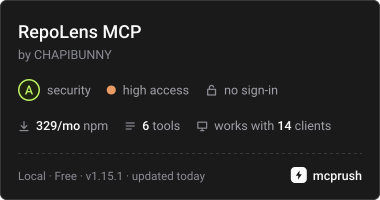
6Saved tool list · updated 1d ago
| Parameter | Type | Required | Description |
|---|---|---|---|
| root | string | No | Directory to read. Relative or absolute, and it must stay inside the workspace root. Defaults to the workspace root. |
Details
From the project README ██████╗ ███████╗██████╗ ██████╗ ██╗ ███████╗███╗ ██╗███████╗
██╔══██╗██╔════╝██╔══██╗██╔═══██╗██║ ██╔════╝████╗ ██║██╔════╝
██████╔╝█████╗ ██████╔╝██║ ██║██║ █████╗ ██╔██╗ ██║███████╗
██╔══██╗██╔══╝ ██╔═══╝ ██║ ██║██║ ██╔══╝ ██║╚██╗██║╚════██║
██║ ██║███████╗██║ ╚██████╔╝███████╗███████╗██║ ╚████║███████║
╚═╝ ╚═╝╚══════╝╚═╝ ╚═════╝ ╚══════╝╚══════╝╚═╝ ╚═══╝╚══════╝
Repository Intelligence CLI








Links: Gallery · npm · MCP Registry · MCP Rush · VS Code extension · GitHub Action
Your architecture docs are already outdated. RepoLens fixes that.
RepoLens scans your repository, generates living architecture documentation, and publishes it to Notion, Confluence, GitHub Wiki, Obsidian, or Markdown — automatically on every push. Engineers get technical docs. Stakeholders get readable system overviews. Nobody writes a word.
Stable as of v1.0 — API guarantees · Security hardened · version from
package.json
🎬 Demo
Try it now — no installation required.
npx @chappibunny/repolens demopreviews the repository you point it at. It detects common languages (Python, Go, Rust, Java, JavaScript/TypeScript, and others). If the scan matches no source files, demo exits 2 and does not write empty docs. Code health scores JavaScript/TypeScript, Python, and Go.
See it on real repos — architecture pages RepoLens generated for Express, FastAPI, Django, Gin, mdBook, and other public projects. Deterministic mode, no API keys.
🎬 Watch Demo Video — See RepoLens generate docs in 60 seconds
 |  |
| Notion | Confluence |
🔍 Supported Languages (16 auto-detected)
JavaScript TypeScript Python Go Rust Java C C++ C# Ruby PHP Swift Kotlin Scala Shell SQL
Plus framework detection: Django · FastAPI · Flask · Gin · Echo · Fiber · Actix · Rocket — and all major JS frameworks (React, Next.js, Vue, Angular, Express, NestJS, Svelte, etc.)
🚀 Quick Start (60 seconds)
Step 1: Install (Node.js 18+)
npm install @chappibunny/repolens
Step 2: Initialize (creates config + GitHub Actions workflow)
npx @chappibunny/repolens init
Step 3: Configure Publishing (optional, skip if using Markdown only)
For Notion:
# Edit .env and add:
NOTION_TOKEN=secret_xxx
NOTION_PARENT_PAGE_ID=xxx
For Confluence:
# Edit .env and add:
CONFLUENCE_URL=https://your-company.atlassian.net/wiki
[email protected]
CONFLUENCE_API_TOKEN=your-token
CONFLUENCE_SPACE_KEY=DOCS
Step 4: Publish
npx @chappibunny/repolens publish
Done! Numbered notes and the Markdown publisher’s files are in .repolens/. Notion, Confluence, GitHub Wiki, and Obsidian publish only when you configure them. Obsidian needs obsidian.vault in .repolens.yml and does not use an API key.
🔄 Upgrading from v0.3.0 or earlier?
Run npx @chappibunny/repolens migrate to automatically update your workflow files. See MIGRATION.md for details.
📋 What It Generates
17 document types for three audiences — no manual writing required. Route Map and GraphQL Schema are skipped when the repository has no routes or GraphQL schema:
| Audience | Documents |
|---|---|
| Stakeholders | Executive Summary |
| Mixed | System Overview · Business Domains · Route Map · Data Flows · Change Impact · System Map · Architecture Drift · Code Health |
| Engineers | Architecture Overview · Module Catalog · API Surface · Developer Onboarding · GraphQL Schema · TypeScript Type Graph · Dependency Graph · Security Hotspots |
Two modes: Deterministic (free, fast, always works) or AI-Enhanced (optional — GitHub Models, OpenAI, Anthropic, Google, Azure, Ollama).
✨ Why RepoLens
| 🤖 Autonomous | Runs on every push via GitHub Actions — docs stay evergreen |
| 👥 Multi-Audience | Technical docs + stakeholder-readable overviews from one scan |
| 📤 Multi-Publisher | Notion, Confluence, GitHub Wiki, Obsidian, Markdown — together or one at a time |
| 🗺️ Shows what you didn't ask | An LLM only answers the question it is given, and a newcomer doesn't know what to ask. RepoLens publishes the whole map (every module, cycle and hub) on every PR, the same way each time, with no tokens spent per question |
| 🧠 AI-Assisted | Optional AI with zero-hallucination policy (structured context only) |
| 🔍 Smart Detection | Frameworks, domains, data flows, dependencies, drift — all automatic |
| 🔌 Extensible | Plugin system for custom renderers, publishers, and hooks |
| 🛡️ Secure | Secret detection, injection prevention, rate limiting, supply chain hardening |
| ⚡ Fast | Handles repos up to 50k files with performance guardrails |
📦 Installation
npm install @chappibunny/repolens
Or try instantly without installing: npx @chappibunny/repolens demo
For alternative methods, see INSTALLATION.md.
🎨 VS Code Extension
View your architecture directly in VS Code — browse modules, visualize dependencies, and explore your codebase structure without leaving the editor.
Install from Marketplace:
ext install repolensdox.repolensdox
→ Get it on Visual Studio Marketplace
Features:
- 🏗️ Architecture Explorer — Tree view of your system structure
- 📊 Dependency Visualizer — Interactive dependency graphs
- 📁 Module Browser — Navigate modules by domain and function
- 🔍 Command Palette — Quick access to architecture insights
- 📈 System Metrics — Real-time architecture health indicators
The extension reads your .repolens.yml configuration and provides an interactive UI for exploring the documentation that RepoLens generates.
🎓 Onboarding Guide
Step-by-step setup for publishers, AI features, Notion, Confluence, GitHub Wiki, Obsidian, Discord, and CI/CD automation.
🎮 Commands
| Command | Description |
|---|---|
npx @chappibunny/repolens | Show help. A bare invocation does not publish |
npx @chappibunny/repolens init | Interactive wizard — configure publishers, AI, credentials |
npx @chappibunny/repolens init --quick | Markdown-only setup. Globs follow the detected language |
npx @chappibunny/repolens init --help | Flags for that command. Same pattern for every command below |
npx @chappibunny/repolens publish | Scan, generate, and publish documentation |
npx @chappibunny/repolens publish --strict | Exit 2 when a configured publisher is missing credentials |
npx @chappibunny/repolens demo | Local preview — no API keys. Exits 2 when 0 files match |
npx @chappibunny/repolens doctor | Validate your setup, including that scan globs match files |
npx @chappibunny/repolens watch | Auto-regenerate docs on file changes. Exits 2 if module_roots are missing or scan.include matches no files |
npx @chappibunny/repolens migrate | Upgrade from v0.3.0 workflows (details) |
npx @chappibunny/repolens uninstall | Remove all RepoLens files (config, docs, workflow) |
npx @chappibunny/repolens uninstall --force | Remove without confirmation prompt |
npx @chappibunny/repolens feedback | Send feedback to the team |
npx @chappibunny/repolens mcp | Start the stdio MCP server (repolens-mcp is the same server) |
npx @chappibunny/repolens badge | shields.io code-health JSON, SVG, or markdown. Exits 2 when nothing is scored |
npx @chappibunny/repolens comment --base <ref> --head <ref> | Architecture diff (files, modules, dependencies, health delta, new hotspots) |
npx @chappibunny/repolens app | Self-host the GitHub App webhook. --manifest prints the manifest |
Note: If you installed globally with
npm install -g @chappibunny/repolens, you can use the shorterrepolens <command>form. Init's next-steps text uses that shorter form when the command on your PATH is the global install. Warning: Do not run barenpx repolens— there is an unrelated[email protected]placeholder package on npm. Always use the scoped name@chappibunny/repolens.
Exit codes
| Code | Meaning |
|---|---|
0 | Success, including a cancelled wizard or help with no other work |
1 | Runtime error, or an unknown command |
2 | Invalid flags, missing config, target directory not found, a failed doctor check (including 0 files matched), demo or publish scanned 0 files, watch has nothing to watch (missing module_roots, or scan.include matches no files), badge scored 0 source files, comment is missing a base or head ref, publish --strict is missing publisher credentials, app is missing its id, webhook secret, or private key, or feedback has no terminal |
--target must already exist. A missing path exits 2 with Target directory not found: <path> before any scan. repolens <command> --help prints that command's flags. The ASCII banner is omitted when stdout is not a terminal or CI is set.
MCP server
Cursor, Cline, Claude Desktop, Claude Code, and VS Code Copilot can call RepoLens over stdio. The server is read-only except for generate_docs, which writes Markdown inside the workspace. Deterministic mode does not use the network. Paths cannot leave the workspace root.
Copy-paste configs for Cursor, Claude Desktop, and VS Code are in docs/MCP.md.
{
  "mcpServers": {
    "repolens": {
      "command": "npx",
      "args": ["-y", "@chappibunny/repolens", "mcp"]
    }
  }
}
Use with Cline
Open Cline → MCP Servers → Installed → Configure MCP Servers, paste this into cline_mcp_settings.json, and save:
{"mcpServers":{"repolens":{"command":"npx","args":["-y","@chappibunny/repolens","mcp"]}}}
Cline starts the server with no install step (Node 18+ required). It reads the directory the server starts in. To point it at a specific repo, add "env": {"REPOLENS_WORKSPACE": "/absolute/path/to/repo"}. Six tools appear: get_system_overview, list_modules, get_api_surface, get_dependency_graph, get_architecture_diff, generate_docs. Step-by-step agent instructions are in llms-install.md.
If npx reports Unknown command: mcp, an .npmrc with min-release-age (or an old npx cache) resolved a release older than 1.14.0. Use npx -y @chappibunny/repolens@latest mcp or clear ~/.npm/_npx.
GitHub Action
action.yml is a composite action named RepoLens Architecture Docs. publish, demo, and doctor run the published npm package (npx --force --yes @chappibunny/[email protected]). comment and badge run from the action checkout. Inputs are command (publish, demo, doctor, comment, or badge), config, node-version, pr-comment, version, badge-out, badge-url, and badge-link. The action passes --force so a repository devEngines pin does not stop npx on npm versions that enforce devEngines (newer npm). Node 20's bundled npm does not enforce that field. From a shell, use the same flag: npx --force --yes @chappibunny/repolens demo. --ignore-engines does not skip devEngines.
Publishing docs (the npm package at tag v1.16.1):
name: Architecture docs
on:
  pull_request:
  push:
    branches: [main]
permissions:
  contents: read
  pull-requests: write
jobs:
  docs:
    runs-on: ubuntu-latest
    steps:
      - uses: actions/checkout@df4cb1c069e1874edd31b4311f1884172cec0e10 # v6.0.3
      - uses: CHAPIBUNNY/[email protected]
        with:
          command: publish
          config: .repolens.yml
          node-version: "20"
          pr-comment: ${{ github.event_name == 'pull_request' && 'true' || 'false' }}
On v1.15.2, pr-comment: true runs the architecture diff from the action checkout and turns the published package's older short summary off. The diff lists modules, files, dependencies, the code-health delta, and new hotspots. It edits one sticky comment (<!-- repolens:architecture-diff -->) instead of adding a new comment each push. The footer is "Generated by RepoLens" and links to this repository and the gallery. Tag v1.15.1 does not contain command: comment. Pin v1.16.1 or a commit SHA in production.
name: RepoLens architecture comment
on:
  pull_request:
permissions:
  contents: read
  pull-requests: write
jobs:
  architecture:
    runs-on: ubuntu-latest
    steps:
      - uses: actions/checkout@df4cb1c069e1874edd31b4311f1884172cec0e10 # v6.0.3
        with:
          fetch-depth: 0
      - uses: CHAPIBUNNY/[email protected]
        with:
          command: comment
contents: read is only so checkout can read the repository. The comment itself uses GITHUB_TOKEN with pull-requests: write. No personal access token. Fork pull requests cannot write comments with that token. RepoLens skips the comment and writes the same markdown to the job summary. A 403 is handled the same way. fetch-depth: 0 is required so both the base and head commits are on disk.
pr-comment: true on publish, demo, or doctor (when the action ref contains this change) runs the same comment after the package and turns the package's older comment off, so the pull request still gets one comment.
The action is listed on the GitHub Marketplace only after a release is published with Publish this Action to the GitHub Marketplace checked. Those steps are in docs/RELEASE.md. The tag v1.16.1 has to exist before uses: CHAPIBUNNY/[email protected] resolves, and @chappibunny/[email protected] has to be on npm before publish can install it. command: comment and command: badge do not install that package.
Add the badge to your repo
Generated Markdown includes this line unless .repolens.yml sets branding: false (or branding.badge: false). Add the same badge to a repository README:
[](https://github.com/CHAPIBUNNY/repolens) · [Examples](https://chapibunny.github.io/repolens/)
Generated docs also link to the gallery after the badge.
Code health badge
repolens badge scores JavaScript, TypeScript, Python, and Go, then prints a shields.io endpoint JSON document. The message is the average code-health score. It exits 2 when no source files were scored, and it does not print 100 for an empty tree.
npx @chappibunny/repolens badge
npx @chappibunny/repolens badge --format svg --out repolens-badge.svg
npx @chappibunny/repolens badge --format markdown --url https://USER.github.io/REPO/repolens-badge.json --link https://USER.github.io/REPO/
Host the JSON where shields.io can fetch it. The action writes both files without an npm publish:
name: RepoLens badge
on:
  push:
    branches: [main]
permissions:
  contents: read
jobs:
  badge:
    runs-on: ubuntu-latest
    steps:
      - uses: actions/checkout@df4cb1c069e1874edd31b4311f1884172cec0e10 # v6.0.3
      - uses: CHAPIBUNNY/[email protected]
        with:
          command: badge
          badge-url: https://USER.github.io/REPO/repolens-badge.json
          badge-link: https://USER.github.io/REPO/
      - uses: actions/upload-artifact@b7c566a772e6b6bfb58ed0dc250532a479d7789f # v6.0.0
        with:
          name: repolens-badge
          path: |
            repolens-badge.json
            repolens-badge.svg
Commit repolens-badge.json to gh-pages (or any public HTTPS path) if you want a live shields.io badge. badge-url is that public URL. The job summary prints:
[](https://USER.github.io/REPO/)
Gallery repositories already publish this. Each one has a score page with the snippet, badge.json, and a square SVG. The badge links back to that score page. An explained page titled " architecture explained" is indexed beside it (sitemap.xml, robots.txt, Open Graph, canonical URL, JSON-LD SoftwareSourceCode). llms.txt and llms-full.txt sit at the site root and in this repository.
📸 Example Output
System map
Published system maps are Unicode diagrams drawn from import edges. RepoLens does not emit Mermaid.
The publisher set is Notion, Confluence, GitHub Wiki, Obsidian, and Markdown (src/publishers, 7 files). 1.14.0 adds the MCP server, the Marketplace action, and the docs badge. 1.14.1 sets the registry name to io.github.CHAPIBUNNY/repolens. 1.14.2 adds the gallery link to the badge line, glama.json, and CITATION.cff. 1.14.3 adds Cline setup docs and llms-install.md. 1.15.0 detects repository languages in init --quick, refuses empty scans, and adds per-command help. 1.15.1 makes watch exit 2 when those globs match nothing, and scores code health for Python and Go as well as JavaScript and TypeScript. 1.15.2 reads Python and Go imports in the dependency graph, skips comment and type-only imports, adds repolens badge and repolens comment, and adds gallery explained pages plus llms.txt. 1.15.3 skips Python TYPE_CHECKING imports, omits Node.js built-ins from external packages, groups Go hubs by package, and ignores test files as architecture-pattern evidence. 1.15.4 names the project from package.json, scores maturity from version, history, tests, CI, and docs, reports circular dependencies as findings, drops self-imports and noise data flows, and stops classifying index and core files by name. 1.15.5 reads a flat src/ as one module, tells a library from a CLI by its package.json, splits runtime from development packages, keeps tests, examples, and build scripts out of hubs and security severity, and skips empty Route Map and GraphQL pages. 1.16.0 adds repolens app (a self-hosted GitHub App webhook), names a flat package after its directory, treats a framework description as a library when main is absent, and keeps test and example routes out of the product API. 1.16.1 skips snapshot, sample, fixture, example, and generated trees in the file count, orphan list, and type graph, and labels a call-heavy two-folder cycle as mutual recursion rather than a high-priority refactor. Layout and counts are in ARCHITECTURE.md.
System Overview (Technical Profile)
Generated from your package.json:
## Technical Profile

**Tech Stack**: Next.js, React
**Languages**: TypeScript
**Build Tools**: Vite, Turbo
**Testing**: Vitest, Playwright
**Architecture**: Medium-sized modular structure with 42 modules
**API Coverage**: 18 API endpoints detected
**UI Pages**: 25 application pages detected
Architecture Diff in PRs
When you open a pull request, RepoLens posts:
## 📐 Architecture Diff

**Modules Changed**: 3
**New Endpoints**: 2
**Routes Modified**: 1

### New API Endpoints
- POST /api/users/:id/verify
- GET /api/users/:id/settings

### Modified Routes
- /dashboard → components/Dashboard.tsx (updated)
🔒 Privacy & Security
- Telemetry is opt-in and disabled by default — no code, secrets, or personal data leaves your machine. See TELEMETRY.md.
- Defense-in-depth security — input validation, secret detection (15+ patterns), rate limiting, injection prevention, supply chain hardening. See SECURITY.md.
- Report vulnerabilities to [email protected] (not public issues). Response within 48 hours.
📚 Documentation
| Guide | Description |
|---|---|
| Onboarding Guide | Step-by-step setup: publishers, AI, Notion, Confluence, GitHub Wiki, Obsidian, Discord |
| Configuration | Complete .repolens.yml schema and examples |
| Environment Variables | All env vars by publisher and feature |
| Architecture | Pipeline diagram, project structure |
| Development | Setup, tests, and the release process |
| Security | Threat model, secret detection, validation layers |
| Telemetry | Opt-in privacy-first usage analytics |
| Troubleshooting | Common issues and fixes |
| Migration | Upgrading from v0.3.0 or earlier |
| Stability | API contract and semver guarantees |
| MCP server | stdio server for Cursor, Claude, and VS Code |
| GitHub App | Self-host the webhook: manifest, env vars, check run |
🤝 Contributing
Ways to help:
- Try it out: Install and use in your projects
- Report issues: Share bugs, edge cases, or UX friction
- Request features: Tell us what's missing
- Build plugins: Extend RepoLens with custom renderers and publishers
- Share feedback:
npx @chappibunny/repolens feedback
See CONTRIBUTING.md and the AI Policy. AI-assisted PRs are welcome when disclosed, reviewed, and tested.
🗺️ Roadmap
v1.0+ features complete — CLI, config schema, and plugin interface are frozen.
Completed:
- VS Code extension (available on Marketplace)
- Obsidian vault publisher (local notes with wikilinks and frontmatter)
- MCP server (
repolens mcp) for Cursor, Claude, and VS Code - GitHub Action
RepoLens Architecture Docs(action.yml) - Docs by RepoLens badge on generated Markdown
- GitHub App webhook (
repolens app) for a check run and the architecture comment
Next:
- Java and C# language support
- Grounded AI explanations and Q&A (
repolens ask, PR comment, MCP, VS Code hover), layered on the always-published map and not a replacement for it - Slack notifications
- Custom webhook support
- Cross-repository architecture analysis
- Security boundary validation
- Interactive HTML documentation output
- Architecture decision records (ADR) generation
See ROADMAP.md for detailed planning.
📄 License
MIT
💬 Support & Contact
- Troubleshooting: TROUBLESHOOTING.md — installation, config, publishing, AI, and CI/CD issues
- Diagnostics: Run
npx @chappibunny/repolens doctorto validate your setup - Issues: GitHub Issues
- Discussions: GitHub Discussions
- Email: Contact repository maintainers
Made with ❤️ by RepoLens for developers who care about architecture
Comments
New to MCP?
From what the protocol is to installing your first server, these answers cover most first questions.
An open protocol that defines how AI applications connect to external tools and data in a uniform way. Clients talk to the model; MCP servers provide tools, resources and prompt templates. They exchange standard messages, so one server can be reused by many clients.