
mcp-agent-accessibility-auditor
LocalAbout mcp-agent-accessibility-auditor
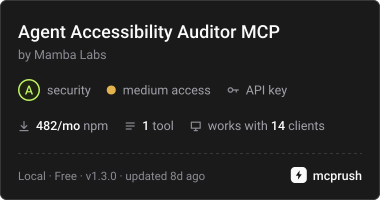
An Apify-backed MCP server for technical SEO and growth teams auditing how AI agents can read a website. It returns evidence-based checks across AI crawler rules, structured data, rendering, and machine-readable endpoints without calling a model.
Key features
- 01Audit llms.txt and AI crawler rules
- 02Check structured data and its health
- 03Inspect render mode and endpoints
- 04Select checks and bypass cache
- 05Return factual, flat audit results
Use cases
- 01Assess a domain's readiness for AI crawlers
- 02Compare site accessibility before and after changes
- 03Audit multiple client sites for agency work
MCP support
Exposes the Apify Agent Accessibility Auditor through the `audit_agent_accessibility` tool. MCP clients provide a domain and receive the actor's audit output.
Configuration
Local server config is the same for every client. Copy it into your client’s MCP config file.
npx -y @mambalabsdev/mcp-agent-accessibility-auditorAPIFY_TOKENSecretApify API token from https://console.apify.com/account/integrationsLocal servers need a runtime on your machine (e.g. Node.js 18+). Config file locations differ by client; see your client’s docs.
Tools
1Saved tool list · updated 2w ago
| Parameter | Type | Required | Description |
|---|---|---|---|
| checks | array | No | Run only these checks. Omit for all of them. Narrowing narrows the work as well as the answer: an llms_txt only audit makes three requests instead of ten. A check you did not run reports null, never false. The score is rescaled over the checks you selected, so a site with a perfect llms.txt audited for llms.txt alone reads 100 rather than 25. |
| domain | string | Yes | One company domain, for example vercel.com. A full URL is accepted: the protocol and path are stripped and the root of the domain is audited. One domain per call. |
| skipCache | enum | No | Leave as false to use the 7 day cache. Set to true to re-audit the domain from scratch. Default: "false".false | true |
| check_endpoints | boolean | No | Alias for the checks array: false removes sitemap, openapi, security_txt and feeds. Ignored when checks is set. Default: true. |
| check_structured_data | boolean | No | Alias for the checks array: false removes json_ld, microdata, open_graph and canonical. Ignored when checks is set. Default: true. |
Details
From the project READMEAgent Accessibility Auditor MCP Server





MCP server for the Mamba Labs Agent Accessibility Auditor actor on Apify.
Can an AI agent read this site? Give it a domain and it returns one flat row of 42 fields covering five families of fact: the llms.txt family, robots AI crawler policy including the newer Content Signal directives, structured data presence and health, render mode, and machine readable endpoint discovery.
Install
npx -y @mambalabsdev/mcp-agent-accessibility-auditor
Claude Desktop
{
  "mcpServers": {
    "mamba-agent-accessibility-auditor": {
      "command": "npx",
      "args": ["-y", "@mambalabsdev/mcp-agent-accessibility-auditor"],
      "env": { "APIFY_TOKEN": "your-apify-token" }
    }
  }
}
Get an Apify token at console.apify.com/account/integrations.
Tool
audit_agent_accessibility
Domain in, whether an AI agent can read that site out.
| Input | Type | Required | Notes |
|---|---|---|---|
domain | string | yes | One company domain, for example vercel.com. A full URL is accepted: the protocol and path are stripped. One domain per call. |
checks | array | no | Run only these checks: llms_txt, robots_ai, sitemap, openapi, security_txt, feeds, json_ld, microdata, open_graph, canonical, render_mode. Omit for all of them. A check you did not run reports null, never false, and the score is rescaled over what you selected. |
check_endpoints | boolean | no | Alias for the checks array: false removes sitemap, openapi, security_txt and feeds. Ignored when checks is set. Default true. |
check_structured_data | boolean | no | Alias for the checks array: false removes json_ld, microdata, open_graph and canonical. Ignored when checks is set. Default true. |
skipCache | enum | no | Leave as false to use the 7 day cache. Set to true to re-audit the domain from scratch. Default false. |
max_charge_usd | number | no | Optional cost cap in USD for this run. The actor stops before an item that could take its charges past this amount. Omit to rely on the maximum cost per run set in Apify. |
Reading the output
Every field is a fact read off a fetch. No model is called at any point, so the same domain returns the same row today and next month unless the site actually changed.
has_llms_txt is true only when /llms.txt returns 200 and the body is real markdown, and llms_txt_reject_reason says why a 200 was not counted. Twelve requests per domain, robots.txt first and then the homepage and ten probes concurrently. Typical wall clock is 2 to 4 seconds.
Built for a technical SEO or growth engineer preparing a site for AI crawlers and agent traffic, or an agency selling that work and needing a before and after audit across a client list.
Billing
You are charged per domain analyzed, plus a small actor start fee. A repeat run inside the 7 day cache window costs nothing new.
Price per event on the Apify FREE plan, from the live pricing record; paid Apify plans pay less per event.
| Event | Price (USD) |
|---|---|
Domain analyzed (domain-analyzed) | 0.005 |
Actor Start (apify-actor-start) | 0.00005 |
Pricing is on the actor's Apify page. Running this server consumes Apify credits.
What this server does and does not do
It is a thin client for the Apify actor. It passes your input through and returns the actor's output unchanged. Every behavior described above lives in the actor, not here.
The tool starts the actor run and polls it to a finished status, so a long run is not cut off at 300 seconds. The run is allowed 1,800 seconds. If it is still going two minutes after that, the call stops waiting and returns the run ID with a link to it in the Apify Console, where the results land when it finishes. A run that does not succeed comes back as an error with its run ID and status.
Errors are surfaced, never swallowed. An invalid input, an invalid token, an exhausted balance, a timeout, or a run that returns anything other than a dataset all come back as an explicit tool error rather than as an empty result.
Source
The actor is on the Apify Store. This wrapper is MIT licensed.
Built by Mamba Labs
Comments
New to MCP?
From what the protocol is to installing your first server, these answers cover most first questions.
An open protocol that defines how AI applications connect to external tools and data in a uniform way. Clients talk to the model; MCP servers provide tools, resources and prompt templates. They exchange standard messages, so one server can be reused by many clients.