
mcp-linkedin-company-presence-mapper
LocalAbout mcp-linkedin-company-presence-mapper
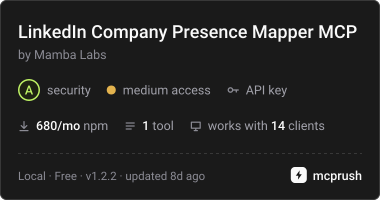
This MCP server wraps Mamba Labs’ Apify actor to find a company’s LinkedIn page from its domain. It returns only pages verified against the company site or a matching search result, along with the name and tagline; follower counts may be available.
Key features
- 01Resolve a domain to a LinkedIn page
- 02Verify pages against company information
- 03Return page name and tagline
- 04Include follower counts when available
- 05Report verification status and confidence
Use cases
- 01Find the verified LinkedIn page for a company domain
- 02Check how a company page was verified
- 03Look up follower counts when search results include them
MCP support
Exposes the `map_linkedin_company_presence` tool to MCP clients. It starts the Apify actor and returns its results; an `APIFY_TOKEN` is required.
Configuration
Local server config is the same for every client. Copy it into your client’s MCP config file.
npx -y @mambalabsdev/mcp-linkedin-company-presence-mapperAPIFY_TOKENSecretApify API token from https://console.apify.com/account/integrationsLocal servers need a runtime on your machine (e.g. Node.js 18+). Config file locations differ by client; see your client’s docs.
Tools
1Saved tool list · updated 2w ago
| Parameter | Type | Required | Description |
|---|---|---|---|
| handle | string | No | Optional. The company slug from linkedin.com/company/<slug>, for example shopify. Supplying it skips discovery and goes straight to the fetch. |
| skipCache | boolean | No | When "false" (default) a successful lookup is cached for seven days and reused. Set "true" to force a fresh fetch. Sent as a string for Clay compatibility. |
| company_name | string | No | Optional. Improves search accuracy and is what the identity gate checks a discovered profile against, so supplying it reduces wrong matches. |
| company_domain | string | No | Bare company domain, for example shopify.com. Supply this or a handle. With a domain the actor runs full discovery; with a handle it skips straight to the fetch. |
| includeFirmographics | boolean | No | When "true" (default) industry, company size band, headquarters, founded year and website are parsed off the page alongside the follower count. Set "false" for the URL and follower count only. Sent as a string for Clay compatibility. |
| includeFollowerCounts | boolean | No | When "true" (default) the profile page is fetched and the counts are extracted. Set "false" to resolve the profile URL only, which is cheaper and needs no proxy. Sent as a string for Clay compatibility. |
Details
From the project READMELinkedIn Company Page Mapper MCP Server




MCP server for the Mamba Labs LinkedIn Company Page Mapper actor on Apify.
Free. Resolve a company domain to its LinkedIn page, verified against the company's own site, with its name and tagline, and a follower count on some companies. No firmographics. No request is sent to LinkedIn.
What it does
Free to run apart from Apify's start fee. Resolve a company domain to its LinkedIn company page, verified against the company's own site, and return the page name and tagline, plus a follower count when public search results show one (2 of 6 test domains on 2026-10-12). No request is sent to LinkedIn: the page comes from the company homepage (structured data or a link) or from a search result whose name matches the name the company site declares or the company_name you pass. A page that cannot be verified is not returned; the row says why in linkedin_verification. The follower count is the search engine's copy and can lag the live page. Industry, size band, headquarters, founded year, specialties and website are no longer returned. Read only; requires an APIFY_TOKEN and consumes Apify credits per call.
What changed in 1.2.1
The actor is free: its three paid events were removed on 2026-10-12. The text now states the measured rates: a verified page on most companies, a follower count on some, no firmographics.
What changed in 1.2.0
The actor stopped fetching linkedin.com on 2026-10-12. These fields came only from the LinkedIn page and are gone: linkedin_followers_exact, linkedin_industry, linkedin_company_size, linkedin_headquarters, linkedin_founded_year, linkedin_specialties, linkedin_website. The includeFirmographics input is gone; minConfidenceScore is new. New output fields: linkedin_confidence_score, linkedin_verification.
Quick start
Add this to your MCP client configuration:
{
  "mcpServers": {
    "mamba-linkedin-company-presence-mapper": {
      "command": "npx",
      "args": ["-y", "@mambalabsdev/mcp-linkedin-company-presence-mapper"],
      "env": { "APIFY_TOKEN": "your-apify-token" }
    }
  }
}
Prerequisites
- Node.js 18 or newer
- An Apify API token from console.apify.com/account/integrations
The actor is free. Since 2026-10-12 it declares no paid event, so the only charge is Apify's platform start event, apify-actor-start, at $0.00005 per GB of run memory. This server starts the run at 512 MB, the actor's own default, so a run costs $0.00005 whatever the number of companies. The actor page carries the current pricing.
What it returns, measured 2026-10-12 on 6 domains: a verified page URL, name and tagline on 5, a follower count on 2, firmographics on none.
Example prompts
- "What is the LinkedIn company page for gitlab.com, and what does its tagline say?"
- "Find the LinkedIn company page for stripe.com and tell me how it was verified."
- "Find the LinkedIn pages for notion.com, figma.com and gitlab.com, with follower counts where they are available."
Tool and inputs
Tool: map_linkedin_company_presence
| Input | Type | Meaning |
|---|---|---|
company_domain | string | Bare company domain, for example shopify.com. Supply this or a handle. |
company_name | string | Optional. A page whose name is identical to it verifies (score 80). |
handle | string | Optional. The company slug from linkedin.com/company/. Skips discovery; returned as given. |
includeFollowerCounts | boolean | Default true. Reads the follower count, page name and description from the search result. False returns the URL only. |
skipCache | boolean | Default false. True forces a fresh lookup. |
minConfidenceScore | integer | Default 70. A page scoring under it is not returned. |
Reading the output
Every row carries a per platform _status field, and it is the field to read
first. The vocabulary is the same across the whole Mamba Labs social family:
| Status | Meaning |
|---|---|
ok | fetched and parsed, the value is there |
not_found | no page verified; linkedin_verification says what was seen and why |
not_extractable | the page is verified and the search result carries no follower count |
blocked | the search engine refused the request, worth retrying later |
skipped | you did not ask for this platform |
false and null are never interchangeable. false means we looked and the
answer is no. null means we could not look. If you filter for companies with no
presence, filter on false, because null rows are unknown rather than absent.
How each call runs
Each call starts the actor run, polls it until it finishes, then reads the dataset. The run is allowed 1,800 seconds at 512 MB. If the run is still going when this call stops waiting, the call returns the run id and a console link instead of a timeout, so the result is never lost.
Full actor documentation
apify.com/mambalabs/linkedin-company-presence-mapper
Mamba Labs GTM Suite
Mamba Labs builds a fleet of GTM enrichment actors that share one flat, Clay
ready output convention, so their rows join on company_domain with no cleaning
step. Full fleet: apify.com/mambalabs
License
MIT
Comments
New to MCP?
From what the protocol is to installing your first server, these answers cover most first questions.
An open protocol that defines how AI applications connect to external tools and data in a uniform way. Clients talk to the model; MCP servers provide tools, resources and prompt templates. They exchange standard messages, so one server can be reused by many clients.