
mcp-team-page-people-extractor
LocalAbout mcp-team-page-people-extractor
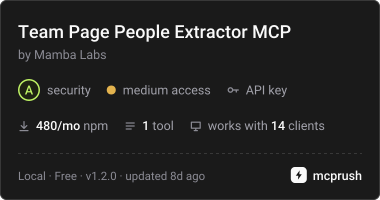
This MCP server uses an Apify Actor to extract names, titles, and source pages from a company’s own team, leadership, or about page. It is for compiling publicly posted company personnel and does not read LinkedIn or other profile networks.
Key features
- 01Extract people using a company domain
- 02Return names, titles, and source pages
- 03Filter people by seniority
- 04Organize results by person or company
- 05Use a 14-day result cache
Use cases
- 01Compile leaders published on a company website
- 02Collect people and titles from team pages
- 03Filter public personnel to executives or leadership
MCP support
Exposes the `extract_team_page_people` tool to MCP clients, passing inputs to an Apify Actor and returning its output unchanged.
Configuration
Local server config is the same for every client. Copy it into your client’s MCP config file.
npx -y @mambalabsdev/mcp-team-page-people-extractorAPIFY_TOKENSecretApify API token from https://console.apify.com/account/integrationsLocal servers need a runtime on your machine (e.g. Node.js 18+). Config file locations differ by client; see your client’s docs.
Tools
1Saved tool list · updated 2w ago
| Parameter | Type | Required | Description |
|---|---|---|---|
| domain | string | Yes | A single company domain, for example swishdata.com. Protocol and path are stripped. |
| skipCache | enum | No | false uses the 14 day result cache. true re-crawls the company from scratch. Default: "false".false | true |
| max_people | string | No | Sent as a string so Clay can map a column into it. Clamped to 1 to 200. People are ordered by seniority before the cap applies, and anything dropped is logged with the count. Default: "50". |
| output_grain | enum | No | person returns one row per person, which is the default and what most Clay tables want. company returns one row per company with a people_json array plus the first five names and titles flattened into columns. Default: "person".person | company |
| include_emails | boolean | No | Off by default and you should probably leave it off. Across three domains that published an email on a team page we found one role mailbox, one placeholder in example content, and one literal [email protected] template string. Not one was a real person's address. When on, emails come back on the COMPANY row only, never attached to a named person, because nothing on these pages proves which address belongs to whom. Default: false. |
| seniority_filter | enum | No | all keeps everyone the page published. executive keeps founders and C-level only. leadership adds VPs, directors and heads. Default: "all".all | executive | leadership |
Details
From the project READMETeam Page People Extractor MCP Server





MCP server for the Mamba Labs Team Page People Extractor actor on Apify.
Give it a company domain and it returns the people that company publishes on its own team, leadership or about page: names, titles, and the page each one came from. Nothing here reads LinkedIn or any other profile network.
Install
npx -y @mambalabsdev/mcp-team-page-people-extractor
Claude Desktop
{
  "mcpServers": {
    "mamba-team-page-people-extractor": {
      "command": "npx",
      "args": ["-y", "@mambalabsdev/mcp-team-page-people-extractor"],
      "env": { "APIFY_TOKEN": "your-apify-token" }
    }
  }
}
Get an Apify token at console.apify.com/account/integrations.
Tool
extract_team_page_people
Give it a company domain and it returns the people that company publishes on its own team, leadership or about page: names, titles, and the page each one came from. Nothing here reads LinkedIn or any other profile network.
| Input | Type | Required | Notes |
|---|---|---|---|
domain | string | yes | A single company domain, for example swishdata.com. Protocol and path are stripped. |
output_grain | enum | no | person returns one row per person, which is the default and what most Clay tables want. company returns one row per company with a people_json array plus the first five names and titles flattened into columns. |
seniority_filter | enum | no | all keeps everyone the page published. executive keeps founders and C-level only. leadership adds VPs, directors and heads. |
max_people | string | no | Sent as a string so Clay can map a column into it. Clamped to 1 to 200. People are ordered by seniority before the cap applies, and anything dropped is logged with the count. |
include_emails | boolean | no | Off by default and you should probably leave it off. Across three domains that published an email on a team page we found one role mailbox, one placeholder in example content, and one literal [email protected] template string. Not one was a real person's address. When on, emails come back on the COMPANY row only, never attached to a named person, because nothing on these pages proves which address belongs to whom. |
skipCache | enum | no | false uses the 14 day result cache. true re-crawls the company from scratch. |
max_charge_usd | number | no | Optional spending cap for this call, in USD. The actor stops before any charge that would take the run past this amount and keeps every row already charged. |
Billing
You are charged per person found, plus a small actor start fee. A company that publishes nobody costs only the start fee.
Prices from the live pricing record, read 2026-10-16:
| Event | Price per event (USD) | Fires when |
|---|---|---|
apify-actor-start | $0.00005 | Charged when the Actor starts running. Number of events charged depends on Actor memory (one event per GB, minimum one event). |
person-found | $0.006 on the Free plan, down to $0.0051 on higher Apify plans | Charged once per person returned. A company with no readable team page returns a summary row and costs nothing beyond the run. In company grain the charge is once per person in the people array, not once per row, so a single row carrying 17 people bills 17 events. |
The current price is on the actor's Apify page. Running this server consumes Apify credits.
What this server does and does not do
It is a thin client for the Apify actor. It passes your input through and returns the actor's output unchanged. Every behavior described above lives in the actor, not here.
Errors are surfaced, never swallowed. An invalid input, an invalid token, an exhausted balance, a timeout, or a run that returns anything other than a dataset all come back as an explicit tool error rather than as an empty result.
Source
The actor is on the Apify Store. This wrapper is MIT licensed.
Built by Mamba Labs
Comments
New to MCP?
From what the protocol is to installing your first server, these answers cover most first questions.
An open protocol that defines how AI applications connect to external tools and data in a uniform way. Clients talk to the model; MCP servers provide tools, resources and prompt templates. They exchange standard messages, so one server can be reused by many clients.