
About Open Ephemeris
Open Ephemeris is an astrology MCP server based on NASA JPL DE440 data, for users working with chart calculations and interpretation. It covers natal charts, transits, Human Design, Vedic astrology, and BaZi; selected tools also render interactive charts in clients that support MCP Apps.
Key features
- 01Calculate natal charts and transits
- 02Provide eclipse and moon phase data
- 03Support Human Design, Vedic charts, and BaZi
- 04Calculate electional, synastry, and relocation charts
- 05Render interactive charts in compatible clients
Use cases
- 01Calculate a natal chart from birth details
- 02Review planetary transits over coming months
- 03Generate a Human Design or BaZi chart
- 04Explore planets and houses in an interactive chart
MCP support
The server exposes astrology, ephemeris, and chart tools over MCP, with a hosted Streamable HTTP endpoint and local stdio configuration. Compatible clients connect with an API key or OAuth; MCP Apps-capable clients can also display interactive charts.
Configuration
Remote servers need no local install. Pick your client, then copy the config or install in one click.
https://mcp.openephemeris.com/mcpclaude mcp add --transport http com-openephemeris-open-ephemeris https://mcp.openephemeris.com/mcp{"mcpServers":{"com-openephemeris-open-ephemeris":{"type":"http","url":"https://mcp.openephemeris.com/mcp"}}}Open in Cursor{"servers":{"com-openephemeris-open-ephemeris":{"type":"http","url":"https://mcp.openephemeris.com/mcp"}}}Open in VS Code{"mcpServers":{"com-openephemeris-open-ephemeris":{"type":"http","url":"https://mcp.openephemeris.com/mcp"}}}{"mcpServers":{"com-openephemeris-open-ephemeris":{"serverUrl":"https://mcp.openephemeris.com/mcp"}}}Run commands in a terminal; paste JSON into the client’s MCP config and restart. Servers that need sign-in will prompt on first connect.
Tools
Details
From the project READMEOpen Ephemeris MCP Server




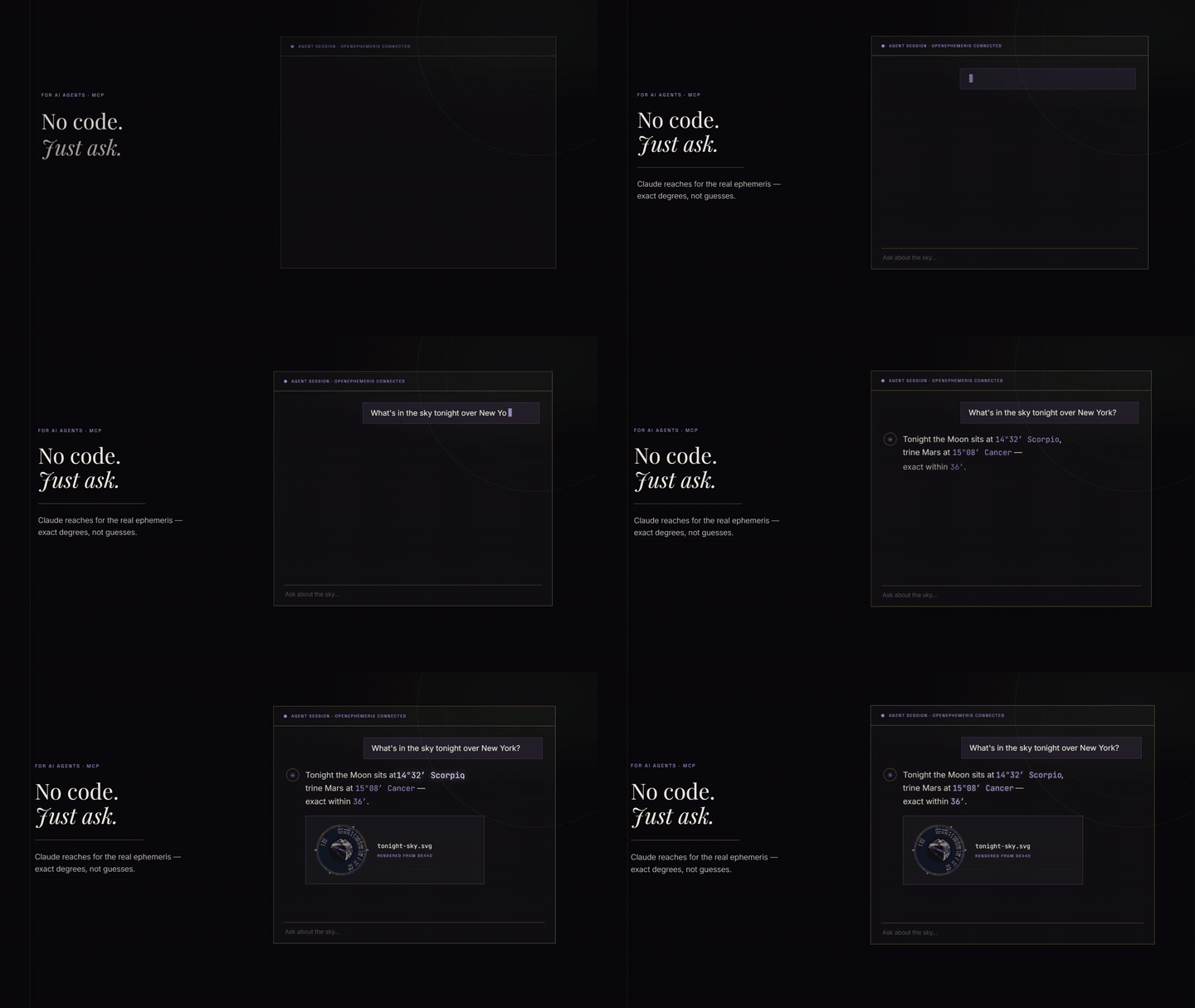
Use it in Claude: add https://mcp.openephemeris.com/mcp as a custom connector (leave the OAuth Client ID and Secret blank) or install the Open Ephemeris plugin from the Claude directory. Sign-in happens in the browser and creates a free account with 150 credits.
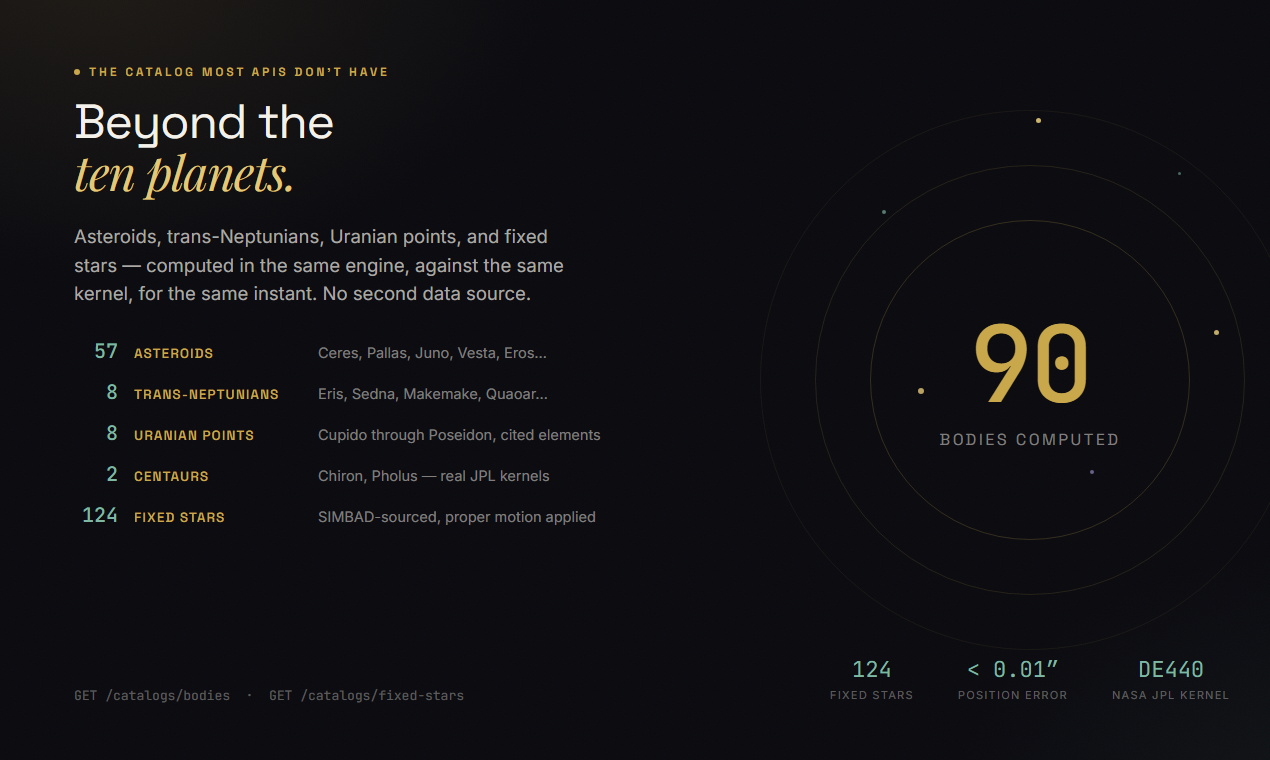
Model Context Protocol server for Open Ephemeris — typed astrology tools powered by the NASA JPL DE440 ephemeris. Zero hallucination on planetary positions, dates, and degrees. Covers 1,100 years of astronomical data.
Hosted endpoint: https://mcp.openephemeris.com/mcp (Streamable HTTP, MCP 2025-11-25 spec)
Quick Start
Quick install
Claude Code, one command:
claude mcp add openephemeris -- npx -y @openephemeris/mcp-server
Any client that takes a hosted URL (Claude Web, ChatGPT, custom agents): use https://mcp.openephemeris.com/mcp and send your API key in the X-API-Key header. Other clients are below.
Connect from code (Streamable HTTP)
import { StreamableHTTPClientTransport } from "@modelcontextprotocol/sdk/client/streamableHttp.js"
import { Client } from "@modelcontextprotocol/sdk/client/index.js"

const transport = new StreamableHTTPClientTransport(
  new URL("https://mcp.openephemeris.com/mcp"),
  { requestInit: { headers: { "X-API-Key": "your-openephemeris-api-key" } } }
)

const client = new Client({ name: "my-app", version: "1.0.0" }, { capabilities: {} })
await client.connect(transport)
One-click install (Cursor)

Replace
YOUR_API_KEY_HEREin Cursor MCP settings with your API key from https://openephemeris.com/dashboard.
Cursor deeplink payload:
{
  "command": "npx",
  "args": [
    "-y",
    "@openephemeris/mcp-server"
  ],
  "env": {
    "OPENEPHEMERIS_PROFILE": "dev",
    "OPENEPHEMERIS_BACKEND_URL": "https://api.openephemeris.com",
    "OPENEPHEMERIS_API_KEY": "YOUR_API_KEY_HERE"
  }
}
Manual install (stdio MCP clients)
{
  "mcpServers": {
    "openephemeris": {
      "command": "npx",
      "args": ["-y", "@openephemeris/mcp-server"],
      "env": {
        "OPENEPHEMERIS_PROFILE": "dev",
        "OPENEPHEMERIS_BACKEND_URL": "https://api.openephemeris.com",
        "OPENEPHEMERIS_API_KEY": "YOUR_API_KEY_HERE"
      }
    }
  }
}
Platform guide
Detailed setup walkthroughs for each platform are in SETUP.md.
| Client | Install mode | Config location |
|---|---|---|
| Claude Code | CLI | claude mcp add openephemeris -- npx -y @openephemeris/mcp-server |
| Cursor | One-click deeplink or manual | ~/.cursor/mcp.json |
| Claude Desktop (macOS) | Manual | ~/Library/Application Support/Claude/claude_desktop_config.json |
| Claude Desktop (Windows) | Manual | %APPDATA%\Claude\claude_desktop_config.json |
| Windsurf | Manual | ~/.codeium/windsurf/mcp_config.json (or legacy ~/.codeium/mcp_config.json) |
| ChatGPT | One-click | Open Ephemeris in the ChatGPT app directory |
| Claude Web / remote clients | Hosted URL | https://mcp.openephemeris.com/mcp |
Client install walkthroughs
- Cursor
- Click the "Install in Cursor" button above, then replace
YOUR_API_KEY_HEREin Cursor MCP settings. - If you prefer manual setup, paste the
mcpServers.openephemerisblock from "Manual install" into~/.cursor/mcp.json.
- Click the "Install in Cursor" button above, then replace
- Claude Desktop (macOS/Windows)
- Open the platform config file from the table above.
- Add the same
mcpServers.openephemerisblock from "Manual install". - Restart Claude Desktop.
- Windsurf
- Open
~/.codeium/windsurf/mcp_config.json(or the legacy~/.codeium/mcp_config.jsonpath). - Add the
mcpServers.openephemerisblock from "Manual install". - Restart Windsurf.
- Open
Remote-only clients (Claude Web, ChatGPT, etc.)
The server is hosted at https://mcp.openephemeris.com/mcp with full Streamable HTTP support (MCP 2025-11-25 spec). Remote-only clients can connect directly — no bridge/proxy required:
- Claude Web: Add
https://mcp.openephemeris.com/mcpas a custom connector URL — leave OAuth Client ID and Secret blank. The server uses OAuth 2.1 + PKCE (Dynamic Client Registration), so Claude handles authentication via a browser popup automatically. - ChatGPT: Open Ephemeris is an approved app in the ChatGPT app directory. Open
the listing, click Install plugin, approve the sign-in (that also creates your
free Open Ephemeris account), then type
@Open Ephemerisin any chat. Charts render inline, exactly as they do in Claude. Prefer to wire it yourself? Settings → Plugins → Advanced → Developer mode → + Create app acceptshttps://mcp.openephemeris.com/mcpwith Authentication on OAuth — no client ID or secret to enter. - Legacy SSE: retired in 3.20.0 — use Streamable HTTP at
/mcp
Auth and upgrade behavior in MCP clients
- Missing/invalid credentials (
401): tool call fails with a message that points users to sign up/sign in athttps://openephemeris.com/login?signup=true&redirect=%2Fdashboard%3Ftab%3Daccount, then create/manage keys inhttps://openephemeris.com/dashboard?tab=account. - Tier-gated endpoint (
403): tool call returns an upgrade-required message withhttps://openephemeris.com/payand dashboard billing/key management link. - Out of credits (
402): tool call returns a one-tap top-up link (Explorer's 150 free credits are one-time and do not reset; plan allowances renew each billing period) plus the dashboard usage link. Failed calls (any4xx/5xx) are refunded. - Burst/rate limit (
429): tool call returns retry guidance and links to dashboard usage monitoring.
What You Can Ask
"Calculate a natal chart for 1990-04-15 at 2:30 PM in Chicago."
"Find all Saturn transits to my natal Sun in the next 6 months."
"Get the current moon phase and void-of-course status."
"Find the next solar eclipse visible from Tokyo."
"Find the best time to sign a contract in March — electional window."
"Generate a Human Design chart for my birth data."
"What is my Vedic (sidereal) chart?"
"Calculate my Chinese BaZi (Four Pillars) chart."
"Show me my Astrocartography power lines — where is my Venus line on the map?"
"Find all ACG lines within 3° of Paris for my chart."
"Calculate a synastry chart between two people."
"Find the next Venus Star Point and my relationship to it."
"What are the active planetary stations in the next 3 months?"
"Calculate primary directions for the next 5 years."
"Find my Firdaria time lord period."
"What is the sidereal time and delta-T right now?"
Interactive Charts
Nine of the tools don't answer with JSON. They open a chart in the conversation — a real one, drawn from the same calculation, that you can click around in.
This matters more than it sounds. A natal chart returned as JSON is a list of numbers you have to already understand to read. The same chart rendered as a wheel is something you can point at. Click a planet and you get that placement explained; click a house and you get what's in it. The chart stays on screen while you keep talking, and it doesn't cost another credit to keep looking at it.
These need a host that supports MCP Apps. Claude and ChatGPT both do, and they render
the same widget — there is no separate ChatGPT build. MCP Apps (SEP-1865) was
co-authored by Anthropic and OpenAI and became the first official MCP extension in January
2026, so one ui:// resource serves both. In ChatGPT, install it from
the app directory; in Claude, add the connector (see SETUP.md).
In a client without app support the same tools still work; you get the underlying data instead of the picture, so nothing breaks, you just don't get the wheel.
| Tool | What opens | What you can click | Credits |
|---|---|---|---|
explore_natal_chart | Natal wheel — planets, houses, aspects, angles | Planets, houses, aspect lines; recalculate with new settings | 1 |
explore_bi_wheel | Two charts on one wheel: transits, synastry, progressions | Either wheel's planets, houses, and the aspects between them | 2 (6 for solar/lunar return) |
explore_human_design | Human Design bodygraph, with a mandala view toggle | Centers, gates, channels, planets, variables | 4 |
explore_human_design_transit | Today's planets laid over a natal bodygraph | Transit-activated channels | 5 |
explore_human_design_connection | Two bodygraphs combined, every shared channel classified | Connection channels by type | 5 |
explore_vedic_chart | South Indian Rashi grid — sidereal placements and Lagna | Each rashi, for its placements and nakshatras | 3 |
explore_bazi_chart | Four Pillars (四柱命盘) — Year, Month, Day, Hour | Each pillar | 3 |
explore_transit_timeline | Upcoming transit hits in date order | Individual hits | 6 for up to 1 year (priced by span) |
explore_moon_phase | Moon dial — illumination, phase, sign, void-of-course | Recalculate for another moment | 3 |
Ask for these the way you'd ask a person: "show me my chart", "put today's transits over my Human Design", "what's the moon doing right now". The model picks the app.
Two things worth knowing. The chart wheel and bi-wheel accept a click on an aspect line, not just on the two planets it joins — so "why does this line matter" is one click rather than a paragraph of setup. And the bodygraph's mandala toggle rearranges the whole chart into concentric rings without another API call, so switching views is free.
Tools at a Glance
| Category | Tool | Tier |
|---|---|---|
| Natal chart | ephemeris_natal_chart | Explorer |
| Transit forecast | ephemeris_transits | Explorer |
| Transit chart snapshot | ephemeris_natal_transits | Explorer |
| Sign ingresses / planet to degree | ephemeris_ingresses | Explorer |
| Moon phase / VOC | ephemeris_moon_phase | Explorer |
| Eclipse next visible | ephemeris_next_eclipse | Explorer |
| Electional window | ephemeris_electional | Pro |
| Moment analysis | electional_moment_analysis | Explorer |
| Station tracker | electional_station_tracker | Explorer |
| Aspect search | electional_aspect_search | Pro |
| Human Design chart | human_design_chart | Explorer |
| HD composite | human_design_composite | Explorer |
| HD transit overlay | explore_human_design_transit | Explorer |
| HD transit timeline (gates over a date range) | human_design_transit_timeline | Explorer |
| HD extended placements (asteroids, angles, lots, stars) | human_design_extended | Explorer (deep fields Pro) |
| HD connection (synastry) | explore_human_design_connection | Explorer |
| HD penta | human_design_penta | Explorer |
| HD return / opposition | hd_planetary_return, hd_opposition | Explorer |
| Vedic chart | vedic_chart | Explorer |
| BaZi (Chinese) | chinese_bazi | Explorer |
| Synastry | ephemeris_synastry | Explorer |
| Composite chart | ephemeris_composite | Explorer |
| Relocation chart | ephemeris_relocation | Explorer |
| Progressed chart | ephemeris_progressed_chart | Explorer |
| Solar return | ephemeris_solar_return | Explorer |
| Lunar return | ephemeris_lunar_return | Explorer |
| Planetary return | ephemeris_planetary_return | Explorer |
| Astrocartography lines | acg_power_lines | Pro |
| ACG hits at location | acg_hits | Pro |
| Venus Star Points | venus_star_points + 4 more | Explorer |
| Chart wheel image | ephemeris_chart_wheel | Explorer |
| Bi-wheel image | ephemeris_bi_wheel | Explorer |
| Dignities / Midpoints / Fixed stars | ephemeris_dignities, ephemeris_midpoints, ephemeris_fixed_stars | Explorer |
Tooling Model
- Typed tools are preferred for common workflows (natal, transits, moon phase, eclipse, synastry, relocation, electional, Human Design).
- Generic tools:
find_calculationsearches the allowlisted operations by plain words and returns the path, inputs, an example and the credit cost (dev_list_allowedlists them all, outside core);dev_read_apiinvokes allowlisted GET (read) operations anddev_write_apiinvokes allowlisted POST/PUT/PATCH/DELETE (write/compute) operations, each bymethod + path. Read and write are kept as separate tools so a safe read surface never shares a tool with state-changing writes. - Security model: default-deny with explicit allowlist in
config/dev-allowlist.json. - Deny prefixes block sensitive route families (
/auth,/billing,/admin, etc.).
dev_read_api / dev_write_api input
| Parameter | Type | Required | Description |
|---|---|---|---|
method | dev_read_api: GET · dev_write_api: POST|PUT|PATCH|DELETE | No | HTTP method (defaults to the tool's natural method) |
path | string | Yes | Absolute API path, e.g. /ephemeris/natal-chart |
query | object | No | Query parameters |
body | object | No | JSON body for non-GET requests |
preset | full|simple | No | Convenience mapping to query.preset |
format | json|llm|llm_v2 | No | Convenience mapping to query.format (llm_v2 normalizes to llm) |
output_mode | full|simple|llm|llm_v2 | No | Legacy compatibility field |
Environment Variables
| Variable | Required | Description |
|---|---|---|
OPENEPHEMERIS_API_KEY | Yes (unless service key/JWT used) | API key for Open Ephemeris |
ASTROMCP_API_KEY | No | Legacy alias for OPENEPHEMERIS_API_KEY (checked as fallback) |
OPENEPHEMERIS_BACKEND_URL | No | Defaults to https://api.openephemeris.com |
OPENEPHEMERIS_PROFILE | No | dev by default |
OPENEPHEMERIS_TOOLS | No | core (default) advertises a focused everyday tool set; full advertises every tool. See Tool surface |
OPENEPHEMERIS_TELEMETRY | No | Set to 0/false/off to disable anonymous usage reporting. DO_NOT_TRACK=1 also works. See Telemetry |
OPENEPHEMERIS_JWT | No | Bearer token auth |
OPENEPHEMERIS_DEV_ALLOWLIST_PATH | No | Override allowlist file path |
MCP_USER_ID | No | Per-instance user identifier |
Legacy aliases (ASTROMCP_*, MERIDIAN_*) remain supported.
Telemetry
This server reports anonymous usage so we know which tools are worth maintaining and which are broken. Three events: session start, tool call, tool error.
What is sent: the tool name, how long it took, error status, which MCP client connected (e.g. Claude Desktop, Cursor) and its version, the server version, and a stable id for the session: a one-way SHA-256 prefix of your API key, or your account ID when you sign in with OAuth.
What is never sent: your API key or token, birth data, dates, names, coordinates, tool arguments, or tool results. No request or response bodies, ever.
To turn it off — either works, checked before anything is sent:
OPENEPHEMERIS_TELEMETRY=0
# or the cross-tool standard
DO_NOT_TRACK=1
Tool surface
By default the server advertises a focused core set of everyday tools rather than the entire catalog. Large tool lists cost context and make model tool-selection worse, so the default is tuned for real conversations: one interactive app per tradition, the primary data tool per domain, geocoding, and the allowlist-gated generic proxy.
Nothing is removed. The surface is a filter on tools/list only — every tool stays registered and stays callable by name. If you know the tool you want, call it and it works, listed or not.
To advertise the full catalog:
OPENEPHEMERIS_TOOLS=full npx -y @openephemeris/mcp-server
On the remote HTTP server, append ?profile=full to the connector URL (or send X-OE-Tool-Surface: full):
https://mcp.openephemeris.com/mcp?profile=full
Toolsets by tradition
If you work in one tradition, ask for it by name instead of taking the general-purpose default. You get that tradition in full — including the long-tail tools the core set leaves out — for a fraction of the context.
OPENEPHEMERIS_TOOLS=hd npx -y @openephemeris/mcp-server        # Human Design
OPENEPHEMERIS_TOOLS=astrology,moon npx -y @openephemeris/mcp-server
https://mcp.openephemeris.com/mcp?profile=hd,bazi
| Toolset | What it covers | Tools | Approx. tokens |
|---|---|---|---|
astrology | Natal, transits, ingresses, synastry, progressions, returns, relocation, time lords, dignities, midpoints, lots, fixed stars, composites, birth-time sensitivity | 38 | 17,700 |
hd | Human Design charts, transits and transit timeline, extended placements, connection charts, penta, bodygraph | 19 | 8,500 |
bazi | Four Pillars, Ten Gods, element balance, luck pillars, compatibility, Zi Wei Dou Shu | 16 | 8,100 |
electional | Timing windows, angle crossings, stations, moment analysis | 12 | 4,300 |
acg | Astrocartography lines and hits | 9 | 3,400 |
vedic | Jyotish Rashi chart, dashas, vargas, Ashtakoota matching | 10 | 3,400 |
moon | Phases, void-of-course, eclipses | 11 | 3,300 |
venus | Star points, phases, elongations, stations | 13 | 3,200 |
mundane | Ingress and lunation charts, geodetic chart | 9 | 2,600 |
| — | core (default) | 39 | 19,800 |
| — | full | 81 | 39,100 |
Every selection also includes geocoding (location_search, timezone_resolve), account_usage, and the allowlist-gated proxy — so a birthplace is always resolvable and nothing is stranded.
Combine with commas; unknown names are ignored rather than rejected, so a typo degrades to a smaller surface instead of a dead connector. As with core/full, this only filters tools/list — every tool remains callable by name.
Why it matters: tool definitions are re-sent to the model on every pass. astrology,moon advertises a few more tools than the default but costs ~700 fewer tokens per message and covers more of the tradition.
The surface is fixed when the session initializes — this server does not advertise tools.listChanged, so switching requires reconnecting. On every surface, find_calculation searches every operation reachable through the generic proxy.
Contributing & Support
- Something wrong with a result? Open an issue — include the tool, your inputs, and what you expected.
- Want to contribute? See CONTRIBUTING.md. Integration examples and new skills are the most useful things you can add.
- Found a security problem? Please report it privately — see SECURITY.md.
- Tools timing out? Check status.openephemeris.com first.
If this saved you from an LLM confidently inventing a Saturn position, a ⭐ helps other people find it.
Legal
This package is licensed under the MIT License. However, use of this package to access the Open Ephemeris API constitutes use of the Service and is governed by the Open Ephemeris Terms of Service. By using this package, you agree to those terms. See also the Privacy Policy and Acceptable Use Policy.
Development
The server source is maintained in a private monorepo; this repository holds the public docs, plugin, skills and examples. Bug reports and contributions are welcome — see CONTRIBUTING.md.
Architecture
┌─────────────────────────────────────────────────────────┐
│                    MCP Clients                          │
│  Codex · Gemini   · Claude Web · ChatGPT · Remote apps  │
└──────────────────┬──────────────────────────────────────┘
                   │ Streamable HTTP (MCP 2025-11-25)
                   │ https://mcp.openephemeris.com/mcp
                   │
┌─────────────────────────────────────────────────────────┐
│          Cursor · Claude Desktop · Windsurf             │
└──────────────────┬──────────────────────────────────────┘
                   │ stdio JSON-RPC
                   │ npx @openephemeris/mcp-server
                   │
              ┌────▼────────────────────┐
              │  openephemeris-mcp      │
              │  Node.js MCP Server     │
              │  typed tools            │
              │  auth: Key > JWT        │
              └────────────┬────────────┘
                           │ HTTPS
                           ▼
              ┌────────────────────────┐
              │  Open Ephemeris API    │
              │  api.openephemeris.com │
              │  NASA JPL DE440        │
              │  1,100 years of data   │
              └────────────────────────┘
Runtime Snapshot (Generated)
Generated by npm run sync:readme from config/dev-allowlist.json and the live tool registry.
- Allowlisted operations: 140
- Methods:
GET=45,POST=95,PUT=0,PATCH=0,DELETE=0 - Registered tools (
OPENEPHEMERIS_PROFILE=dev): 103 - Typed tools:
account_usage,acg_hits,acg_power_lines,auth_login,auth_logout,auth_status,bazi_annual_pillar,bazi_chart,bazi_compatibility,bazi_element_balance,bazi_luck_pillars,bazi_recalculate,bazi_ten_gods,bi_wheel_on_cross_aspect_click,bi_wheel_on_house_click,bi_wheel_on_planet_click,bi_wheel_recalculate,bi_wheel_synopsis,bodygraph_recalculate,chart_wheel_on_aspect_click,chart_wheel_on_house_click,chart_wheel_on_planet_click,chart_wheel_recalculate,chinese_bazi,electional_angle_crossings,electional_aspect_search,electional_moment_analysis,electional_station_tracker,ephemeris_angles_points,ephemeris_aspect_check,ephemeris_bi_wheel,ephemeris_chart_wheel,ephemeris_composite,ephemeris_composite_midpoint,ephemeris_dignities,ephemeris_electional,ephemeris_fixed_stars,ephemeris_hermetic_lots,ephemeris_house_cusps,ephemeris_ingresses,ephemeris_lunar_return,ephemeris_midpoints,ephemeris_moon_phase,ephemeris_natal_batch,ephemeris_natal_chart,ephemeris_natal_transits,ephemeris_next_eclipse,ephemeris_next_lunar_phase,ephemeris_overlay,ephemeris_planet_position,ephemeris_planetary_return,ephemeris_progressed_chart,ephemeris_relocation,ephemeris_retrograde_status,ephemeris_solar_return,ephemeris_synastry,ephemeris_time_lords,ephemeris_time_sensitivity,ephemeris_transits,explore_bazi_chart,explore_bi_wheel,explore_human_design,explore_human_design_connection,explore_human_design_transit,explore_moon_phase,explore_natal_chart,explore_transit_timeline,explore_vedic_chart,geodetic_chart,hd_connection_matrix,hd_on_center_click,hd_on_channel_click,hd_on_connection_channel_click,hd_on_gate_click,hd_on_planet_click,hd_on_transit_channel_click,hd_on_variable_click,hd_opposition,hd_planetary_return,human_design_bodygraph,human_design_chart,human_design_composite,human_design_extended,human_design_penta,human_design_transit_timeline,location_search,moon_phase_recalculate,mundane_chart,timezone_resolve,vedic_chart,vedic_chart_recalculate,vedic_matching,venus_eight_year_star,venus_elongations,venus_phase,venus_star_points,venus_star_points_conjunctions,venus_stations,ziwei_chart - Generic tools:
dev_list_allowed,dev_read_api,dev_write_api,find_calculation
Allowlist Families
| Family | Operations | Example |
|---|---|---|
acg | 14 | POST /acg/aspects, POST /acg/ccg |
calendar | 3 | GET /calendar/astrology/cross-quarter, GET /calendar/astrology/lunar-standstill |
catalogs | 3 | GET /catalogs/bodies, GET /catalogs/fixed-stars |
chinese | 12 | POST /chinese/bazi, POST /chinese/bazi/annual-pillar |
comparative | 5 | POST /comparative/composite, POST /comparative/composite/midpoint |
eclipse | 6 | GET /eclipse/besselian-elements, GET /eclipse/lunar/global |
electional | 6 | GET /electional/angle-crossings, GET /electional/aspect-search |
ephemeris | 42 | GET /ephemeris/agro/calendar, GET /ephemeris/agro/daily |
health | 2 | GET /health, GET /health/detailed |
human-design | 11 | POST /human-design/chart, POST /human-design/composite |
location | 2 | GET /location/autocomplete, GET /location/reverse |
mundane | 1 | POST /mundane/chart |
predictive | 14 | POST /predictive/eclipses/natal-hits, POST /predictive/primary-directions |
root | 1 | GET / |
tidal | 1 | GET /tidal/forcing |
time | 6 | GET /time/delta-t, GET /time/equation-of-time |
timezone | 3 | GET /timezone/coverage, POST /timezone/lookup |
vedic | 5 | POST /vedic/chart, POST /vedic/kp |
visualization | 3 | POST /visualization/bi-wheel, POST /visualization/bodygraph |
Why Open Ephemeris for AI Agents?
Most LLMs (like Claude and ChatGPT) struggle heavily with astronomical calculations (trigonometry, Julian date conversions, and planetary lookups). Open Ephemeris serves as a secure, remote math engine.
By pairing LLMs with the Open Ephemeris MCP server, your agents can instantly access:
- Zero-hallucination coordinates: Direct, sub-arcsecond NASA JPL DE440 calculations spanning 1,100 years of astronomical data.
- LLM-optimized tokens (
format=llm): We compress standard 25,000 token JSON chart responses into minimal text blocks, cutting your inference costs by 50–73% depending on endpoint. - Ready-to-use astrology layers: Built-in support for Astrocartography geoJSON lines, Hermetic Lots, Fixed Stars, and complex Human Design matrix generation.
Comments
New to MCP?
From what the protocol is to installing your first server, these answers cover most first questions.
An open protocol that defines how AI applications connect to external tools and data in a uniform way. Clients talk to the model; MCP servers provide tools, resources and prompt templates. They exchange standard messages, so one server can be reused by many clients.