
About Utilitly PDF
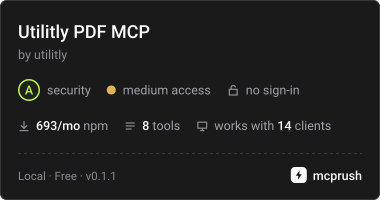
Utilitly PDF is a local MCP server for editing PDFs through an AI app. It offers page-level operations while keeping files on the computer, restricting access to configured folders and writing results as new files.
Key features
- 01Merge PDF files
- 02Split PDFs by page ranges
- 03Extract, rotate, delete, reorder, or duplicate pages
- 04Inspect page count, file size, and encryption
- 05Restrict file access to configured folders
- 06Write new files without overwriting originals
Use cases
- 01Combine monthly reports into one PDF
- 02Split a handbook into separate sections
- 03Rotate or remove pages in a scanned document
- 04Check a PDF’s page count and password protection
MCP support
Exposes PDF information and editing tools to MCP clients through a local server. It reads and writes files on the computer and does not upload PDF contents.
Configuration
Local server config is the same for every client. Copy it into your client’s MCP config file.
Tools
8Saved tool list · updated 2w ago
| Parameter | Type | Required | Description |
|---|---|---|---|
| path | string | Yes | Absolute path to a PDF file, or one starting with ~/. |
Details
From the project README

@utilitly/mcp
A PDF MCP server for Claude, the ChatGPT desktop app, Codex, Gemini CLI, Cursor and any other app that can run a local MCP server. Ask your AI to merge, split, rotate, delete, reorder or duplicate pages, and it does the work with PDF files on your own computer.
The server runs locally, next to the AI app, and edits files where they sit. It's built on Utilitly's open-source PDF engines, ported from the free tools on utilitly.com, and it never replaces a file: every result is a new PDF beside the original.
Install
You need Node.js 22 or newer. The first run downloads the server through npx.
The folders after the package name are the only places the server may read and write. Change them to wherever your PDFs live.
Claude Code
claude mcp add utilitly -- npx -y @utilitly/mcp ~/Documents ~/Downloads ~/Desktop
Claude Desktop: open Settings, then Developer, then Edit Config, and add this to claude_desktop_config.json. Restart Claude Desktop afterwards.
{
  "mcpServers": {
    "utilitly": {
      "command": "npx",
      "args": ["-y", "@utilitly/mcp", "~/Documents", "~/Downloads", "~/Desktop"]
    }
  }
}
Cursor: put the same mcpServers block in ~/.cursor/mcp.json.
ChatGPT desktop app and Codex share one setup, so adding the server to either one adds it to both. In the ChatGPT app, open Settings, then MCP servers, then Add server. Choose STDIO, enter the command npx with the arguments -y @utilitly/mcp ~/Documents ~/Downloads ~/Desktop, save, and restart. From the Codex CLI:
codex mcp add utilitly -- npx -y @utilitly/mcp ~/Documents ~/Downloads ~/Desktop
Gemini CLI: everything after -- goes to npx, and -s user makes the server available in every folder you start Gemini in.
gemini mcp add -s user utilitly npx -- -y @utilitly/mcp ~/Documents ~/Downloads ~/Desktop
Anything else that can start a local (stdio) MCP server: the command is npx with the arguments -y @utilitly/mcp, followed by the folders.
The server is also listed in the official MCP Registry as com.utilitly/mcp, so apps and directories that read the registry can find it by that name.
About the folder list
The check happens after symlinks are resolved, so a link inside an allowed folder can't lead somewhere else.
Leave the folders out and the server may use any file you can. It still never overwrites or deletes anything, and it never shows the AI what's inside a PDF. But an AI misled by something it read elsewhere could copy any of your PDFs into any folder, so list folders unless you need it everywhere.
Try it in 30 seconds
Once it's installed, ask in plain words and use full paths:
- "Merge ~/Downloads/march.pdf and ~/Downloads/april.pdf."
- "Delete the blank page 3 from ~/Desktop/scan.pdf."
- "Split ~/Documents/handbook.pdf into pages 1-12, 13-30 and 31 to the end."
- "Pages 2 to 4 of ~/Desktop/scan.pdf are sideways; turn them the right way up."
- "How many pages does ~/Documents/contract.pdf have, and is it locked?"
Tools
| Tool | What it does | New file it writes |
|---|---|---|
pdf_info | Page count, file size, first page size, and whether the PDF is password-protected. Changes nothing. | none |
merge_pdfs | Combines PDFs in the order given. | <first>-merged.pdf |
split_pdf | One file per range, e.g. "1-2, 3-end". | <name>-part1.pdf, -part2.pdf, … |
extract_pages | The selected pages as one PDF, in page order. | <name>-pages.pdf |
rotate_pdf | Turns pages by a multiple of 90 degrees. | <name>-rotated.pdf |
delete_pages | Removes pages; at least one has to stay. | <name>-trimmed.pdf |
reorder_pages | Puts every page in a new order. | <name>-reordered.pdf |
duplicate_pages | Adds copies after each page or at the end. | <name>-duplicated.pdf |
Results land in the same folder as the input. Every writing tool also takes an optional output_path, and split_pdf an optional output_folder. Page selections read like "2", "1-3, 5" or "4-end".
Problems come back to the AI as a short code and a sentence it can act on, such as NO_PAGES: "9" doesn't match any page. The PDF has 4 pages. or ENCRYPTED: File 2 is password-protected. Remove the password first, then try again.
What it can and can't touch
- It never overwrites. If
report-merged.pdfalready exists, the result becomesreport-merged-2.pdf, and anoutput_paththat already exists is refused. - Input files are only read, never changed.
- Paths must be absolute or start with
~/, so the AI can't stumble into the wrong folder through a relative path. - With folders listed at install, nothing outside them can be read or written.
- Password-protected PDFs are refused rather than altered.
pdf_inforeports when a file is locked. - One call can add at most 10,000 pages beyond what its input files hold, and one split writes at most 1,000 files (or one per page for longer PDFs). A mistaken request, like a hundred million copies, is refused before anything is built.
Why nothing is uploaded

The PDF work happens inside this server, on your machine, with no network code anywhere in it. test/network.test.ts proves that on every change: it makes opening a connection, looking up a host name and calling fetch all throw, then runs every tool, and they all succeed.
Your AI app still talks to its model as usual. That conversation includes whatever you type, file paths included, and each tool's short reply: the paths it wrote, page counts and file sizes. This server never puts the contents of a PDF into the conversation.
Good to know
merge_pdfs,split_pdf,extract_pages,delete_pages,reorder_pagesandduplicate_pagesbuild fresh PDFs, so bookmarks, document properties and working form fields aren't carried into the result.rotate_pdfkeeps the whole document.- Images and fonts shared between pages stay shared, so results don't balloon in size.
- To check what's running,
npx -y @utilitly/mcp --versionprints the version and--helpthe usage.
License
MIT. Built on the @utilitly PDF engines and pdf-lib (both MIT), and the official MCP TypeScript SDK (Apache-2.0).
Comments
New to MCP?
From what the protocol is to installing your first server, these answers cover most first questions.
An open protocol that defines how AI applications connect to external tools and data in a uniform way. Clients talk to the model; MCP servers provide tools, resources and prompt templates. They exchange standard messages, so one server can be reused by many clients.