
About GitHub CI/CD MCP Server
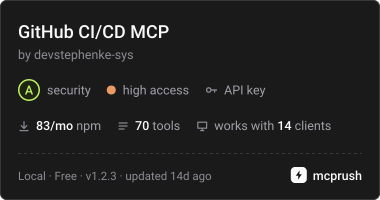
GitHub CI/CD MCP Server provides MCP tools for GitHub REST and GraphQL workflows, aimed at CI/CD and DevOps tasks in MCP clients. It covers repository work, Actions, deployments, administration, billing, and local git operations.
Key features
- 01Manage repositories, commits, and branches
- 02Create and review pull requests and issues
- 03Control GitHub Actions workflows and runs
- 04Manage deployments, releases, and webhooks
- 05Query billing and GitHub GraphQL
- 06Run local git operations
Use cases
- 01Review and update pull requests from an MCP client
- 02Inspect or rerun GitHub Actions workflows
- 03Manage releases and deployments
- 04Perform repository tasks alongside local git work
MCP support
The server exposes GitHub REST, GraphQL, and local git operations as tools to MCP clients such as Cursor and Claude Desktop. Authentication uses a GitHub token supplied through an environment variable.
Configuration
Local server config is the same for every client. Copy it into your client’s MCP config file.
npx -y @kinus/github-cicd-mcpGITHUB_TOKENSecretGitHub personal access token for authenticationGITHUB_HOSTGitHub Enterprise hostname (optional, defaults to github.com)GITHUB_API_URLGitHub Enterprise REST API base URL (optional)GITHUB_GRAPHQL_URLGitHub Enterprise GraphQL endpoint (optional)Local servers need a runtime on your machine (e.g. Node.js 18+). Config file locations differ by client; see your client’s docs.
Tools
70Saved tool list · updated 2w ago
This tool takes no parameters.
Details
From the project READMEgithub-cicd-mcp
GitHub CI/CD MCP server for Model Context Protocol.


Model Context Protocol (MCP) server for GitHub REST and GraphQL — built for CI/CD and DevOps workflows in Cursor, Claude Desktop, and other MCP clients.
Give your AI agent tools to manage repos, commits, pull requests, issues, GitHub Actions, deployments, billing, releases, branch protection, webhooks, and local git — without leaving the editor.
Install
npm / npx (recommended)
{
  "mcpServers": {
    "github-cicd": {
      "command": "npx",
      "args": ["-y", "@kinus/github-cicd-mcp"],
      "env": {
        "GITHUB_TOKEN": "${env:GITHUB_TOKEN}"
      }
    }
  }
}
Set GITHUB_TOKEN (or GH_TOKEN) in your system environment, or replace ${env:GITHUB_TOKEN} with a secret reference your client supports.
From source
git clone https://github.com/devstephenke-sys/Github-Free-MCPs.git
cd Github-Free-MCPs
npm install
npm run build
Point MCP at node /absolute/path/to/github-cicd-mcp/dist/index.js.
Authentication
Create a personal access token:
| Need | Scopes / permissions |
|---|---|
| Repos, PRs, commits, issues | repo or fine-grained Contents, Pull requests, Issues |
| Actions | workflow |
| Org billing | read:org + org billing role |
| Admin (branch protection, webhooks) | Admin access on the repo/org |
Never commit tokens. Use environment variables only.
⚠️ Security: See SECURITY.md for security policies and best practices.
Recent Security Update (v1.2.3): Updated simple-git to v4.0.2 to address critical security vulnerabilities (CVE-2026-102828, CVE-2026-102826, CVE-2026-102827, CVE-2026-6951).
Tool reference
Core & repos
github_get_authenticated_user, github_get_rate_limit, github_create_repository, github_get_repository, github_list_repositories, github_create_branch, github_fork_repository
Commits & CI status
github_list_commits, github_get_commit, github_compare_commits, github_create_commit, github_get_combined_status, github_list_check_runs_for_ref
Pull requests
github_create_pull_request, github_list_pull_requests, github_get_pull_request, github_merge_pull_request, github_update_pull_request, github_list_pull_request_files, github_create_pull_request_review
Issues
github_create_issue, github_list_issues, github_get_issue, github_update_issue, github_add_issue_comment, github_list_issue_comments
Releases & tags
github_list_releases, github_get_release_by_tag, github_create_release, github_list_tags, github_create_tag
Branches & protection
github_list_branches, github_get_branch, github_get_branch_protection, github_update_branch_protection, github_delete_branch_protection
GitHub Actions
github_list_workflows, github_list_workflow_runs, github_get_workflow_run, github_list_workflow_jobs, github_rerun_workflow, github_cancel_workflow_run, github_dispatch_workflow, github_list_actions_secrets, github_list_actions_variables, github_list_workflow_run_artifacts, github_download_workflow_artifact
Deployments (CD)
github_list_deployments, github_create_deployment, github_create_deployment_status, github_list_environments
Billing
github_get_user_billing_actions, github_get_org_billing_actions, github_get_org_billing_overview, github_get_org_billing_usage_report
Webhooks & access
github_list_webhooks, github_create_webhook, github_delete_webhook, github_list_collaborators, github_add_collaborator, github_list_teams
GraphQL
github_graphql_query, github_graphql_mutation, github_graphql_repository_overview
Local git
git_status, git_commit, git_push, git_pull, git_log, git_clone
GitHub Enterprise
GITHUB_HOST— hostname (when notgithub.com)GITHUB_API_URL— REST base, e.g.https://github.example.com/api/v3GITHUB_GRAPHQL_URL— GraphQL endpoint override
Development
npm install
npm run build
npm run verify
Publish your own fork
See RELEASING.md for:
- Public GitHub repo setup
- npm publish (
npm publish --access public) - GitHub Releases and optional MCP directory listings
License
Comments
New to MCP?
From what the protocol is to installing your first server, these answers cover most first questions.
An open protocol that defines how AI applications connect to external tools and data in a uniform way. Clients talk to the model; MCP servers provide tools, resources and prompt templates. They exchange standard messages, so one server can be reused by many clients.