
Digma Code Observability MCP Server
LocalAbout Digma Code Observability MCP Server
Digma Code Observability MCP Server gives agents access to Digma code-observability and dynamic-analysis data for code reviews and performance investigations. It uses runtime usage and distributed tracing data to surface code issues and assess the impact of changes.
Key features
- 01Review code changes using pre-production observability
- 02Find code and queries slowing an app
- 03Use runtime data to assess change impact
- 04Generate relevant tests from runtime data
Use cases
- 01Review runtime issues on a branch
- 02Identify the most severe performance issues
- 03Assess services and code affected by a function change
- 04Check for new issues in a Staging environment
MCP support
The MCP server provides Digma observability data to clients such as Claude and Cursor. Clients can connect through the deployment's SSE URL or use SuperGateway to bridge it.
Configuration
Local server config is the same for every client. Copy it into your client’s MCP config file.
Tools
Local servers expose tools only once running on your machine, and the maintainer has not provided a tool list.
Details
From the project READMEDigma Code Observability MCP Server
A Model Context Protocol (MCP) server implementation for enabling agents to access observability insights using Digma for code observability and dynamic code analysis
Key Features 🚀
- 🗣️ Observability-assisted code reviews: Check the PR branch for any issues discovered by pre-prod observability.
- 🔎 Find code inefficiencies with dynamic code analysis: Identify issues in the code/queries that are slowing the app down
- 🔭 Utilize code runtime usage data from distributed tracing: Check for breaking changes or generated relevant tests
Example prompts 💬
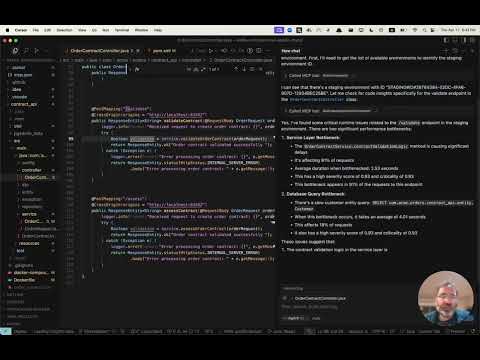
help me review the code changes in this branch by looking at related runtime issuesI want to improve the performance of this app. What are the three most severe issues I can fix?I'm making changes to this function, based on runtime data. What other services and code would be affected?Are there any new issues in this code based on the Staging environment?Which database queries have the most impact on the application performance?
See it in action 📺
Get early access 👀
Digma pre-processes your observability data to identify issues, track code performance and runtime data - for dynamic code analysis. Visit our MCP page to sign up for early access to our MCP server.
Installation ⚙️
Configure your MCP Client (Claude, Cursor, etc.) to include the Digma MCP.
The Digma deployment includes the MCP SSE server. You can configure it using its URL in your client, or use an MCP tool such as SuperGateway to run it as a command tool.
The MCP URL path is composed of the Digma API Key as follows:
https://<DIGMA_API_URL>/mcp/<DIGMA_API_TOKEN>>/sse
Example MCP XML
If your client supports SSE servers, you can use the following syntax:
{
  "mcpServers": {
    "digma": {
    "url": "https://<DIGMA_API_URL>/mcp/DIGMA_API_TOKEN>/sse",

      }
    // ... other servers might be here ...
  }
}
To use the MCP server as a command tool, use the SuperGateway tool to bridge to the URL as seen below:
{
  "digma": {
    "command": "npx",
    "args": [
      "-y",
      "supergateway",
      "--sse",
      "https://<DIGMA_API_URL>/mcp/DIGMA_API_TOKEN>/sse"
    ]
  }
}
Using rules 👨💼
The agent is autonomous and selects when to use the data provided by Digma as needed, however, some clients allow setting rules and policies to set a more structured process.
Here is an example rules file which you can add to your cursor .cursor/rules directory
# Digma Memory File - Code Review Instructions

## Runtime Analysis Settings
- Environment: TEST

## Code Review Protocol
1. For any code or branch review request:
   - Get the list of changed files and methods in the current branch using `git diff`
   - Check for ALL runtime issues in TEST environment (not just for the method in context)
   - Check if any runtime issue may be related to the changed code
   - Check the runtime usage of the changed methods (based on the `git diff`)
   - Check if any of the changed methods (based on the `git diff`) have a high risk based on their performance impact
   - Synthesize the data with standard code review analysis


## Note
This file is used by the AI assistant to maintain consistent review protocols across sessions.
License 📜
MIT License. See LICENSE file.
Comments
New to MCP?
From what the protocol is to installing your first server, these answers cover most first questions.
An open protocol that defines how AI applications connect to external tools and data in a uniform way. Clients talk to the model; MCP servers provide tools, resources and prompt templates. They exchange standard messages, so one server can be reused by many clients.