
Genesis402 by UnyKorn (x402 pay-per-call)
RemoteAbout Genesis402 by UnyKorn (x402 pay-per-call)
Genesis402 is an MCP server for AI agents and clients that need pay-per-call data and text services across a catalog of 360 endpoints. It defaults to quote-only operation, and live payments require explicit opt-in and a per-call cap.
Key features
- 01Browse endpoint catalog and prices
- 02Wallet and token risk signals
- 03Multi-chain scans and DeFi yields
- 04Market data and SEC financials
- 05Web, domain, and email lookups
- 06Text extraction, summaries, and translation
Use cases
- 01Screen a wallet or token before a transaction
- 02Look up market data or company filings
- 03Check domain or email deliverability
- 04Extract or summarize text through paid calls
MCP support
Exposes catalog tools and paid endpoint calls to MCP clients through a hosted Streamable HTTP endpoint or local stdio server. Calls return a quote by default; payment requires live mode, a payer key, and a configured cap.
Configuration
Remote servers need no local install. Pick your client, then copy the config or install in one click.
https://twin.unykorn.org/mcpclaude mcp add --transport http fthtrading-genesis402 https://twin.unykorn.org/mcp{"mcpServers":{"fthtrading-genesis402":{"type":"http","url":"https://twin.unykorn.org/mcp"}}}Open in Cursor{"servers":{"fthtrading-genesis402":{"type":"http","url":"https://twin.unykorn.org/mcp"}}}Open in VS Code{"mcpServers":{"fthtrading-genesis402":{"type":"http","url":"https://twin.unykorn.org/mcp"}}}{"mcpServers":{"fthtrading-genesis402":{"serverUrl":"https://twin.unykorn.org/mcp"}}}Run commands in a terminal; paste JSON into the client’s MCP config and restart. Servers that need sign-in will prompt on first connect.
Tools
22| Parameter | Type | Required | Description |
|---|---|---|---|
| filter | string | No | Optional keyword to narrow the list, matched against endpoint name, title and tags, e.g. "defi", "sec", "price". Omit for all endpoints. |
Details
From the project README






genesis402-mcp
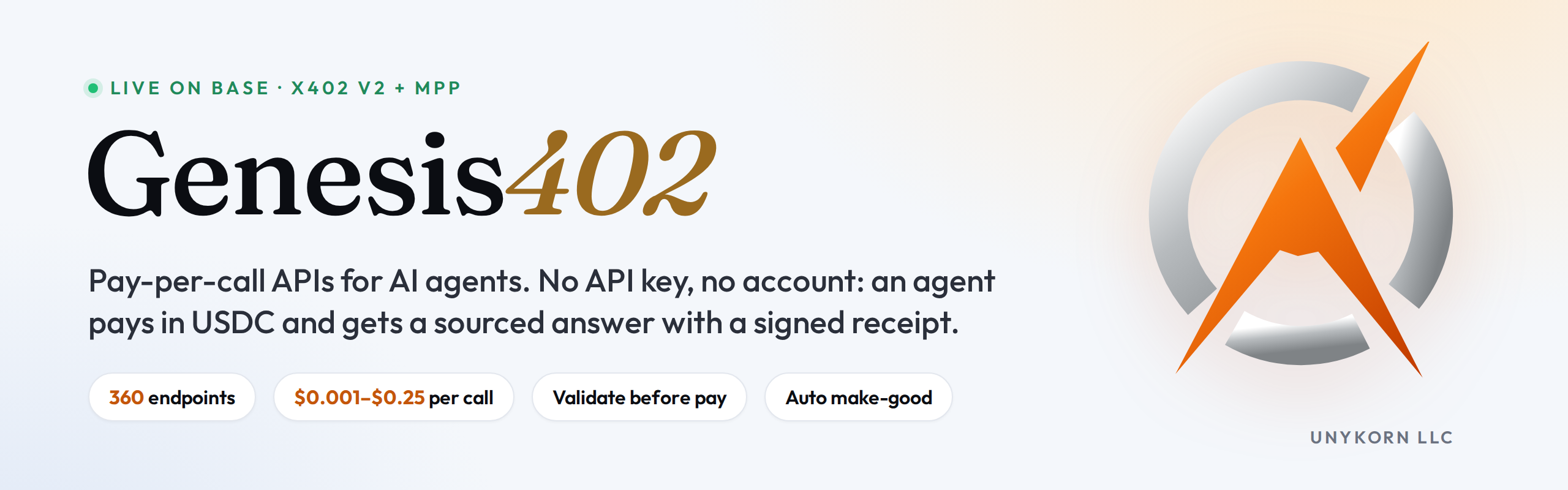
Genesis402: pay-per-call APIs for AI agents over x402.
This is the MCP server for the Genesis402 rail: 360 pay-per-call endpoints covering DeFi and market data, SEC financials, wallet and token risk signals from public data, web and domain lookups, AI text tools, and multi-chain reads across EVM chains, Solana, Bitcoin, Stellar and the XRP Ledger.
Pay only for the call you make: no account, no subscription, no API key. Prices from $0.001 per call, shown before you pay. This package pays in USDC on Base via x402 v2.
Quote-only by default
Quote-only by default: nothing is signed or paid until you turn paying on and set a price cap.
Out of the box every paid tool returns the price quote and stops. To enable payment you must
set both GENESIS402_LIVE=1 and GENESIS402_PAYER_KEY. Even then, any quote above
GENESIS402_MAX_USD (default $0.25) is refused rather than paid.
The rail sets the price. This client never does; it only decides whether to accept it.
Hosted endpoint (no install)
Connect any MCP client that supports streamable HTTP to https://twin.unykorn.org/mcp. It exposes the same 22 tools over every endpoint in the catalog.
- Hosted MCP endpoint at https://twin.unykorn.org/mcp: it holds no keys. A paid tool returns the exact x402 quote.
- To pay, sign an x402 v2 payment for that quote with your own wallet (for example
@x402/fetchor a CDP/AgentKit wallet) and call the tool again withpayment_signature. - Health check: https://twin.unykorn.org/mcp/health
Install (local, stdio)
// Claude Desktop: claude_desktop_config.json
// Cursor:         .cursor/mcp.json
{
  "mcpServers": {
    "genesis402": {
      "command": "npx",
      "args": ["-y", "genesis402-mcp"]
    }
  }
}
That configuration can browse the catalog and see prices, and cannot spend anything.
To let it pay:
{
  "mcpServers": {
    "genesis402": {
      "command": "npx",
      "args": ["-y", "genesis402-mcp"],
      "env": {
        "GENESIS402_LIVE": "1",
        "GENESIS402_PAYER_KEY": "0x<a funding key you are willing to spend from>",
        "GENESIS402_MAX_USD": "0.05"
      }
    }
  }
}
Use a dedicated key holding a few dollars of USDC on Base, never your main wallet.
Tools (14)
Each paid tool's description carries its live price, read from the rail's
/.well-known/x402 manifest at startup, so a price change on the rail never leaves this
client advertising a stale number.
| Tool | Cost | What it does |
|---|---|---|
genesis402_catalog | free | Every endpoint with price, title, path and parameters. Call first. |
genesis402_receipt | free | A paid-call receipt by id from the public receipts feed. |
genesis402_call | per endpoint | Call any endpoint in the catalog by name. |
genesis402_wallet_brief | paid | Wallet risk signals in one call: public sanctions-list check, 10-chain scan, activity and summary, with an evidence hash. |
genesis402_token_brief | paid | Token pre-trade check: metadata, price, holder concentration, source verification, sanctions-list signal. |
genesis402_screen_sanctions | paid | Public-data sanctions-list signal: OFAC SDN digital-currency entries and community blocklists. |
genesis402_multi_chain_scan | paid | One call across 10 EVM chains for a single address. |
genesis402_defi_yields | paid | DeFi yields from 15,000+ pools, filterable by chain, protocol, token, stablecoin-only and minimum TVL. |
genesis402_market_snapshot | paid | Price with 24h and 7d change for the major coins, or up to 25 you name, in one call. |
genesis402_sec_financials | paid | As-reported fundamentals for a US public company from SEC XBRL. |
genesis402_email_check | paid | Email/domain deliverability: MX, provider, SPF, DMARC, disposable flag. |
genesis402_whois | paid | Domain registrar, age, expiry, status and nameservers via RDAP. |
genesis402_extract_json | paid | Extract your fields from any text as JSON; missing fields are null, never invented. |
genesis402_web_extract | paid | Any public web page as clean text, title, headings and links. |
genesis402_prove | paid | A signed Ed25519 receipt binding your SHA-256 digest (or text) to a settled payment. |
genesis402_summarize | paid | Summary of text you supply: paragraph, bullets or TL;DR, 20 to 400 words. |
genesis402_answer_from_text | paid | One answer from your document plus a supporting quote the rail verifies is in the text. |
genesis402_translate | paid | Translation into any major language; names, numbers and formatting preserved. |
genesis402_paper_search | paid | OpenAlex scholarly search, by relevance or most-cited, with open-access links. |
How a paid call works
- Free validation. Parameters go to the rail's free
/__validatefirst. Bad input is refused before a quote is even requested. - Free quote. An unpaid request returns the 402 challenge with the price.
- Payment, only in live mode, only under your cap, through the standard x402 v2 client.
- Result and receipt. A signed receipt for every paid call, listed on the rail's public receipts feed.
One payment buys exactly one execution; re-presenting it returns 409.
Limits, stated plainly
- Risk and sanctions results are automated heuristic signals from public data. They are not KYC, not a compliance determination, and not legal advice. Absence from every list is not a clearance.
proverecords a claim; it does not evaluate it. The receipt chain is not externally anchored: a valid receipt shows the rail issued it and has not altered it, not that the rail could not have back-dated its own chain.
Environment
| Variable | Default | Meaning |
|---|---|---|
GENESIS402_ORIGIN | https://twin.unykorn.org | Rail origin. |
GENESIS402_LIVE | unset | 1 enables payment. Anything else is quote-only. |
GENESIS402_PAYER_KEY | unset | Private key that funds calls. Required for live mode. |
GENESIS402_MAX_USD | 0.25 | Hard cap per call, checked against the quote and again when signing. Quotes above it are refused; a zero, negative or non-numeric value keeps the server quote-only. |
Community
Questions, feedback and a free counterparty report (/check): UnyKorn Discord.
Testing
node smoke.mjs      # read-only checks against the live rail; never pays
node boot-test.mjs  # boots over stdio and lists the tools a client would see
UnyKorn LLC (Wyoming). MIT licensed. Changes: CHANGELOG.
Discovery: /.well-known/x402 ·
Receipts: /receipts
Comments
New to MCP?
From what the protocol is to installing your first server, these answers cover most first questions.
An open protocol that defines how AI applications connect to external tools and data in a uniform way. Clients talk to the model; MCP servers provide tools, resources and prompt templates. They exchange standard messages, so one server can be reused by many clients.