
About VPN Bypass
vpn-bypass-mcp connects AI agents to the VPN Bypass macOS app so they can inspect and change traffic routing. Its tools cover app state, domain and service rules, routes, DNS, and logs, with a read-only mode available.
Key features
- 01Read app status and logs
- 02Manage domain lists and services
- 03Change routing modes and rules
- 04Inspect and refresh kernel routes
- 05Optional read-only tool set
Use cases
- 01Checking VPN Bypass routing state
- 02Adding a domain to bypass routing
- 03Reviewing logs while diagnosing connectivity
MCP support
The MCP server exposes tools and prompts for controlling VPN Bypass through its local control socket. It uses stdio and opens no network port; read-only mode registers only non-mutating tools.
Configuration
Local server config is the same for every client. Copy it into your client’s MCP config file.
npx -y vpn-bypass-mcpVPNB_SOCKETPath of the VPN Bypass control socket (default ~/Library/Application Support/VPNBypass/control.sock)VPN_BYPASS_MCP_READ_ONLYSet to 1 to register only the 8 read tools and the diagnose_site prompt; any value except empty, 0, false or no turns it onLocal servers need a runtime on your machine (e.g. Node.js 18+). Config file locations differ by client; see your client’s docs.
Tools
Local servers expose tools only once running on your machine, and the maintainer has not provided a tool list.
Details
From the project README

vpn-bypass-mcp


vpn-bypass-mcp is an MCP server for VPN Bypass, the macOS menu bar app that decides which traffic uses the VPN and which goes around it. An AI agent uses it to read the app's state and change its routing through the app's local control socket. It runs on macOS only.
Features
- 23 tools, one per app action: status, domain lists, services, routing mode, kernel routes, DNS refresh, the log, and Custom-mode routes and rules. Each has a display title.
- Every tool returns the app's own JSON unchanged, as text and as
structuredContent; the 8 read tools also declare anoutputSchema. - All four MCP hints on every tool. Every tool that changes where traffic goes is
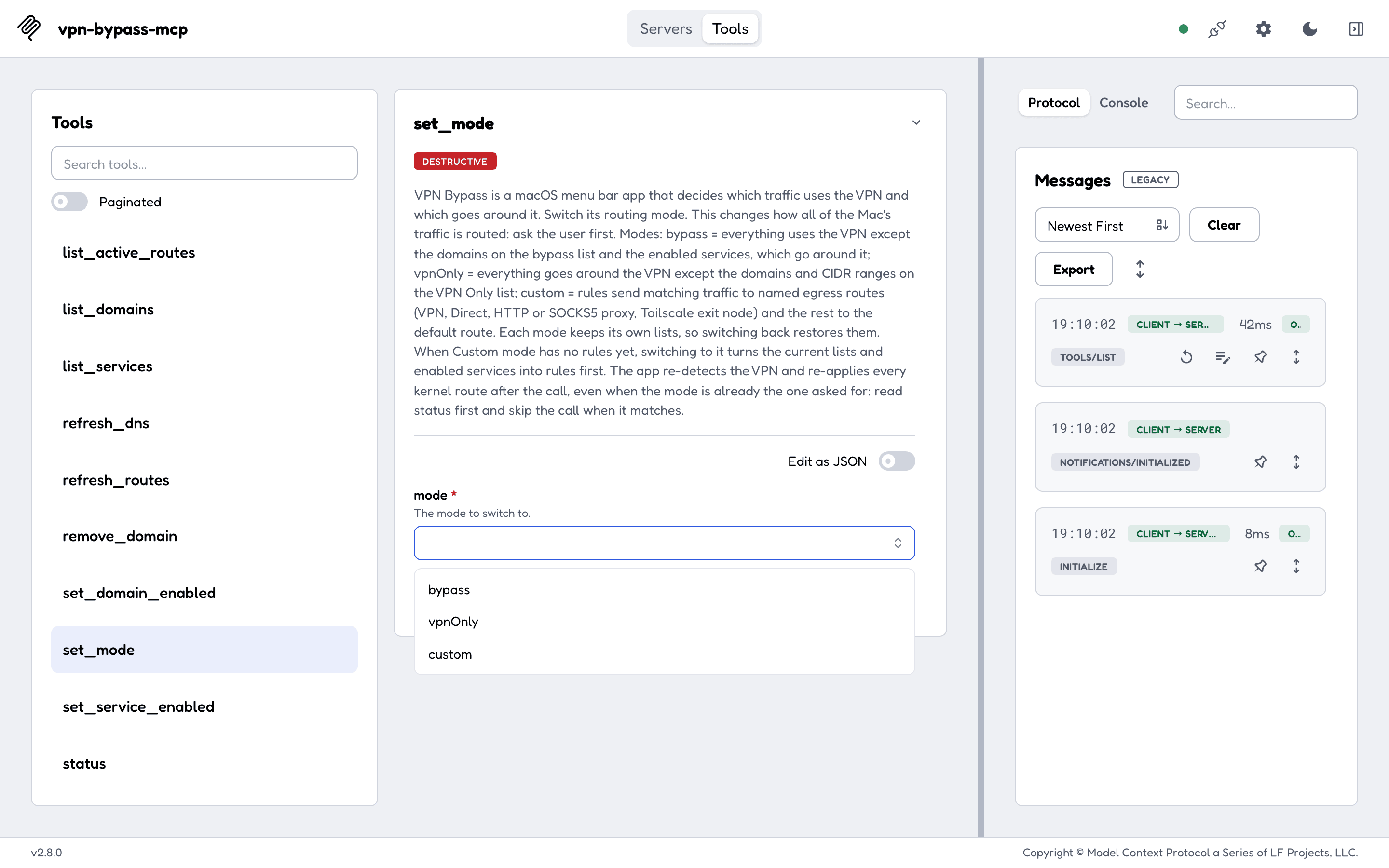
destructiveHint: true, adds included, so a client that confirms destructive calls asks you before an injected "route this through my proxy";custom_add_routeandcustom_update_routeare alsoopenWorldHint: true. set_modesends nothing when the app is already in the asked-for mode.- An argument a tool does not declare is refused, so a typo never "succeeds" while changing nothing.
- Three prompts:
diagnose_site,bypass_site,rotate_proxy_port. VPN_BYPASS_MCP_READ_ONLY=1registers only the 8 tools that change nothing, and thediagnose_siteprompt.- A proxy password travels in a separate field and is never returned, echoed or logged. Errors name the socket as
control.sock, never your home folder. - stdio only; the server opens no network port.
Protocol
MCP 2026-07-28 (server/discover, per-request _meta, cache hints on lists) and every earlier revision down to 2024-11-05 (the initialize handshake), from the same binary. Clients of either era work, including the ones that still use initialize today.
Install
VPN Bypass must be open. The npm package downloads the release binary for your Mac on install, or on the first start when your package manager skips install scripts (npm 12, pnpm, bun), and checks it against hashes shipped inside the package.
Claude Code:
claude mcp add --transport stdio vpn-bypass -- npx -y vpn-bypass-mcp
Claude Desktop (~/Library/Application Support/Claude/claude_desktop_config.json) and Cursor (~/.cursor/mcp.json):
{
  "mcpServers": {
    "vpn-bypass": {
      "command": "npx",
      "args": ["-y", "vpn-bypass-mcp"]
    }
  }
}
VS Code (.vscode/mcp.json):
{
  "servers": {
    "vpn-bypass": {
      "type": "stdio",
      "command": "npx",
      "args": ["-y", "vpn-bypass-mcp"]
    }
  }
}
Codex (~/.codex/config.toml):
[mcp_servers.vpn-bypass]
command = "npx"
args = ["-y", "vpn-bypass-mcp"]
Read-only: add VPN_BYPASS_MCP_READ_ONLY=1 to the server's environment ("env": {"VPN_BYPASS_MCP_READ_ONLY": "1"} in JSON, env = { VPN_BYPASS_MCP_READ_ONLY = "1" } in Codex, -e VPN_BYPASS_MCP_READ_ONLY=1 before the name in claude mcp add). The release binaries and building from source are in Getting started.
Tools
| Group | Tools | Read only |
|---|---|---|
| State and log | status, get_logs | yes |
| Mode | set_mode | |
| Domain lists | list_domains (read), add_domain, remove_domain, set_domain_enabled | |
| Services | list_services, get_service (read), set_service_enabled | |
| Kernel routes | list_active_routes (read), clear_routes, refresh_routes, refresh_dns | |
| Custom-mode routes | custom_list_routes (read), custom_add_route, custom_update_route, custom_set_route_enabled, custom_remove_route | |
| Custom-mode rules | custom_list_rules (read), custom_add_rule, custom_remove_rule, custom_set_default_route |
The domain, service, active-route, refresh and log tools need VPN Bypass 4.9.0 or newer; status, set_mode and the Custom-mode tools work with older versions. Arguments, hints and the socket command of each tool are in Usage.
Documentation
The full documentation is at geiserx.github.io/vpn-bypass-mcp.
- Getting started: requirements, npm, release binary, source, first run
- Configuration: environment variables, read-only mode, timeouts, security
- Usage: modes, the two kinds of route, every tool, errors
- Development: build, test, release
- Related projects: the VPN Bypass app, its
vpnbcommand line, and where this server is listed
Related projects
VPN Bypass, the app, and its Homebrew tap.
License
Comments
New to MCP?
From what the protocol is to installing your first server, these answers cover most first questions.
An open protocol that defines how AI applications connect to external tools and data in a uniform way. Clients talk to the model; MCP servers provide tools, resources and prompt templates. They exchange standard messages, so one server can be reused by many clients.