
About GhostPaw Telegram
GhostPaw Telegram is a Telegram bot component for bot developers and LLM agents. It mirrors updates to local SQLite before handlers run, combining full-text search, media storage, and structured tools.
Key features
- 01Mirror updates to SQLite before handling
- 02Search messages with FTS5
- 03Store and hash-deduplicate raw media files
- 04Support polling and webhooks
- 05Provide send and moderation tools
- 06Include six workflow playbooks
Use cases
- 01Retrieve message history seen by a bot
- 02Search conversations and inspect reply chains
- 03Send, edit, or forward messages
- 04Manage group members and moderation
MCP support
It provides a stdio MCP server exposing tools for reading messages, sending, moderation, and bot operations. Sending and moderation require TELEGRAM_BOT_TOKEN; without it, tools return plans.
Configuration
Local server config is the same for every client. Copy it into your client’s MCP config file.
npx -y @ghostpaw/telegramTELEGRAM_BOT_TOKENSecretTelegram Bot API token; enables send and moderation executionGHOSTPAW_TELEGRAM_DBSQLite database path (default: ~/.ghostpaw/telegram.db)Local servers need a runtime on your machine (e.g. Node.js 18+). Config file locations differ by client; see your client’s docs.
Tools
4Saved tool list · updated today
| Parameter | Type | Required | Description |
|---|---|---|---|
| after | integer | No | After this timestamp (ms) |
| limit | integer | No | Max results |
| query | string | No | Full-text search query |
| before | integer | No | Before this timestamp (ms) |
| chatId | integer | No | Chat ID |
| userId | integer | No | User ID |
| threadId | integer | No | Thread ID filter |
| messageId | integer | No | Message ID |
| subcommand | enum | Yes | Which read operation to performget_message | list_messages | search_messages | get_chat | list_chats | get_user | list_users | get_reactions | reply_chain | edit_history |
Details
From the project README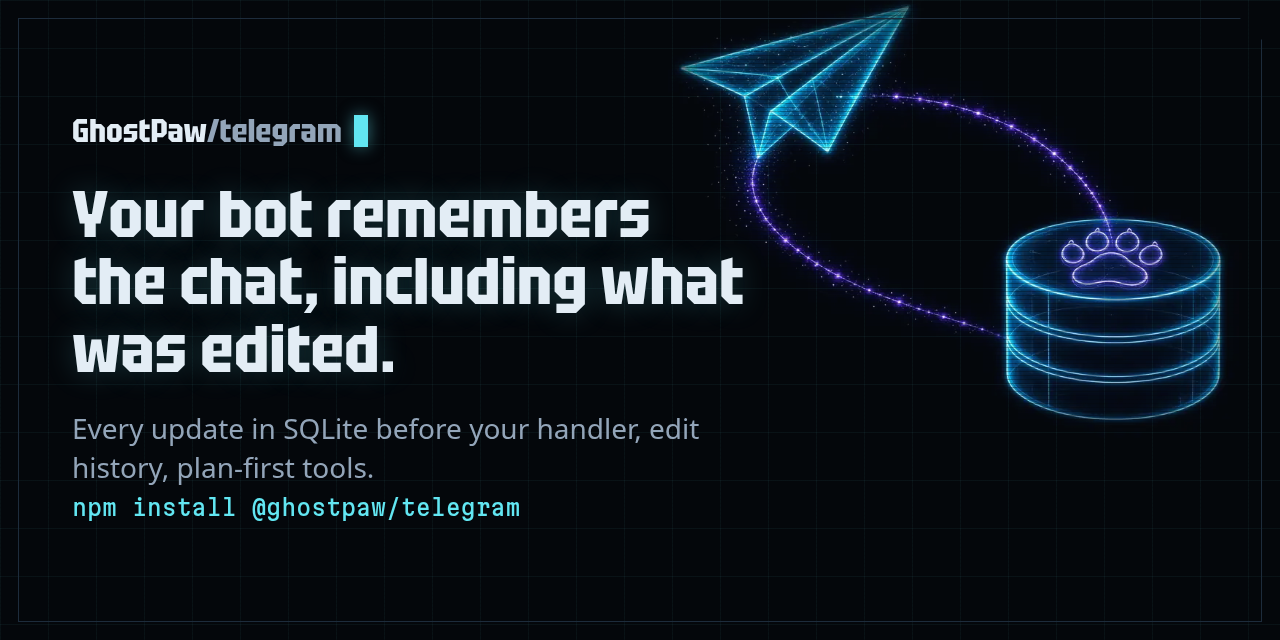
@ghostpaw/telegram







Agent Telegram bots: every update mirrored into SQLite before your handler runs.
npm install @ghostpaw/telegram
Telegram bot channel engine — fetch transport with zero runtime dependencies, SQLite message mirror with FTS5 full-text search, eager file BLOB storage, markdown rendering, and a structured LLM tool facade.
Every incoming update is mirrored into a local SQLite database before your handler runs, giving you a persistent, queryable record of everything the bot sees — including the raw bytes of every photo, document, voice message, and video, which are downloaded in the background after the update is stored and kept once per SHA-256 hash. A failed download leaves the file row without a checksum, so you can retry it with write.downloadFile. It ships as a single prebundled blob designed for two audiences at once: human developers building bot backends in code, and LLM agents operating through a structured tool facade.
MCP server
Every client below starts the same stdio server: npx -y @ghostpaw/telegram mcp.
Messages live in ~/.ghostpaw/telegram.db unless the GHOSTPAW_TELEGRAM_DB
environment variable (absolute path) or --db <path> says otherwise.
Claude Code
claude mcp add ghostpaw-telegram -- npx -y @ghostpaw/telegram mcp
or as a plugin, which also installs the skill:
/plugin marketplace add GhostPawJS/telegram
/plugin install ghostpaw-telegram@ghostpaw-telegram
Codex CLI (~/.telegram/config.toml)
[mcp_servers.ghostpaw-telegram]
command = "npx"
args = ["-y", "@ghostpaw/telegram", "mcp"]
Cursor (.cursor/mcp.json), Claude Desktop (claude_desktop_config.json)
or a project .mcp.json:
{
  "mcpServers": {
    "ghostpaw-telegram": {
      "command": "npx",
      "args": ["-y", "@ghostpaw/telegram", "mcp"]
    }
  }
}
Claude Desktop users can also install server.mcpb from the
latest GitHub release.
A Dockerfile is included for container hosts:
docker build -t ghostpaw-telegram . && docker run -i --rm -v telegram:/data ghostpaw-telegram.
The server speaks MCP 2026-07-28 (stateless, server/discover) and the
initialize-based revisions 2025-11-25, 2025-06-18, 2025-03-26 and 2024-11-05.
Set TELEGRAM_BOT_TOKEN in the server environment to execute send and moderation actions.
Without a token, these tools return plans; local reads and tool discovery work offline.
The .mcp.json token placeholder must be supplied by the client environment.
The server reads the mirror populated by your library transport; it does not poll for updates.
CLI
npx -y @ghostpaw/telegram tools
npx -y @ghostpaw/telegram call tg_read '{"subcommand":"list_chats"}'
npx -y @ghostpaw/telegram --db :memory: call tg_send '{"subcommand":"send_message","chatId":123,"text":"Hello"}'
The send example returns a plan unless TELEGRAM_BOT_TOKEN is set.
Agent Skill
SKILL.md and skills/telegram/ ship in the package. Print the skill with
npx -y @ghostpaw/telegram skill or copy skills/telegram/ into your skills folder.
Install
npm install @ghostpaw/telegram
Requires Node.js 24+ (uses the built-in node:sqlite module).
Quick Start
import { DatabaseSync } from 'node:sqlite';
import { createBot, initTelegramTables } from '@ghostpaw/telegram';

const db = new DatabaseSync('bot.db');
initTelegramTables(db);

const bot = createBot({
  token: process.env.TELEGRAM_TOKEN!,
  db,
  onMessage: async ({ message, user }) => {
    console.log(user?.firstName, message.text);
  },
});

await bot.start(); // long-polling
Webhook mode — pass a webhook config instead:
const bot = createBot({
  token: process.env.TELEGRAM_TOKEN!,
  db,
  webhook: { path: '/webhook', port: 8443, secretToken: process.env.TG_SECRET },
  onMessage: async ({ message, user }) => { /* ... */ },
});

await bot.start(); // listens on port 8443
What It Stores
Every update is mirrored into SQLite before your handler runs:
- Messages — text, media, edits, reply edges, albums, threads (FTS5 full-text index with Unicode diacritic folding)
- Users — first name, last name, username, language code
- Chats — title, type, member count, forum flag
- Members — status, permissions, admin title per chat
- Reactions — emoji per user per message, with per-emoji counts and event log
- Files — metadata + raw bytes stored as BLOB, SHA-256 deduplicated; downloaded in the background for every incoming file (
DEFAULTS.autoDownloadis deprecated and unused; it does not change this behaviour) - Callbacks — inline button presses with data and answered state
- Bot state — arbitrary key/value store and running statistics
All eight tables are created in one call: initTelegramTables(db).
Two Audiences
Human developers
Use the read, write, and network namespaces for direct-code access to every domain operation:
import { read, write, network } from '@ghostpaw/telegram';

// query the local mirror — no network calls
const chat = read.getChat(db, chatId);
const messages = read.listMessages(db, { chatId, limit: 50 });
const results = read.searchMessages(db, chatId, 'invoice');
const chain = read.replyChain(db, chatId, messageId);

// retrieve a stored file blob
const bytes = write.getFileBlob(db, fileId); // Buffer | null

// send text and media
await write.sendMessage(bot.client, chatId, 'Hello');
await write.sendPhoto(bot.client, chatId, fileId);
await write.sendDocument(bot.client, chatId, buffer, { caption: 'Report' });
await write.broadcast(bot.client, chatIds, 'Announcement');

// streaming — progressive in-place edits
const stream = write.createStream(bot.client, { chatId });
await stream.append('Thinking...');
await stream.replace('Done.');
See docs/HUMAN.md for the full human-facing guide with worked examples.
LLM agents
Use the tools, skills, and soul namespaces for a structured runtime surface:
import { tools, skills, soul } from '@ghostpaw/telegram';

// 4 JSON-schema tools with structured ToolResult responses
const allTools = tools.telegramTools;
const readTool = tools.getTelegramToolByName('tg_read');
const result = readTool?.handler(db, { subcommand: 'search_messages', chatId, query: 'invoice' });

// 6 workflow playbooks for common multi-step scenarios
const allSkills = skills.telegramSkills;

// Herald persona for system prompts
const prompt = soul.renderTelegramSoulPromptFoundation();
Every tool returns a discriminated result with outcome: 'success' | 'no_op' | 'error', structured data, and next-step hints. No thrown exceptions to parse.
See docs/LLM.md for the full AI-facing guide covering soul, tools, and skills.
Package Surface
| Export | Role |
|---|---|
initTelegramTables(db) | One-shot DDL — call once at startup |
createBot(config) | Full bot composition with built-in fetch transport; polling or webhook |
adaptBot(grammy) | Bridge a raw grammy Bot to the MockBot executor interface |
read | Query the local SQLite mirror (no network) |
write | Send messages, media, and actions; manage file BLOBs |
keyboards | Build inline keyboards and callback buttons |
network | Manage polling and update dispatch |
render | Pure markdown and text transformation |
tools | 4 JSON-schema tools for LLM agents |
skills | 6 workflow playbooks for LLM agents |
soul | Herald persona for system prompts |
DEFAULTS | Tuneable runtime constants |
Tools
Tools return plans by default; existing synchronous handlers perform no outbound actions. To execute send and moderation actions, create an async facade explicitly:
const facade = tools.createTelegramToolFacade({
  client: bot.client,
  execute: true,
  perChatPerSecond: 1,
  globalPerSecond: 30,
  maxRetries: 2,
});
const result = await facade.handler(db, 'tg_send', {
  subcommand: 'send_message', chatId: 123, text: 'Hello',
});
Omit execute to retain plan-only behavior. Execution reuses the outbound
executors, returns the shared result shape with action data and sent message
IDs where applicable, and masks bot tokens in errors. Capacity-one token buckets
limit each API call per chat and globally; Telegram 429 retry_after responses
pause retries, with two retries by default. Limits apply per facade instance;
reuse one facade for callers sharing a bot. Partial execution can occur when a
multi-call action fails (for example, kick bans then unbans).
Four tools shaped around operator intent:
| Tool | What it does |
|---|---|
tg_read | Query messages, chats, users, reactions, edit history, reply chains |
tg_send | Send, edit, delete, forward, pin messages; set reactions; broadcast |
tg_manage | Ban, unban, restrict, promote, kick users; query member status |
tg_connect | Get bot stats, read bot state, list active chats |
Each tool exports runtime metadata — name, description, JSON Schema, side-effect level, readOnly flag — so agent harnesses can wire them without reading docs.
Skills
Six workflow playbooks as markdown strings:
| Skill | Workflow |
|---|---|
manage-telegram-conversations | Read context, reply, pin, track threads and albums |
moderate-chat-effectively | Detect violations, warn, restrict, ban with audit trail |
handle-group-administration | Promote, demote, migrate, configure permissions |
broadcast-to-audience | Compose, send, handle errors, retry failed chats |
search-and-retrieve-messages | Full-text search, reply chains, edit history |
stream-progressive-responses | Debounced streaming with overflow and error recovery |
Documentation
| Document | Audience |
|---|---|
| docs/HUMAN.md | Human developers using the read/write/network API |
| docs/LLM.md | Agent builders wiring tools, skills, and soul |
| docs/RECIPES.md | Advanced UI/UX patterns: streaming, approval flows, pagination |
| docs/README.md | Architecture overview: storage model, surfaces, invariants |
| docs/entities/ | Per-entity manuals with exact public API listings |
The package has zero runtime dependencies. It uses Node 24 global fetch for Bot API requests and an in-repo synchronous Markdown parser. grammy and marked are development dependencies used for compatibility tests.
createBot accepts optional api: { fetch, apiRoot } settings for an injected
fetch implementation or a custom Bot API endpoint. The default endpoint is
https://api.telegram.org.
adaptBot continues to accept grammy Bot instances. Calls without uploads use
api.raw; file uploads use the built-in client, so grammy API transformers do
not apply to uploads. Its optional second argument accepts { fetch, apiRoot }.
Development
npm install
npm test            # node:test runner
npm run typecheck   # tsc --noEmit
npm run lint        # biome check
npm run build       # ESM + CJS + declarations via tsup
npm run test:dist   # built artifact checks (after build)
npm run check:deps  # verify zero runtime dependencies
The repo is pinned to Node 24.14.0 via Volta. Use whichever version manager you prefer.
Support
If this package helps your project, consider sponsoring its maintenance:

Comments
New to MCP?
From what the protocol is to installing your first server, these answers cover most first questions.
An open protocol that defines how AI applications connect to external tools and data in a uniform way. Clients talk to the model; MCP servers provide tools, resources and prompt templates. They exchange standard messages, so one server can be reused by many clients.