
About Headroom
Headroom is a Windows PC monitor for people tracking memory and disk use. It keeps a short history and limits cleanup actions to reviewed plans rather than changing the PC.
Key features
- 01RAM, commit, page file, and disk monitoring
- 02History and trend reports
- 03Allowlisted cache cleanup
- 04File, duplicate, download, and startup review
- 05Local dashboard and Roomy monitor
Use cases
- 01Check current memory and free disk space
- 02Review recent disk growth and trends
- 03Identify duplicate files and startup programs
MCP support
It provides a local stdio MCP server with status, analysis, scan, and review tools. The clean, move, and startup-disable operations return plans and do not modify the PC.
Configuration
Local server config is the same for every client. Copy it into your client’s MCP config file.
Tools
12Saved tool list · updated 1d ago
This tool takes no parameters.
Details
From the project READMEHeadroom


A quiet watcher for the RAM and disk on your Windows PC.
Headroom sits in the tray, keeps a small history, and shows what is full. Cleanup is limited to an allowlist. Type YES to delete. Type MOVE to send a reviewed file to the Recycle Bin or to an archive folder.
Jasdish Singh. MIT, 2026.
What it does
- Watches RAM, commit charge, page file, and free space.
- Records history and a short report (disk trend, likely leaks, folders that grew).
- Cleans only
user_temp,windows_temp,chrome_cache,edge_cache,firefox_cache,thumbnail_cache, andrecycle_bin. Config cannot add a path. - Reviews files, duplicate copies, old downloads, and startup programs.
- Serves a page on
127.0.0.1and a read-only desktop pet, Roomy. - Exposes a local MCP server.
clean,move, andstartup_disablereturn a plan. They do not change the PC.
Install
The command is headroom.
Exe. headroom-<version>-windows-x64.exe from GitHub Releases. It is one portable file. Save it as headroom.exe in a folder you keep.
winget, after the manifest is accepted:
winget install JasdishSingh.Headroom
pip. The PyPI name is headroom-pc. Python 3.11 or newer.
py -3.12 -m pip install "headroom-pc[tray]"
headroom status
tray adds the tray icon. The MCP server is always included.
Quick start
headroom status
headroom top
headroom clean --dry-run
headroom watch
headroom dashboard
headroom watch takes a sample immediately, then every 30 seconds (slower on battery, faster under pressure). headroom install starts it at sign-in. A second watch, dashboard, or pet does not start another copy.
headroom dashboard prints and opens http://127.0.0.1:<port>/?token=.... Before the first stored sample, the page shows the live reading.
Commands, defaults, and exit codes: docs/commands.md.
Roomy
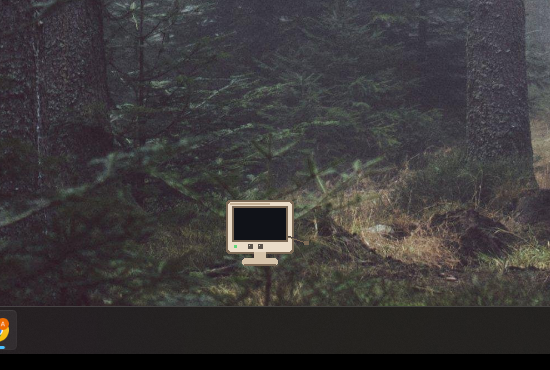
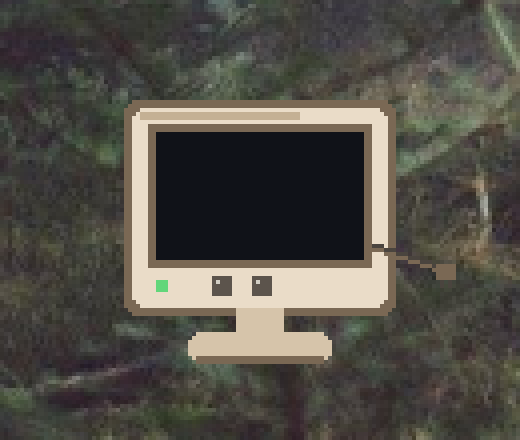
Roomy is a small beige monitor. The cord is the tail. It walks a little and shows the PC's RAM usage in a speech bubble, like "RAM 62% used". It cannot clean, move, or delete.
headroom pet
headroom widget
headroom pet --skin midnight
headroom pet --skin tower --lite
headroom widget is the same pet. Click opens the dashboard. Drag remembers the spot. Right-click: dashboard, report, mute, hide, quit.
The dashboard has an on/off toggle for Roomy. It starts or stops the pet and remembers the choice across restarts, overriding widget.autostart.
Skins and the frame budget: docs/roomy.md.
MCP
headroom mcp is a stdio server on this PC. Point a client at the installed exe:
headroom.exe mcp
Claude Desktop (claude_desktop_config.json):
{
  "mcpServers": {
    "headroom": {
      "command": "headroom.exe",
      "args": ["mcp"]
    }
  }
}
Cursor (.cursor/mcp.json):
{
  "mcpServers": {
    "headroom": {
      "command": "headroom.exe",
      "args": ["mcp"]
    }
  }
}
Codex and ChatGPT (config.toml):
[mcp_servers.headroom]
command = "headroom.exe"
args = ["mcp"]
With the pip package on PATH, the command is headroom and the argument is still mcp.
mcp-name: io.github.Jasdish-Singh/headroom
Quick start with AI
Paste this into Claude, ChatGPT, or Cursor after connecting the MCP server.
You have access to Headroom, a local tool that monitors and protects this PC's RAM and disk.

Start a full health check:
1. Call `status` and tell me current RAM, commit, page file and free disk space in plain English.
2. Call `top` and list the 5 biggest RAM users, saying whether each is normal or worth closing.
3. Call `analyze` and `scan` to find what's taking up disk space, grouped into important, safe to clean, and needs my review.
4. Call `dupes` and `startup_list`, and point out duplicate files and startup apps slowing my PC.
5. Call `changes` and `report` to tell me what changed recently and any trends to watch.

Finish with a short summary: my overall PC health (good / watch / act now), the top 3 things to do, and how much space or RAM each would free.

Rules: only read and explain. If cleanup helps, call `clean`, `move` or `startup_disable` only to show me a plan. Never delete, move or disable anything yourself. I'll approve inside Headroom.
The same text is docs/ai-starter-prompt.md and the MCP prompt health_check. Tool list: docs/commands.md.
More
Comments
New to MCP?
From what the protocol is to installing your first server, these answers cover most first questions.
An open protocol that defines how AI applications connect to external tools and data in a uniform way. Clients talk to the model; MCP servers provide tools, resources and prompt templates. They exchange standard messages, so one server can be reused by many clients.