
About Jitsu
Jitsu is an open-source customer data platform, an MIT-licensed alternative to Segment that can be self-hosted or used via Jitsu Cloud. Its MCP server lets AI assistants configure and operate data pipelines directly.
Key features
- 01Event collection from browser, mobile and server
- 02Delivery to warehouses and SaaS destinations
- 03JavaScript Functions to filter and transform events
- 04Live Events view for events and delivery logs
- 05Connector syncs for pulling third-party data
Use cases
- 01Streaming website and app events into ClickHouse or BigQuery
- 02Debugging and fixing failing pipeline Functions
- 03Letting a coding agent set up destinations and connections
MCP support
Jitsu ships an MCP server at https://use.jitsu.com/mcp that exposes 25 tools for reading and writing workspace configuration, querying Live Events and function logs, and running connector syncs.
Configuration
Remote servers need no local install. Pick your client, then copy the config or install in one click.
https://use.jitsu.com/mcpclaude mcp add --transport http jitsu https://use.jitsu.com/mcp{"mcpServers":{"jitsu":{"type":"http","url":"https://use.jitsu.com/mcp"}}}Open in Cursor{"servers":{"jitsu":{"type":"http","url":"https://use.jitsu.com/mcp"}}}Open in VS Code{"mcpServers":{"jitsu":{"type":"http","url":"https://use.jitsu.com/mcp"}}}{"mcpServers":{"jitsu":{"serverUrl":"https://use.jitsu.com/mcp"}}}Run commands in a terminal; paste JSON into the client’s MCP config and restart. Servers that need sign-in will prompt on first connect.
Tools
25| Parameter | Type | Required | Description |
|---|---|---|---|
| limit | number | No | Page size (1–100, default 100) |
| offset | number | No | Number of workspaces to skip (default 0) |
Details
From the project README
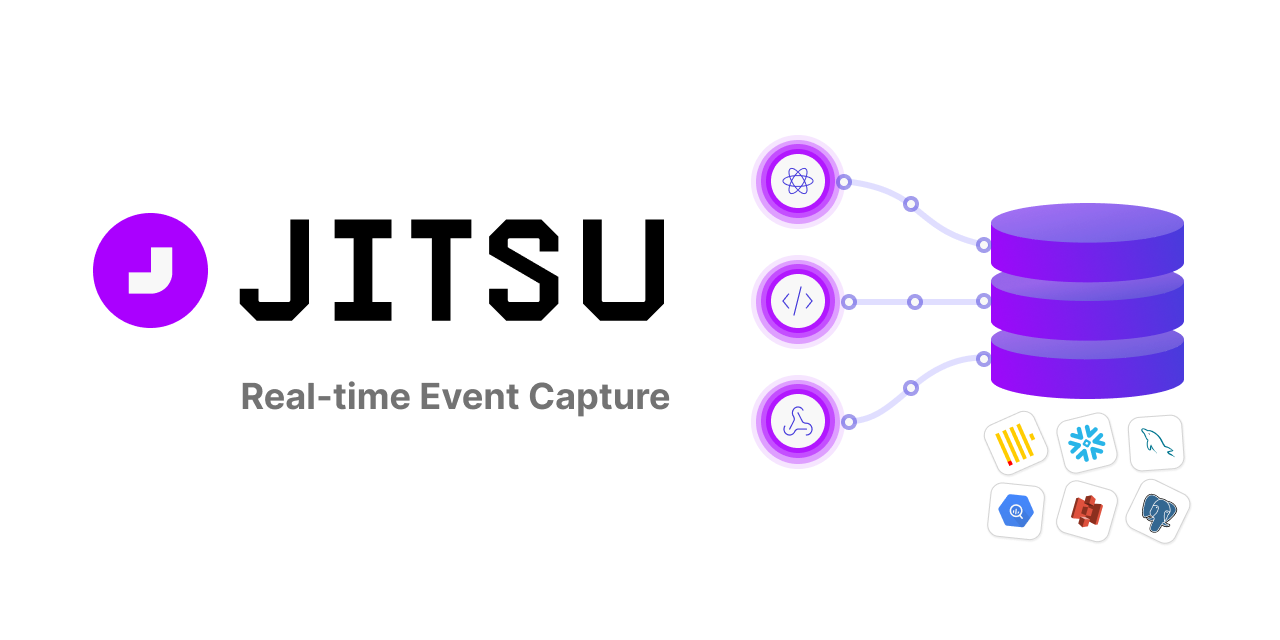

Open-source event data platform. An alternative to Segment.
Website · Docs · MCP Server · Jitsu Cloud · Self-hosting · Slack · MIT License

What is Jitsu?
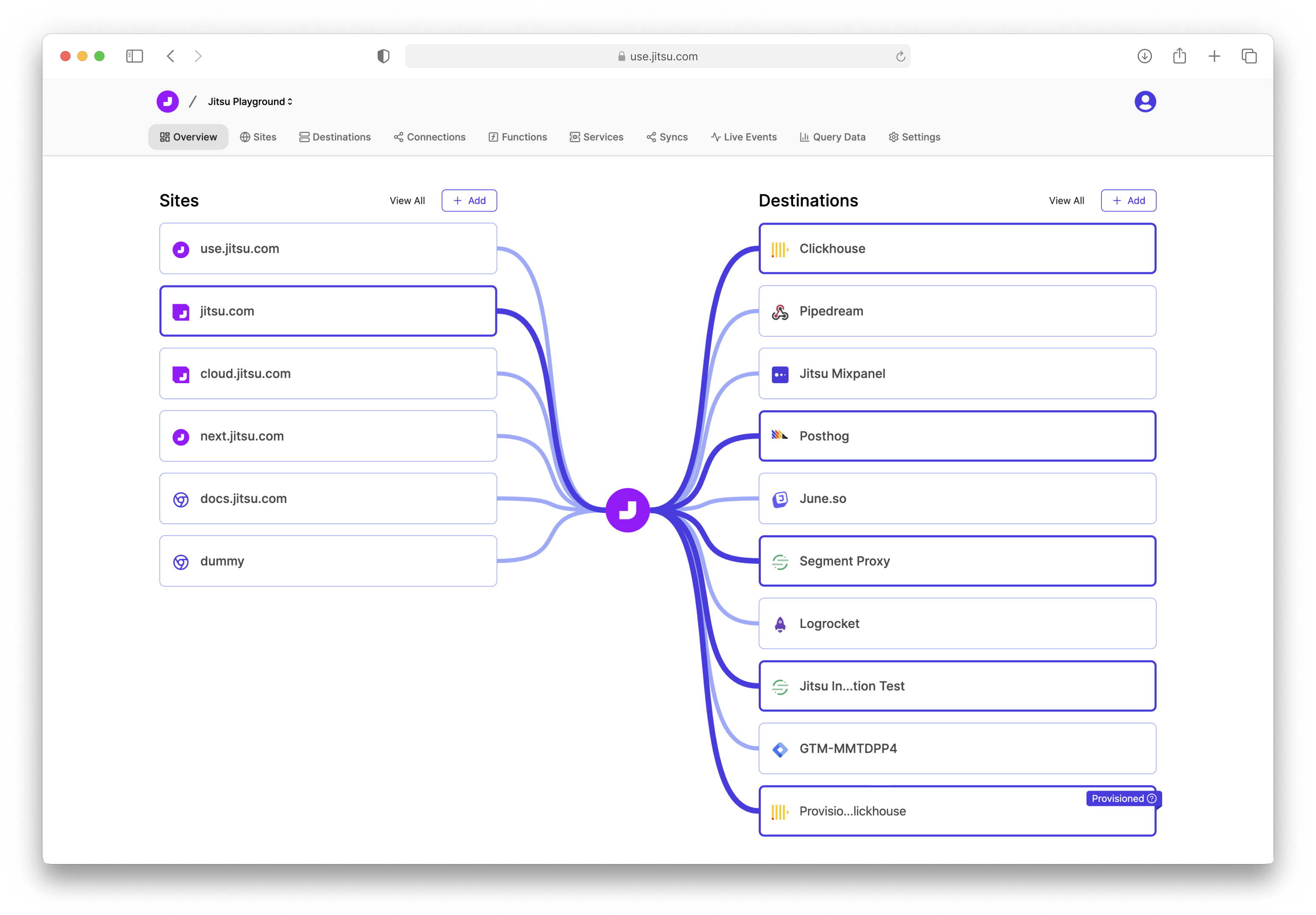
Jitsu collects event data from your websites, apps and servers, and delivers it to your data warehouse and to whatever other tools you use. It covers the same ground as Segment, but it's MIT-licensed and self-hostable, so the whole pipeline can run inside your own infrastructure — or on Jitsu Cloud, same software, hosted.
Data lands in minutes, not hours: Segment loads warehouses once or twice a day (hourly at best), while Jitsu delivers per destination in batches as frequent as a minute, or row-by-row where that suits the destination. And where Segment bills by Monthly Tracked User, Jitsu Cloud bills by event volume, so the bill tracks data rather than audience size — while self-hosting has no usage billing at all.
A typical Jitsu setup gives you:
- Event collection from the browser, mobile, or the server, via SDKs, an HTTP API, or a drop-in Segment proxy.
- Delivery to destinations — ClickHouse, BigQuery, Snowflake, Redshift, Postgres, S3, GCS, and dozens of SaaS tools, streamed or micro-batched depending on what the destination prefers. See the destination catalog.
- Functions — JavaScript that runs on every event to filter,
transform, and enrich it before delivery.
- Write them in the browser, or build and deploy them from your own repo with the
Jitsu CLI —
jitsu-cli initscaffolds a TypeScript project with tests, andjitsu-cli deployships it to your workspace. Use whatever tooling you like: TypeScript, npm libraries, your own test suite, and your normal CI.
- Write them in the browser, or build and deploy them from your own repo with the
Jitsu CLI —
- Connector syncs — pull data into your warehouse from third-party sources (Airbyte-compatible connectors).
- A user identity graph and profile builder, built automatically from the event stream.
- Live Events — see every event, function log and destination write as it happens, which makes debugging a pipeline a matter of seconds rather than days.
- An MCP server, so an AI agent can configure and operate all of the above.
Get started with Jitsu Cloud
The fastest way to run Jitsu is Jitsu Cloud — we host and scale it for you.
- Free tier: 200k events/month, no credit card required.
- Unlimited destinations and unlimited captured events on every plan.
- A free ClickHouse instance is included, so you can go from zero to queryable event data without provisioning a warehouse first.
- Custom domains, events debugger, and the Configuration API on the free tier too.
See pricing for the full breakdown, or jump straight into the Quick Start guide.
Once you have a workspace:
- Create a site (a stream) and grab your write key.
- Add a destination — ClickHouse, BigQuery, Snowflake, Postgres, S3, or anything from the catalog.
- Start sending events using one of the methods below.
Sending events
| Method | Use it for |
|---|---|
| HTML snippet | Any website, no build step |
@jitsu/js | Isomorphic — works in the browser and in Node.js |
@jitsu/jitsu-react | React and Next.js apps |
| HTTP API | Any language, backend services |
| Segment proxy | Migrating off Segment without touching client code |
Everything the UI does is also available through the Management API and the Jitsu CLI.
Jitsu MCP Server
Jitsu ships a Model Context Protocol server, so coding agents and AI assistants can build and operate your data pipelines directly — no clicking through the UI.
An agent connected to Jitsu can set up a destination, wire a connection, send a test event, read the resulting Live Events, notice that a function threw, fix the function, and re-run it — the full loop, without a human in the middle.
Endpoint: https://use.jitsu.com/mcp (or <your-console-url>/mcp when self-hosting).
Connect your client
Claude Code
claude mcp add --transport http jitsu https://use.jitsu.com/mcp
Other clients (Claude Desktop, Cursor, VS Code) take the same URL — see jitsu.com/docs/mcp for their setup.
Authentication
Interactive clients use OAuth 2.1 — no API key to manage. The first tool call opens a browser tab asking you to approve the connection; tokens are scoped, listed, and revocable from your account settings page.
Headless environments (CI, cron, servers) use a personal API key instead — generate one on the user
settings page and pass it as Authorization: Bearer <keyId>:<keySecret>:
claude mcp add --transport http jitsu https://use.jitsu.com/mcp \
  --header "Authorization: Bearer $JITSU_API_KEY"
What the agent can do
25 tools, covering everything the console does: read and write workspace configuration (destinations, streams, connections, functions), query Live Events and function logs, run and cancel connector syncs, discover source streams and inspect sync state, execute functions and profile builders against test data, and pull event and sync statistics. Full reference: jitsu.com/docs/mcp.
Architecture
Jitsu is a handful of independently scalable services:
| Service | Stack | What it does |
|---|---|---|
| ingest | Go | HTTP endpoint that accepts events and writes them to Kafka |
| rotor | TypeScript | Routes events, runs Functions, applies destination-specific transforms |
| bulker | Go | High-throughput warehouse ingestion — batching, schema management, retries |
| sync-controller | Go | Orchestrates connector syncs (pulling data from third-party sources) |
| console | Next.js | Admin UI, Management API, and the MCP server |
Backed by Postgres (configuration), Kafka/Redpanda (event bus), ClickHouse (live events and metrics), and MongoDB (profiles).
Bulker is also usable standalone if you just want a warehouse ingestion engine and are comfortable with low-level APIs.
Self-hosting
Jitsu is MIT-licensed and fully self-hostable, with no usage limits and no feature gating. Cloud is the path of least resistance; self-hosting is for when you need the data to stay inside your own infrastructure.
Quick start (Kubernetes / Minikube)
The development Helm chart is the recommended way to get a complete stack running locally. You'll need Minikube (a single-node Kubernetes cluster on your machine) and Helm v3+:
git clone -b newjitsu --single-branch https://github.com/jitsucom/jitsu
cd jitsu/helm

minikube start          # give the VM at least 8GB RAM
./dev-deploy.sh deploy
./dev-deploy.sh tunnel  # in a second terminal
./dev-deploy.sh tunnel runs minikube tunnel, which routes the cluster's LoadBalancer services to
localhost so you can reach them from your browser — console on :3000, ingest on :3049, bulker
on :3042, rotor on :3401, plus Postgres, ClickHouse, MongoDB and Kafka. It asks for sudo (it
binds privileged ports) and has to keep running in its own terminal for the whole session.
The console will be at http://localhost:3000. Full instructions: Self-hosting Quick Start.
Production
For real deployments, read the Production Deployment guide and the Configuration Reference. It covers scaling each service, Kafka sizing, and the environment variables every component reads.
Contributing
Contributions are welcome. CONTRIBUTING.md covers the repository layout, how to set up a development environment and run the test suites, and the branch, commit and pull request conventions.
Community & support
- Slack — the fastest way to reach the team and other users
- GitHub Issues — bugs and feature requests
- Docs — guides and reference
License
Jitsu is licensed under the MIT License.
Comments
New to MCP?
From what the protocol is to installing your first server, these answers cover most first questions.
An open protocol that defines how AI applications connect to external tools and data in a uniform way. Clients talk to the model; MCP servers provide tools, resources and prompt templates. They exchange standard messages, so one server can be reused by many clients.