
About foehn
foehn is a Python API, CLI, and MCP server for working with MeteoSwiss open weather data. It handles both tabular and gridded collections, converting station data to Parquet and opening grids as xarray datasets or Zarr stores.
Key features
- 01Download MeteoSwiss collections via STAC
- 02Convert station data to Parquet
- 03Open grids as xarray or Zarr
- 04Incremental dataset downloads
- 05Optional Databricks Delta ingestion
Use cases
- 01Load Swiss station observations for analysis
- 02Explore climate grids and radar composites
- 03Provide weather data to an MCP-compatible LLM
MCP support
The MCP server gives MCP-compatible clients live access to MeteoSwiss open data. It is configured to run with `foehn mcp`.
Configuration
Local server config is the same for every client. Copy it into your client’s MCP config file.
Tools
Local servers expose tools only once running on your machine, and the maintainer has not provided a tool list.
Details
From the project README
MeteoSwiss Open Data — Python API, CLI & MCP server · tabular as DataFrames/Parquet, gridded as xarray/Zarr




foehn downloads every MeteoSwiss OGD collection via the STAC API, converts CSV/TXT station data to Parquet with Polars, and opens gridded collections — NetCDF climate grids, GRIB2 forecasts, and ODIM radar composites — as xarray Datasets or Zarr stores. It can optionally ingest everything into Databricks Unity Catalog Delta tables on a daily schedule, and ships an MCP server so LLMs can query Swiss weather data directly.
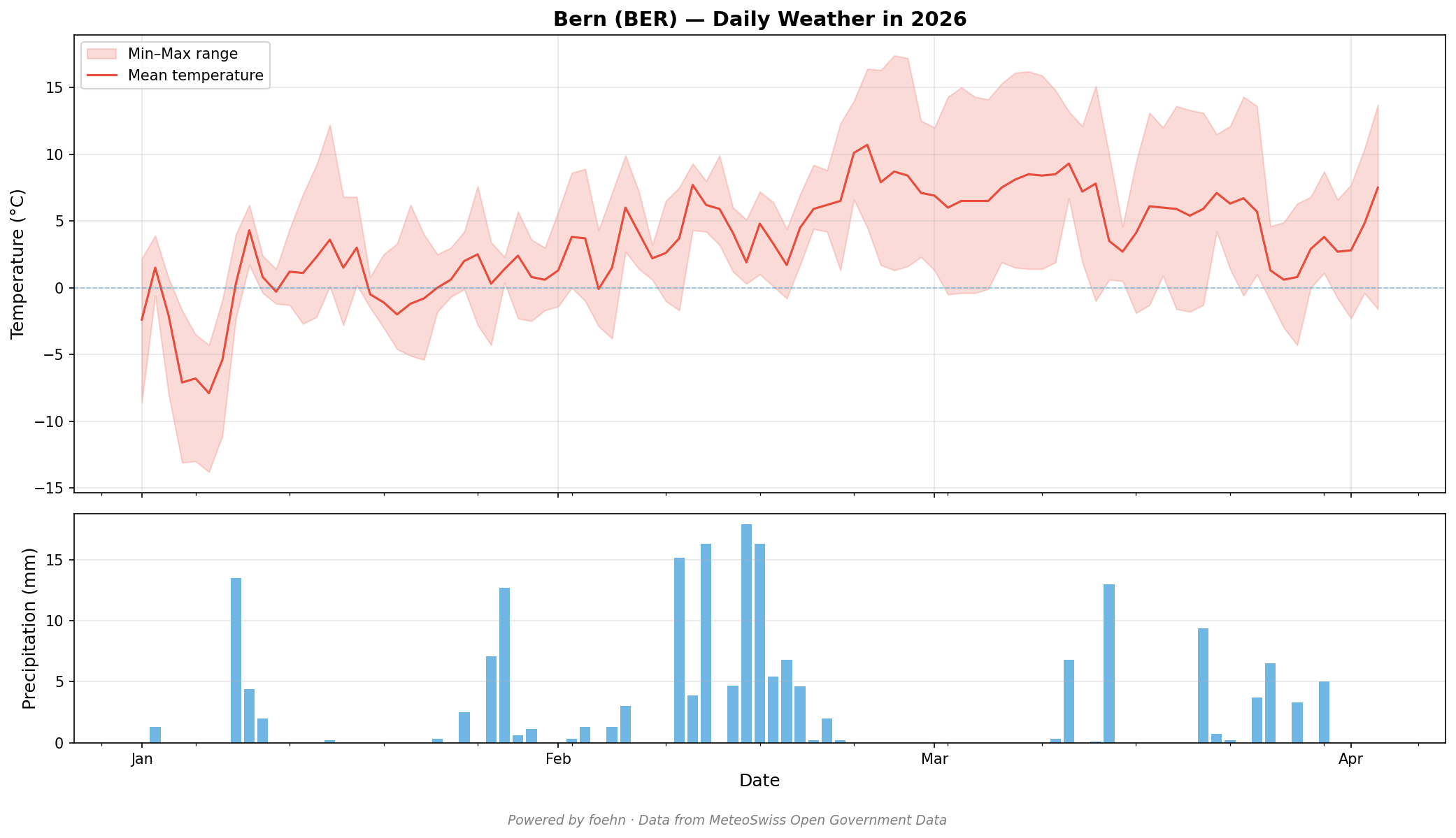
Daily weather in Bern, powered by foehn's MCP server and MeteoSwiss open data.
Why foehn?
- 20+ collections in one command — weather stations, radar, hail maps, forecasts, climate scenarios, and more
- Tabular and gridded — CSV station data as Polars DataFrames or Parquet; NetCDF, GRIB2 and ODIM radar grids as xarray Datasets or Zarr stores
- MCP server for LLMs — give your favorite LLM live access to MeteoSwiss data with the MCP server
- Significantly smaller on disk — columnar Parquet with Zstandard compression vs. raw CSVs
- Incremental by default — only re-downloads files that changed since your last run, tracked per dataset and time slice in
_last_run.json - No Spark required locally — download + conversion uses Polars only; Spark is optional for Delta ingestion
- Ships a Declarative Automation Bundle — ready-to-deploy daily job and historical backfill, no pipeline config needed
Quick start
pip install foehn
foehn download
Recent data (Jan 1 to yesterday) is downloaded and converted to Parquet under ./data/meteoswiss/.

Installation
From PyPI:
pip install foehn
From source:
git clone https://github.com/kayhendriksen/foehn
cd foehn
pip install -e .
With extras:
pip install "foehn[databricks]"   # PySpark + Delta, and Polars' build for CPUs without AVX2
pip install "foehn[mcp]"          # MCP server
pip install "foehn[grids]"        # xarray + Zarr for all gridded data (NetCDF, GRIB2, radar)
Requires Python 3.11 or later.
Python API
import foehn

df = foehn.load("smn", station="BER", frequency="d")
Load data directly into Polars DataFrames, explore metadata, download to disk, and convert to Parquet — all from Python. See the full Python API documentation.
CLI
foehn download smn pollen
foehn load smn --station BER --frequency d
The CLI mirrors the Python API with subcommands for downloading, converting, loading, and inspecting metadata. See the full CLI documentation.
Gridded data
ds = foehn.open_dataset("surface_derived_grid", match="rhiresd")  # NetCDF climate grid
ds = foehn.open_dataset("forecast_icon_ch1", match="YYYYMMDDHHMM-0-t_2m-ctrl")  # one GRIB2 field
ds = foehn.open_dataset("radar_precip", match="cpcYYDDDHHMM")  # one radar composite
# Forecast and radar files roll off after a day / two weeks: fill in a recent time.
# A match that finds nothing lists the times the collection holds now.
foehn.to_zarr("surface_derived_grid", match="rhiresd")  # Zarr store
NetCDF climate grids/normals/scenarios, GRIB2 forecasts (ICON-CH1/CH2, KENDA), and HDF5/ODIM radar composites all open as xarray Datasets instead of DataFrames. One extra covers them: pip install "foehn[grids]". See the gridded data documentation.
MCP server
{
  "mcpServers": {
    "foehn": {
      "command": "foehn",
      "args": ["mcp"]
    }
  }
}
Give any MCP-compatible LLM live access to MeteoSwiss data. See the full MCP server documentation.
Documentation
| Collections | All 20+ MeteoSwiss datasets, categories, and time slice conventions |
| Python API | Loading data, metadata, downloading, and Parquet conversion |
| Gridded data | NetCDF grids as xarray Datasets and Zarr stores |
| CLI | All subcommands, flags, and environment variables |
| MCP Server | Setup, configuration, and available tools |
| Databricks Pipeline | Declarative Automation Bundle deployment |
Data sources
| STAC API | https://data.geo.admin.ch/api/stac/v1 |
| Documentation | https://opendatadocs.meteoswiss.ch |
| MeteoSwiss OGD | https://github.com/MeteoSwiss/opendata |
License
MIT
Comments
New to MCP?
From what the protocol is to installing your first server, these answers cover most first questions.
An open protocol that defines how AI applications connect to external tools and data in a uniform way. Clients talk to the model; MCP servers provide tools, resources and prompt templates. They exchange standard messages, so one server can be reused by many clients.