
About mcp-retriever
mcp-retriever is an MCP server for web search, page extraction, crawling, and cited research. It supports configurable providers and keeps provider keys in a private credentials file rather than client configuration.
Key features
- 01Fuse results from multiple search providers
- 02Extract pages and crawl sites
- 03Use Wayback snapshots for eligible 404/410 pages
- 04Set usage caps and provider cooldowns
- 05Store provider keys outside client configs
Use cases
- 01Combine provider results into a ranked search
- 02Extract content from pages or crawl a site
- 03Retrieve archived versions of unavailable pages
- 04Configure providers while keeping keys out of client settings
MCP support
Exposes search, page-reading, crawling, and research capabilities to MCP clients. Its setup wizard can configure client entries, while provider keys are stored separately from client configs.
Configuration
Local server config is the same for every client. Copy it into your client’s MCP config file.
Tools
1Saved tool list · updated 2w ago
| Parameter | Type | Required | Description |
|---|---|---|---|
| limit | integer | No | Maximum lines to return (default: 200, max: 500) |
| offset | integer | No | One-based line offset (default: 1) |
| result_id | string | Yes | Opaque result ID returned by an Retriever tool |
| byte_offset | integer | No | UTF-8 byte offset within the selected line; pass next_byte_offset unchanged (default: 0) |
Details
From the project READMEmcp-retriever
One MCP server for web search, page extraction, and cited research. Use your own providers, combine their results, and keep API keys out of client configs.
- Search together: query two or three providers, deduplicate URLs,
and merge rankings with
web_search_fused. - Read more: extract pages, crawl sites, and recover 404/410 pages from Wayback Machine snapshots when archive fallback is enabled.
- Control usage: optional spending caps for provider-reported usage, cooldowns, and paged access to large results.
Supports Tavily, Brave, Exa, You.com, SearXNG, GitHub, Linkup, Firecrawl, and Context.dev. Configure only what you use.
Context.dev covers web search, researched answers through ai_search,
news search with context_news, scraping, and brand tools. Its
highlights are available in the search and read tools. Exa search adds
a lite type, and Firecrawl search categories are developer, gov,
research, and pdf. See
Configuration
for details verified on 2026-10-19.
Quickstart
Requires Node.js 22+ and a provider key, or your own SearXNG instance.
npx -y mcp-retriever setup
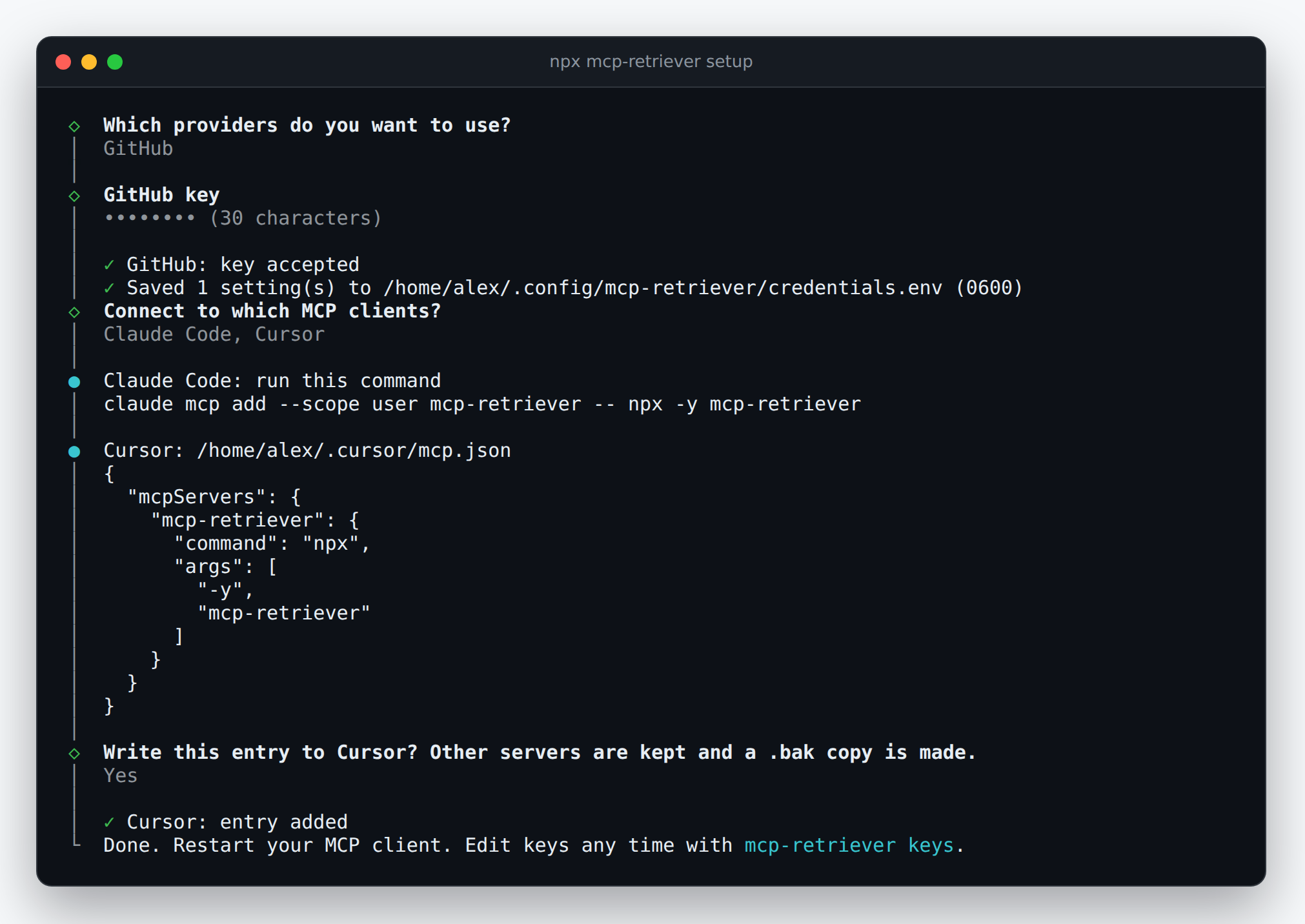
Choose providers, save keys privately, and connect your MCP client. The wizard writes Claude Desktop and Cursor entries, or shows the command/configuration for Claude Code and Codex. Billable key checks require consent.
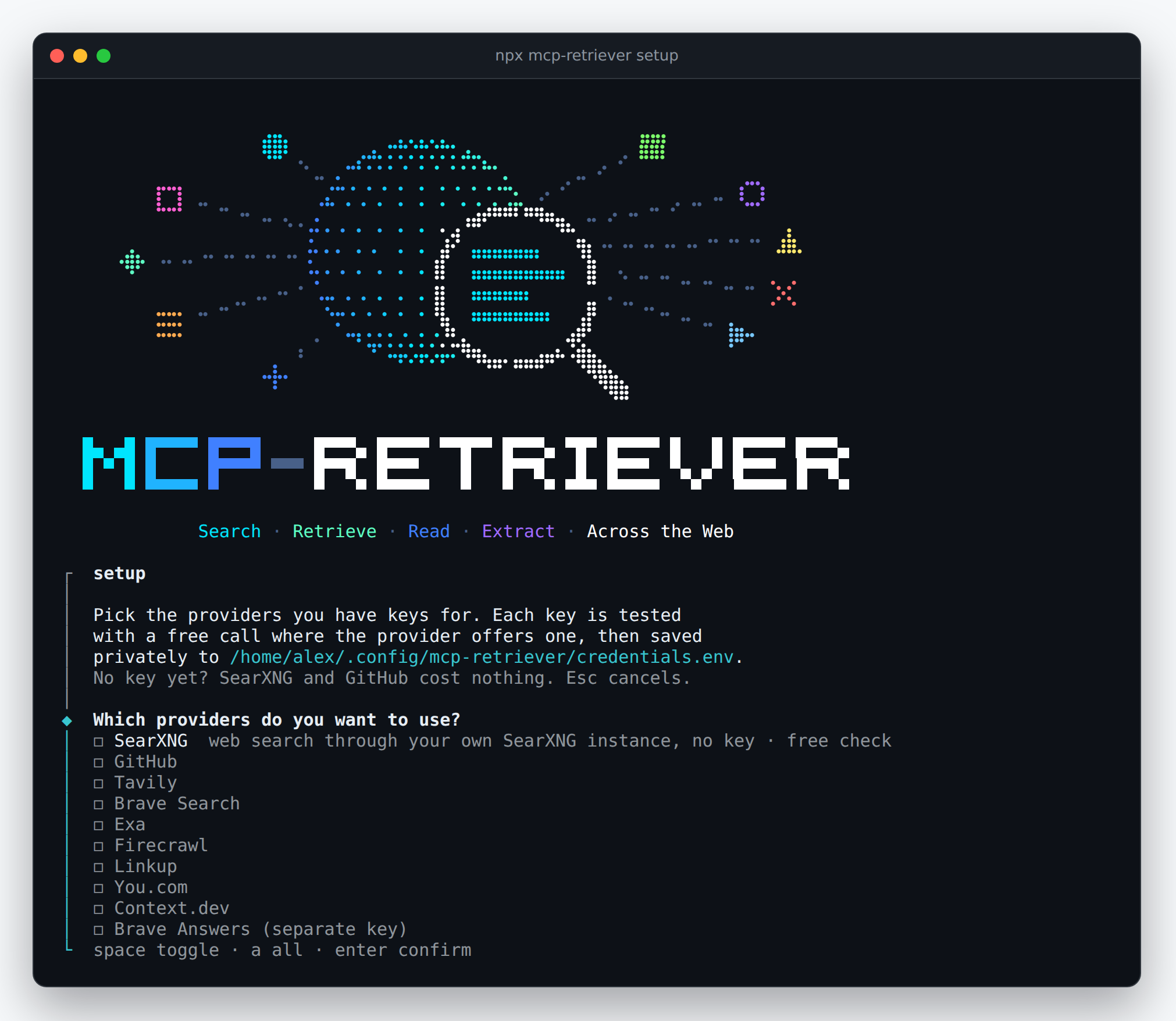
Keys are stored in ~/.config/mcp-retriever/credentials.env, not in
client configs. Restart your client after setup.
Client connection and key management
Add, test, or remove keys:
npx mcp-retriever keys
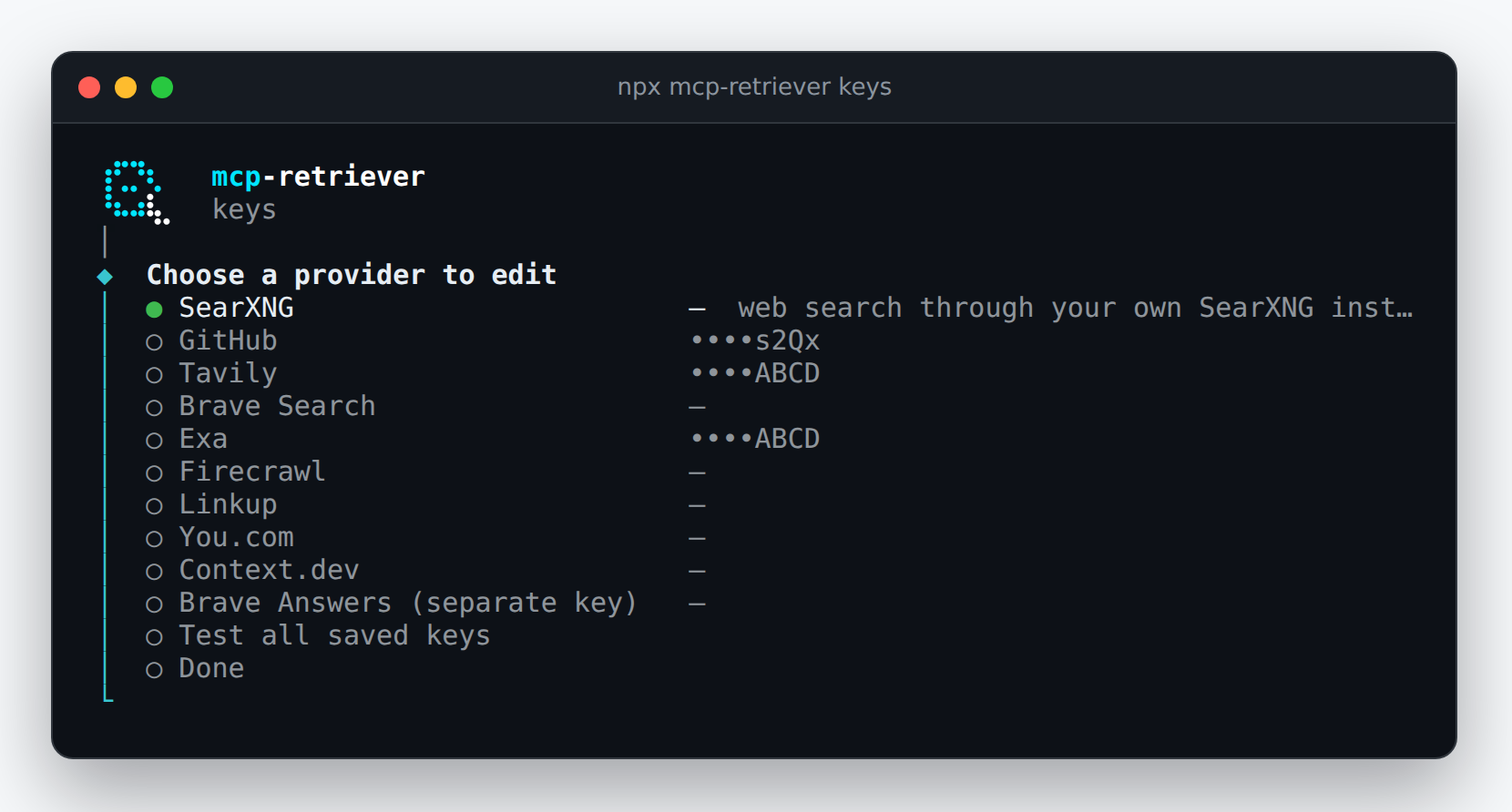
Screenshots show a demo session with fixture credentials and a mocked key-check response, not a live provider validation.
Example
Call web_search_fused with two configured search providers:
{
	"query": "reciprocal rank fusion hybrid search",
	"providers": ["brave", "exa"],
	"limit": 3
}
Results include source providers and merged rankings. If a provider fails, available results are returned with per-provider status.
Documentation
- Configuration: keys, manual client setup, providers, and spending controls.
- Search and read: retrieving pages and handling large results.
- Tool groups: choose which capabilities to expose.
- Deployment: remote HTTP access and operations.
- Contributing: build from source and run checks.
Each server instance shares one trust boundary. Do not use its result store for mutually untrusted clients. Spending caps depend on provider-reported usage, not estimated costs.
License and origins
MIT.
Formerly named mcp-omnisearch; a maintained fork of Scott Spence's
mcp-omnisearch. When
upgrading this fork, rename OMNISEARCH_* settings to RETRIEVER_*,
omnisearch:// resources to retriever://, and _meta.omnisearch to
_meta.retriever. Preserve the old result store and spending ledger
when moving to ~/.cache/mcp-retriever/results; Docker/MCPO clients
must also change /omnisearch to /retriever.
Comments
New to MCP?
From what the protocol is to installing your first server, these answers cover most first questions.
An open protocol that defines how AI applications connect to external tools and data in a uniform way. Clients talk to the model; MCP servers provide tools, resources and prompt templates. They exchange standard messages, so one server can be reused by many clients.