
About Dataset Explorer
Dataset Explorer is an MCP server for analyzing local data files, aimed at people who want to inspect tabular data through an AI assistant. It calculates summaries, outliers, and column relationships while leaving the original file unchanged.
Key features
- 01Reads CSV, TSV, Excel, JSON, and Parquet
- 02Calculates dataset shape and statistical summaries
- 03Checks missing values, duplicate rows, and outliers
- 04Analyzes statistical relationships between columns
Use cases
- 01Check a sales file for missing values and duplicate rows
- 02Inspect statistics for a selected column
- 03Explore which columns relate to a target value
MCP support
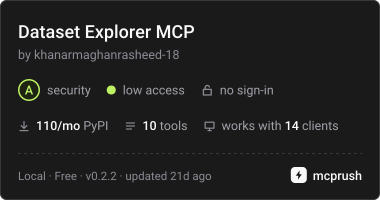
As a local stdio MCP server, it provides ten dataset-analysis tools, plus usage guidance through the dataset://guide resource and explore_dataset prompt. Client requests pass a local file path.
Configuration
Local server config is the same for every client. Copy it into your client’s MCP config file.
Tools
10Saved tool list · updated 2w ago
| Parameter | Type | Required | Description |
|---|---|---|---|
| path | string | Yes |
Details
From the project READMEDataset Explorer — MCP server for local data analysis

Download on PyPI · Official MCP Registry · Glama directory
Ask your AI assistant questions about a dataset on your computer. Dataset Explorer does the calculations so your assistant can explain what is in the file, what needs attention, and which columns are related.
For example: "Explore my sales file. Are any values missing? Are there repeated rows? Which columns are related to revenue?"
Your original file stays unchanged. There is no website to host and no Gemini API key to set up.
What can it help with?
- Summarize your data, including row counts, columns, averages, and medians.
- Find missing values, repeated rows, and unusual numbers.
- Look closely at a column you care about.
- Compare columns and explore their relationships.
Supported files: CSV, TSV, Excel (.xlsx and .xls), JSON, and Parquet.
For Excel, the first worksheet is used. JSON files should contain table-like data.
Get started
1. Install it
You need Python 3.10 or newer. Run this in a terminal:
python -m pip install dataset-explorer-mcp
This downloads Dataset Explorer and the libraries it needs. You can also find it on PyPI.
2. Connect your AI assistant
Use Claude Desktop, Cursor, or VS Code with Copilot. These apps can connect to local tools through MCP. Choose your app below for the settings to add.
Claude Desktop or Cursor
For Claude Desktop, open Settings > Developer > Edit Config.
For Cursor, use its MCP settings or the .cursor/mcp.json file in your project.
Add this entry to your configuration, keeping any servers you already have:
{
  "mcpServers": {
    "dataset-explorer": {
      "command": "python",
      "args": ["-m", "mcp_server"]
    }
  }
}
VS Code with Copilot
Create or open .vscode/mcp.json in your project and add this server:
{
  "servers": {
    "dataset-explorer": {
      "type": "stdio",
      "command": "python",
      "args": ["-m", "mcp_server"]
    }
  }
}
Restart your app or reload its MCP settings. It will start Dataset Explorer for you. If it cannot find Python, see the quick fixes below.
3. Ask about a file
Give your assistant the full path to the file and ask your question:
Use Dataset Explorer to summarize
C:/Users/YourName/Downloads/sales.csv. Check for missing values and repeated rows, then explain the results.
On macOS or Linux, use a path such as /Users/yourname/data/sales.csv or
/home/yourname/data/sales.csv.
The file must be on the computer where the server runs. Your assistant may send the calculated results to its AI provider according to that app's settings.
How does it find relationships?
It calculates established statistics directly from your dataset:
- Pearson correlation: how two numeric columns move together.
- Eta squared: how numeric values differ between groups.
- Cramer's V: how two category columns are related.
It chooses the method to suit the columns. These results help you spot patterns; they do not prove that one thing causes another. Results depend on the data you provide.
Quick fixes
- Python or the package cannot be found: run
python -c "import sys; print(sys.executable)"in the terminal where you installed it. Use the printed path in place ofpythonin your app's configuration. On Windows, use forward slashes in that path. - File not found: give the full file path and check that your assistant has permission to read it.
- No tools appear: reload the MCP settings and check your app's server logs.
- The terminal seems idle: that is normal. This server waits for your assistant to connect; it does not open a chat window of its own.
Large files need enough memory because the server loads the dataset for each request.
For developers: tools and running from source
The server uses local stdio. Start it with dataset-explorer-mcp or
python -m mcp_server. Logs go to stderr; stdout carries MCP messages.
Its ten tools are get_dataset_overview, dataset_shape,
dataset_statistical_summary, inspect_Column, analyze_target,
duplicate_finder, analyze_missing_values, find_correlations,
detect_outliers, and screen_target_relationships. Every tool accepts a local
file path. A guide is available at dataset://guide, along with an
explore_dataset prompt.
After cloning this repository:
python -m pip install -e ".[dev]"
python -m pytest -q
python mcp_server.py
Build a package with python -m build.
MIT licensed. See LICENSE.
Comments
New to MCP?
From what the protocol is to installing your first server, these answers cover most first questions.
An open protocol that defines how AI applications connect to external tools and data in a uniform way. Clients talk to the model; MCP servers provide tools, resources and prompt templates. They exchange standard messages, so one server can be reused by many clients.