
About Muppet Kit
Muppet Kit is a collection of tools for testing and debugging MCP servers. Its Inspector is a developer tool for exploring and tracing MCP server behavior, with optional AI assistance.
Key features
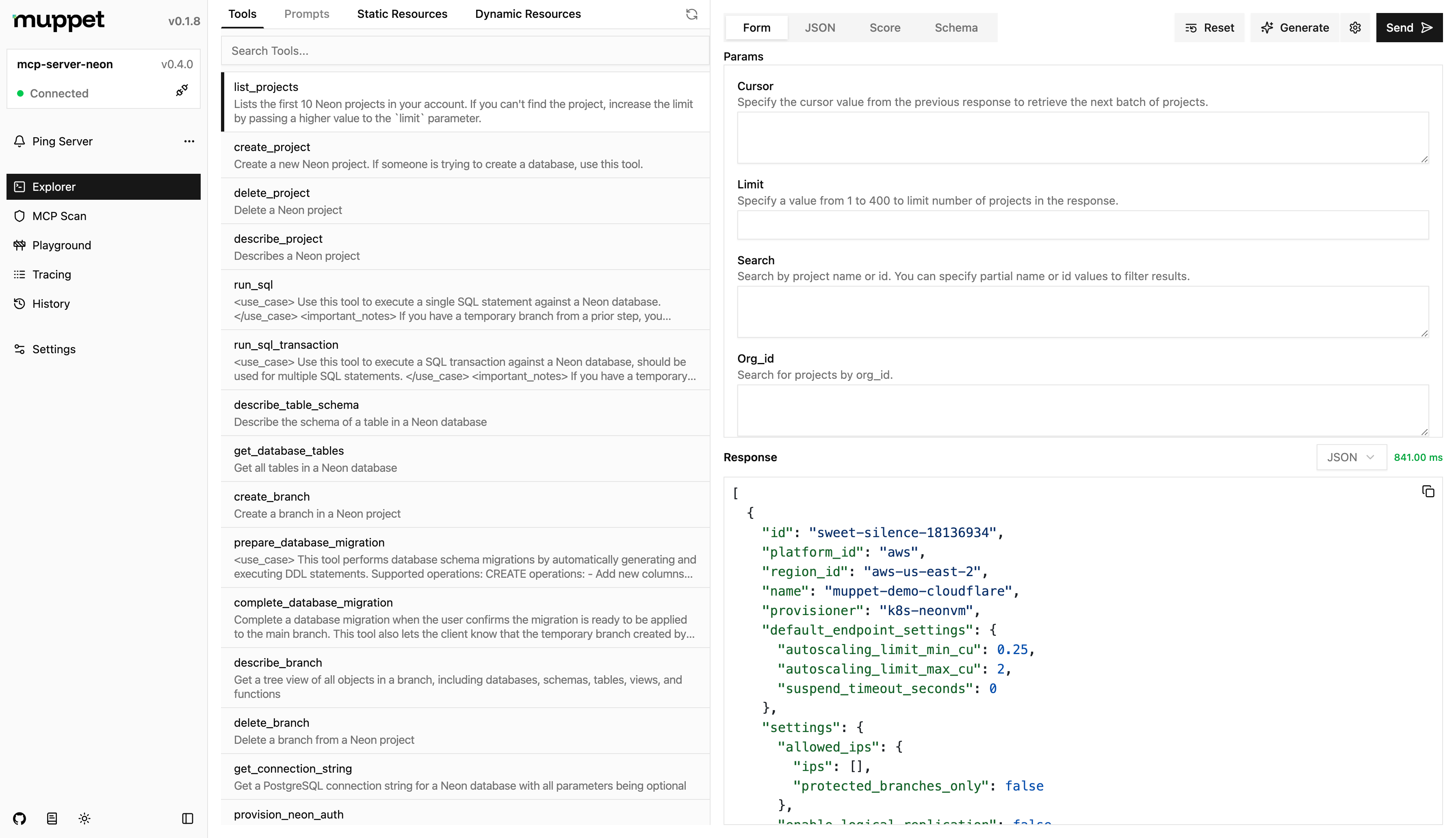
- 01Explorer for browsing server capabilities with AI help
- 02Playground for testing with different LLMs and configurations
- 03MCP Scan for finding vulnerabilities and security issues
- 04Tracing of requests and responses between client and server
- 05History of request and response records for the session
Use cases
- 01Debugging tool and resource behavior of an MCP server
- 02Comparing how different LLMs call the same MCP server
- 03Checking an MCP server for security issues before release
MCP support
The Inspector is aimed at MCP server development and is used to connect to, test and trace communication between MCP servers and clients.
Configuration
Local server config is the same for every client. Copy it into your client’s MCP config file.
Tools
Local servers expose tools only once running on your machine, and the maintainer has not provided a tool list.
Details
From the project READMEMuppet Kit
It is a collection of tools for testing and debugging MCPs.
Inspector
It is a devtool for testing and debugging MCPs servers.
Usage
npx muppet-kit inspector
Features
- Explorer - Explore the MCP server's capabilities, while leveraging AI to assist you.
- Playground - Test the MCP server with different LLMs and configurations.
- MCP Scan - Scan the MCP server for vulnerabilities and security issues.
- Tracing - Trace the requests and responses between the client and server. Tunneling is also supported for connecting to remote clients.
- History - View the history of requests and responses between the client and server for the current session.
Configuration
You can configure the inspector by creating a muppet.config.js/muppet.config.ts file in the root of your project. The configuration file should export an object with the following properties:
import { defineInspectorConfig } from "muppet-kit";
import { ngrok } from "muppet-kit/tunnel";
import { openai } from "@ai-sdk/openai";

export default defineInspectorConfig({
  // ...
  models: [openai("gpt-4.1-nano")],
  // You can either pass the API key here or have it in .env as NGROK_API_KEY
  tunneling: ngrok(),
});
Credits
The idea for this project was inspired by the official MCP Inspector and their amazing work.
Comments
New to MCP?
From what the protocol is to installing your first server, these answers cover most first questions.
An open protocol that defines how AI applications connect to external tools and data in a uniform way. Clients talk to the model; MCP servers provide tools, resources and prompt templates. They exchange standard messages, so one server can be reused by many clients.