About AirSCP
AirSCP is a native Mac app for managing SCP/SFTP transfers, SSH servers and Windows Remote Desktop. It combines file operations, server monitoring and command execution, and can be controlled by AI agents with approval for their changes.
Key features
- 01Two-pane file transfers
- 02Queued, resumable transfers with SHA-256 checks
- 03Folder sync with preview
- 04Search remote files
- 05SSH access, tunnels and commands
- 06Windows Remote Desktop
Use cases
- 01Transfer files between Mac and servers
- 02Preview folder changes before syncing
- 03Monitor Linux servers and run commands
- 04Let an AI agent manage tasks with approval
MCP support
AirSCP exposes app control to AI agents over MCP when enabled in settings; agent changes wait for approval, and passwords are not exposed.
Configuration
Local server config is the same for every client. Copy it into your client’s MCP config file.
We haven’t collected a package or remote endpoint for this server. Follow the instructions in the project README.
Tools
Local servers expose tools only once running on your machine, and the maintainer has not provided a tool list.
Details
From the project README
 AirSCP
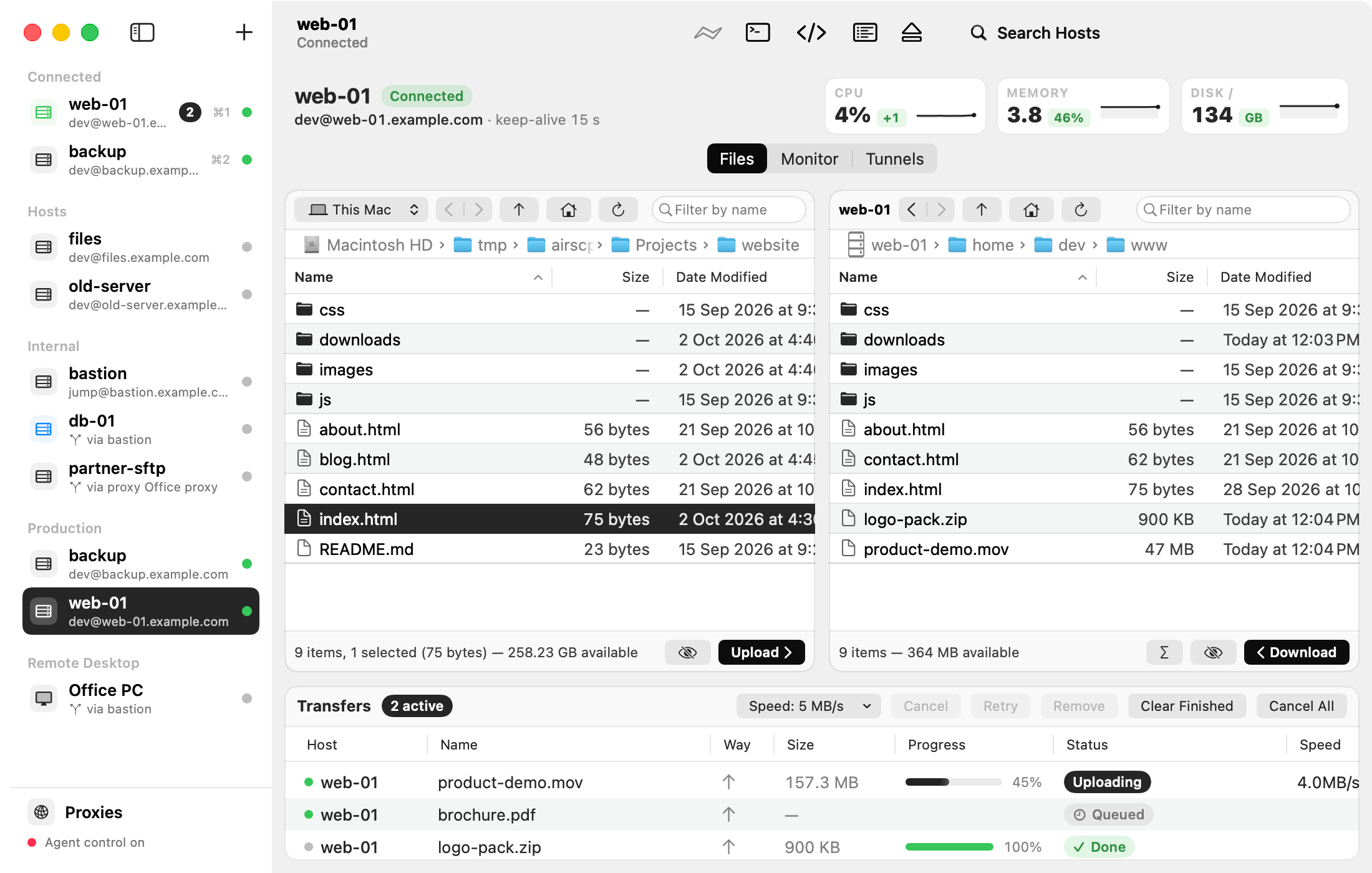
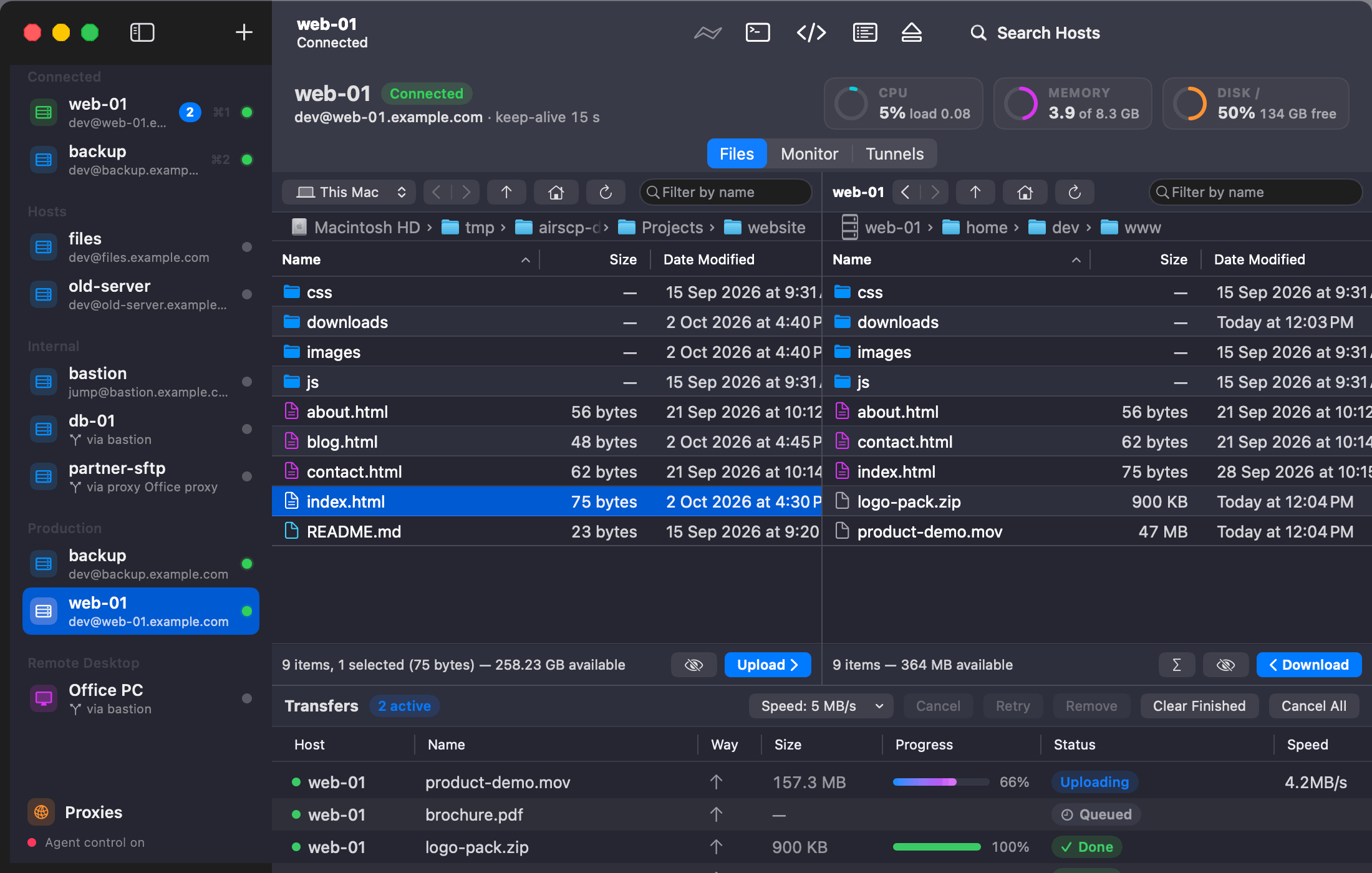
SCP/SFTP file transfer, SSH and Windows Remote Desktop in one native Mac app. Free and open source.




- Two panes: your Mac on the left, a server on the right. Drag to copy, also server to server.
- A transfer queue that runs in the background: pause and resume, go on after a dropped connection, check copies with SHA-256, limit the speed.
- Folders as one fast stream, with compression and "leave out" patterns (
node_modules, *.log). - Synchronize two folders with a preview first; Find Files on a server by name or pattern.
- Every way in: keys, passwords, 2FA codes, jump hosts, HTTP and SOCKS5 proxies. Your
~/.ssh/configjust works. - Remote Desktop for Windows built in, with the clipboard and files both ways.
- Monitor a Linux server (CPU, memory, disks, processes, ports), open tunnels, run commands and snippets.
- Keys: make any key type, put it on a server, import and export PuTTY
.ppk. - AI agents can drive it over MCP when you allow it: their changes wait for your OK, and they never see your passwords.
- Uses the
ssh,scpandsftpbuilt into macOS, shows every command it runs. No account. macOS 13.1+.
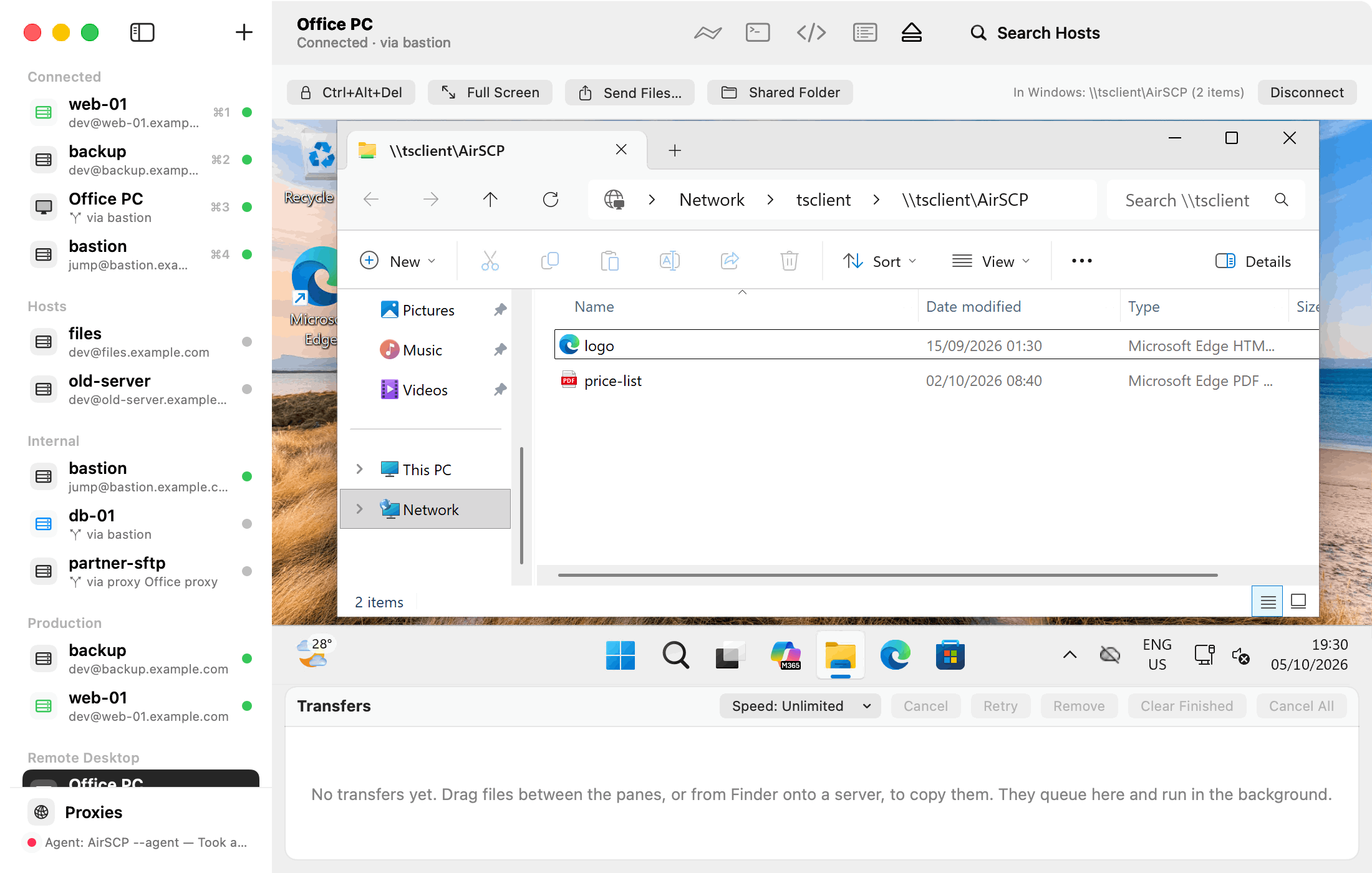 Remote Desktop: Windows in the window, files and clipboard both ways | 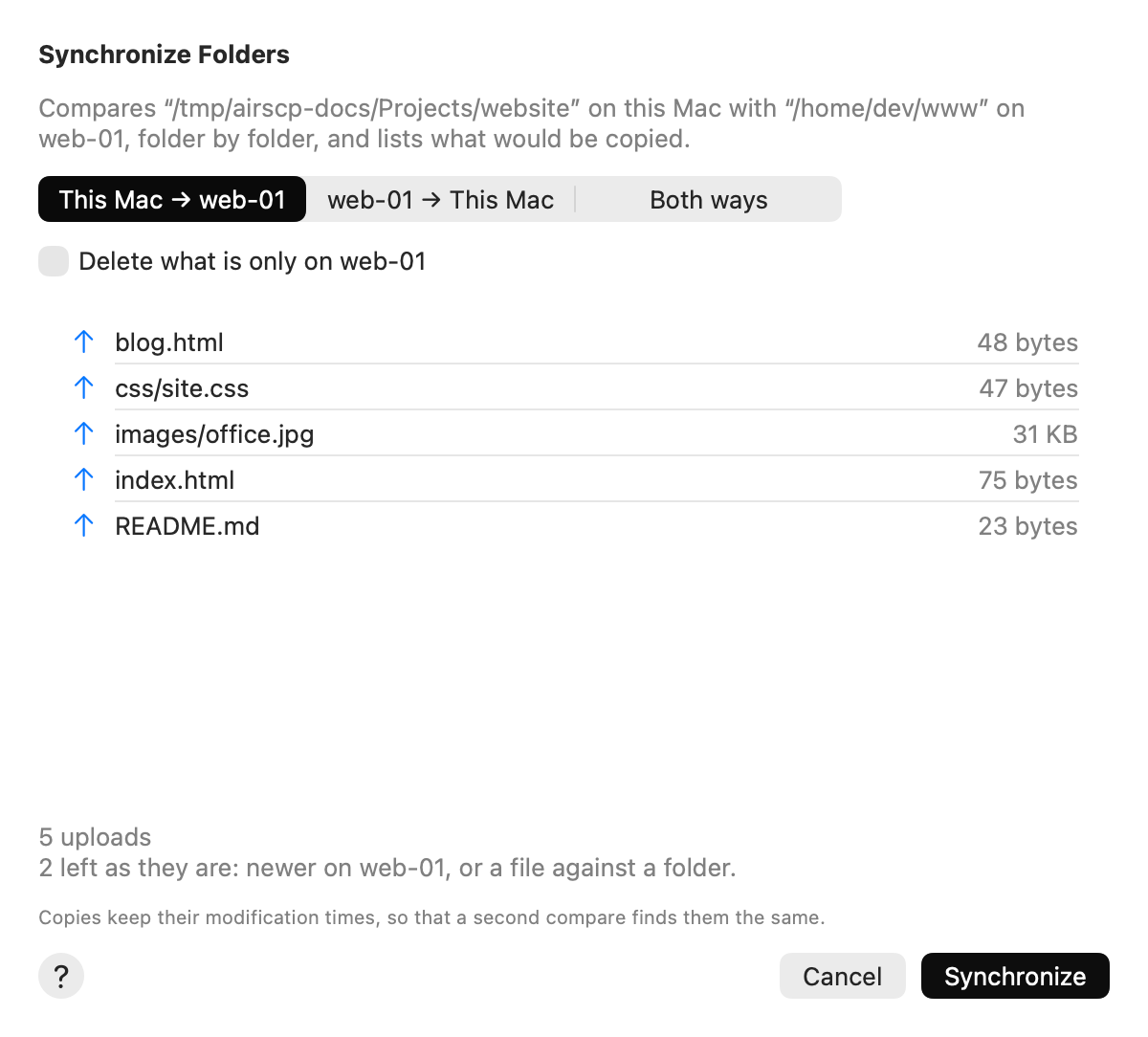 Synchronize: see what will be copied before anything changes |
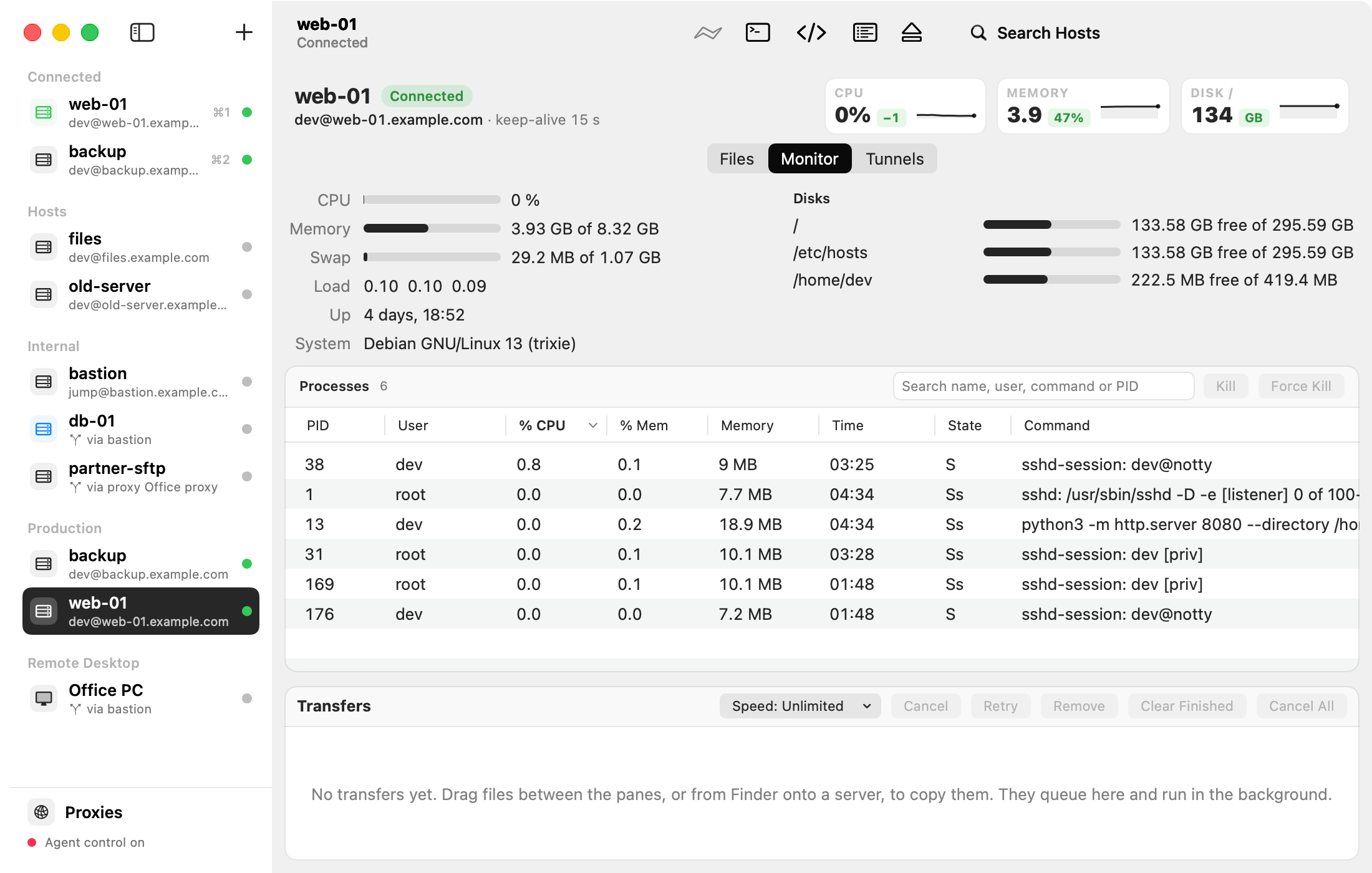 Monitor: CPU, memory, disks and processes, with Kill | 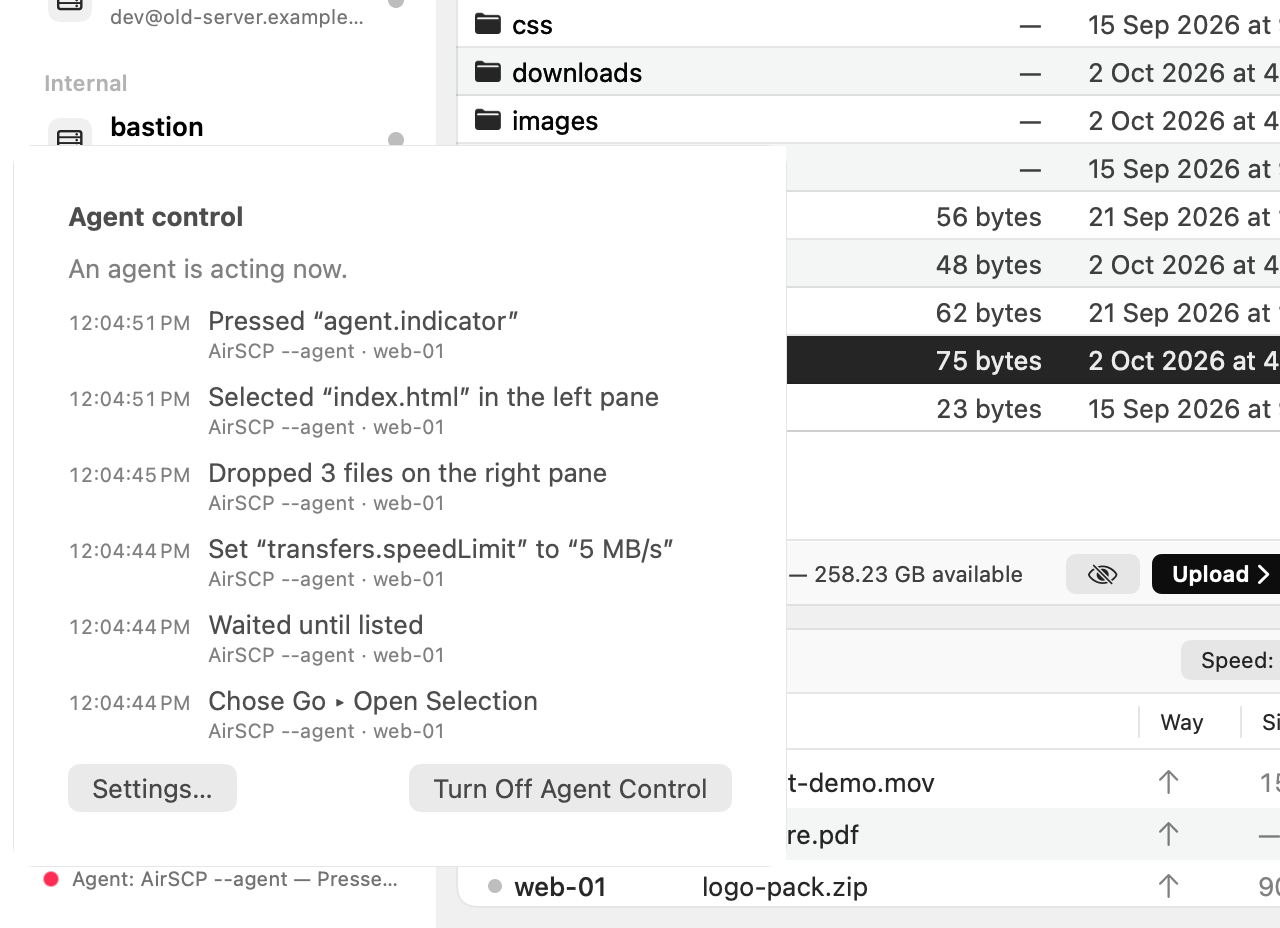 AI agents: they drive AirSCP, and you see every action |
Install
brew install --cask kleash/tap/airscp
Or download the zip from Releases. The first time you open AirSCP, macOS says it can't check the app for malware (AirSCP isn't notarized yet): click Done, then System Settings ▸ Privacy & Security ▸ Open Anyway. On macOS 14 or earlier, right-click AirSCP ▸ Open works too. Every file has its SHA-256, and the ones GitHub built have signed build provenance: check a download.
Use it from AI agents
- Turn on Settings ▸ Allow AI agents to control AirSCP, then
claude mcp add airscp -- /Applications/AirSCP.app/Contents/MacOS/AirSCP --mcp - Or install the Claude Code plugin:
/plugin marketplace add kleash/airscp, then/plugin install airscp@airscp - Docs for agents: llms.txt · AGENTS.md
More
AirSCP Help (every task, step by step) · What's new · Report a problem · Build from source · Security · Apache 2.0 (LICENSE, NOTICE)
Comments
New to MCP?
From what the protocol is to installing your first server, these answers cover most first questions.
An open protocol that defines how AI applications connect to external tools and data in a uniform way. Clients talk to the model; MCP servers provide tools, resources and prompt templates. They exchange standard messages, so one server can be reused by many clients.