
About 🦜 🔗 LangChain MCP Client
LangChain MCP Client demonstrates using MCP server tools with a LangChain ReAct Agent. It is for developers combining LLMs and MCP tools through a CLI, and can initialize multiple servers in parallel and convert their tools into LangChain tools.
Key features
- 01Connect to MCP servers
- 02Initialize multiple servers in parallel
- 03Convert MCP tools to LangChain tools
- 04Configure LangChain-compatible LLMs
- 05Interact through a CLI
Use cases
- 01Call MCP tools from a ReAct Agent
- 02Combine tools from multiple MCP servers
- 03Run dynamic conversations in the CLI
MCP support
The client connects to configured MCP servers and converts their available tools into LangChain tools for a ReAct Agent. Multiple MCP servers can be initialized in parallel.
Configuration
Local server config is the same for every client. Copy it into your client’s MCP config file.
We haven’t collected a package or remote endpoint for this server. Follow the instructions in the project README.
Tools
Local servers expose tools only once running on your machine, and the maintainer has not provided a tool list.
Details
From the project README

🦜 🔗 LangChain MCP Client


This simple Model Context Protocol (MCP) client demonstrates the use of MCP server tools by LangChain ReAct Agent.
- 🌐 Seamlessly connect to any MCP servers.
- 🤖 Use any LangChain-compatible LLM for flexible model selection.
- 💬 Interact via CLI, enabling dynamic conversations.
Conversion to LangChain Tools
It leverages a utility function convert_mcp_to_langchain_tools(). This function handles parallel initialization of specified multiple MCP servers and converts their available tools into a list of LangChain-compatible tools (List[BaseTool]).
Installation
The python version should be 3.11 or higher.
pip install langchain_mcp_client
Configuration
Create a .env file containing all the necessary API_KEYS to access your LLM.
Configure the LLM, MCP servers, and prompt example in the llm_mcp_config.json5 file:
- LLM Configuration: Set up your LLM parameters.
- MCP Servers: Specify the MCP servers to connect to.
- Example Queries: Define example queries that invoke MCP server tools. Press Enter to use these example queries when prompted.
Usage
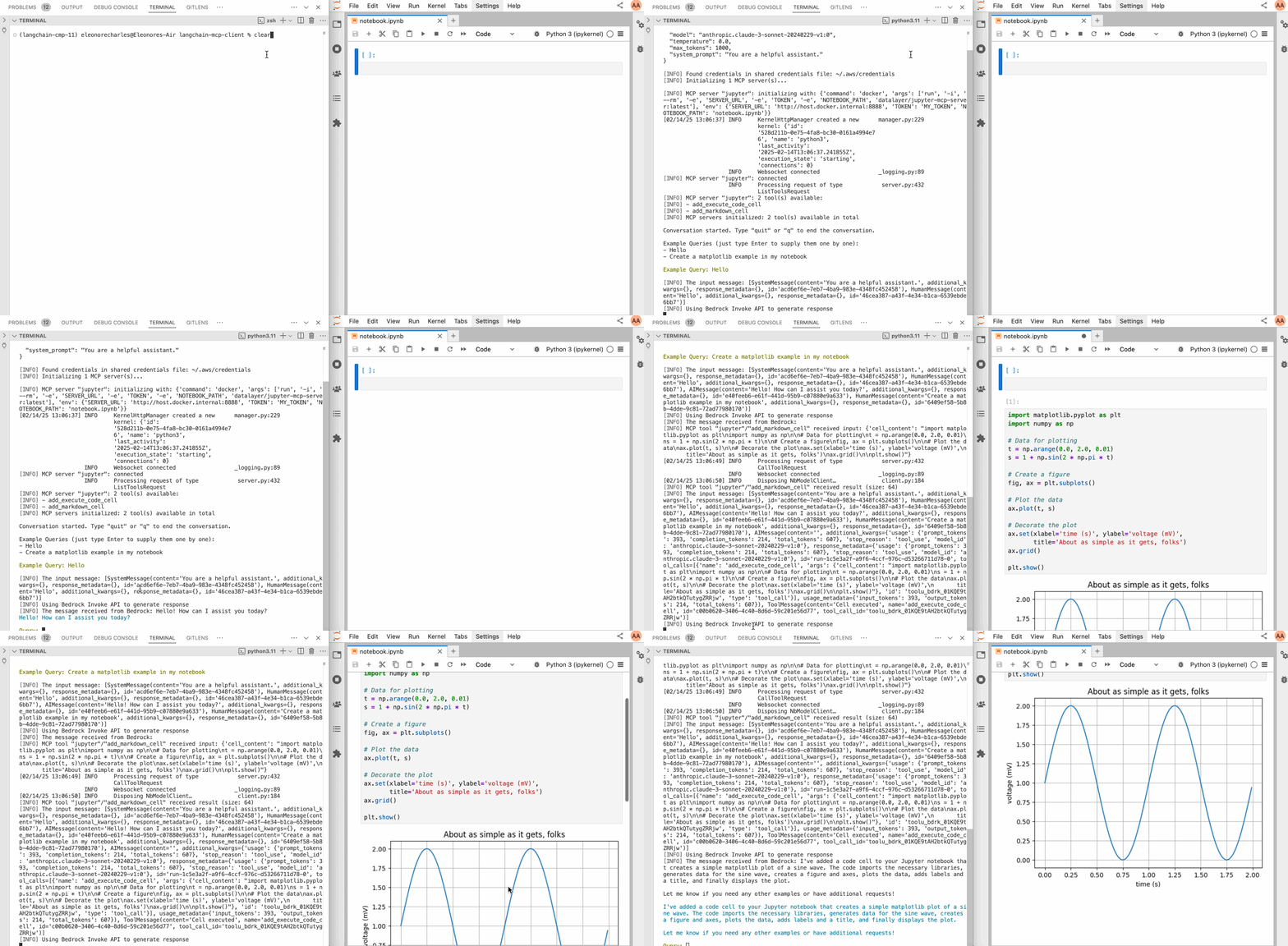
Below an example with a Jupyter MCP Server:
Check the llm_mcp_config.json5 configuration (commands depends if you are running on Linux or macOS/Windows).
# Start jupyterlab.
make jupyterlab
# Launch the CLI.
make cli
This is a prompt example.
create matplolib examples with many variants in jupyter
Credits
This initial code of this repo is taken from hideya/mcp-client-langchain-py (MIT License) and from langchain_mcp_tools (MIT License).
Comments
New to MCP?
From what the protocol is to installing your first server, these answers cover most first questions.
An open protocol that defines how AI applications connect to external tools and data in a uniform way. Clients talk to the model; MCP servers provide tools, resources and prompt templates. They exchange standard messages, so one server can be reused by many clients.