
About pgbrake
pgbrake is a local MCP server that mediates between coding agents and Postgres, enforcing write approvals and recording changes for potential undo. It parses SQL and keeps its journal locally.
Key features
- 01Parse Postgres SQL statements
- 02Hold risky writes for approval
- 03Undo eligible UPDATE and DELETE
- 04Log statements and decisions
- 05Run multi-statement calls atomically
Use cases
- 01Require approval for large or destructive writes
- 02Reverse an eligible database change
- 03Review an audit trail of agent statements
MCP support
pgbrake exposes Postgres access to MCP clients while enforcing its write rules inside the server. Human approval can be requested through MCP elicitation or given in an interactive terminal.
Configuration
Local server config is the same for every client. Copy it into your client’s MCP config file.
uvx pgbrakePGBRAKE_DSNSecretPostgres connection string, e.g. postgresql://me@localhost/appLocal servers need a runtime on your machine (e.g. Node.js 18+). Config file locations differ by client; see your client’s docs.
Tools
Local servers expose tools only once running on your machine, and the maintainer has not provided a tool list.
Details
From the project READMEpgbrake
An undo button for your database when an AI agent is driving.
pgbrake is a local MCP server that sits between Claude Code / Codex / Cursor and your Postgres. Every write the agent makes gets a change id you can reverse with one command. Risky SQL waits for a human. Everything is logged. Nothing leaves your machine.
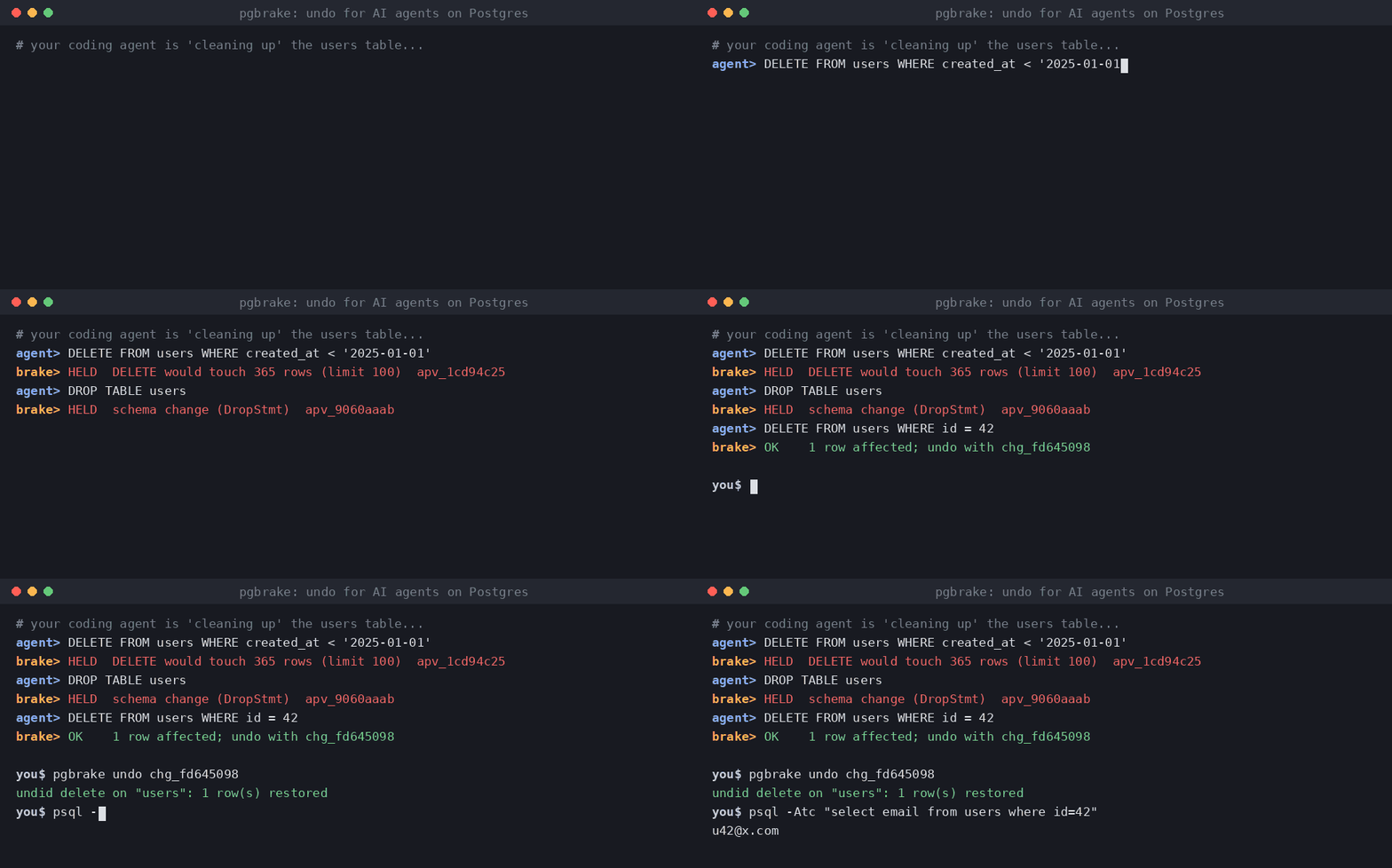
agent> DELETE FROM users WHERE created_at < '2025-01-01'
pgbrake> held: DELETE would touch 4,812 rows (limit 100) — approval apv_3f9c21aa

agent> DELETE FROM users WHERE id = 42
pgbrake> 1 row affected; undo with change id chg_8e01b7d2

you$ pgbrake undo chg_8e01b7d2
undid delete on "users": 1 row(s) restored
Why
Claude Code checkpoints rewind files, not databases. Client-side permission prompts and hooks can be skipped or misfire for MCP calls, and a tool's own "destructive" label is just a hint. pgbrake enforces its rules inside the server, so they hold no matter which agent or client calls it.
What it does (free, MIT)
- Real SQL parsing (the Postgres parser via pglast), not regex.
- Held for approval: DDL (
DROP,ALTER,TRUNCATE...),UPDATE/DELETEwithoutWHERE, any write over the row limit (default 100), upserts andMERGE. - Never allowed:
ALTER SYSTEM, role/database creation and drops,COPY ... PROGRAM,DOblocks. - One-command undo: before each
UPDATE/DELETE, the affected rows are saved locally; inserts are tracked by primary key. Undo refuses if the rows changed since, unless you--force. - Approval only by a human: in the client's own prompt (MCP elicitation) or
pgbrake approve <id>in an interactive terminal. Approvals are one-shot, expire in 15 minutes, and are bound to the exact SQL. - Audit log of every statement, decision and row count, in
~/.pgbrake/journal.db. - Multi-statement calls run in one transaction: all or nothing.
Install
pip install pgbrake # or: uvx pgbrake serve
Claude Code:
claude mcp add pgbrake --env PGBRAKE_DSN="postgresql://me@localhost/app" -- uvx pgbrake serve
Codex (~/.codex/config.toml):
[mcp_servers.pgbrake]
command = "uvx"
args = ["pgbrake", "serve"]
env = { PGBRAKE_DSN = "postgresql://me@localhost/app" }
Then remove any other database MCP / psql access from the agent, so pgbrake is the only way in.
In Claude Code, add "Bash(psql:*)" and "Bash(pgbrake approve:*)" to permissions.deny.
Commands
pgbrake pending            # SQL waiting for you
pgbrake approve <id>       # approve (interactive terminal only)
pgbrake deny <id>
pgbrake changes            # undoable changes
pgbrake undo <change-id>   # reverse one
pgbrake log                # audit log
Settings (env)
| Variable | Default | |
|---|---|---|
PGBRAKE_DSN | — | connection string (falls back to DATABASE_URL) |
PGBRAKE_MAX_ROWS | 100 | writes touching more rows need approval |
PGBRAKE_ALLOW_DDL | 0 | set 1 to let schema changes through (still logged) |
PGBRAKE_READ_ONLY | 0 | set 1 to refuse every write |
PGBRAKE_STATEMENT_TIMEOUT_MS | 15000 | |
PGBRAKE_JOURNAL | ~/.pgbrake/journal.db |
Limits
- Undo covers rows changed through pgbrake. It is not a backup: keep real backups.
TRUNCATE, DDL, upserts andMERGEare held for approval but cannot be undone.- Updating a table with no primary key needs approval and cannot be undone.
- The free version keeps the last 20 undoable changes.
Pro (coming)
Unlimited undo history, a migration guard for agent terminal commands
(prisma migrate reset --force, drizzle-kit push --force, alembic downgrade base...: snapshot first,
then ask), per-project policy files, and audit export. One-time license.
Comments
New to MCP?
From what the protocol is to installing your first server, these answers cover most first questions.
An open protocol that defines how AI applications connect to external tools and data in a uniform way. Clients talk to the model; MCP servers provide tools, resources and prompt templates. They exchange standard messages, so one server can be reused by many clients.