About Machbase Mcp
Machbase Mcp connects Claude Desktop with Machbase Neo for natural-language database operations. It is intended for users working with Machbase data, including time-series data, and also provides searches of official documentation with explanations.
Key features
- 01Natural-language requests translated into database operations
- 02Create tables, manipulate data and run queries
- 03Query and analyze time-series data
- 04Search official Machbase documentation
- 05Connect Claude Desktop to Machbase Neo
Use cases
- 01Create and update database tables using chat
- 02Query recent sensor readings or logs
- 03Analyze time-series measurements
- 04Find guidance in Machbase documentation
MCP support
The MCP server exposes database operations and Machbase documentation search to Claude Desktop. It connects to Machbase Neo through its HTTP API using a Neo API token.
Configuration
Local server config is the same for every client. Copy it into your client’s MCP config file.
We haven’t collected a package or remote endpoint for this server. Follow the instructions in the project README.
Tools
Local servers expose tools only once running on your machine, and the maintainer has not provided a tool list.
Details
From the project READMEMachbase MCP Server v0.8.0

Overview
Blog (Korean): 클로드 MCP를 Machbase Neo에 연동하고, AI스럽게 사용해보기
This project is an MCP (Model Context Protocol) based server that enables natural language-based database operations through integration between Claude Desktop and Machbase Neo.
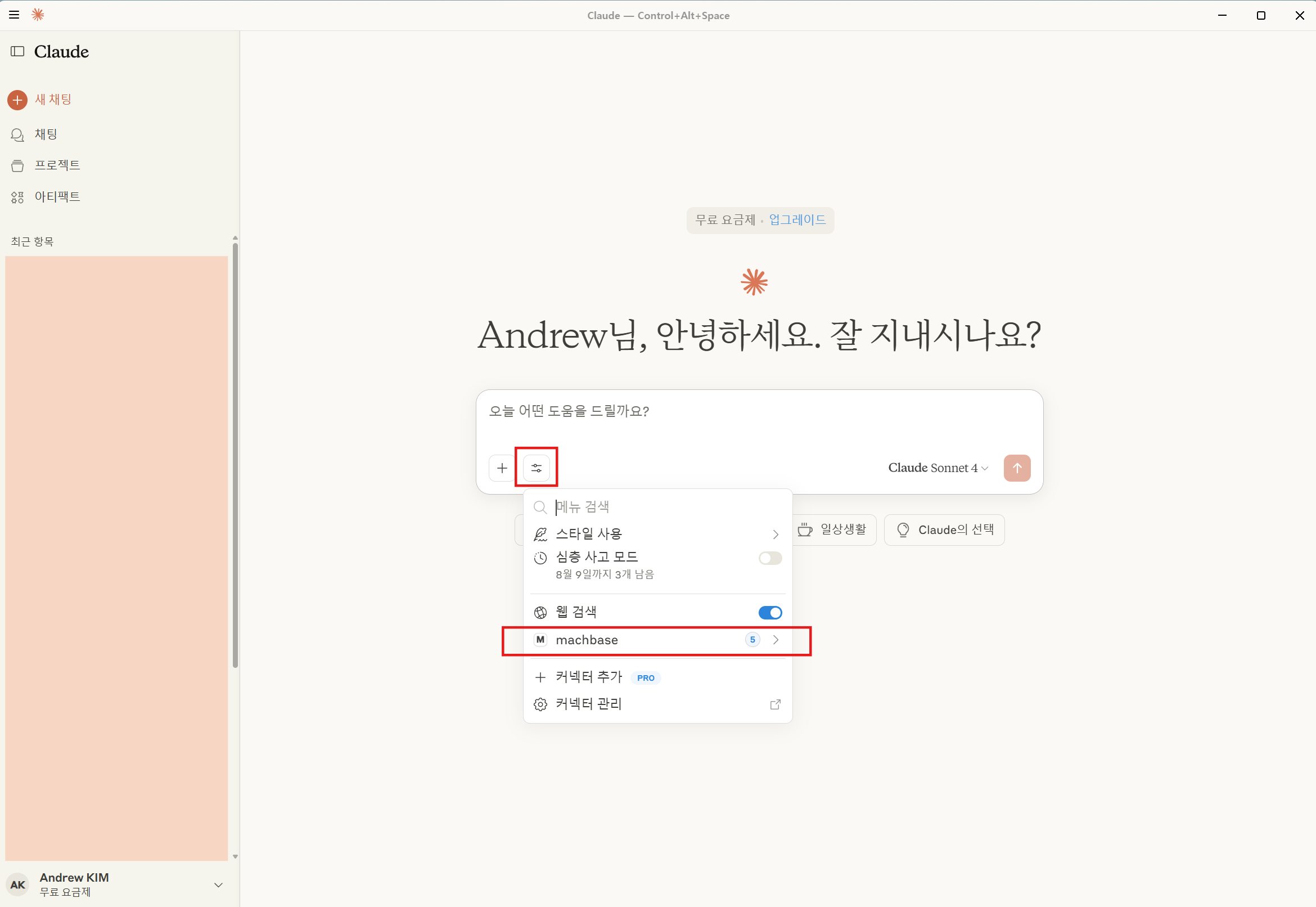
When users request database operations in natural language through Claude Desktop's MCP connection, the MCP server converts these requests into Machbase Neo commands and executes them.
Key Features
- Machbase Neo Official Documentation Search & AI-powered Explanations
- Claude directly searches Machbase documentation to provide accurate information
- Real-time Database Integration
- Table creation, data manipulation, complex query execution
- Natural language → SQL conversion through Claude
- Time Series Data Analysis & Querying
- Analysis of IoT sensor data, log data, and other time series data
- Native Claude Desktop Integration
- No LLM API key required, leverages Claude Desktop's built-in capabilities
How It Works
| Step | Component | Role | Communication |
|---|---|---|---|
| 1 | User | Input natural language request | Chat interface |
| 2 | Claude Desktop | Parse request & call MCP tools | MCP Protocol |
| 3 | MCP Server | Generate SQL & connect to Machbase | HTTP API (Neo API token) |
| 4 | Machbase Neo | Execute database operations | SQL queries |
Data Flow:
User Request → Claude Desktop → MCP Server → Machbase Neo
↑                                                      ↓
Response ← Claude Interpretation ← MCP Response ← Query Results
Requirements
- Machbase Neo 8.7.2 or later, started with token authentication enabled
machbase-neo serve --http-enable-token-auth true - A Machbase Neo API token (see Issue a Neo API Token)
- Claude Desktop for Windows, macOS, or Linux (beta, Ubuntu 22.04+ / Debian 12+)
Issue a Neo API Token
-
Open the Machbase Neo web console (
http://<neo-host>:5654) and sign in. -
Click the shield icon ①, then the + button next to TOKENS ②.
-
Enter a name for the token ③ (e.g.
machbase-mcp) and click Issue token ④.
-
Copy the issued token with the copy button ⑤.

The plaintext token is shown only once. If you lose it, issue a new token.
Installation
Quick Setup
Windows
-
Install Claude Desktop and launch it once
-
Download project from Git
git clone https://github.com/machbase/machbase-mcp-server.git cd machbase-mcp-server/Machbase_MCP_Sever -
Run automatic installation
MCP_Install.bat -
Set your Neo API token
- Open the
claude_desktop_config.jsonfile shown at the end of the installation. - Replace
YOUR_NEO_API_TOKENwith the token you issued. - Fully quit Claude Desktop (including the system tray icon) and start it again.
- Open the
macOS
-
Download project from Git
git clone https://github.com/machbase/machbase-mcp-server.git cd machbase-mcp-server/Machbase_MCP_Sever -
Run automatic installation
./MCP_Install_mac.sh -
Set your Neo API token
- Replace
YOUR_NEO_API_TOKENin~/Library/Application Support/Claude/claude_desktop_config.jsonwith the token you issued. - Quit Claude Desktop and start it again.
- Replace
Linux
-
Download project from Git
git clone https://github.com/machbase/machbase-mcp-server.git cd machbase-mcp-server/Machbase_MCP_Sever -
Run automatic installation
./MCP_Install_linux.sh -
Set your Neo API token
- Replace
YOUR_NEO_API_TOKENin~/.config/Claude/claude_desktop_config.jsonwith the token you issued. - Quit Claude Desktop and start it again.
- Replace
After installation: Test with "Show me the Machbase table list!"
The installer adds only the machbase server to claude_desktop_config.json and keeps your other MCP servers and settings. Running it again to update keeps the token you already set.
Config File Location
| OS | claude_desktop_config.json |
|---|---|
| Windows (Microsoft Store install) | %LOCALAPPDATA%\Packages\Claude_pzs8sxrjxfjjc\LocalCache\Roaming\Claude\ |
| Windows (other installs) | %APPDATA%\Claude\ |
| macOS | ~/Library/Application Support/Claude/ |
| Linux | ~/.config/Claude/ |
Manual Setup
For manual installation or if errors occur during the above installation process:
-
Clone Repository
git clone https://github.com/machbase/machbase-mcp-server.git cd machbase-mcp-server/Machbase_MCP_Sever -
Python Environment Setup
# Using Conda conda create -n mcp python=3.11 conda activate mcp # Using venv python -m venv mcp-env source mcp-env/bin/activate # Linux/macOS # mcp-env\Scripts\activate # Windows -
Install Dependencies
pip install -r requirements.txt -
Claude Desktop and MCP Server Configuration
- Copy
Machbase.pyand theneofolder to the Claude config folder (see Config File Location). - Add the
machbaseserver toclaude_desktop_config.jsonin the same folder:
{
  "mcpServers": {
    "machbase": {
      "command": "C:/Users/<Username>/anaconda3/envs/mcp/python.exe",
      "args": ["C:/Users/<Username>/AppData/Roaming/Claude/Machbase.py"],
      "env": {
        "MACHBASE_HOST": "localhost",
        "MACHBASE_PORT": "5654",
        "MACHBASE_TOKEN": "<your Neo API token>"
      }
    }
  }
}
Variable Description Default MACHBASE_HOSTMachbase Neo host 127.0.0.1MACHBASE_PORTMachbase Neo HTTP port 5654MACHBASE_TOKENMachbase Neo API token (required) - Copy
Usage Examples
You can make natural language requests in Claude Desktop like these:
"Create a table for temperature logs"
"Insert today's temperature: 28.4°C at 9am"
"Show me the latest 10 rows from temperature_log"
"Search the Machbase documentation for 'data insertion'"
"Drop the table named old_sensor_data"
"Show average temperature over the past 3 days"
"What tables exist in my Machbase database?"
"List all columns in sensor_data"
"Generate a trend report for device_001"
Machbase MCP Server Evaluation Score
| Update Date | Version | Score | Average Response Time | Overall Evaluation | Model |
|---|---|---|---|---|---|
| 2025-08-28 | v0.2.0 | 96 / 100 | 22 second | The quality of responses has improved compared to previous versions; however, performance regarding TQL-related questions still appears to be less than perfect. | Claude Sonnet 4 |
| 2025-09-03 | v0.3.0 | 99 / 100 | 61.5 second | The response time is much longer, but the explanation is far more accurate and detailed than the previous version. | Claude Sonnet 4 |
| 2025-09-09 | v0.4.0 | 141 / 150 | 45.29 second | The speed has improved compared to before, but the script and TQL parts are still somewhat lacking | Claude Sonnet 4 |
| 2025-10-14 | v0.5.0 | 185 / 200 | 3 second | Thinking time significantly improved compared to before, but TQL and HTML-related areas still need improvement. | Claude Sonnet 4.5 |
| 2025-10-24 | v0.6.0 | 196 / 200 | 2.6 second | Improved accuracy compared to version 0.5.0. DBMS-related content needs re-verification. Overall performance and response time have improved significantly. | Claude Sonnet 4.5 |
| 2026-02-25 | v0.7.0 | 198 / 200 | 6.7 second | The enhanced execution verification feature visibly compensates for code answer mistakes; accuracy has improved compared to the previous version (0.6.x) | Claude Sonnet 4.6 |
Comments
New to MCP?
From what the protocol is to installing your first server, these answers cover most first questions.
An open protocol that defines how AI applications connect to external tools and data in a uniform way. Clients talk to the model; MCP servers provide tools, resources and prompt templates. They exchange standard messages, so one server can be reused by many clients.