
About Delphi Code
Delphi Code is a local code-search MCP server for coding agents. It indexes local projects and GitHub or Bitbucket repositories for semantic, cross-repository search, with indexing and search running offline using a local model.
Key features
- 01Index local and remote repositories
- 02Search code semantically across projects
- 03Re-embed only changed files
- 04Offer a local web search UI
- 05Connect to multiple coding agents
Use cases
- 01Find where a feature is implemented across repositories
- 02Search code logic using natural-language queries
- 03Sync and search multiple projects
- 04Let a coding agent retrieve local code
MCP support
It exposes Delphi Code search tools over stdio for coding agents.
Configuration
Local server config is the same for every client. Copy it into your client’s MCP config file.
Tools
9Saved tool list · updated 2w ago
| Parameter | Type | Required | Description |
|---|---|---|---|
| path | array | No | Only results whose path matches one of these globs, such as src/* |
| limit | integer | No | Maximum number of results; default 10 |
| query | string | Yes | Describe the behaviour you are looking for, not a single keyword |
| project | string | No | Project path, indexed key or folder name to stay inside one project; omit to search every indexed repository |
| language | array | No | Only results in these languages |
Details
From the project READMEDelphi Code
Let your coding agent browse code across all your repositories. Index local projects and GitHub or Bitbucket repositories, then ask "where does the backend handle the refund the web app requests?" and get the right files from every repository at once, even when no file contains those words.
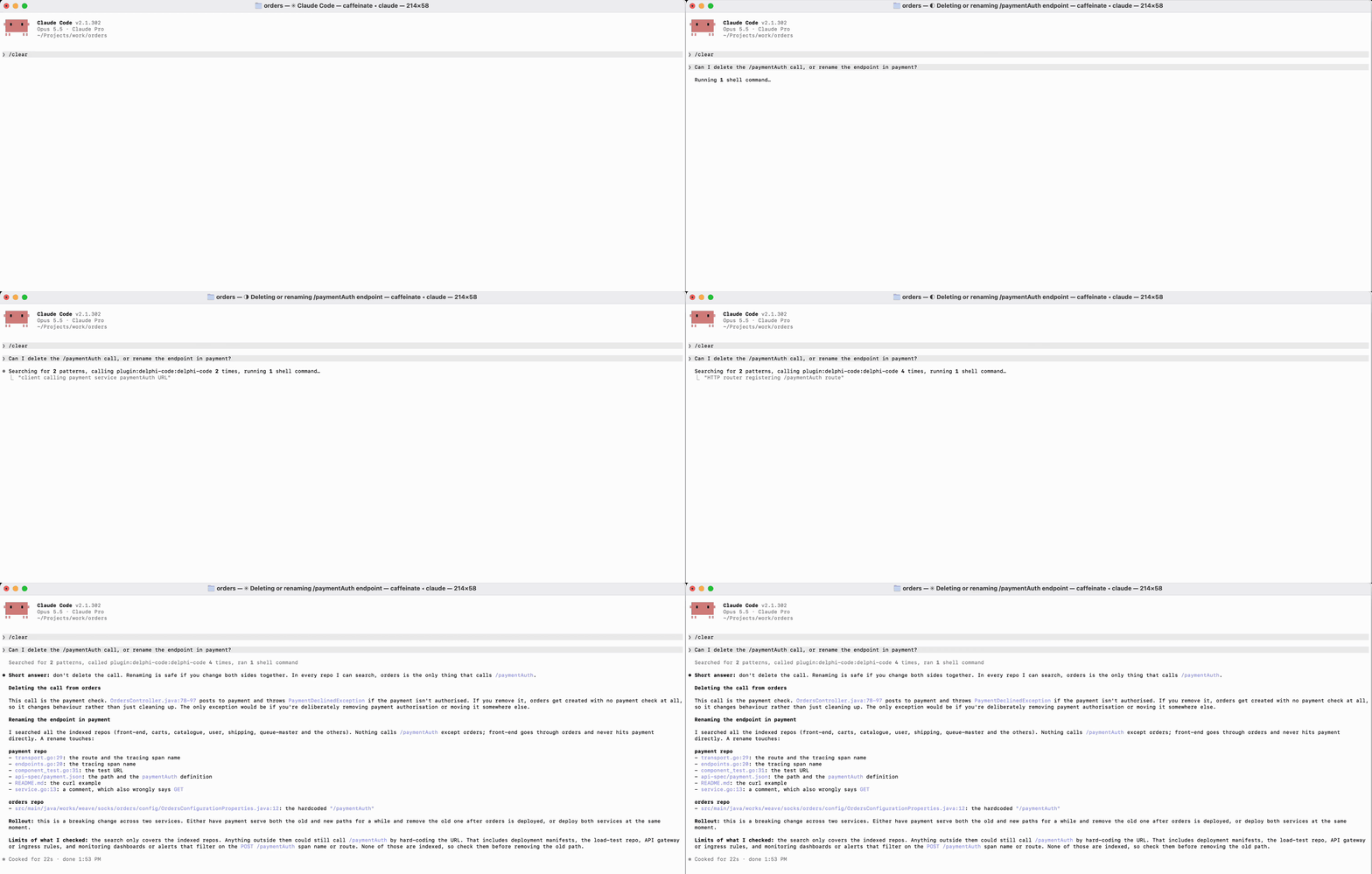
- Private: your code never leaves your machine. Indexing and search run offline with a local model; no account, cloud provider, or background daemon.
- Fast: the MCP server keeps the model loaded, so repeated searches are near-instant. No GPU needed.
- Works with your agents: Claude Code, Claude Desktop, Codex, Cursor, VS Code, Gemini CLI, and OpenCode.
Install
curl -LsSf https://github.com/markdorof/delphi-code/releases/latest/download/install.sh | sh
The script installs uv if needed, then runs setup, which downloads the embedding model once and connects every agent it finds. Options go after sh -s --: --no-setup, --no-connect, --version VERSION. With uv already installed:
uv tool install --managed-python --python 3.14 delphi-code
delphi-code setup
Requires macOS 14+ on Apple silicon (Linux is untested, Windows unsupported). delphi-code doctor checks the installation.
Use
delphi-code add ~/src/api github.com/octo/tools   # track and index projects
delphi-code search 'where are user passwords checked?'
delphi-code ui                                     # or do it all in the browser
Your agent calls the same search through MCP. After installing a new agent, run delphi-code connect. To connect one by hand:
| Agent | Setup |
|---|---|
| Claude Code | claude plugin marketplace add markdorof/delphi-code, then claude plugin install delphi-code@delphi-code |
| Codex | codex plugin marketplace add markdorof/delphi-code, then codex plugin add delphi-code@delphi-code |
| Cursor | Add {"mcpServers": {"delphi-code": {"type": "stdio", "command": "delphi-code", "args": ["mcp"]}}} to ~/.cursor/mcp.json |
| VS Code (Copilot) | code --add-mcp '{"name": "delphi-code", "command": "delphi-code", "args": ["mcp"]}' |
| Gemini CLI | gemini mcp add delphi-code delphi-code mcp |
| OpenCode | Add {"mcp": {"delphi-code": {"type": "local", "command": ["delphi-code", "mcp"]}}} to ~/.config/opencode/opencode.json |
For agents other than Claude Code and Codex, also copy the skill into the agent's skills folder so it knows when to search by meaning instead of grep.
Commands
| Command | What it does |
|---|---|
setup | Downloads the model (or imports it with --from DIR on an offline machine) and connects agents. |
add [SOURCE ...] | Tracks and indexes local paths or remote repositories (--ref picks a branch or tag). Without sources, picks repositories from your GitHub or Bitbucket account. |
sync [PROJECT ...] | Updates tracked projects, re-embedding only what changed. |
index -p PATH | Indexes a project once without tracking it. |
search QUERY | Searches every index, or one with -p. Filter with --language, --path, --limit. |
list, status, remove NAME | Show tracked projects, show a project's index, stop tracking a project. |
connect, disconnect | Add or remove Delphi Code in your agents' configs. |
ui | Opens a local web UI for search, projects, and setup checks. |
doctor | Checks the model and storage. |
mcp | Serves the commands as MCP tools over stdio. |
-p takes a path or an indexed project's name. index and add skip .gitignored files and accept --ignore, --path, and --language. Every command takes --help, and most take --json for scripts. Only setup, add, and sync use the network.
Settings
| Variable | Purpose |
|---|---|
GITHUB_TOKEN / GH_TOKEN | GitHub access for remote repositories (falls back to gh auth token, then git's credentials) |
BITBUCKET_APP_PASSWORD with BITBUCKET_EMAIL or BITBUCKET_USERNAME | Bitbucket access (an API token works) |
DELPHI_CODE_MODEL | Use another local SentenceTransformers model instead of the default all-MiniLM-L6-v2 |
DELPHI_CODE_INDEX_ROOT, DELPHI_CODE_REGISTRY, DELPHI_CODE_LOG_FILE | Move indexes, the tracked-project list, or the log |
DELPHI_CODE_LOG_LEVEL | DEBUG, INFO, WARNING, ERROR, or OFF |
Data lives in ~/Library/Application Support/delphi-code on macOS and ~/.local/share/delphi-code on Linux.
Upgrade and uninstall
uv tool upgrade delphi-code
Your model and indexes are kept. If a command fails with index_incompatible, delete the index directory it names and run sync again. See releases for changes.
delphi-code disconnect
uv tool uninstall delphi-code
rm -rf ~/Library/Application\ Support/delphi-code
uv cache clean   # frees about 900 MB of downloaded packages
If the install script installed uv and you don't need it, uninstall uv and its Python too.
License
Apache-2.0. See THIRD_PARTY_NOTICES.md. To contribute, see CONTRIBUTING.md.
Comments
New to MCP?
From what the protocol is to installing your first server, these answers cover most first questions.
An open protocol that defines how AI applications connect to external tools and data in a uniform way. Clients talk to the model; MCP servers provide tools, resources and prompt templates. They exchange standard messages, so one server can be reused by many clients.