
About Markdown2pdf
Markdown2pdf is an MCP server for converting Markdown into print-ready PDFs, aimed at agents that produce documents for people. It uses a LaTeX-based engine and supports features such as cover pages, tables of contents, and tables.
Key features
- 01Markdown-to-PDF conversion
- 02LaTeX-based PDF output
- 03Cover pages and tables of contents
- 04Table support
Use cases
- 01Convert an agent-written Markdown report to PDF
- 02Prepare a Markdown document for printing
MCP support
It provides an MCP server that MCP clients such as Claude Desktop can configure and use for Markdown-to-PDF conversion.
Configuration
Local server config is the same for every client. Copy it into your client’s MCP config file.
Tools
1Saved tool list · updated 2w ago
| Parameter | Type | Required | Description |
|---|---|---|---|
| text_body | string | Yes | Markdown text to convert |
| title | string | Yes | Document title |
| date | string | No | Document date (YYYY-MM-DD) |
Details
From the project READMEmarkdown2pdf-mcp
⚡ Markdown to PDF conversion, for agents. ⚡
Agents speak Markdown. Humans prefer PDF. We bridge the gap for the final stage of your agentic workflow. No sign-ups, no credit cards, just sats for bytes.
Read the full documentation at markdown2pdf.ai
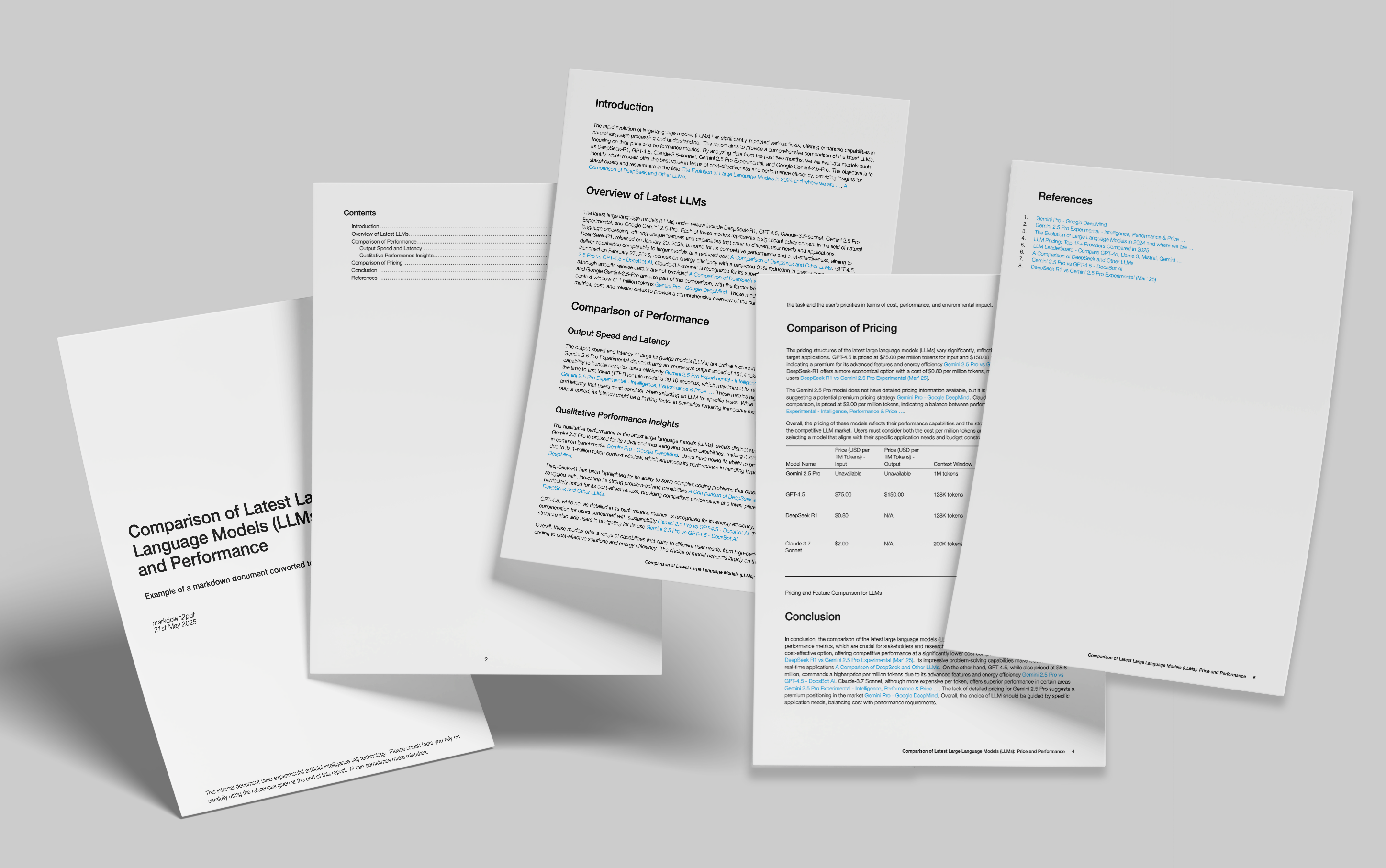
Here’s the output of a markdown file converted to PDF format, showing cover page, table of contents and table support. Our engine is powered by LaTeX rather than HTML to PDF conversion as many other libraries and services use, which results in a much higher quality, print-ready output.
This package provides MCP server support for clients such as Claude Desktop. You can read full instructions on how to configure Claude in our documentation.
Quickstart
Just drop the following into your Claude Desktop configuration file.
"mcpServers": {

    "markdown2pdf": {
      "command":"npx",
      "args": ["@serendipityai/markdown2pdf-mcp"],
      "cwd": "~"
    }
}
Once you've done that, try asking Claude:
Generate some lorem ipsum in markdown format and then make a PDF out of it
Comments
New to MCP?
From what the protocol is to installing your first server, these answers cover most first questions.
An open protocol that defines how AI applications connect to external tools and data in a uniform way. Clients talk to the model; MCP servers provide tools, resources and prompt templates. They exchange standard messages, so one server can be reused by many clients.