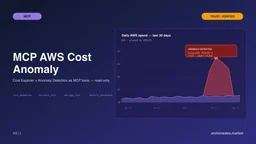
About Mcp Aws Cost Anomaly
Mcp Aws Cost Anomaly exposes AWS Cost Explorer and anomaly detection as MCP tools for agents analyzing spend, forecasts, and savings recommendations. It checks IAM permissions at startup and refuses to run when write permissions are present.
Key features
- 01Query recent cost anomalies
- 02Break down costs by dimension
- 03Forecast costs for 30/60/90 days
- 04Compare month-over-month spending
- 05Retrieve savings advice and credit use
- 06Enforce read-only access at startup
Use cases
- 01Investigate unusual AWS spending
- 02Compare costs by service, account, or tag
- 03Review cost trends and savings options
MCP support
The MCP server exposes tools for AWS cost anomalies, breakdowns, forecasts, savings recommendations, and credit utilization. It checks the caller's policies and refuses to start if write permissions are detected.
Configuration
Local server config is the same for every client. Copy it into your client’s MCP config file.
We haven’t collected a package or remote endpoint for this server. Follow the instructions in the project README.
Tools
Local servers expose tools only once running on your machine, and the maintainer has not provided a tool list.
Details
From the project README
Verified asset on Archimedes Market. View the full 4-dimension Trust Report (security · quality · license · complexity) and the curated catalog on the asset page.
MCP AWS Cost Anomaly
AWS Cost Explorer plus Anomaly Detection exposed as MCP tools. Lets an agent surface unexpected spend, pull cost breakdowns by service, account, or tag, and fetch forecasts and savings recommendations without any write capability against the AWS account.
Tools
list_anomalies— recent cost anomalies fromce:GetAnomalieswith severity and root-cause hintsget_cost_explorer— cost-and-usage breakdown by dimension (service, account, region, tag) over a time windowforecast_cost— 30/60/90-day cost forecast with upper and lower boundsmonthly_breakdown— month-over-month spend with delta highlightssavings_recommendations— Compute Optimizer and Trusted Advisor recommendationscredit_utilization— remaining AWS credits, expiration dates, recent draw
Read-only enforcement
At startup, the server resolves the calling identity (STS GetCallerIdentity) and lists attached policies. If any policy contains an Action matching write verbs (Create*, Delete*, Modify*, Put*, Update*, Run*) on any AWS service, the server refuses to boot. The recommended IAM role attaches only:
arn:aws:iam::aws:policy/AWSBillingReadOnlyAccessce:GetAnomalies,ce:GetCostForecast,ce:GetSavingsPlansUtilizationif missing from the managed policy
Quick start
pip install mcp-aws-cost-anomaly
export AWS_ACCESS_KEY_ID="..."
export AWS_SECRET_ACCESS_KEY="..."
export AWS_REGION="us-east-1"
mcp-aws-cost-anomaly serve
Typical agent workflow
Agent: "Why was last month's AWS bill 22% higher than the month before?"
↓
1. monthly_breakdown → confirms the delta
2. get_cost_explorer(group_by="SERVICE") → shows DynamoDB jumped 4x
3. list_anomalies → root cause flagged on a specific table
4. forecast_cost → projected impact if pattern continues
License
MIT.
Comments
New to MCP?
From what the protocol is to installing your first server, these answers cover most first questions.
An open protocol that defines how AI applications connect to external tools and data in a uniform way. Clients talk to the model; MCP servers provide tools, resources and prompt templates. They exchange standard messages, so one server can be reused by many clients.