
About MCP Client Example ☀️
A Python example project showing how to build an MCP server with tools and call them from an MCP client. It is intended for developers who are learning the MCP Python SDK.
Key features
- 01Connects to the server over stdio
- 02Provides a BMI calculation tool
- 03Provides an async weather lookup tool
- 04Lists and calls server tools
Use cases
- 01Learning basic MCP client and server implementation
- 02Referencing tool calls in the MCP Python SDK
MCP support
This project contains both an MCP client and an MCP server, with the client connecting over stdio and calling the server's tools.
Configuration
Local server config is the same for every client. Copy it into your client’s MCP config file.
We haven’t collected a package or remote endpoint for this server. Follow the instructions in the project README.
Tools
Local servers expose tools only once running on your machine, and the maintainer has not provided a tool list.
Details
From the project READMEMCP Client Example ☀️
This project demonstrates a simple client-server implementation using the Model Context Protocol (MCP), which is a standardized way to connect large language models with tools and data.
Overview
This example shows how to:
- Create an MCP server with custom tools
- Connect to the server using an MCP client
- Call tools and get responses from the server
Tutorial Video
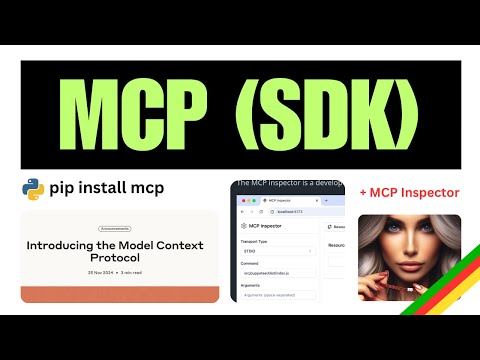
Click the image above to watch a tutorial on MCP implementation.
Project Structure
.
├── pyproject.toml
├── README.md
├── src
│   ├── client
│   │   └── mcp_client.py      # MCP client implementation
│   └── server
│       └── example_server.py  # MCP server with tools
└── uv.lock
Server Implementation
The server exposes two tools:
calculate_bmi- A simple calculator that computes Body Mass Indexfetch_weather- An async tool that retrieves weather data from an external API
Client Implementation
The client connects to the server via stdio, initializes a session, and calls the server's tools.
Getting Started
Prerequisites
- Python 3.9+
- uv (Python package manager)
Installation
# Install dependencies
uv install -e .
Running the Example
- Start the client (which will automatically start the server):
uv run src/client/mcp_client.py
Usage
The client will:
- Connect to the server
- List available tools
- Call the BMI calculator with sample data
- Call the weather tool with sample coordinates
Example Response
Available tools: meta=None nextCursor=None tools=[...]
BMI calculation result: 22.857142857142858
Weather data: {"current_weather":{"temperature":14.2,"windspeed":12.6, ...}}
Test with MCP Inspector
( run command below and then visit http://localhost:5173 )
  ❯ mcp dev src/server/example_server.py
Starting MCP inspector...
Proxy server listening on port 3000

🔍 MCP Inspector is up and running at http://localhost:5173 🚀
New SSE connection
Query parameters: {
  transportType: 'stdio',
  command: 'uv',
  args: 'run --with mcp mcp run src/server/example_server.py',
Resources
This project uses:
License
This project is licensed under the MIT License - see the LICENSE file for details.
Comments
New to MCP?
From what the protocol is to installing your first server, these answers cover most first questions.
An open protocol that defines how AI applications connect to external tools and data in a uniform way. Clients talk to the model; MCP servers provide tools, resources and prompt templates. They exchange standard messages, so one server can be reused by many clients.