
About MCP MongoDB Server
MCP MongoDB Server is an MCP server that lets AI assistants query and modify MongoDB databases. It infers collection schemas and offers a read-only mode, suiting developers who want to explore data in plain language.
Key features
- 01Schema inference with queries and aggregations
- 02Read-only mode blocks all write operations
- 03Restrictions on cross-database and server-side JavaScript
- 04Supports stdio and HTTP transports
- 05Helper for converting timestamps and date strings
Use cases
- 01Exploring MongoDB collections in plain language
- 02Letting an assistant analyse data in read-only mode
- 03Serving database access to several clients over HTTP
MCP support
This is an MCP server exposing collection query, aggregation, write and time conversion tools to MCP clients such as Claude Desktop and Cursor. It supports local stdio and remote HTTP connections.
Configuration
Local server config is the same for every client. Copy it into your client’s MCP config file.
Tools
Local servers expose tools only once running on your machine, and the maintainer has not provided a tool list.
Details
From the project READMEMCP MongoDB Server



A Model Context Protocol (MCP) server that lets AI assistants work with your MongoDB databases. It exposes your collections, infers their schemas, and runs queries, aggregations, and writes through a standard interface — so tools like Claude Desktop and Cursor can read and reason about your data.
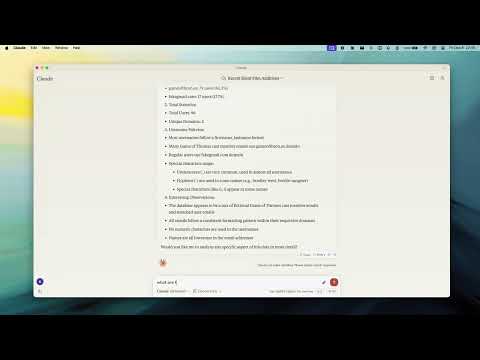
Demo
Why use it
- Talk to your database in plain language — the assistant discovers your collections and their shape automatically.
- Safe by default — turn on read-only mode to let an assistant explore without any risk of changing data.
- Works everywhere — connects to standalone, replica set, sharded, and Atlas deployments, over plain or TLS connections.
Key Features
- Read-Only Mode — blocks every write path (insert, update, index creation, and aggregation stages like
$out/$mergethat could modify data). - Smart ObjectId Handling — configurable
auto/none/forceconversion of 24-character hex strings to ObjectIds. - Schema Inference — automatic collection schema detection from document samples.
- Query & Aggregation — full query and aggregation pipeline support, with optional
explainplans. - Write Operations — insert, update, and index creation (when read-only mode is off).
- Time Conversion — a
convertTimehelper turns Unix timestamps and date strings into UTC/GMT/ISO, so date queries stay unambiguous across timezones. - Progress & Cancellation — long operations report progress and can be cancelled mid-flight.
- Two Transports — run locally over stdio, or expose an HTTP endpoint for remote access.
Requirements
- Node.js 20 or newer
Quick Start
Point the server at your database — no install step needed:
npx -y mcp-mongo-server mongodb://localhost:27017/mydatabase
Explore safely, without any chance of changing data:
npx -y mcp-mongo-server mongodb://localhost:27017/mydatabase --read-only
Usage
Local (stdio)
This is the default, used by Claude Desktop, Cursor, and other local clients:
npx -y mcp-mongo-server "mongodb://user:pass@localhost:27017/mydatabase"
Remote (HTTP)
Expose an HTTP endpoint at /mcp for remote or multi-client access:
npx -y mcp-mongo-server "mongodb://user:pass@localhost:27017/mydatabase" --transport http --port 3001
By default, only requests without a browser Origin (CLIs, IDEs) and requests
from localhost are accepted; everything else is rejected with 403 to guard
against DNS-rebinding attacks. Allow specific browser origins with
--allowed-origins:
npx -y mcp-mongo-server "mongodb://..." --transport http --port 3001 --allowed-origins "https://app.example.com"
Options
| Flag | Description |
|---|---|
--read-only, -r | Block all write operations |
--allow-cross-db | Allow aggregation $out/$merge/$lookup to target other databases (off by default) |
--allow-server-js | Allow server-side JavaScript operators $function/$where/$accumulator (off by default) |
--transport, -t | stdio (default) or http |
--port, -p | HTTP port (default 3001) |
--allowed-origins | Comma-separated browser origins to allow in HTTP mode |
--json-limit | Max HTTP request body size (default 10mb) |
--auth-token | Require Authorization: Bearer <token> on the HTTP endpoint |
Environment Variables
| Variable | Description |
|---|---|
MCP_MONGODB_URI | MongoDB connection URI (alternative to the argument) |
MCP_MONGODB_READONLY | Enable read-only mode ("true") |
MCP_MONGODB_ALLOW_CROSS_DB | Allow cross-database aggregation stages ("true") |
MCP_MONGODB_ALLOW_SERVER_JS | Allow server-side JavaScript operators ("true") |
MCP_PORT | HTTP port |
MCP_HTTP_ALLOWED_ORIGINS | Comma-separated browser origins to allow in HTTP mode |
MCP_HTTP_JSON_LIMIT | Max HTTP request body size (default 10mb) |
MCP_HTTP_AUTH_TOKEN | Bearer token required to access the HTTP endpoint |
Security
Database scope. The server operates on the database in your connection
string. Aggregation stages that reach another database ($out, $merge,
$lookup with an explicit db) are rejected by default, so a pipeline can't
quietly read from or write to databases you didn't point it at. Enable them
with --allow-cross-db if you need them.
Server-side JavaScript. The aggregation operators $function, $where,
and $accumulator run arbitrary JavaScript on the MongoDB server. They are
rejected by default; enable them with --allow-server-js if you trust the
pipelines being run.
Read-only mode blocks every write path, including aggregation stages that
write or run server-side JavaScript ($out, $merge, $function, $where,
$accumulator).
Least privilege. Application-level checks only go so far — the strongest guarantee comes from the database. Connect with a MongoDB user scoped to just the database you need, with read-only permissions when the assistant only needs to explore. That way the database itself enforces the boundary, as defense in depth.
Documentation
- Integration Guide — Claude Desktop, Windsurf, Cursor, Docker
- Available Tools — query, aggregate, update, insert, and more
- Development — setup, scripts, and debugging
- Contributing
License
MIT — see LICENSE for details.
Comments
New to MCP?
From what the protocol is to installing your first server, these answers cover most first questions.
An open protocol that defines how AI applications connect to external tools and data in a uniform way. Clients talk to the model; MCP servers provide tools, resources and prompt templates. They exchange standard messages, so one server can be reused by many clients.