About MCP PowerShell Exec Server
MCP PowerShell Exec Server is a lightweight MCP server that accepts PowerShell scripts as strings, runs them and returns the output so AI assistants can work with PowerShell. The README describes how to configure it with GitHub Copilot in VSCode Insiders.
Key features
- 01Accepts PowerShell scripts as string input
- 02Executes scripts and returns results
- 03Configuration for GitHub Copilot in VSCode Insiders
Use cases
- 01Running PowerShell commands from Copilot agent mode
- 02Letting an AI assistant read PowerShell script output
MCP support
This project is an MCP server that gives MCP clients the ability to execute PowerShell scripts, configured through .vscode/mcp.json in VSCode Insiders.
Configuration
Local server config is the same for every client. Copy it into your client’s MCP config file.
We haven’t collected a package or remote endpoint for this server. Follow the instructions in the project README.
Tools
Local servers expose tools only once running on your machine, and the maintainer has not provided a tool list.
Details
From the project READMEMCP PowerShell Exec Server
Overview
MCP PowerShell Exec Server is a lightweight server that accepts PowerShell scripts as strings, executes them, and returns the output. Enabling AI assistants to understand and work with PowerShell.
Features
- Accepts PowerShell scripts via string input
- Executes scripts securely in an MCP Server environment
- Returns execution results in real-time
Installation
Clone the repository and set up the server:
git clone https://github.com/yourusername/mcp-powershell-exec.git
cd mcp-powershell-exec
In Action
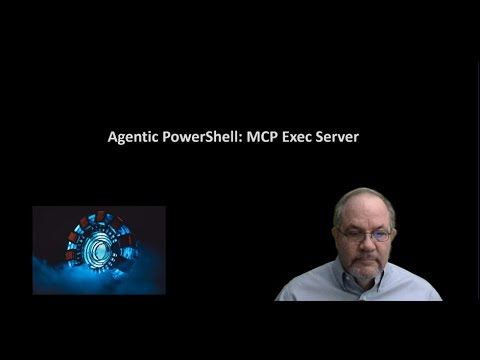
Watch the video to see MCP PowerShell Exec Server in action:
Usage
Integration with GitHub Copilot in VSCode Insiders
To use this MCP server with GitHub Copilot in VSCode Insiders, follow these steps:
-
Install VSCode Insiders
- Download and install the latest version of VSCode Insiders
-
Install GitHub Copilot Extension
- Open VSCode Insiders
- Go to the Extensions marketplace
- Search for and install "GitHub Copilot"
-
Configure MCP Server
- Open .vscode/mcp.json
{
 "servers": {
     "powershell-integration": {
         "command": "py", // Python executable
         "args": [
            "drive:/yourpath/server.py"
         ],
         "env": {}
     }
 }
}
Replace the path with the actual path to your
server.pyfile. -
Enable Agent Mode
- Open Copilot chat in VSCode Insiders
- Click on "Copilot Edits"
- Choose "Agent mode"
- Click the refresh button in the chat input to load the available tools
System Requirements
- Python: Version 3.10 or higher (required for optimal performance)
- PowerShell: Version 5.1
License
This project is licensed under the MIT License - see the LICENSE file for details.
Support
For issues and questions:
- Create an issue in this GitHub repository
Comments
New to MCP?
From what the protocol is to installing your first server, these answers cover most first questions.
An open protocol that defines how AI applications connect to external tools and data in a uniform way. Clients talk to the model; MCP servers provide tools, resources and prompt templates. They exchange standard messages, so one server can be reused by many clients.