
About Mcp Server Esa
mcp-server-esa is an MCP server for Alibaba Cloud ESA (Edge Security Acceleration). It lets users deploy to the edge, manage DNS, certificates and Edge Routines from an AI-enabled IDE. It is split into Pages, Edge Routine and Site modules, so users can load only the ones they need.
Key features
- 01Pages for deploying HTML or static folders to the edge
- 02Edge Routine lifecycle management from creation to routing
- 03Site management for DNS, SSL certificates and IPv6
- 04Modular loading of individual tool sets
Use cases
- 01Front-end developers deploying static sites to the edge quickly
- 02DevOps staff managing DNS records and certificates from an AI client
- 03Developers managing the full lifecycle of Edge Routines
MCP support
This project is an MCP server that exposes over 40 tools for ESA Pages, Edge Routines and site management to MCP clients such as Cursor, Claude Desktop and Cline.
Configuration
Local server config is the same for every client. Copy it into your client’s MCP config file.
npx -y mcp-server-esaALIBABA_CLOUD_ACCESS_KEY_IDSecretALIBABA_CLOUD_ACCESS_KEY_SECRETSecretLocal servers need a runtime on your machine (e.g. Node.js 18+). Config file locations differ by client; see your client’s docs.
Tools
44Saved tool list · updated 3w ago
| Parameter | Type | Required | Description |
|---|---|---|---|
| name | string | Yes | The name of the routine, supports lowercase English letters, numbers, and hyphens, must start with a lowercase letter, and must be at least 2 characters long. For example: hello-world |
| html | string | Yes | An HTML string which user want to deploy. For example: <html><body>Hello World</body></html> |
Details
From the project READMEESA MCP Server


MCP server for Alibaba Cloud ESA — deploy to the edge, manage DNS, certificates, and Edge Routines, all from your AI-powered IDE.
Features
- 🚀 Pages — One-command deploy HTML or static folders (
dist/,build/) to the edge - ⚡ Edge Routine — Full lifecycle management: create, commit, deploy, route, and tear down
- 🌐 Site — DNS records, SSL certificates, IPv6, managed transforms, and site configuration
- 🧩 Modular — Load all 40+ tools or pick only the module you need
- 🔌 Works everywhere — Cursor, Claude Desktop, Cline, and any MCP-compatible client
Quick Start
Prerequisites
- Get your AccessKey ID and Secret from the Alibaba Cloud AccessKey page
- Enable the Edge Routine service
Configuration
Add to your MCP client config (e.g., Cursor ~/.cursor/mcp.json, Claude Desktop, Cline):
Pages (recommended) — deploy static sites to the edge in seconds:
{
  "mcpServers": {
    "esa-pages": {
      "command": "npx",
      "args": ["-y", "-p", "mcp-server-esa", "mcp-server-esa-pages"],
      "env": {
        "ALIBABA_CLOUD_ACCESS_KEY_ID": "your AK",
        "ALIBABA_CLOUD_ACCESS_KEY_SECRET": "your SK"
      }
    }
  }
}
All-in-one — includes Pages, ER, and Site tools:
{
  "mcpServers": {
    "esa-mcp-server": {
      "command": "npx",
      "args": ["-y", "mcp-server-esa"],
      "env": {
        "ALIBABA_CLOUD_ACCESS_KEY_ID": "your AK",
        "ALIBABA_CLOUD_ACCESS_KEY_SECRET": "your SK",
        "ALIBABA_CLOUD_SECURITY_TOKEN": "optional, required when using STS Token"
      }
    }
  }
}
Modular — load only what you need:
| Module | Binary | Best for |
|---|---|---|
| Pages | mcp-server-esa-pages | Frontend devs — deploy HTML/static files to the edge |
| ER | mcp-server-esa-er | Edge developers — full Edge Routine lifecycle |
| Site | mcp-server-esa-site | DevOps / SREs — DNS, certificates, IPv6, site config |
Run a specific module:
npx -p mcp-server-esa <binary>Pin a version:npx -p [email protected] <binary>
Edge Routine — full lifecycle management for serverless edge functions:
{
  "mcpServers": {
    "esa-er": {
      "command": "npx",
      "args": ["-y", "-p", "mcp-server-esa", "mcp-server-esa-er"],
      "env": {
        "ALIBABA_CLOUD_ACCESS_KEY_ID": "your AK",
        "ALIBABA_CLOUD_ACCESS_KEY_SECRET": "your SK"
      }
    }
  }
}
Site — DNS, certificates, IPv6, and site configuration:
{
  "mcpServers": {
    "esa-site": {
      "command": "npx",
      "args": ["-y", "-p", "mcp-server-esa", "mcp-server-esa-site"],
      "env": {
        "ALIBABA_CLOUD_ACCESS_KEY_ID": "your AK",
        "ALIBABA_CLOUD_ACCESS_KEY_SECRET": "your SK"
      }
    }
  }
}
Multiple modules:
{
  "mcpServers": {
    "esa-pages": {
      "command": "npx",
      "args": ["-y", "-p", "mcp-server-esa", "mcp-server-esa-pages"],
      "env": {
        "ALIBABA_CLOUD_ACCESS_KEY_ID": "your AK",
        "ALIBABA_CLOUD_ACCESS_KEY_SECRET": "your SK"
      }
    },
    "esa-site": {
      "command": "npx",
      "args": ["-y", "-p", "mcp-server-esa", "mcp-server-esa-site"],
      "env": {
        "ALIBABA_CLOUD_ACCESS_KEY_ID": "your AK",
        "ALIBABA_CLOUD_ACCESS_KEY_SECRET": "your SK"
      }
    }
  }
}
Demo
Claude Desktop
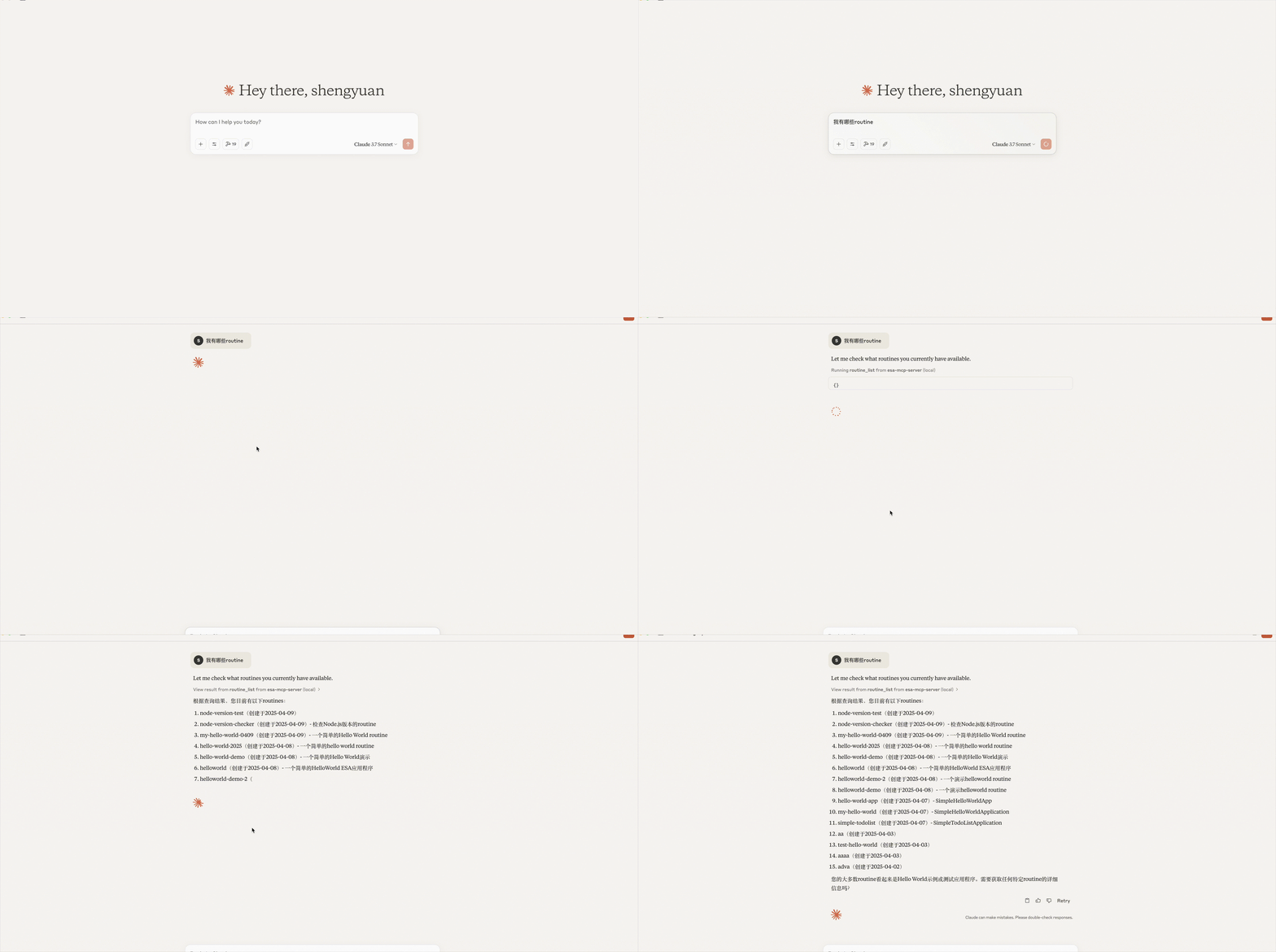
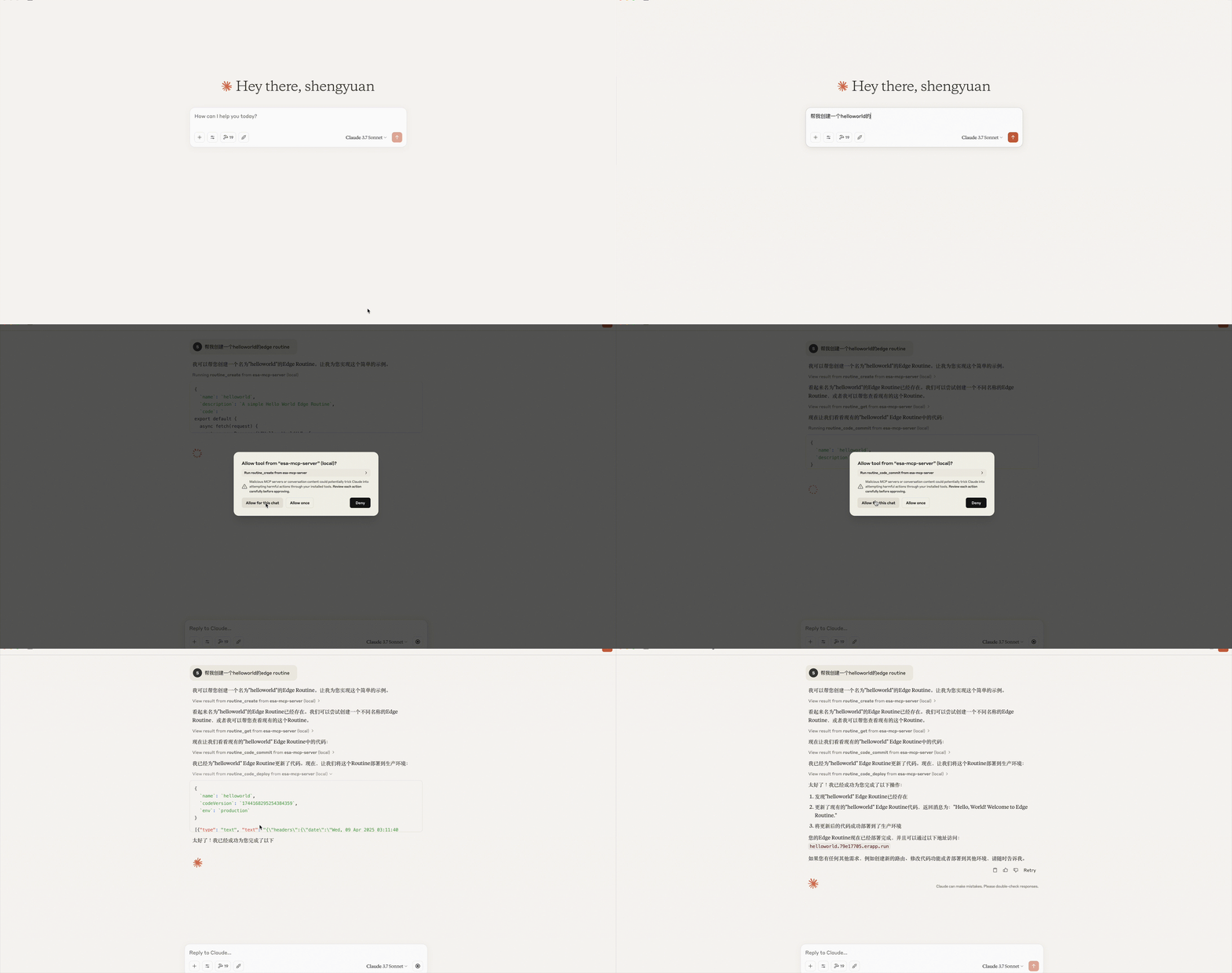
Cline
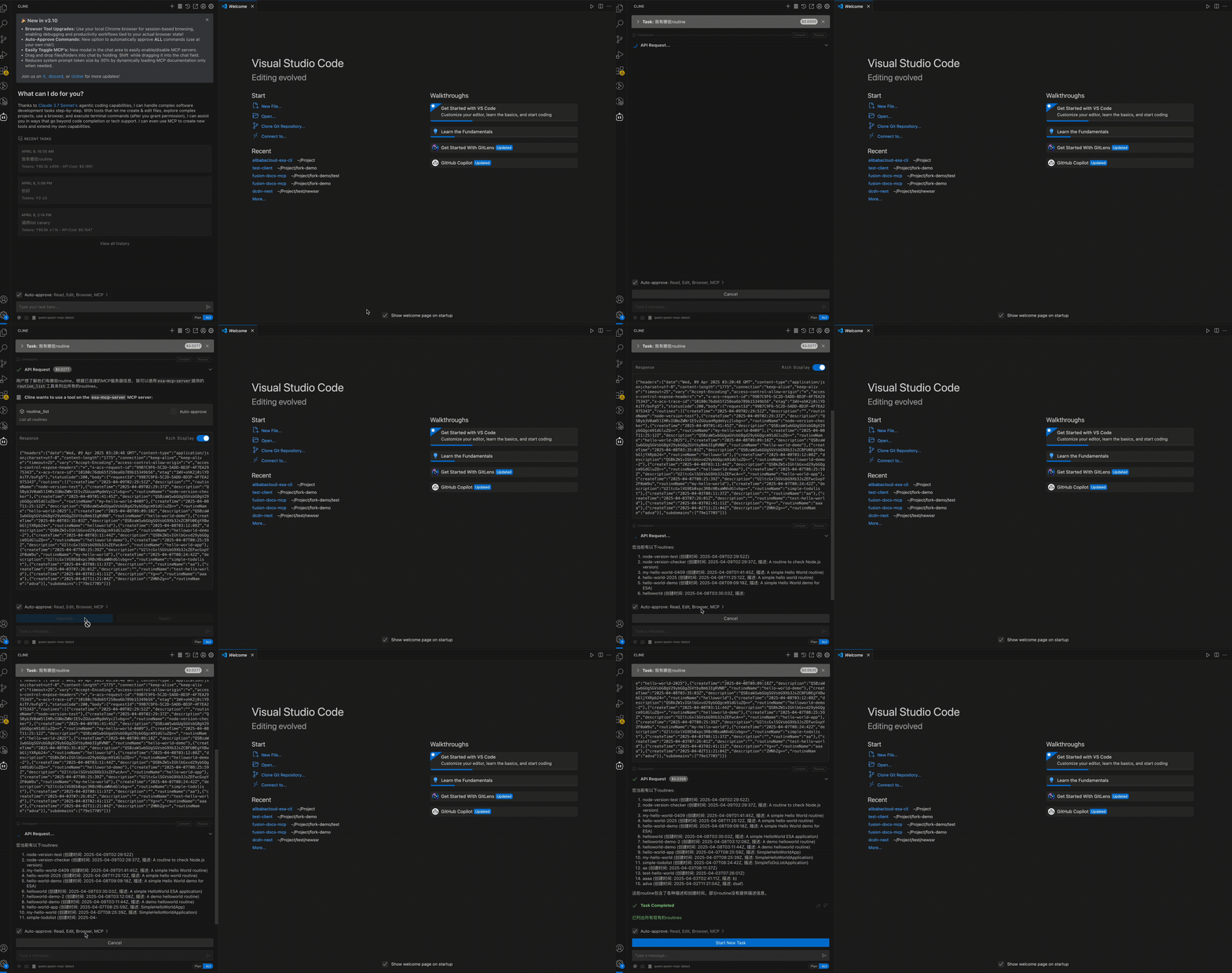
Cline configured successfully:
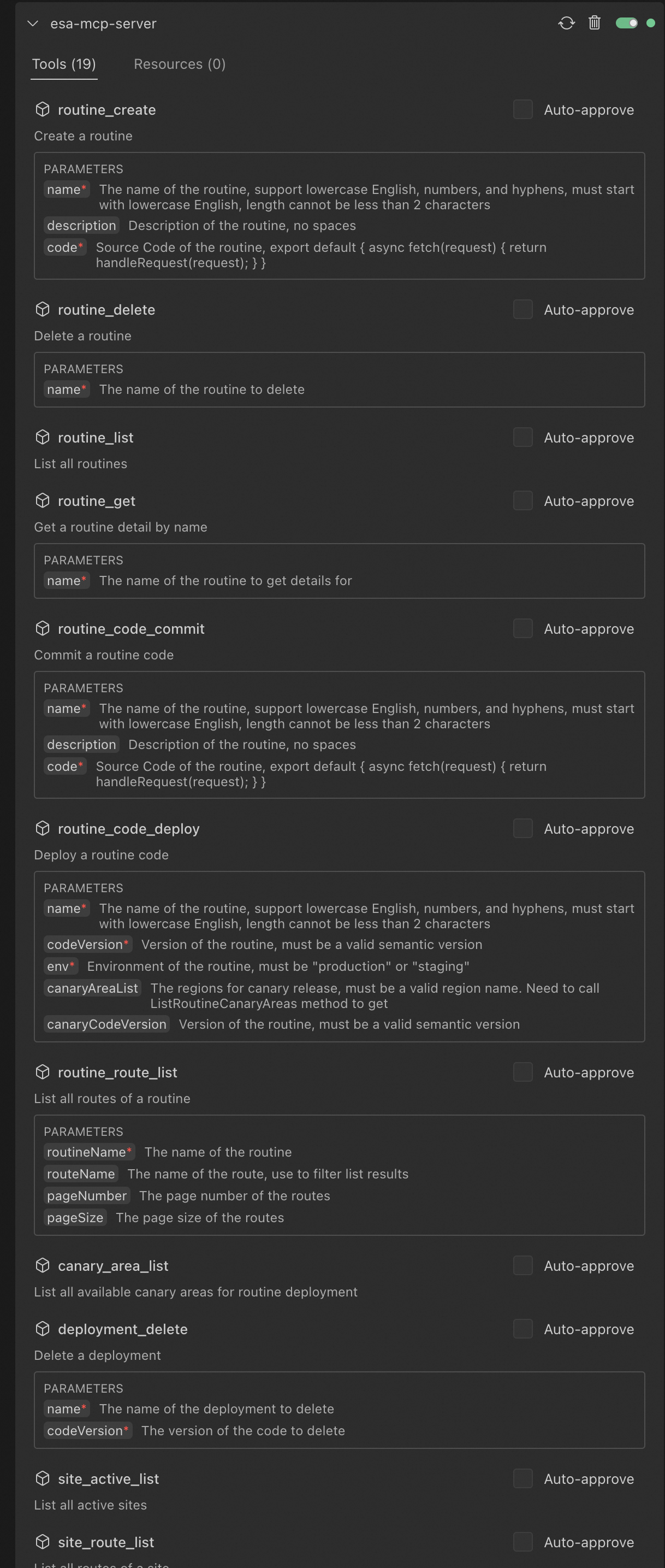
Claude Desktop configured successfully:
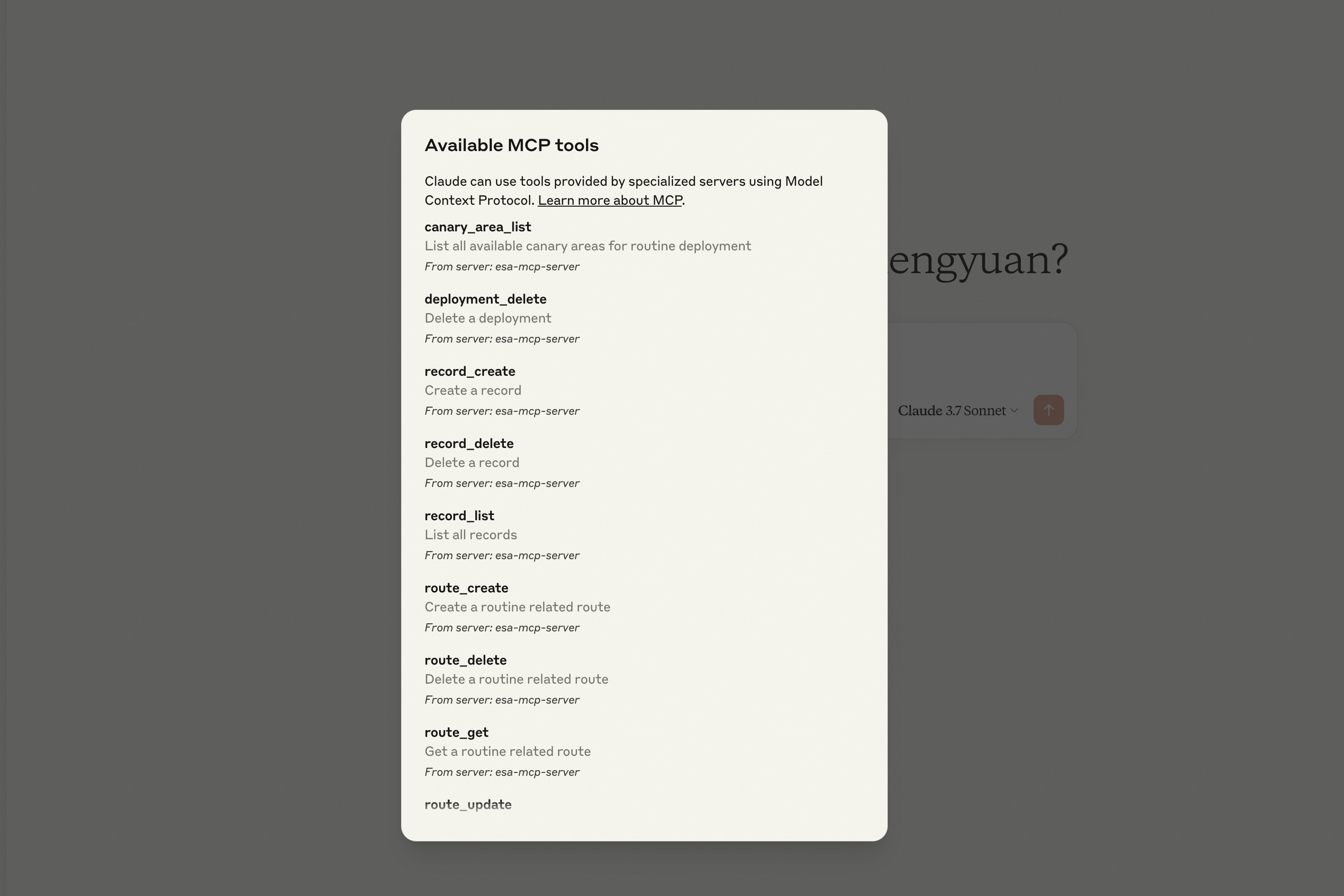
Tools
Pages
| Tool | Description |
|---|---|
html_deploy | Deploy an HTML page to ESA Pages, returns a default access URL |
folder_deploy | Deploy a local folder of static files (HTML/CSS/JS/images) to ESA Pages, auto-packaged |
Edge Routine (ER)
| Category | Tool | Description |
|---|---|---|
| Routines | routine_create | Create a new Edge Routine |
routine_delete | Delete an Edge Routine | |
routine_list | List all Edge Routines | |
routine_get | Get Edge Routine details | |
| Deployments | routine_code_commit | Save a code version for an Edge Routine |
routine_code_deploy | Deploy a code version to staging or production | |
deployment_delete | Delete a code version | |
| Routes | route_create | Create a route for an Edge Routine |
route_update | Update a route configuration | |
route_delete | Delete a route | |
route_get | Get route details | |
routine_route_list | List routes for an Edge Routine | |
site_route_list | List routes for a site | |
| Records | er_record_create | Create a record for an Edge Routine |
er_record_delete | Delete a record | |
er_record_list | List records for an Edge Routine |
Site
| Category | Tool | Description |
|---|---|---|
| Sites | list_sites | List all sites |
site_active_list | List active sites | |
site_match | Find a site matching given criteria | |
create_site | Create a new site | |
get_site_pause | Query ESA proxy configuration | |
update_site_pause | Update ESA proxy configuration | |
| DNS | site_record_list | List DNS records for a site |
create_site_a_or_aaaa_record | Create an A/AAAA record | |
create_site_cname_record | Create a CNAME record | |
create_site_txt_record | Create a TXT record | |
create_site_ns_record | Create an NS record | |
create_site_mx_record | Create an MX record | |
update_record | Update a DNS record | |
get_record | Get a DNS record | |
list_records | List DNS records | |
delete_record | Delete a DNS record | |
| IPv6 | update_ipv6 | Update IPv6 configuration |
get_ipv6 | Query IPv6 configuration | |
| Transform | update_managed_transform | Update managed transform configuration |
get_managed_transform | Query managed transform configuration | |
| Certificate | set_certificate | Enable/update certificate for a site |
apply_certificate | Apply for a free SSL certificate | |
get_certificate | Get certificate details | |
delete_certificate | Delete a certificate | |
list_certificates | List certificates for a site | |
get_certificate_quota | Query certificate quota and usage |
Prompt Examples
Write a 2048 game and deploy it on Edge Routine, show me the access URL.
Deploy the ./dist folder to ESA Pages.
List all Edge Routines under my account.
Delete Edge Routines created after May 2025.
What is the default access URL for my Edge Routine "hello-world"?
Create a CNAME record for test.example.com pointing to example2.com.
Create an A record for test.example.com with value 1.1.1.1.
Apply a free SSL certificate for my site example.com.
Show me the IPv6 configuration for my site.
License
MIT
Comments
New to MCP?
From what the protocol is to installing your first server, these answers cover most first questions.
An open protocol that defines how AI applications connect to external tools and data in a uniform way. Clients talk to the model; MCP servers provide tools, resources and prompt templates. They exchange standard messages, so one server can be reused by many clients.