
About MCP Sniffer
A traffic inspection tool for MCP developers. It acts as a reverse proxy to capture request and response payloads between clients and servers for viewing in a web UI; the README describes it as an early version.
Key features
- 01Proxy traffic between MCP clients and servers
- 02Capture request and response payloads
- 03Inspect traffic in a web UI
- 04Configure listening and upstream ports
Use cases
- 01Inspect requests sent by an MCP client
- 02Review responses from an MCP server
- 03Debug communication between clients and servers
MCP support
Runs as a reverse proxy between MCP clients and servers, capturing their network traffic for inspection in a web UI.
Configuration
Local server config is the same for every client. Copy it into your client’s MCP config file.
We haven’t collected a package or remote endpoint for this server. Follow the instructions in the project README.
Tools
Local servers expose tools only once running on your machine, and the maintainer has not provided a tool list.
Details
From the project READMEMCP Sniffer
MCP Sniffer captures network traffic between MCP clients and servers.
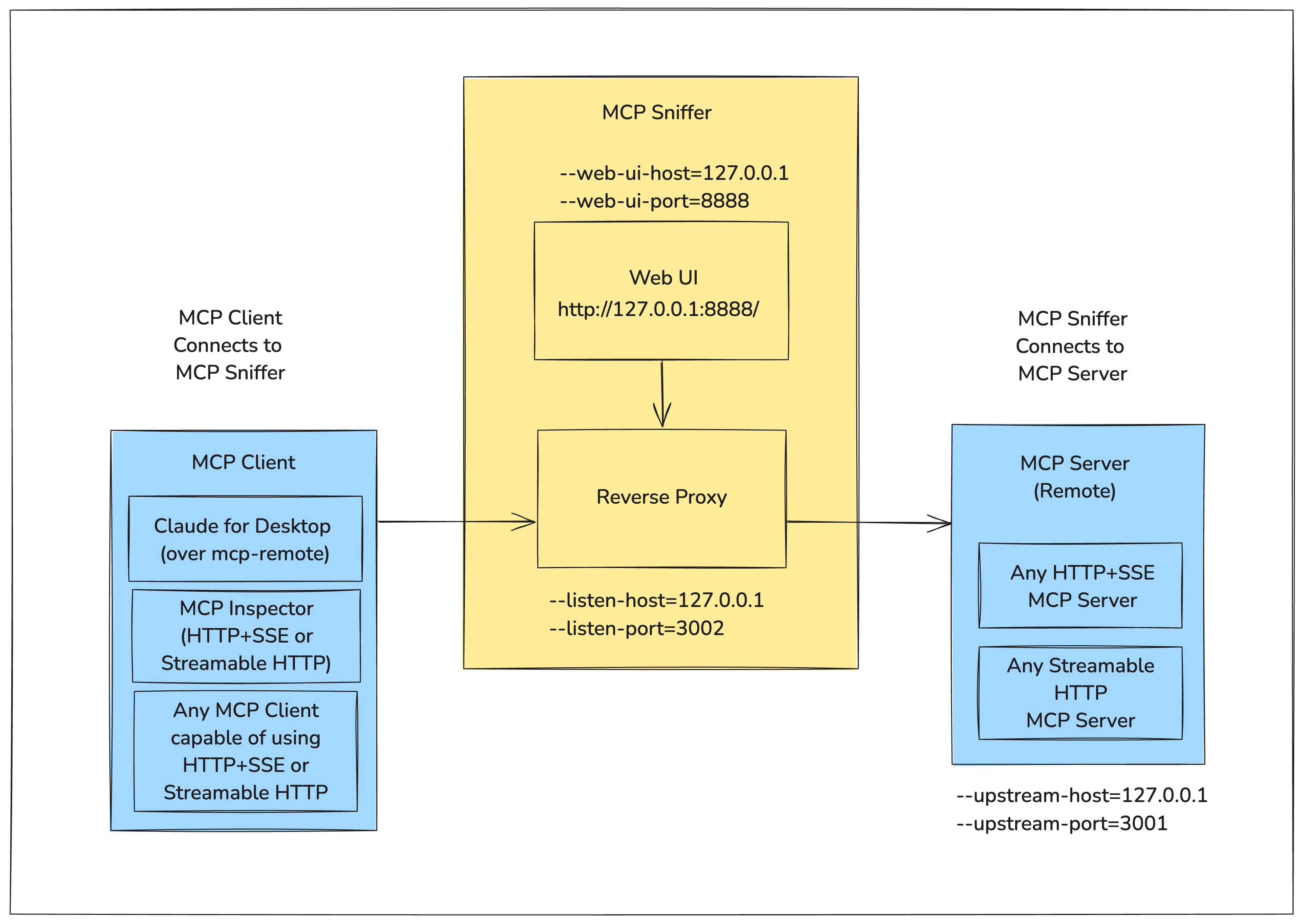
It runs as a reverse proxy between the client and server, capturing request and response payloads that can be visualized in a web UI.
The following diagram shows how MCP Sniffer fits into the MCP Client-Server Model.
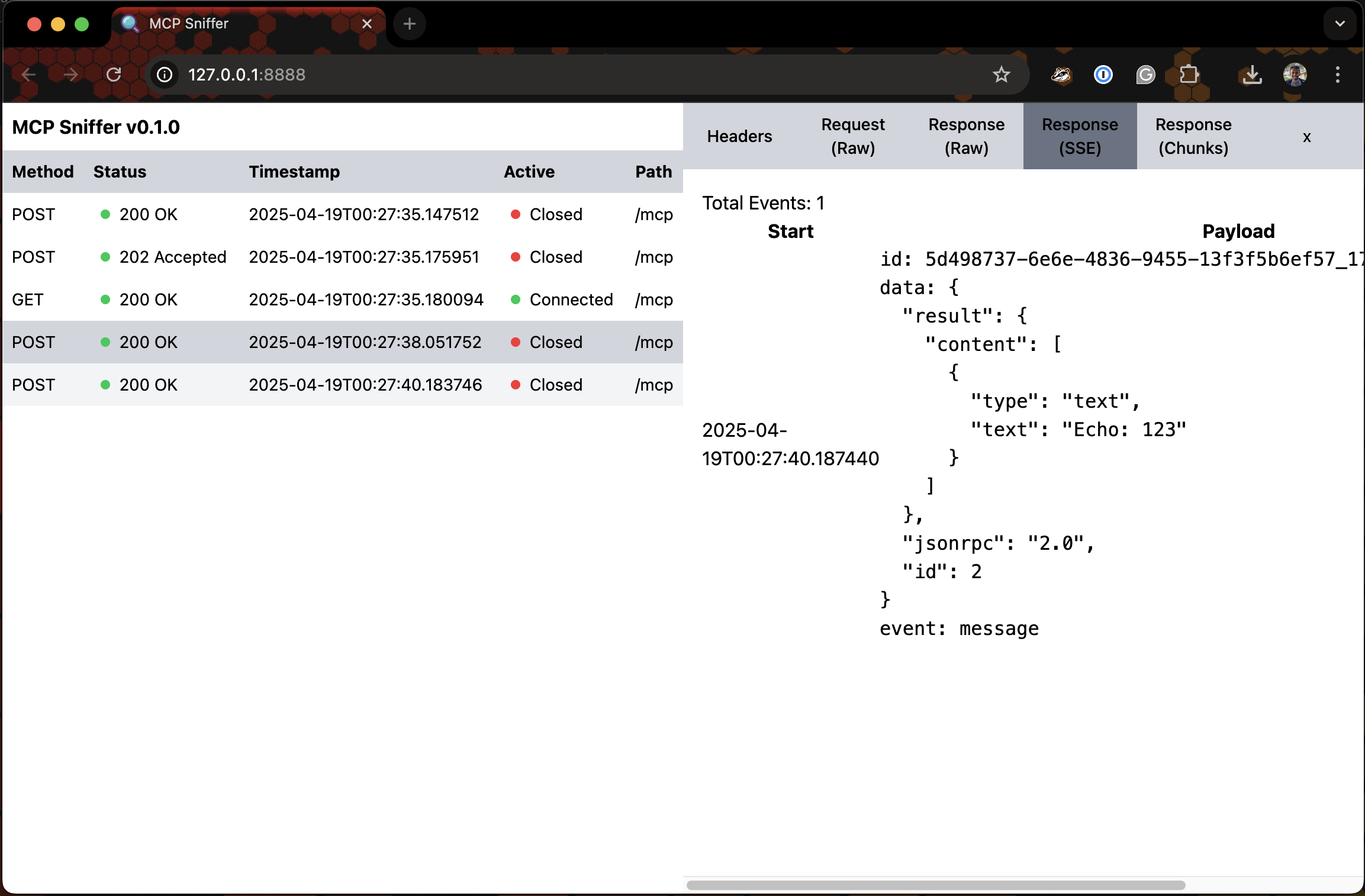
For the Web UI - Imagine Google Chrome DevTools' Network Tab for Model Context Protocol.
Following is a very early version of it.


Install
pipx install mcp-sniffer
Usage
$ mcp-sniffer --help
usage: mcp-sniffer [-h] [--listen-host LISTEN_HOST] [--listen-port LISTEN_PORT] [--upstream-host UPSTREAM_HOST]
                   [--upstream-port UPSTREAM_PORT] [--web-ui-host WEB_UI_HOST] [--web-ui-port WEB_UI_PORT]
                   [--log-level LOG_LEVEL]

MCP Sniffer

options:
  -h, --help            show this help message and exit
  --listen-host LISTEN_HOST
                        Host to listen on (default: env LISTEN_HOST or 127.0.0.1)
  --listen-port LISTEN_PORT
                        Port to listen on (default: env LISTEN_PORT or 3002)
  --upstream-host UPSTREAM_HOST
                        Upstream host (default: env UPSTREAM_HOST or 127.0.0.1)
  --upstream-port UPSTREAM_PORT
                        Upstream port (default: env UPSTREAM_PORT or 3001)
  --web-ui-host WEB_UI_HOST
                        Web UI host (default: env WEB_UI_HOST or 127.0.0.1)
  --web-ui-port WEB_UI_PORT
                        Web UI port (default: env WEB_UI_PORT or 8888)
  --log-level LOG_LEVEL
                        Log level (default: env LOG_LEVEL or INFO)
Run
mcp-sniffer --listen-port 3002 --upstream-port 3001
INFO:     Started server process [6174]
INFO:     Waiting for application startup.
INFO:     Application startup complete.
2025-04-27 19:52:53 devmachine.local mcp_sniffer.proxy[6174] INFO Listening on ('127.0.0.1', 3002)...
INFO:     Uvicorn running on http://127.0.0.1:8888 (Press CTRL+C to quit)
Web UI
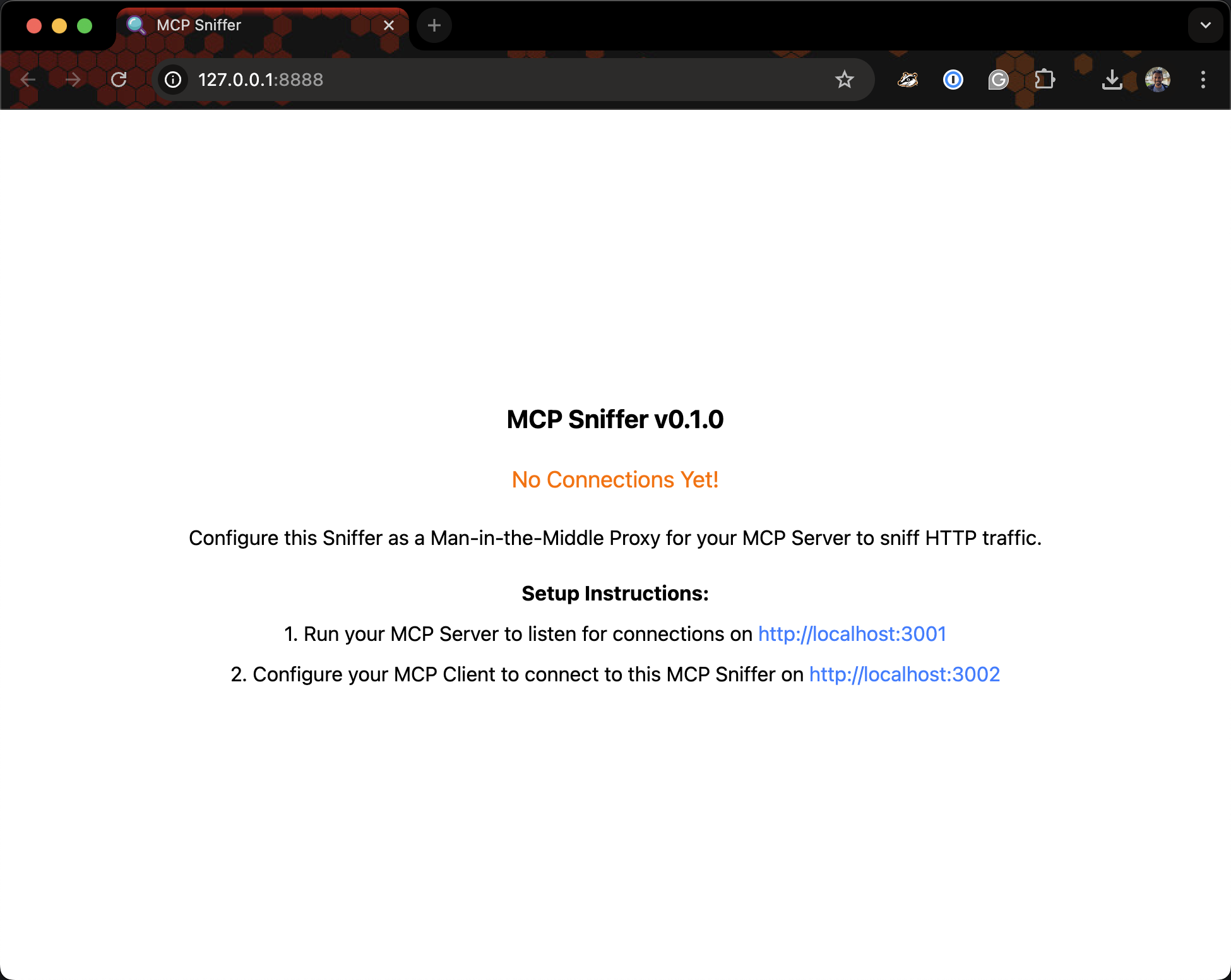
Visit http://127.0.0.1:8888.
Setup
Comments
New to MCP?
From what the protocol is to installing your first server, these answers cover most first questions.
An open protocol that defines how AI applications connect to external tools and data in a uniform way. Clients talk to the model; MCP servers provide tools, resources and prompt templates. They exchange standard messages, so one server can be reused by many clients.