
About MCPOSimpleServer
MCPOSimpleServer is an asynchronous Python platform for running MCP tools in isolated environments. It loads tools launched with `uvx` or `npx` and makes them available through several API interfaces.
Key features
- 01Load MCP tools via `uvx` or `npx`
- 02Dynamically load and filter tools
- 03Expose tools through SSE and REST
- 04Provide an OpenAPI specification
- 05Run each MCP server in its own thread
- 06Configure servers with JSON and environment variables
Use cases
- 01Expose MCP tools to OpenWebUI
- 02Filter the tools available to clients
- 03Run user-defined MCP servers with custom environment variables
MCP support
It acts as an MCP server platform, loading MCP tools and exposing them to clients over SSE, Swagger REST, and OpenAPI.
Configuration
Local server config is the same for every client. Copy it into your client’s MCP config file.
We haven’t collected a package or remote endpoint for this server. Follow the instructions in the project README.
Tools
Local servers expose tools only once running on your machine, and the maintainer has not provided a tool list.
Details
From the project READMEMCPoSimpleServer
A Python-based LLM server that implements the Model Context Protocol (MCP).
🤔 What is MCPoSimpleServer?
MCPoSimpleServer is a lightweight, asynchronous API platform for running and managing MCP tools in isolated, secure environments. It implements the Model Context Protocol (MCP) for seamless integration with LLM applications.
📺 Demo
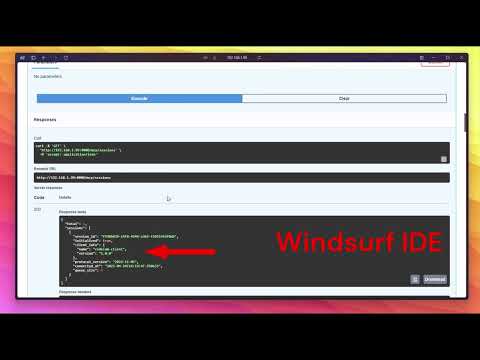
Check out our demo video to see MCPoSimpleServer in action:
✨ Key Features
- ✨ Local Docker container – your own local Docker container with a single SSE-MCP connection
- ⚡ Support quick and easy load any MCP tool launched via
uvxornpx - 🔄 Dynamic tool loading and filtering (whitelist/blacklist)
- 🌐 Access to MCP tools via SSE, Swagger REST, and OpenAPI.json (compatible with OpenWebUI)
- 🐳 Tool isolation – each tool runs in its own thread
- 🗄️ JSON-based configuration – easy to edit and portable
- 🧑💻 Ability to launch your own MCP server with custom ENV parameters
- 🛡️ Bearer admin hack – simple admin authorization (ideal for testing and quick changes)
- 📝 Async FastAPI Python server with full type hints for code clarity and safety
- ✅ PyTest – fast and easy verification of changes on a running server
🎉 What we have now
- 🔗 Docker container built on Debian 13 with FastAPI/Python 3.13 server
- ⚡ Support quick and easy load any MCP tool launched via
uvxornpx - 🌐 Access to MCP tools via SSE, Swagger REST, and OpenAPI.json (OpenWebUI compatible)
- 🆒 SupervisorD controlled by ENV allows running SSHD + Xfce + noVNC (desktop via web/port 6901, ~260MB)
- 🔄 Dynamic tool loading and filtering from MCP server (whitelist/blacklist)
- 🧵 Each MCP server runs in its own thread
- 🗄️ No need for a database – JSON configuration for easy editing and portability
- 🧑💻 Users can define their own MCP server with custom ENV (auto-detected via Auth Bearer)
- 🛡️ Env Bearer Admin Hack – configurable env simulating Bearer admin (ideal for tests and quick changes)
- 📝 Built entirely on FastAPI Python + Pydantic for code clarity and safety
- ❌ Custom SSE stack based only on FastAPI (no Starlette)
- ✅ PyTest – tests run a live server instance and perform tests on a real running server (no mocking!)
🚀 Working on
- 🤔 Prompts – fixing some bugs with class injection into SSE
- 🖥️ WebUI Frontend with Marketplace (click and install)
Comments
New to MCP?
From what the protocol is to installing your first server, these answers cover most first questions.
An open protocol that defines how AI applications connect to external tools and data in a uniform way. Clients talk to the model; MCP servers provide tools, resources and prompt templates. They exchange standard messages, so one server can be reused by many clients.