
About Chargebee
Chargebee is a deprecated MCP server for developers integrating Chargebee APIs. Its tools search product documentation and produce structured code plans and sample code for integrations.
Key features
- 01Search Chargebee documentation
- 02Generate API integration outlines
- 03Provide integration sample code
Use cases
- 01Find Chargebee API usage guidance
- 02Draft a structured integration plan
MCP support
The MCP server exposes tools for Chargebee documentation search and API integration code planning. The package is deprecated and will no longer receive updates or support.
Configuration
Local server config is the same for every client. Copy it into your client’s MCP config file.
Tools
2Saved tool list · updated 3w ago
| Parameter | Type | Required | Description |
|---|---|---|---|
| goal | string | Yes | What is the user's goal? |
| language | enum | No | Programming language the code to be generated in. Check the user's application language.node | python | curl | java | go | ruby | php | dotnet |
Details
From the project READMEChargebee Model Context Protocol (MCP) Server


⚠️ Deprecation Notice
This package is deprecated and will no longer receive updates or support. Please migrate to our new KnowledgeBase MCP Server, which provides enhanced capabilities and improved accuracy. Learn more and upgrade here: Chargebee MCP Server Documentation
Model Context Protocol (MCP) is a standardized protocol designed to manage context between large language models (LLMs) and external systems.
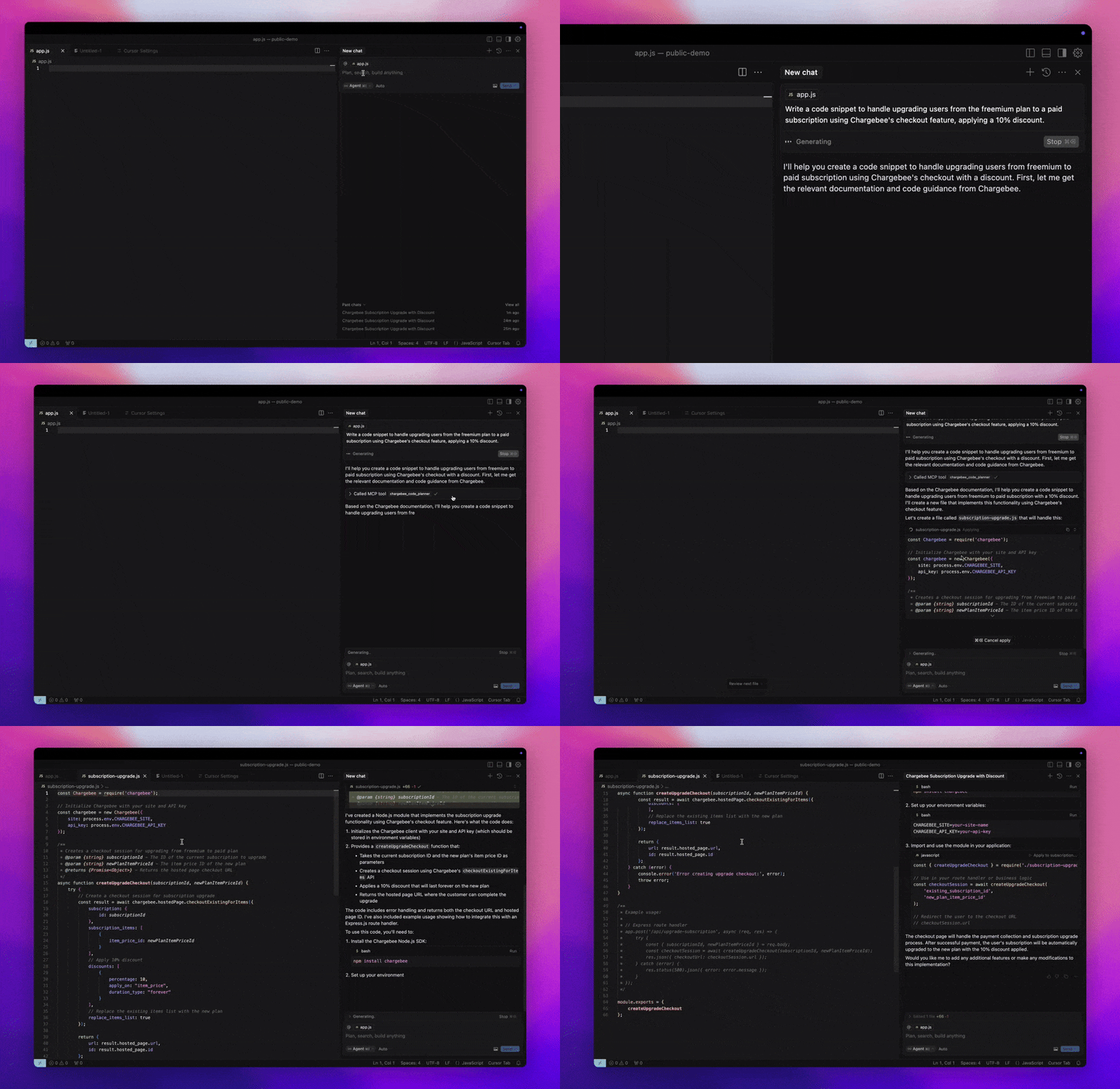
The Chargebee MCP Server offers a robust set of tools to improve developer efficiency. It integrates with AI-powered code editors like Cursor, Windsurf, and Cline, as well as general-purpose tools such as Claude Desktop. It is compatible with any MCP Client.
With this MCP Server, you can:
-
Get immediate answers about the Chargebee products and API services.
-
Receive context-aware code snippets tailored to your integration needs.
-
Access Chargebee's knowledge base, including:
- Documentation
- FAQs
- Release notes
- And much more
Prerequisites
- Node.js LTS - The Chargebee MCP server requires the Node.js LTS version to function correctly.
Setup
To run the Chargebee MCP server using Node.js npx, execute the following command:
npx -y @chargebee/mcp@latest
Available Tools
| Tool | Description |
|---|---|
chargebee_documentation_search | Search Chargebee's documentation to retrieve detailed information and usage guides. |
chargebee_code_planner | Generate structured code outlines and sample code for integrating Chargebee's APIs and features. |
Installation
Cursor
To add this server to Cursor IDE:
- Navigate to
Cursor Settings>MCP. - Click
+ Add new Global MCP Server. - Add the following configuration to your global
.cursor/mcp.jsonfile:
{
  "mcpServers": {
    "chargebee": {
      "command": "npx",
      "args": [
          "-y",
          "@chargebee/mcp"
      ]
    }
  }
}
Refer to the Cursor documentation for additional details. Note: You can also add this to your project-specific Cursor configuration (supported in Cursor 0.46+).
Windsurf
To set up MCP with Cascade:
- Open Windsurf and navigate to
Settings>Advanced Settingsor use the Command Palette >Open Windsurf Settings Page. - Scroll to the Cascade section to add a new server, view existing servers, or access the raw JSON config file at
mcp_config.json. - Click “Add custom server +” to include the Chargebee MCP server directly in
mcp_config.json:
{
  "mcpServers": {
    "chargebee": {
      "command": "npx",
      "args": [
          "-y",
          "@chargebee/mcp"
      ]
    }
  }
}
Refer to the Windsurf documentation for more information.
VS Code
Install the Chargebee MCP server in VS Code using one of these buttons:

Alternatively, you can install the Chargebee MCP server using the VS Code CLI:
# For VS Code
code --add-mcp '{"name":"chargebee","command":"npx","args":["-y","@chargebee/mcp"]}'
# For VS Code Insiders
code-insiders --add-mcp '{"name":"chargebee","command":"npx","args":["-y","@chargebee/mcp"]}'
After installation, the Chargebee MCP server will be available for use with your GitHub Copilot agent in VS Code.
Claude
Add the following configuration to your claude_desktop_config.json file. Refer to the Claude Desktop documentation for more details:
{
  "mcpServers": {
    "chargebee": {
      "command": "npx",
      "args": [
          "-y",
          "@chargebee/mcp"
      ]
    }
  }
}
Cline
Manually add the following JSON to your cline_mcp_settings.json file via the Cline MCP Server settings:
{
  "mcpServers": {
    "chargebee": {
      "command": "npx",
      "args": [
          "-y",
          "@chargebee/mcp"
      ]
    }
  }
}
Roo Code
Access the MCP settings by selecting Edit MCP Settings in Roo Code settings or using the Roo Code: Open MCP Config command in the VS Code command palette:
{
  "mcpServers": {
    "chargebee": {
      "command": "npx",
      "args": [
          "-y",
          "@chargebee/mcp"
      ]
    }
  }
}
Contribution
To contribute to this project, refer to the contribution guide.
License
Comments
New to MCP?
From what the protocol is to installing your first server, these answers cover most first questions.
An open protocol that defines how AI applications connect to external tools and data in a uniform way. Clients talk to the model; MCP servers provide tools, resources and prompt templates. They exchange standard messages, so one server can be reused by many clients.