
About sessionwiki
sessionwiki turns local AI coding-session transcripts into a searchable, linked wiki for developers using multiple coding agents. It adds LLM-written summaries, session graphs, a static site, and MCP tools for agents to retrieve past decisions.
Key features
- 01Import sessions from multiple coding agents
- 02Redact transcripts and sync automatically
- 03Synthesize session and project wiki pages
- 04Build a searchable static site and session graph
- 05Export content for AI and other feeds
- 06Provide 12 MCP tools for wiki access
Use cases
- 01Find a solution from an earlier coding session
- 02Give an agent context about past project decisions
- 03Browse session history by project, model, or date
- 04Review redacted session data before publishing
MCP support
Its stdio MCP server provides 12 tools to query, search, read, sync, lint, and export wiki content. Agents can search wiki pages and, when needed, raw transcripts.
Configuration
Local server config is the same for every client. Copy it into your client’s MCP config file.
uvx sessionwikiSESSIONWIKI_HOMEFolder with raw/ and wiki/. Run `sessionwiki sync` there first.Local servers need a runtime on your machine (e.g. Node.js 18+). Config file locations differ by client; see your client’s docs.
Tools
12Saved tool list · updated 1d ago
| Parameter | Type | Required | Description |
|---|---|---|---|
| question | string | Yes | Natural-language question or keyword(s) to search for. |
| max_pages | integer | No | Maximum pages to return (default 5). |
| include_raw | boolean | No | Raw session transcripts: true = always rank them too, false = never. Omit it to read them only when no wiki page matches. |
Details
From the project READMEsessionwiki
Your AI coding sessions, compiled into a searchable, interlinked wiki — from Claude Code, Codex CLI, Cursor, Gemini CLI, Copilot, ZCode and OpenCode. Local-first, with LLM synthesis, a session graph, and an MCP server so your agents can look up what you already solved.





👉 Live demo: necroz.github.io/sessionwiki
27 synthetic sessions across five projects and seven agents (Aug–Nov 2026) — no personal data. Rebuilt from examples/demo-sessions/ on every push to master.
Why
Every agent you work with writes a full transcript to disk: the plan, the dead ends, the fix, the reasoning behind it. Hundreds of them, in five different formats, and you never look at them again.
sessionwiki turns that history into a knowledge base:
- One place for every agent. Claude Code, Codex CLI, Cursor, Gemini CLI, Copilot, ZCode and OpenCode sessions land in the same wiki, tagged by agent, project, model and date.
- Always current. Hooks, an OpenCode plugin and nightly timers keep it in sync without you running anything.
- Readable. LLM synthesis writes a summary page per session; low-signal sessions are folded into cluster pages instead of cluttering the wiki.
- Usable by your agents. A built-in MCP server lets Claude Code, ZCode or any MCP client search past decisions before redoing them.
- Yours. Everything runs locally; transcripts are redacted on the way in, and
sessionwiki auditchecks the output before you publish anything.
Highlights
| 8 sources | Claude Code, Codex CLI, Cursor, Gemini CLI, Copilot Chat / CLI, ZCode, OpenCode, Obsidian — each with its own agent badge |
| Autosync | Claude Code Stop hook, ZCode Stop hook + nightly systemd / launchd / Task Scheduler job, OpenCode session.idle plugin |
| Synthesis backends | Ollama, any OpenAI-compatible server (vLLM, SGLang, LM Studio, LiteLLM, hosted), agent-delegate, offline dummy |
| Signal over noise | Low-signal session coalescing, wikilink cleanup, concurrency control, cost --estimate |
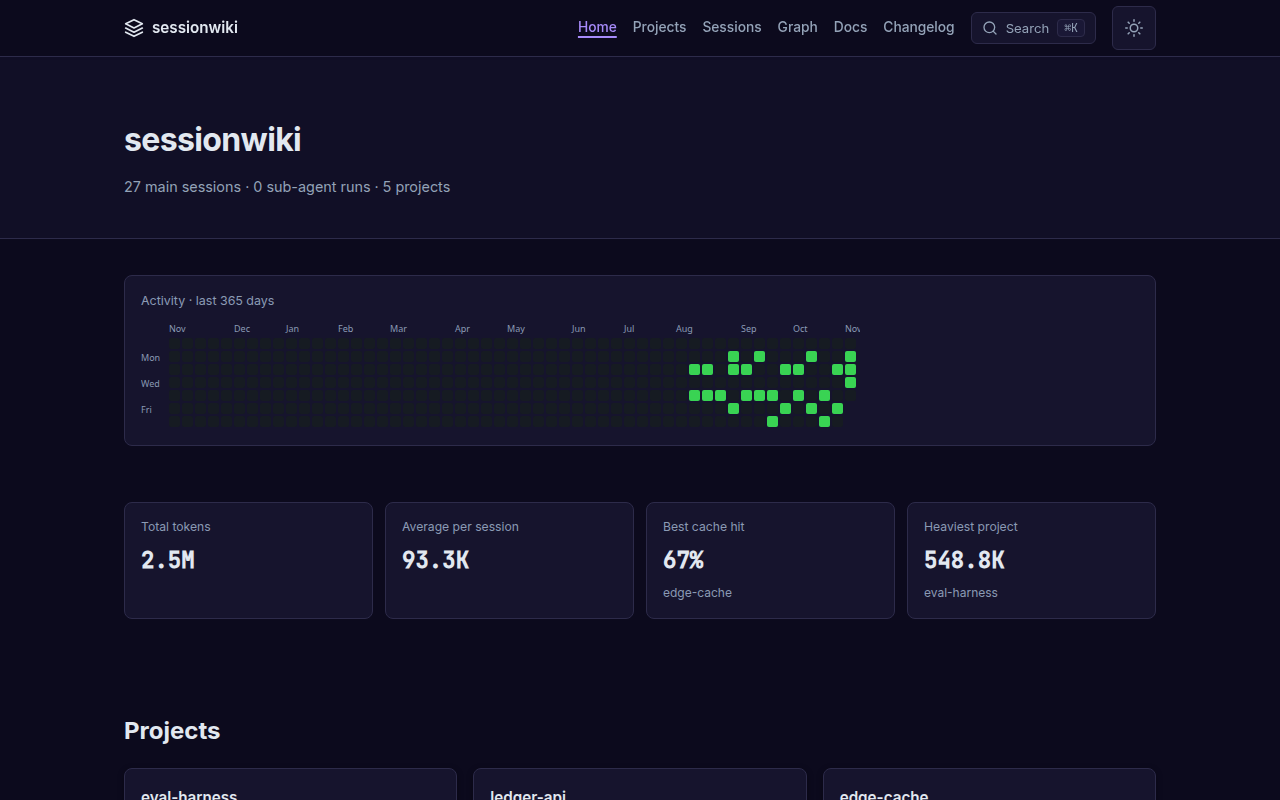
| Static site | 365-day heatmap, token and cache stats, filterable sessions table, session pages with highlighted code, project pages with topics, session ↔ project graph, ⌘K search, dark mode |
| MCP server | 12 tools: query, search, read, list sources, lint, sync, exports, dashboard… |
| AI exports | llms.txt, llms-full.txt, JSON-LD graph, per-page .txt / .json, sitemap, RSS |
| Safe by default | Redaction of usernames and 17 secret patterns, read-only database exports, OS file locks and atomic state writes, doctor and audit |
Screenshots
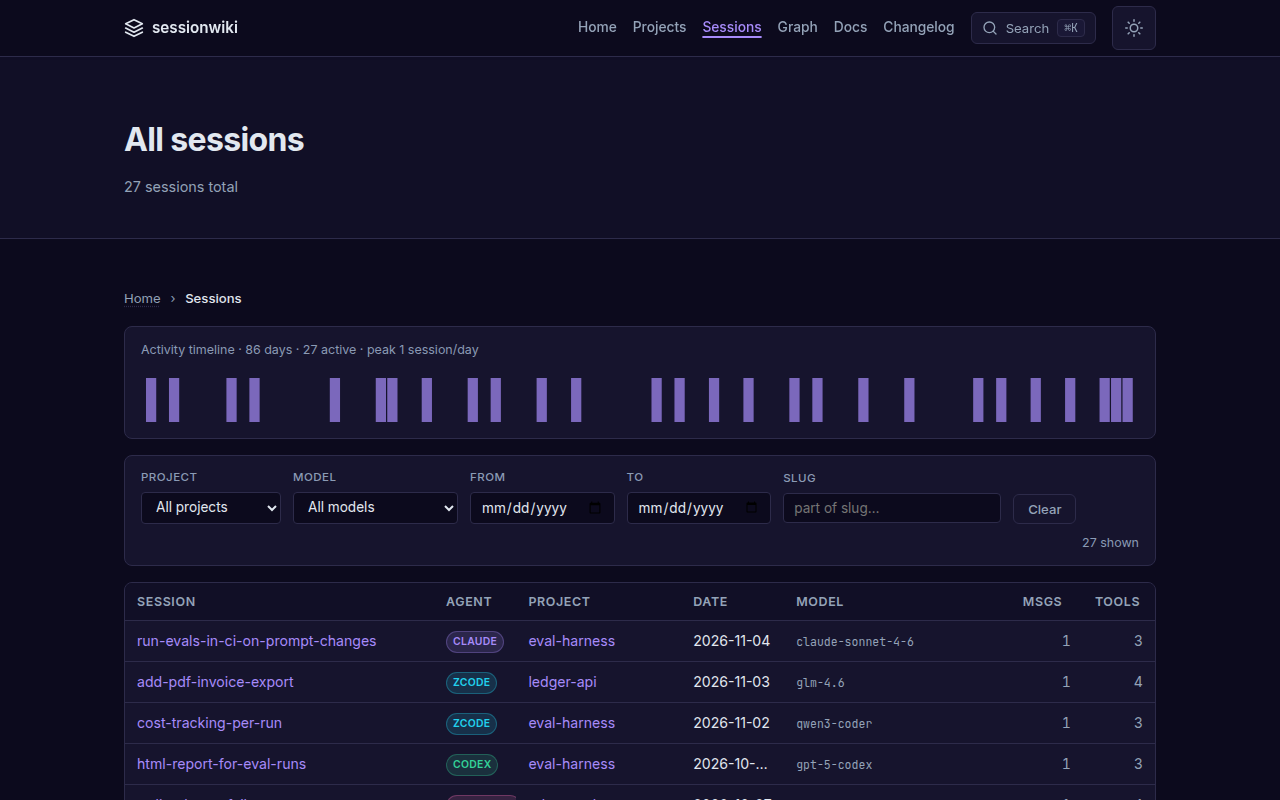
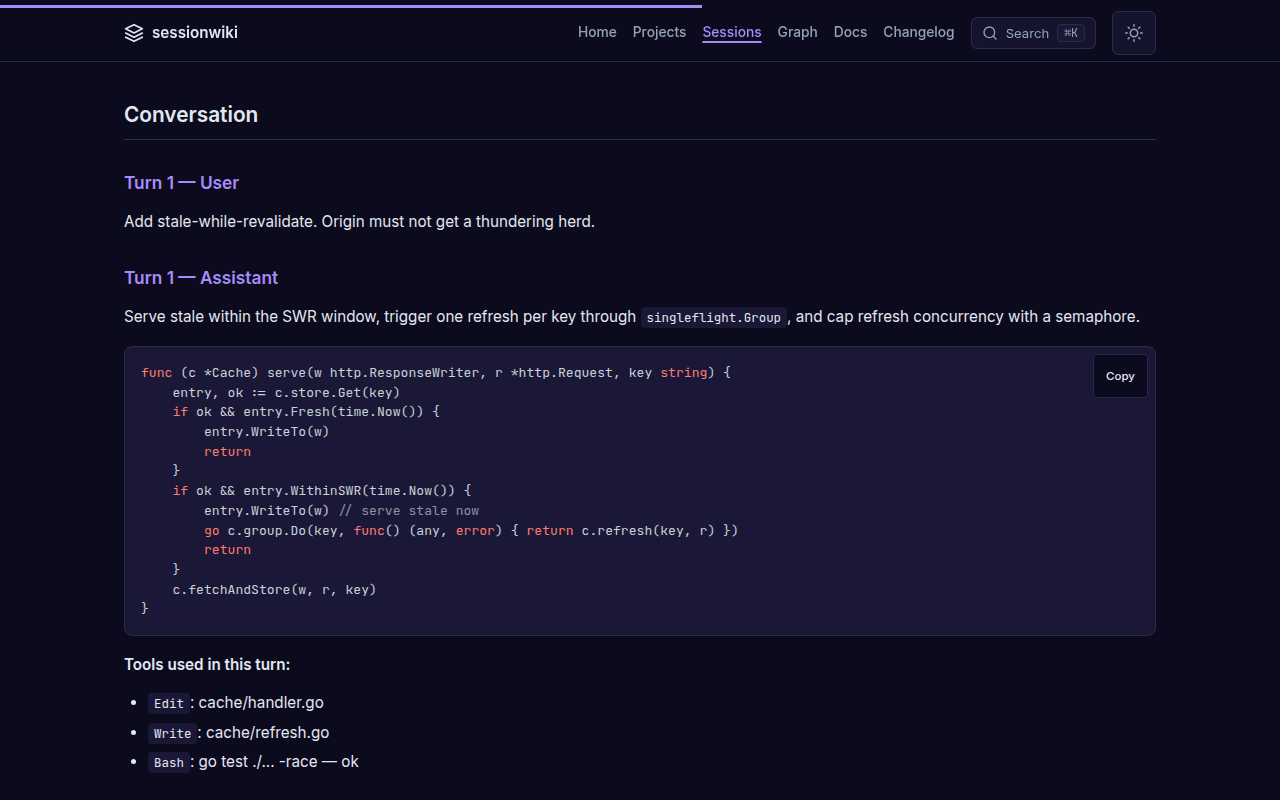
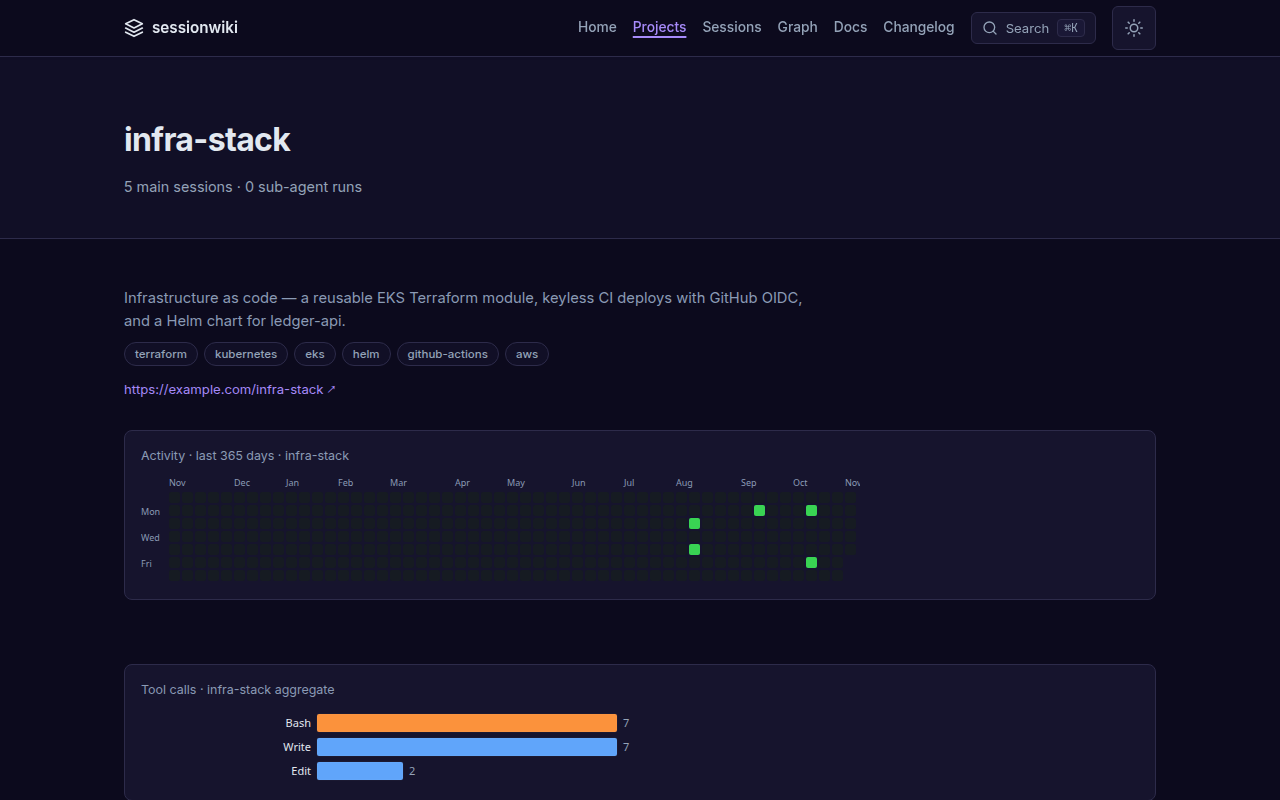
All screenshots come from the live demo and are regenerated with scripts/regen_docs_screenshots.py.
Every session, every agent — filter by project, model and date; each row carries its agent badge.
Session pages — the summary, the conversation, highlighted code and the tools that ran, plus token and cache usage.
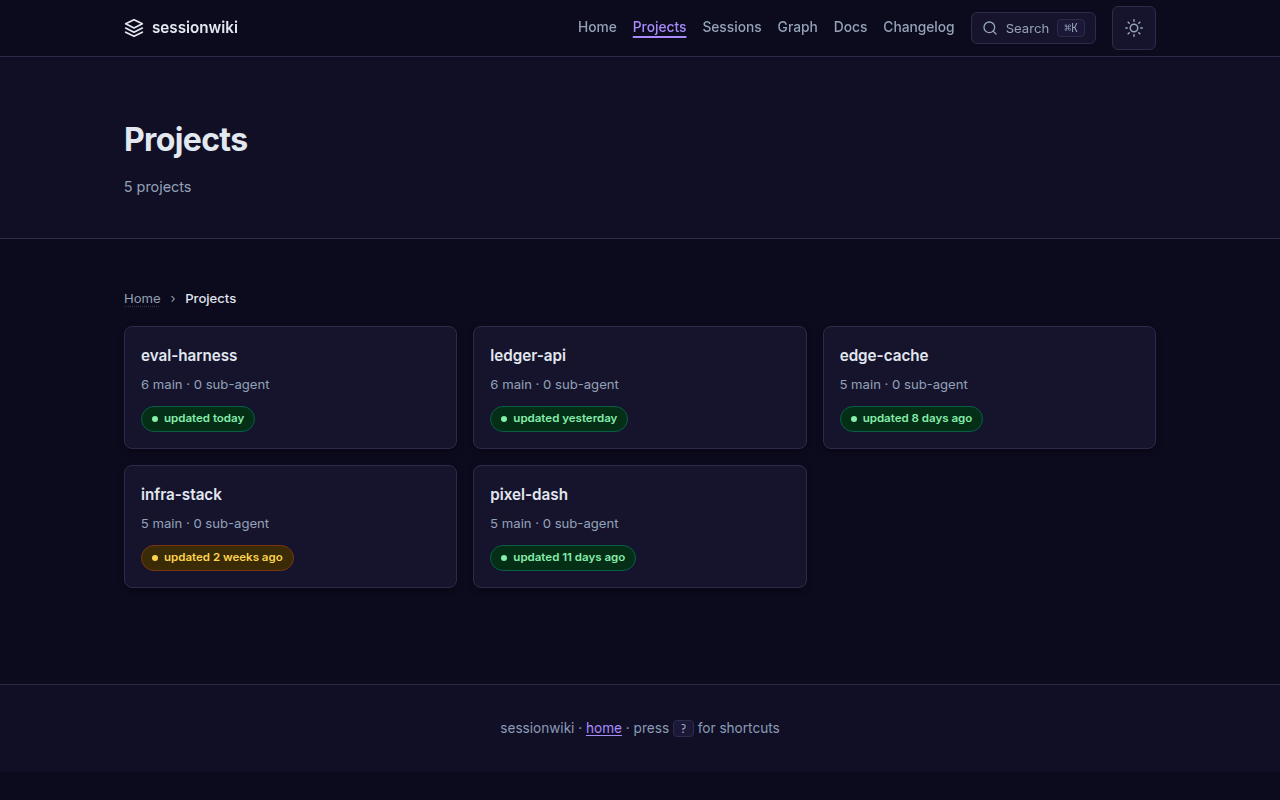
Projects — topics, description, activity and tool usage per project, with freshness badges on the index.
 |  |
|---|
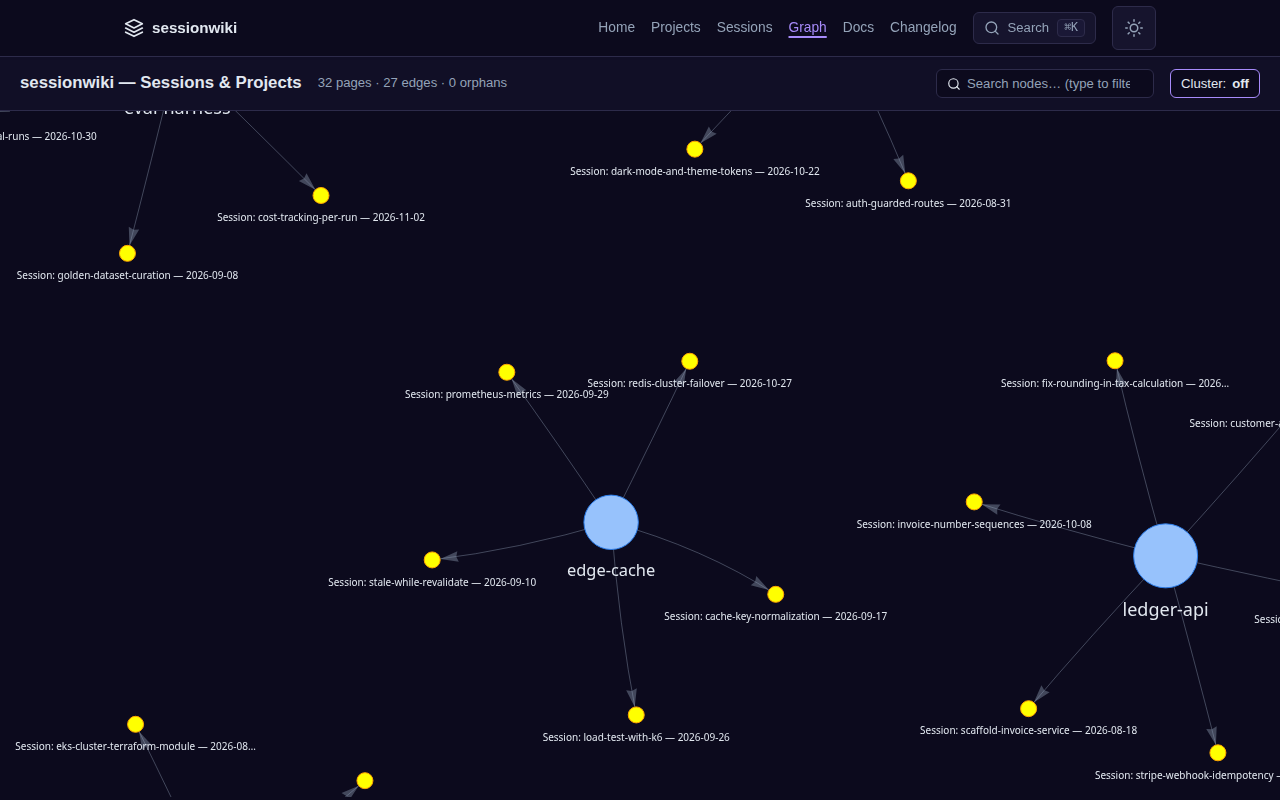
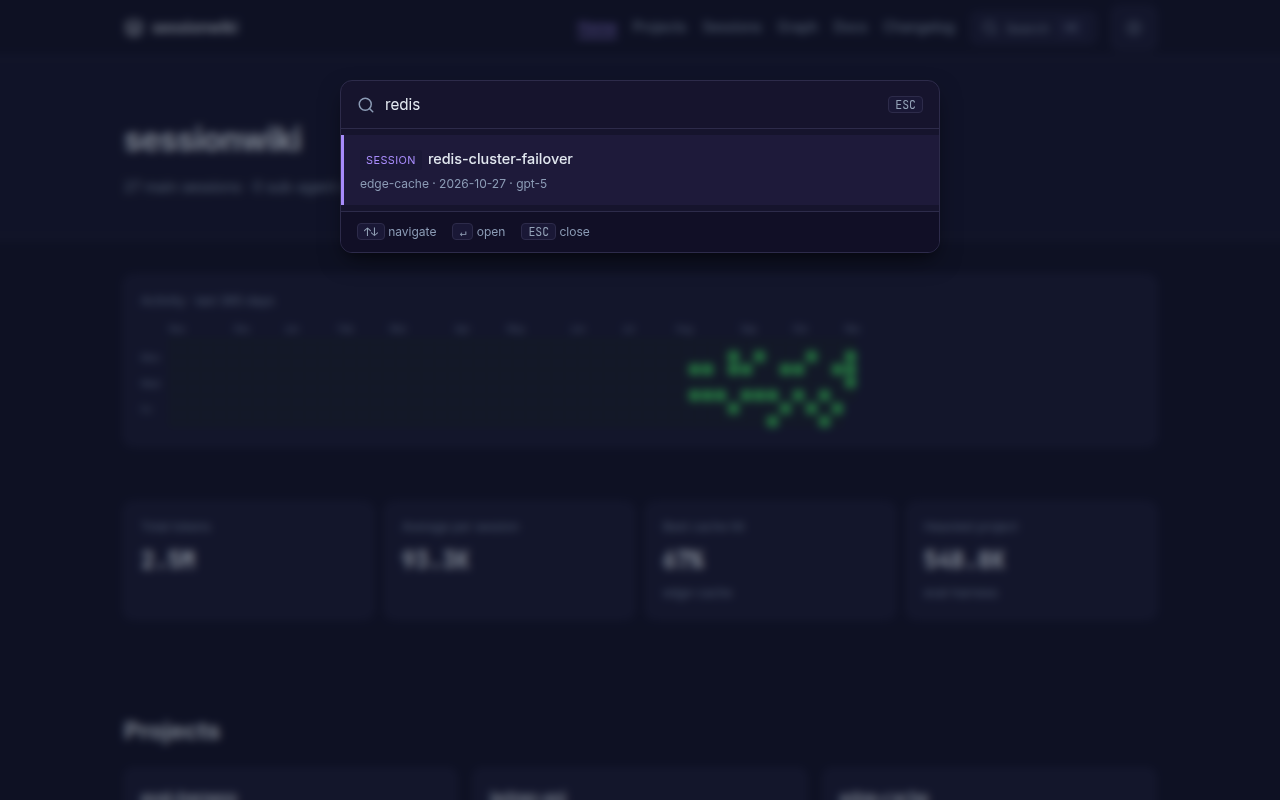
Graph and search — sessions grouped around their projects; ⌘K searches every page instantly.
 |  |
|---|
Quick start
git clone https://github.com/necroz/sessionwiki.git
cd sessionwiki
./setup.sh                 # Windows: setup.bat — creates .venv, detects your agents
./sync.sh                  # convert new sessions into raw/
./build.sh && ./serve.sh   # build the site and open http://127.0.0.1:8765
setup creates a checkout-local .venv, installs the package, scaffolds raw/, wiki/, site/, enables the adapters for the agents it finds and runs sessionwiki doctor. The wrapper scripts use the venv automatically; for the CLI, activate it (source .venv/bin/activate) or call .venv/bin/sessionwiki.
Or install the published package — pick one:
uv tool install sessionwiki          # uv: CLI in its own isolated environment
uvx sessionwiki --help               # uv: run without installing
pip install sessionwiki              # pip, inside a virtualenv
pip install 'sessionwiki[graph]'     # + graphify graph engine (also works with uv tool install)
Docker — serve a site you have built (image ghcr.io/necroz/sessionwiki, see Docker deployment for docker compose and running CLI commands in the container):
docker run --rm -p 8765:8765 -v "$PWD/site:/wiki/site:ro" ghcr.io/necroz/sessionwiki
A step-by-step walkthrough with screenshots lives in the setup guide.
Connect your agents
Claude Code, Codex CLI, Cursor, Gemini CLI, Copilot — read straight from their session folders on sessionwiki sync. To sync after every Claude Code reply, add a Stop hook to ~/.claude/settings.json:
{
  "hooks": {
    "Stop": [{ "hooks": [{ "type": "command",
      "command": "cd /path/to/sessionwiki && .venv/bin/python -m sessionwiki sync --no-auto-build >/dev/null 2>&1 &" }] }]
  }
}
Parallel hook runs are safe: sync and synthesize take an OS file lock and write their state atomically.
ZCode keeps sessions in SQLite. sessionwiki exports them read-only and installs the hook and a nightly job for you:
sessionwiki zcode install --dry-run   # show what will be written
sessionwiki zcode install             # Stop + SessionStart hooks, systemd / launchd / Task Scheduler
OpenCode (V2, opencode.db) gets a server plugin that runs autosync when a session goes idle:
sessionwiki opencode install --dry-run
sessionwiki opencode install          # honours $XDG_CONFIG_HOME
Hook-triggered runs skip instead of queueing when a cycle is already running; scheduled runs wait and catch up. Details: ZCODE.md, docs/adapters/opencode.md, and sessionwiki adapters for the full list.
LLM synthesis
sync fills raw/ with redacted transcripts. synthesize turns them into wiki pages: a summary per session, project pages, cross-links. Point it at any backend in config.local.json:
{
  "synthesis": {
    "backend": "openai",
    "base_url": "http://127.0.0.1:8000/v1",
    "model": "qwen3-coder",
    "max_concurrency": 8,
    "coalesce_low_signal": true
  }
}
sessionwiki synthesize --estimate     # what it will cost before you run it
sessionwiki synthesize                # new sessions only; idempotent
sessionwiki all --with-synth          # synthesize → build → graph → export → lint
Backends: ollama (local), openai (any OpenAI-compatible /v1: vLLM, SGLang, LM Studio, LiteLLM, hosted APIs), agent-delegate (let your coding agent write the pages), dummy (offline stubs). sessionwiki warns when a non-loopback base_url would send transcripts off your machine. See docs/modes/api/.
Ask your wiki from your agents (MCP)
Claude Code plugin — the MCP server, a skill that tells the agent when to search the wiki, and a SessionStart hook that puts the project's recent sessions into context. It asks for your sessionwiki folder on install:
/plugin marketplace add necroz/sessionwiki
/plugin install sessionwiki@sessionwiki
Any MCP client — run the published package with uvx, and point SESSIONWIKI_HOME at the folder that holds raw/ and wiki/ (run sessionwiki sync there first):
{
  "mcpServers": {
    "sessionwiki": {
      "command": "uvx",
      "args": ["sessionwiki", "mcp"],
      "env": { "SESSIONWIKI_HOME": "/path/to/your/sessionwiki" }
    }
  }
}
From a source checkout, use "command": "/path/to/sessionwiki/.venv/bin/sessionwiki" with "args": ["mcp"]; the checkout is the data root, so no env is needed.
Add it to Claude Code, Claude Desktop, ZCode or any MCP client. Tools include wiki_query (ranked search over wiki pages in any language, falling back to raw transcripts), wiki_search (exact text, optionally over raw transcripts), wiki_read_page, wiki_list_sources, wiki_lint, wiki_sync, wiki_export, wiki_dashboard and more — 12 in total, stdio transport, no SDK dependency, path-traversal guarded.
CLI reference
sessionwiki init                    # scaffold raw/ wiki/ site/
sessionwiki sync                    # export ZCode/OpenCode + convert transcripts to markdown
sessionwiki synthesize              # LLM summaries into wiki/ (--estimate, --coalesce-only, --force)
sessionwiki build                   # static site + AI exports
sessionwiki serve                   # local server on 127.0.0.1:8765
sessionwiki all                     # build → graph → export → lint (add --with-synth)
sessionwiki query "<question>"      # ask the wiki a question from the terminal
sessionwiki graph                   # session/project and wikilink graph
sessionwiki lint                    # wiki lint rules
sessionwiki export                  # llms.txt, JSON-LD, sitemap, RSS, …
sessionwiki candidates              # review candidate pages
sessionwiki adapters                # available adapters and their state
sessionwiki doctor                  # check Python, deps, config, agent paths
sessionwiki audit                   # scan raw/ wiki/ site/ for usernames and secrets
sessionwiki zcode                   # export · autosync · install
sessionwiki opencode                # export · autosync · install
sessionwiki mcp                     # MCP server on stdio
sessionwiki recall                  # a project's recent sessions, for a SessionStart hook
sessionwiki version
Every subcommand has --help. Full reference: docs/reference/cli.md.
Configuration
Settings are layered; later files win:
examples/sessions_config.json  →  config.json  →  config.local.json
   (shared defaults)              (gitignored)      (gitignored, machine-local)
Put machine-specific values — synthesis backend and keys, redaction patterns, project roots, adapter toggles — in config.local.json. Reference: docs/configuration-reference.md. Use .llmwikiignore to exclude projects or sessions.
How it works
 Claude Code · Codex · Cursor · Gemini · Copilot       ZCode · OpenCode (SQLite)
              │ JSONL                                          │ read-only export
              └──────────────────────┬─────────────────────────┘
                                     ▼
                       sync  →  raw/sessions/*.md          redacted, immutable
                                     │
                       synthesize    ▼
                                  wiki/                    sources · projects · entities · concepts
                                     │
                    ┌────────────────┼──────────────────┐
                    ▼                ▼                  ▼
                 build → site/   MCP server        exports (llms.txt, JSON-LD)
Three layers, following Karpathy's LLM Wiki pattern: raw/ is the immutable source of truth, wiki/ is maintained by the LLM, site/ is generated. Your raw/ and wiki/ are gitignored — your data never enters the repository.
Privacy
- Transcripts are redacted on conversion: your username, home paths and 17 kinds of keys and tokens, plus your own patterns.
- ZCode and OpenCode databases are opened read-only.
- Nothing leaves your machine unless you configure a remote synthesis backend — and sessionwiki warns when you do.
sessionwiki auditscansraw/,wiki/andsite/before you publish a site.
See docs/privacy.md and SECURITY.md.
Documentation
- Documentation hub — start here
- Setup guide · Installation · Use with Claude Code · Windows
- CLI · Configuration · Architecture
- Deploy to GitHub Pages, Docker, Vercel/Netlify
- What's different from llmwiki · Changelog
Based on llmwiki
sessionwiki started as a fork of llmwiki by Pratiyush (MIT) at v1.3.82 and keeps its full history. Most of the converter, site, lint and MCP foundations are his work. sessionwiki adds the ZCode and OpenCode sources with autosync, the OpenAI-compatible synthesis backend, session coalescing, locking and atomic state, doctor and audit, the session graph, and a long list of fixes — see what's different and how to migrate.
Thanks also to Andrej Karpathy for the LLM Wiki idea, Python Markdown, highlight.js and vis-network.
Contributing
Read CONTRIBUTING.md. Keep PRs to one concern, use feat: / fix: / docs: / chore: / test: titles, add a CHANGELOG entry for feat and fix, and never commit real session data. CI must be green.
License
MIT © 2026 Igor Lashkevich (sessionwiki) · © 2026 Pratiyush (original llmwiki). See NOTICE.
Comments
New to MCP?
From what the protocol is to installing your first server, these answers cover most first questions.
An open protocol that defines how AI applications connect to external tools and data in a uniform way. Clients talk to the model; MCP servers provide tools, resources and prompt templates. They exchange standard messages, so one server can be reused by many clients.