
About Nocodb MCP Server
NocoDB MCP Server is an MCP server for reading and writing records in a NocoDB database using natural language commands. It is a TypeScript fork of an earlier NocoDB MCP server. It can be configured through environment variables or run directly from the command line.
Key features
- 01CRUD operations on NocoDB table records
- 02Configuration via environment variables
- 03Direct command line invocation
- 04Claude Desktop configuration example
Use cases
- 01Querying NocoDB table data through natural language
- 02Creating NocoDB tables from JSON files
- 03Maintaining table records from an AI assistant
MCP support
This is an MCP server that exposes NocoDB table operations as MCP tools for clients such as Claude Desktop.
Configuration
Local server config is the same for every client. Copy it into your client’s MCP config file.
Tools
11Saved tool list · updated 3w ago
| Parameter | Type | Required | Description |
|---|---|---|---|
| tableName | string | Yes | |
| filters | string | No | Example: where=(field1,eq,value1)~and(field2,eq,value2) will filter records where 'field1' is equal to 'value1' AND 'field2' is equal to 'value2'. You can also use other comparison operators like 'ne' (not equal), 'gt' (greater than), 'lt' (less than), and more, to create complex filtering rules. Comparison Operators Operation Meaning Example eq equal (colName,eq,colValue) neq not equal (colName,neq,colValue) not not equal (alias of neq) (colName,not,colValue) gt greater than (colName,gt,colValue) ge greater or equal (colName,ge,colValue) lt less than (colName,lt,colValue) le less or equal (colName,le,colValue) is is (colName,is,true/false/null) isnot is not (colName,isnot,true/false/null) in in (colName,in,val1,val2,val3,val4) btw between (colName,btw,val1,val2) nbtw not between (colName,nbtw,val1,val2) like like (colName,like,%name) isWithin is Within (Available in Date and DateTime only) (colName,isWithin,sub_op) allof includes all of (colName,allof,val1,val2,...) anyof includes any of (colName,anyof,val1,val2,...) nallof does not include all of (includes none or some, but not all of) (colName,nallof,val1,val2,...) nanyof does not include any of (includes none of) (colName,nanyof,val1,val2,...) Comparison Sub-Operators The following sub-operators are available in Date and DateTime columns. Operation Meaning Example today today (colName,eq,today) tomorrow tomorrow (colName,eq,tomorrow) yesterday yesterday (colName,eq,yesterday) oneWeekAgo one week ago (colName,eq,oneWeekAgo) oneWeekFromNow one week from now (colName,eq,oneWeekFromNow) oneMonthAgo one month ago (colName,eq,oneMonthAgo) oneMonthFromNow one month from now (colName,eq,oneMonthFromNow) daysAgo number of days ago (colName,eq,daysAgo,10) daysFromNow number of days from now (colName,eq,daysFromNow,10) exactDate exact date (colName,eq,exactDate,2022-02-02) For isWithin in Date and DateTime columns, the different set of sub-operators are used. Operation Meaning Example pastWeek the past week (colName,isWithin,pastWeek) pastMonth the past month (colName,isWithin,pastMonth) pastYear the past year (colName,isWithin,pastYear) nextWeek the next week (colName,isWithin,nextWeek) nextMonth the next month (colName,isWithin,nextMonth) nextYear the next year (colName,isWithin,nextYear) nextNumberOfDays the next number of days (colName,isWithin,nextNumberOfDays,10) pastNumberOfDays the past number of days (colName,isWithin,pastNumberOfDays,10) Logical Operators Operation Example ~or (checkNumber,eq,JM555205)~or((amount, gt, 200)~and(amount, lt, 2000)) ~and (checkNumber,eq,JM555205)~and((amount, gt, 200)~and(amount, lt, 2000)) ~not ~not(checkNumber,eq,JM555205) For date null rule (date,isnot,null) -> (date,notblank). (date,is,null) -> (date,blank). |
| limit | number | No | |
| offset | number | No | |
| sort | string | No | Example: sort=field1,-field2 will sort the records first by 'field1' in ascending order and then by 'field2' in descending order. |
| fields | string | No | Example: fields=field1,field2 will include only 'field1' and 'field2' in the API response. |
Details
From the project README
Nocodb MCP Server
Introduction
The NocoDB MCP Server enables seamless interaction with your NocoDB database using the Model Context Protocol (MCP). This server makes it easy to perform CRUD (Create, Read, Update, Delete) operations on NocoDB tables through natural language commands.
Example Prompt
[Get Records]
get data from nocodb, table: Shinobi

[Create Record]
add new row, with name: sasuke-2
add other row, with name: naruto-2

[Update Record]
update all rows, remove suffix -

[Delete Record]
delete all rows with name naruto

[Add Column]
add column with name: Age

update all rows, set Age to 18

[Delete Column]
delete column with name: Age
Example Prompt - Upload File
[Create table]
from the json files
put on nocodb database
table name is TableShinobi
JSON location file in: example_upload.json
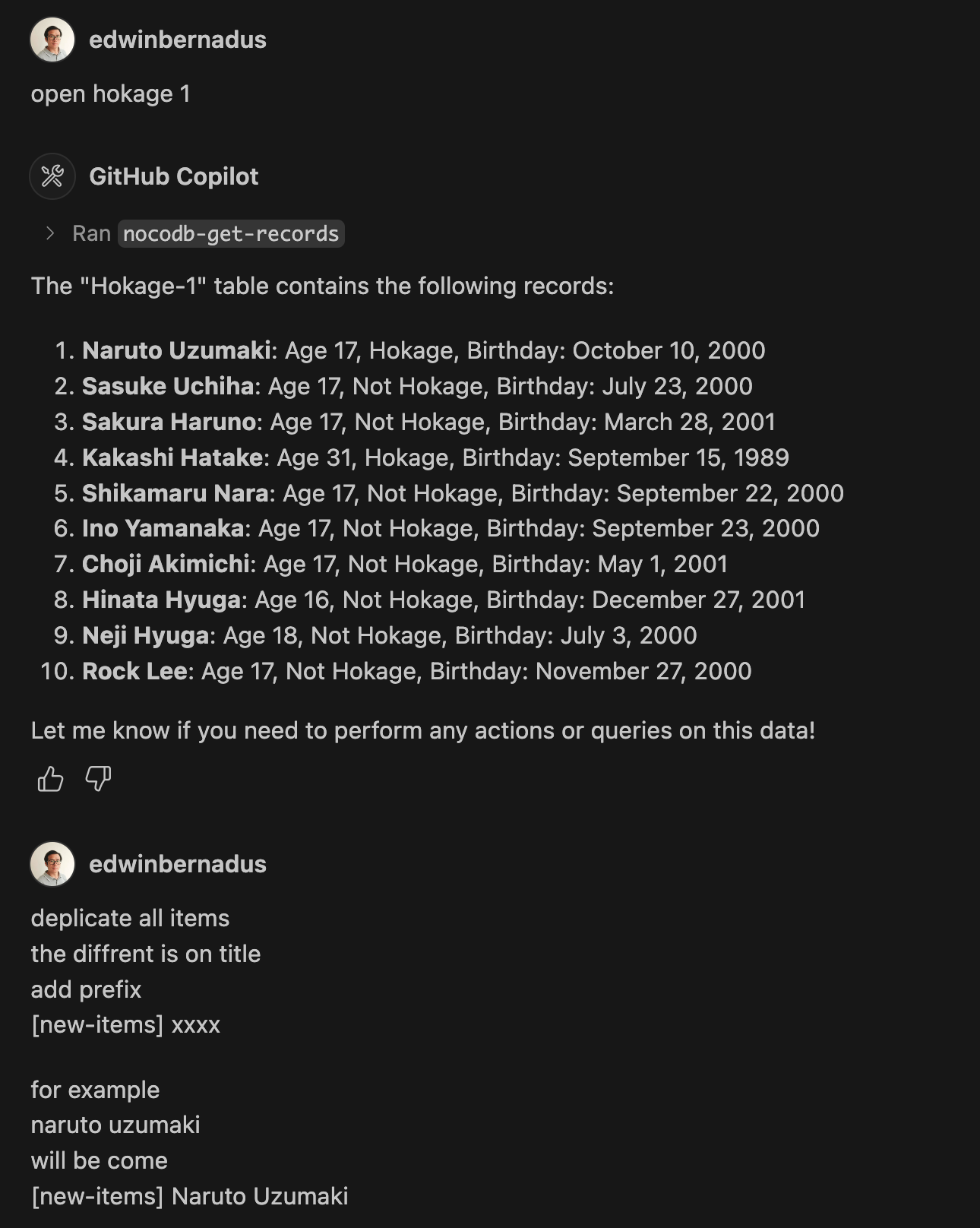
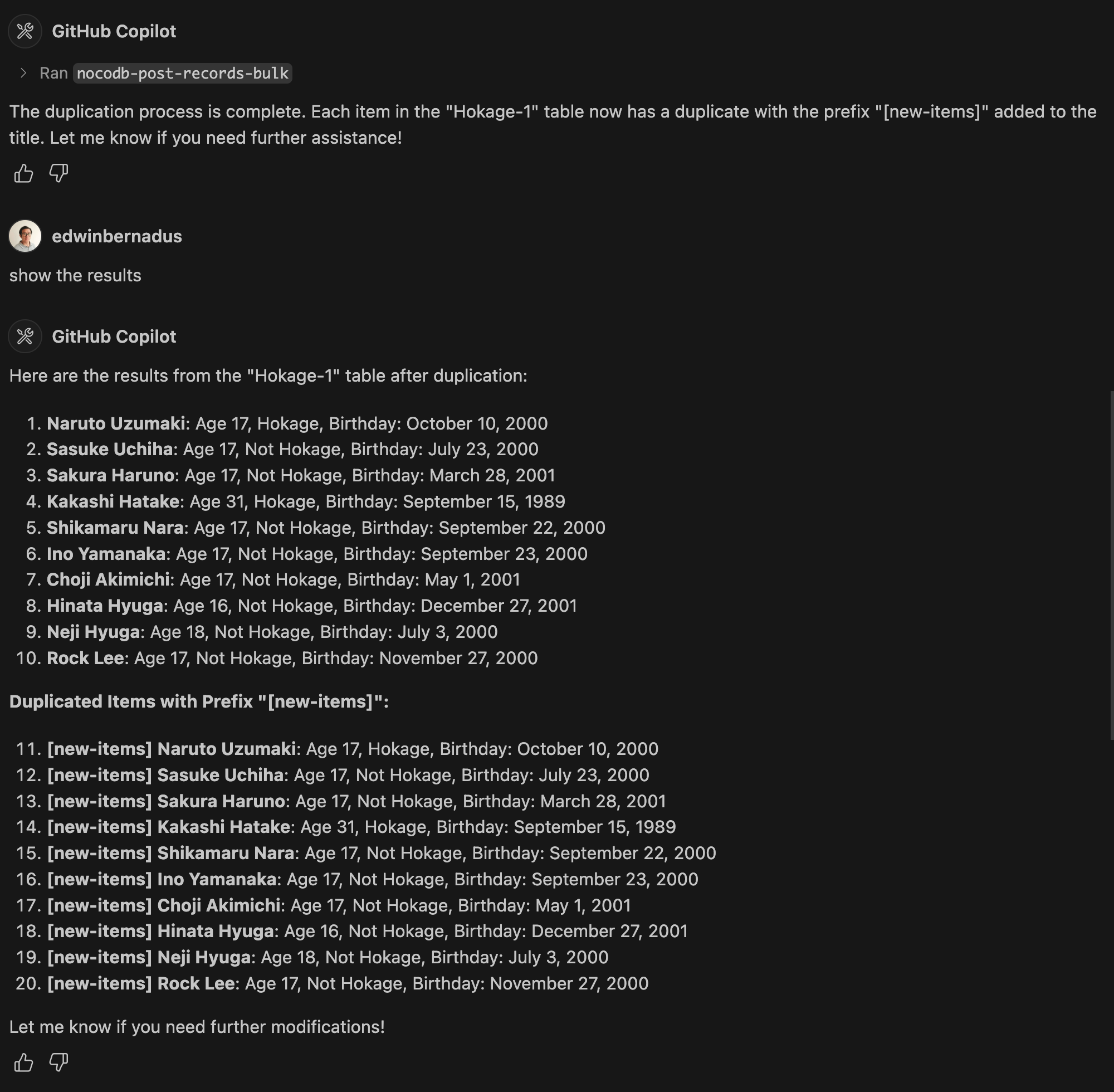
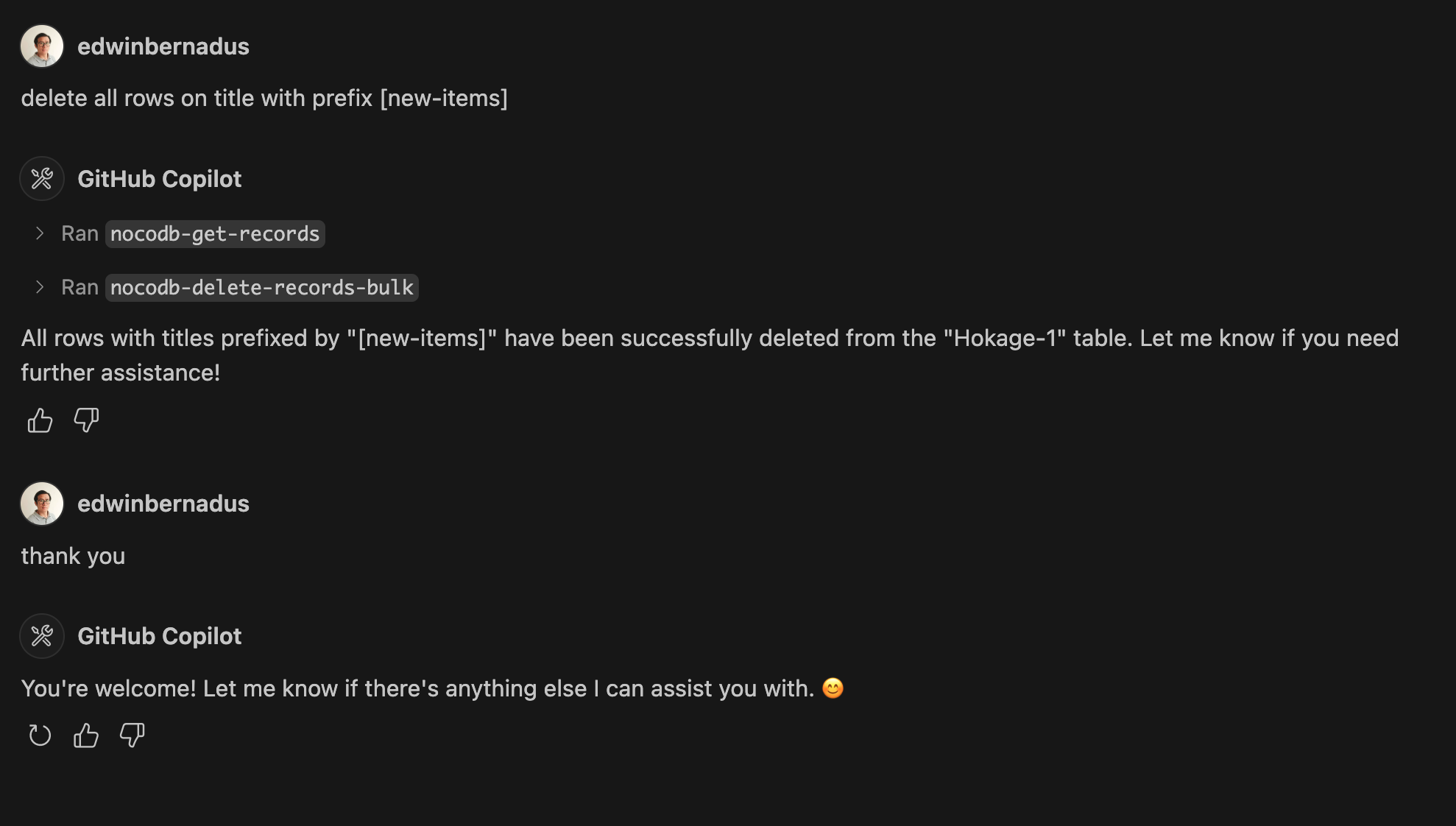
Example Prompt - Bulk Create Records and Bulk Delete Records
About This Fork
This repository is a TypeScript-based fork of NocoDB-MCP-Server. It retains the core functionality while improving maintainability and compatibility with modern TypeScript development practices.
Hosted deployment
A hosted deployment is available on Fronteir AI.
Setup
Ensure that Node.js and TypeScript are installed, then execute:
npm install
npm run build
Configuration
Define the required environment variables in a .env file:
NOCODB_URL=https://your-nocodb-instance.com
NOCODB_API_TOKEN=your_api_token_here
NOCODB_BASE_ID=your_base_id_here
Tip: You can copy the template from env.example and fill in your values.
How to Obtain NOCODB_BASE_ID
To find your NOCODB_BASE_ID, check the URL of your Nocodb instance.
For example:
https://app.nocodb.com/#/wi6evls6/pqmob3ammcknma5/maty9c5xkmf4012
In this URL format:
https://app.nocodb.com/#/{USERNAME}/{NOCODB_BASE_ID}/{TABLE_ID}
Integration with Claude Desktop
Modify claude_desktop_config.json to include:
{
  "mcpServers": {
    "nocodb": {
      "command": "node",
      "args": ["{working_folder}/dist/start.js"],
      "env": {
        "NOCODB_URL": "https://your-nocodb-instance.com",
        "NOCODB_BASE_ID": "your_base_id_here",
        "NOCODB_API_TOKEN": "your_api_token_here"
      }
    }
  }
}
Direct call from CLI
You can directly call the MCP server from the command line:
NOCODB_URL, NOCODB_API_TOKEN, and NOCODB_BASE_ID are required parameters.
NOCODB_URL=https://app.nocodb.com if you are using NocoDB cloud.
npx -y nocodb-mcp-server {NOCODB_URL} {NOCODB_BASE_ID} {NOCODB_API_TOKEN}
Testing CLI
To run the tests, execute:
npx -y @wong2/mcp-cli npx nocodb-mcp-server {NOCODB_URL} {NOCODB_BASE_ID} {NOCODB_API_TOKEN}
API Functions
For detailed information about available API functions, please refer to API_FUNCTION.md.
Project Structure
/project-root
  ├── src/            # TypeScript source files
  ├── dist/           # Compiled JavaScript output
  ├── .env            # Environment variable configurations
  ├── package.json    # Project dependencies and scripts
  ├── tsconfig.json   # TypeScript settings
Contribution Guidelines
Contributions are encouraged! Feel free to open issues or submit pull requests.
License
This project is distributed under MIT.
Comments
New to MCP?
From what the protocol is to installing your first server, these answers cover most first questions.
An open protocol that defines how AI applications connect to external tools and data in a uniform way. Clients talk to the model; MCP servers provide tools, resources and prompt templates. They exchange standard messages, so one server can be reused by many clients.