About nx-console
Nx Console is an editor extension for Nx and Lerna monorepos that provides visual views for projects and tasks. It targets developers working in VS Code, Cursor or JetBrains IDEs and adds workspace context to AI chat.
Key features
- 01Projects and tasks overview view
- 02Interactive generator UI with autocomplete and dry-run previews
- 03Project and task graph visualization
- 04Nx Cloud CI pipeline status notifications
- 05Nx workspace context for editor AI features
Use cases
- 01Browsing projects and running targets inside the editor
- 02Running Nx generators through a graphical form
- 03Monitoring CI pipeline status without refreshing GitHub
MCP support
The extension bundles an MCP server that integrates with VS Code and Cursor, supplying workspace architecture, generators and docs to AI features. The server can also be installed separately through the nx-mcp npm package.
Configuration
Local server config is the same for every client. Copy it into your client’s MCP config file.
Tools
2Saved tool list · updated 2w ago
| Parameter | Type | Required | Description |
|---|---|---|---|
| userQuery | string | Yes | The user query to get docs for. You can pass the original user query verbatim or summarize it. |
Details
From the project README

The UI for Monorepos, providing visual workflows and enriching your AI Chat with deep insights
Stay focused and productive right in your editor.






Why Nx Console?
Developers use both command-line tools and user interfaces. They commit in the terminal, but resolve conflicts in Visual Studio Code or WebStorm. They use the right tool for the job.
Nx Console is that tool. It helps developers stay in the flow, provides visual workflows, and enhances your AI chats and more.
Installation
You can download Nx Console from the following places:
- Nx Console for Visual Studio Code from the Visual Studio Marketplace.
- Nx Console for Visual Studio Code from the OpenVSX Registry
- Nx Console for JetBrains from the JetBrains Marketplace
Key Features
AI Enhancements
Nx Console enhances your editors AI features by providing relevant context to the large language models powering VSCode and Cursor. Automatically teach AI about your workspace architecture, generators and feed it up-to-date nx docs!
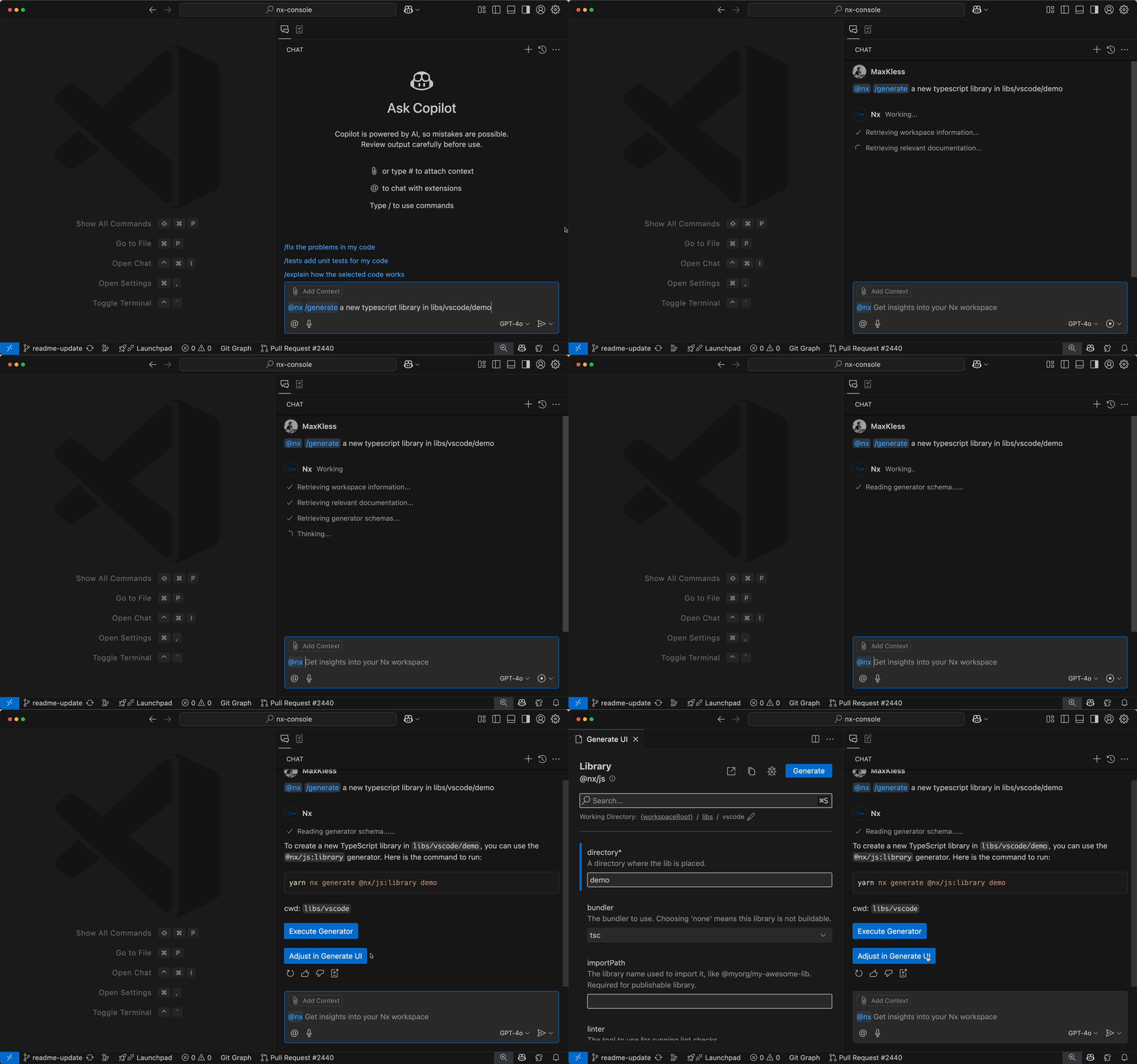
Nx Console comes with an MCP server for both, VSCode and Cursor.
You can also install the MCP server separately from the Nx Console extension via the nx-mcp NPM package. More about that here. Learn more in the Nx docs.
Project Details View
Nx Console provides seamless integration with the Project Details View (PDV). You can learn more about your project, the available tasks and detailed configuration information. With the PDV in Nx Console, you can run tasks or navigate the task graph with just a few clicks!
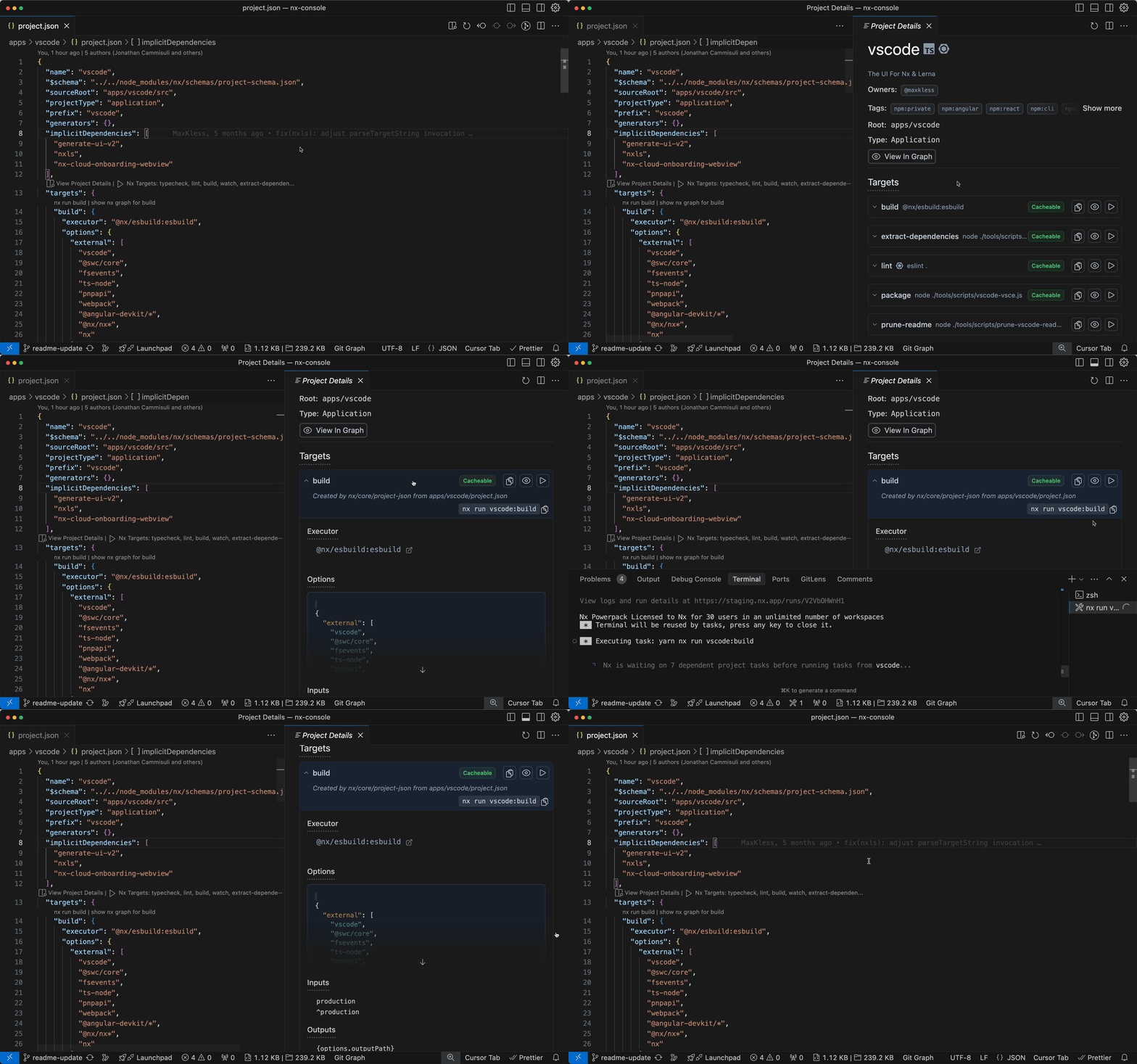
Learn more about the Project Details view on nx.dev
Generate UI
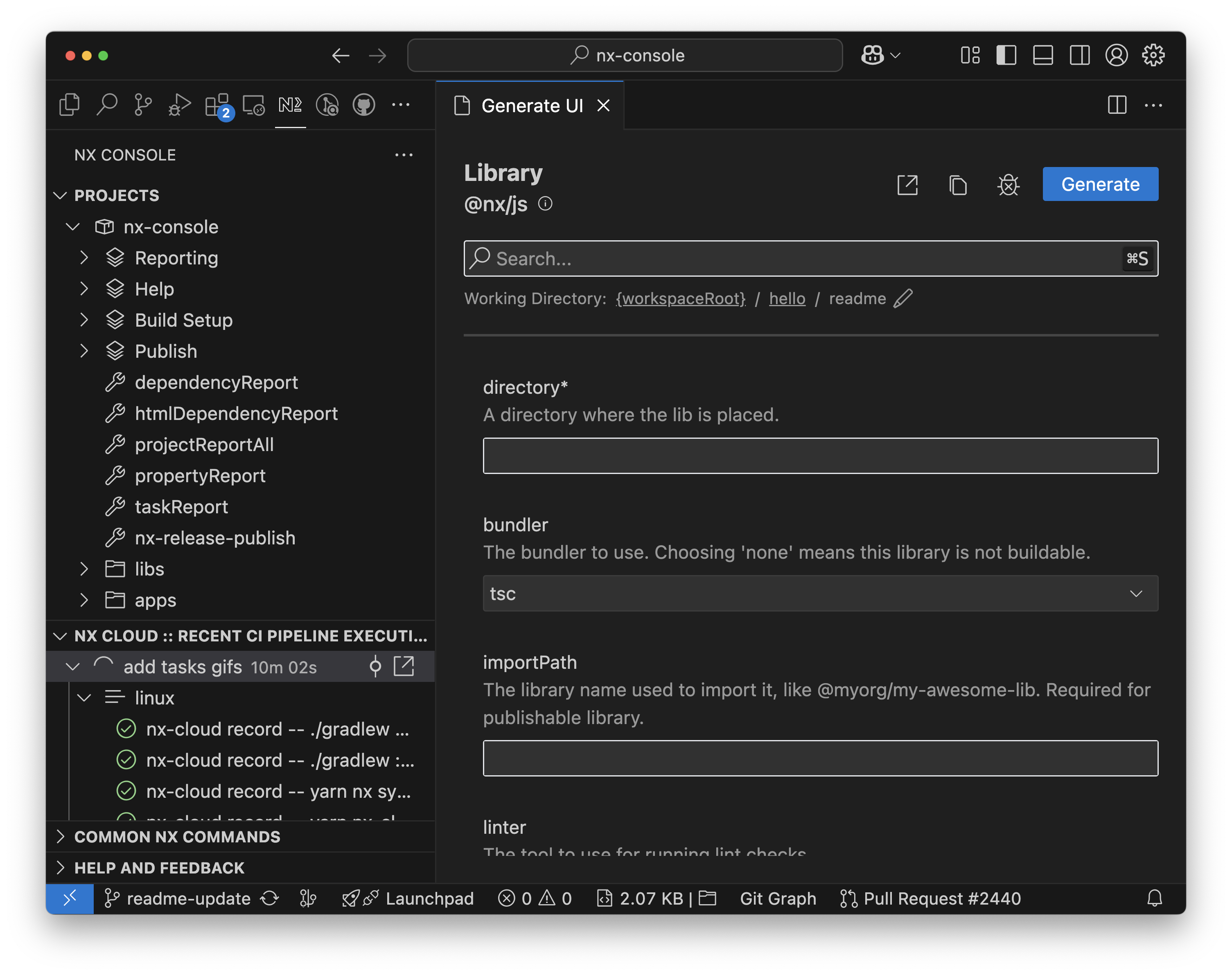
Nx Console makes it easier to run generators through our interactive Generate UI. It automatically parses the schema for any generator and provides autocomplete, validation and dry-run previews as you type.
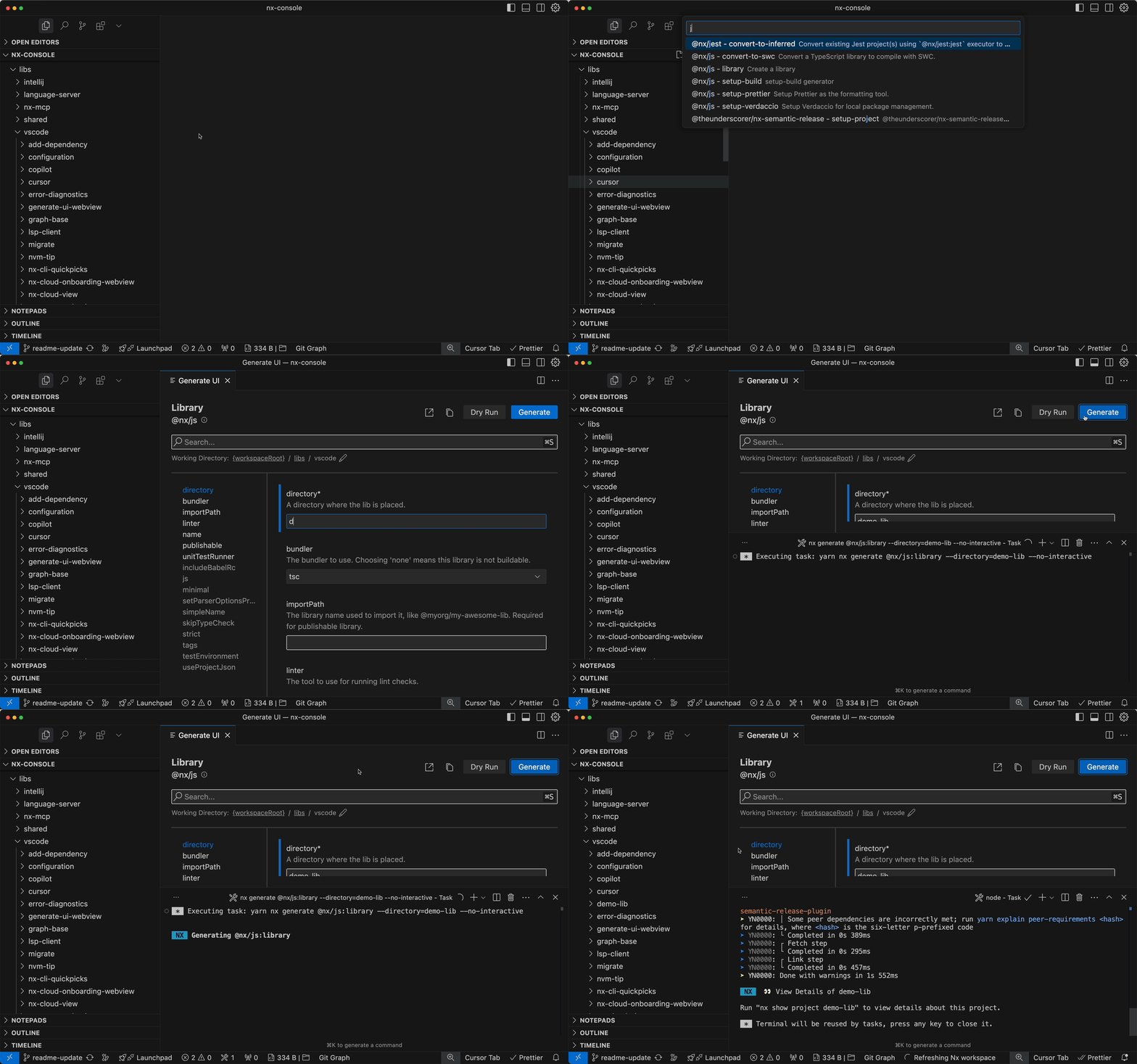
You can launch the Generate UI via the Nx: Generate (UI) command or through the context menu in the file explorer. Paths will be automatically prefilled! Learn more about the Generate UI on nx.dev
Nx Cloud Integration
Nx Console improves the experience of using Nx Cloud by giving you an overview of current CI Pipeline Executions and showing notifications when CI is done or an error occurs. No more refreshing GitHub forever, just keep working and Nx Console will let you know once your PR is ready!
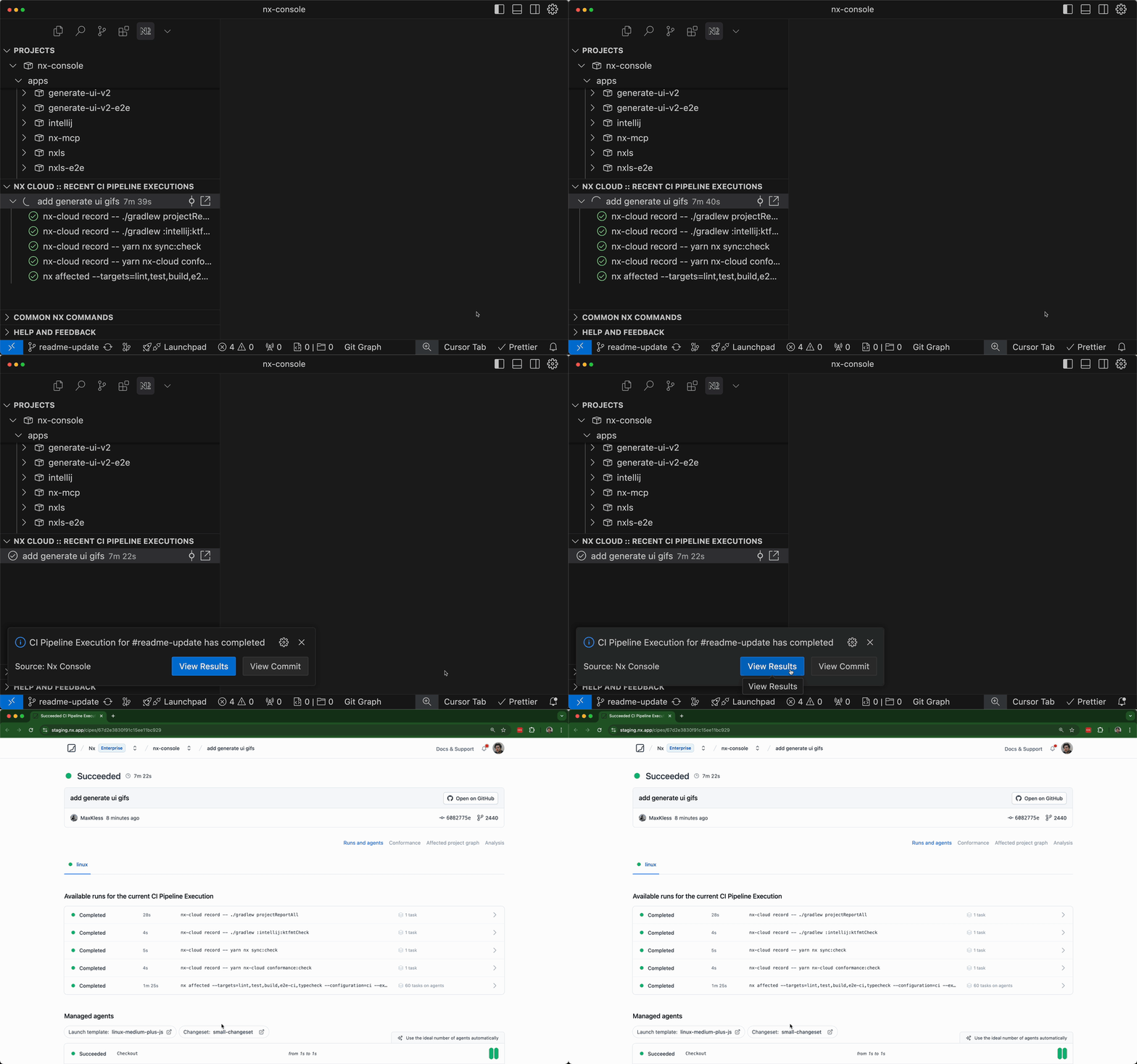
Additionally, Nx Console helps by guiding you through the Nx Cloud onboarding process, right in your editor.
Learn more about the Nx Cloud Integration on nx.dev
Projects & Tasks Overview
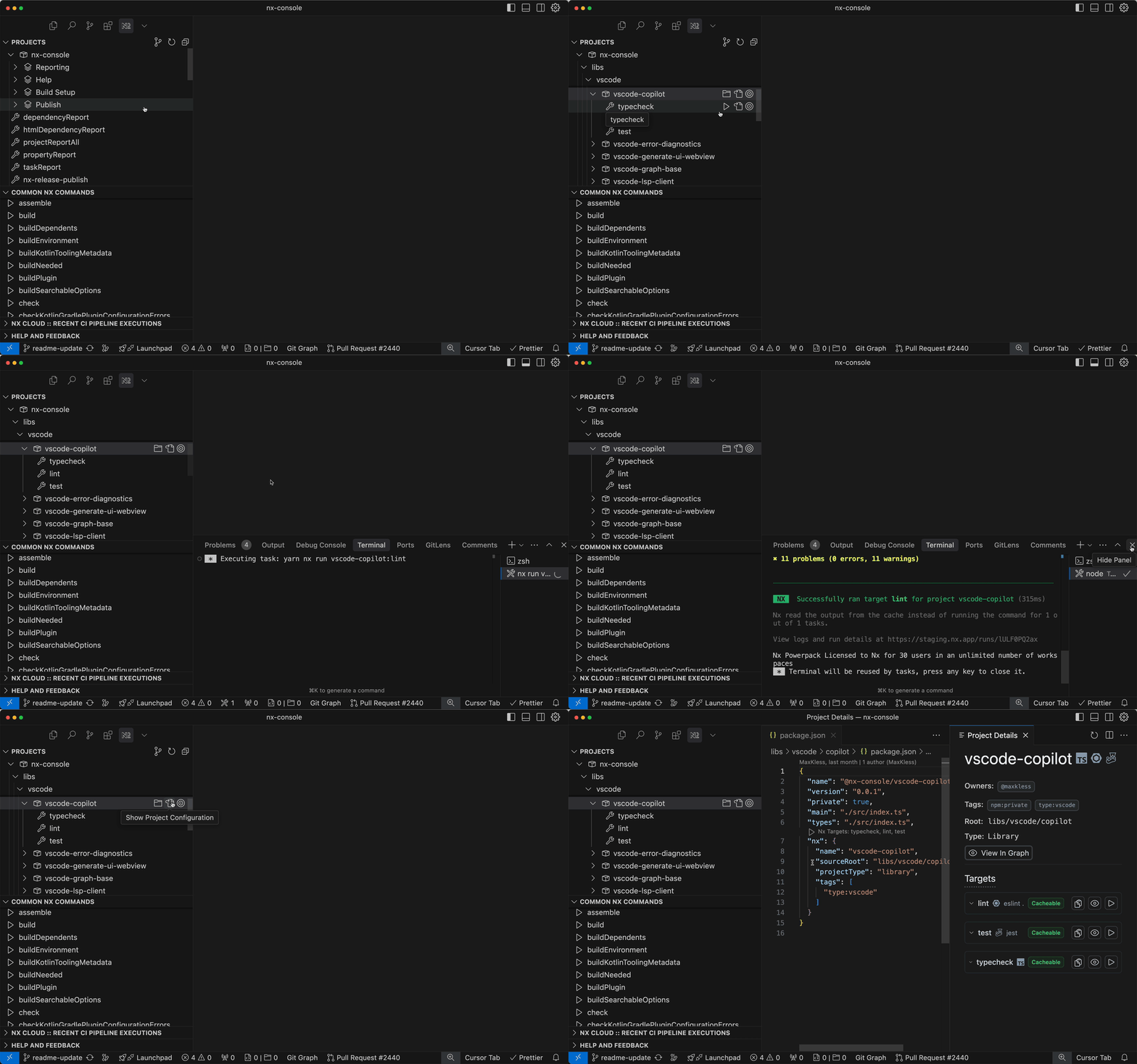
Nx Console presents an overview of your workspace from an Nx perspective. You can browse projects, their targets & configurations in the Projects view. Run available targets or create shortcuts for frequent commands in the Common Nx Commands view.
Workspace Visualization
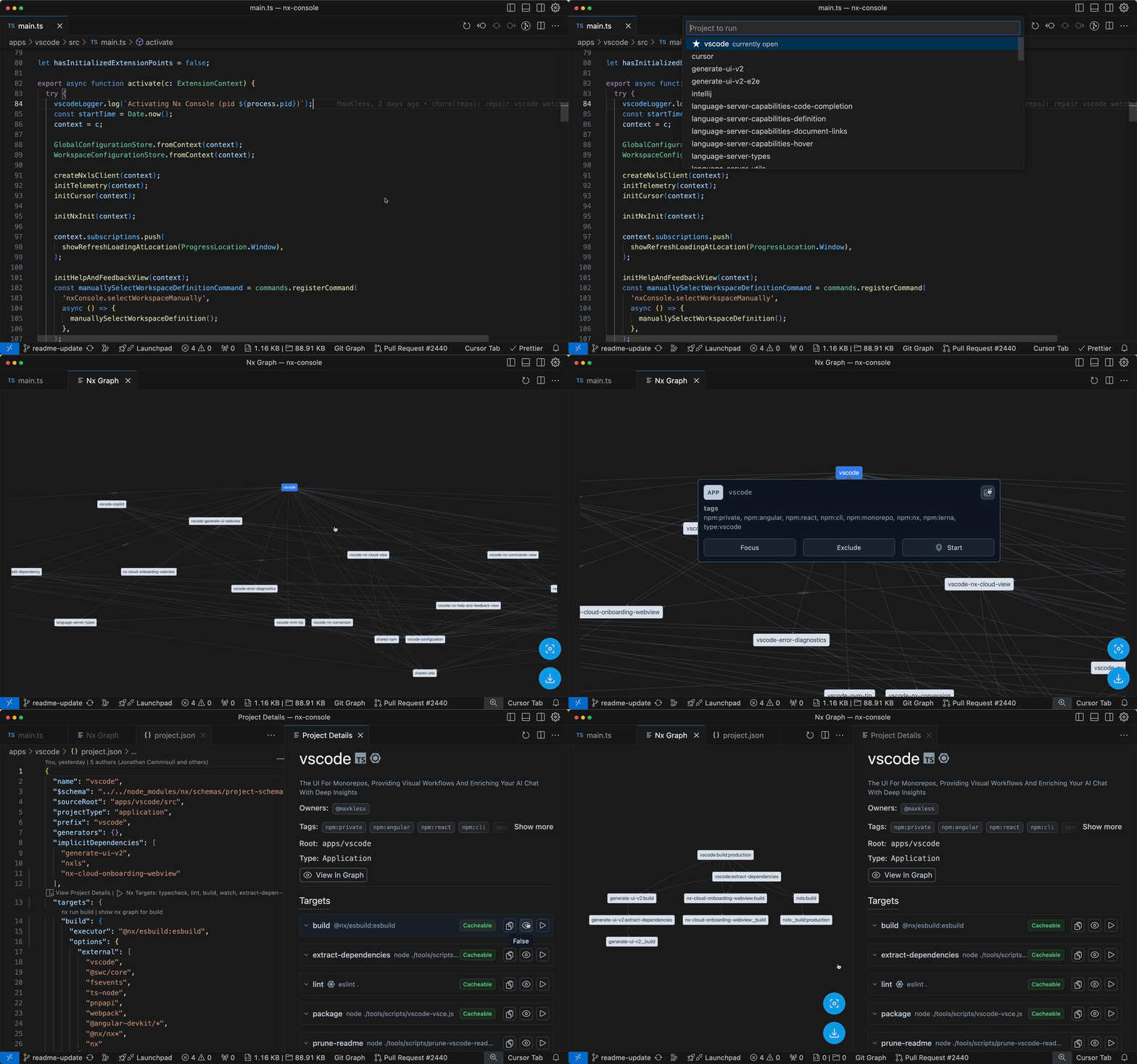
Nx Console visualizes the Nx project & task graphs right in your editor. It knows which file you're working on, so you can easily open the graph focused on that specific project. Also, with the tight integration into your editor, you can run tasks or explore the files that cause project dependencies with a single click.
Requirements
To use Nx Console, make sure you're in an Nx or Lerna workspace and have Node.js installed. If you're not using Nx yet, learn more here: Intro to Nx
You can create an Nx workspace by running the following command:
npx create-nx-workspace@latest my-workspace
To install Nx into an existing repository, simply run
npx nx init
Compatibility
The latest version of Nx Console supports all Nx versions starting at Nx 15. For older versions, we cannot guarantee compatibility or full functionality. However, we welcome contributions! If you encounter specific issues with older versions, please consider submitting a PR. Of course, if you discover any problems with newer versions of Nx, please report these issues to help us improve Nx Console.
If you're looking to upgrade your version of Nx easily, refer to the Nx migrate documentation.
Contributing
Please read the contributing guidelines. Pick one of the issues from the good first issue list to get started.
Learn More
- Documentation - Official documentation with video tutorials
- nx.dev - Documentation, Guides and Interactive Tutorials on Nx
- Join the community - Chat about Nx & Nx Console on the official discord server
- Learn more about the team at Nx - The team at Nx led the development of Nx Console, after working with many Enterprise clients.
Jetbrains WSL support
The Node interpreter under Languages & Frameworks > Node.js needs to be configured to use the Node executable within the WSL distribution. You can read more on the official Jetbrains docs page.
Comments
New to MCP?
From what the protocol is to installing your first server, these answers cover most first questions.
An open protocol that defines how AI applications connect to external tools and data in a uniform way. Clients talk to the model; MCP servers provide tools, resources and prompt templates. They exchange standard messages, so one server can be reused by many clients.