About termcp
termcp exposes a terminal interface to AI agents, enabling local and SSH-based host work. It dynamically loads MCP servers and skills while keeping a single MCP tool exposed.
Key features
- 01Operate terminals locally and over SSH
- 02Install and call MCP servers dynamically
- 03Write and hot-load MCP servers
- 04Expose one MCP tool regardless of loaded servers
- 05Collaborate through a shared web terminal UI
Use cases
- 01Manage remote hosts with human-approved SSH access
- 02Install MCP servers during an agent session
- 03Create and load a custom MCP server at runtime
- 04Collaborate with an agent in the same terminal
MCP support
termcp is an MCP server that exposes terminal capabilities through one tool. It can install and invoke other MCP servers dynamically, including across machines over SSH.
Configuration
Local server config is the same for every client. Copy it into your client’s MCP config file.
docker run -i --rm ghcr.io/open-mcp-ai/termcp:0.2.8Local servers need a runtime on your machine (e.g. Node.js 18+). Config file locations differ by client; see your client’s docs.
ghcr.io/open-mcp-ai/termcp:0.2.8Streamable HTTPTools
Local servers expose tools only once running on your machine, and the maintainer has not provided a tool list.
Details
From the project README
⚡ Termcp





English | 中文



Termcp: the final MCP | Terminus MCP
With Termcp:
- An AI can install and use any number of MCP servers, dynamically, at run time.
- An AI can write its own MCP server and hot-load it.
- An AI can use SSH to manage hosts, approved and collaborated on by a human.
- An AI can install and call MCP servers across machines over nothing but SSH.
Exactly one tool is exposed. Built on the Termcp protocol (Terminalization Model Context Protocol): loading more MCP servers and skills does not grow the context.
A single dependency-free binary (10 MB+), cross-platform, with a WYSIWYG web UI where a human and an AI share the same terminals and collaborate.
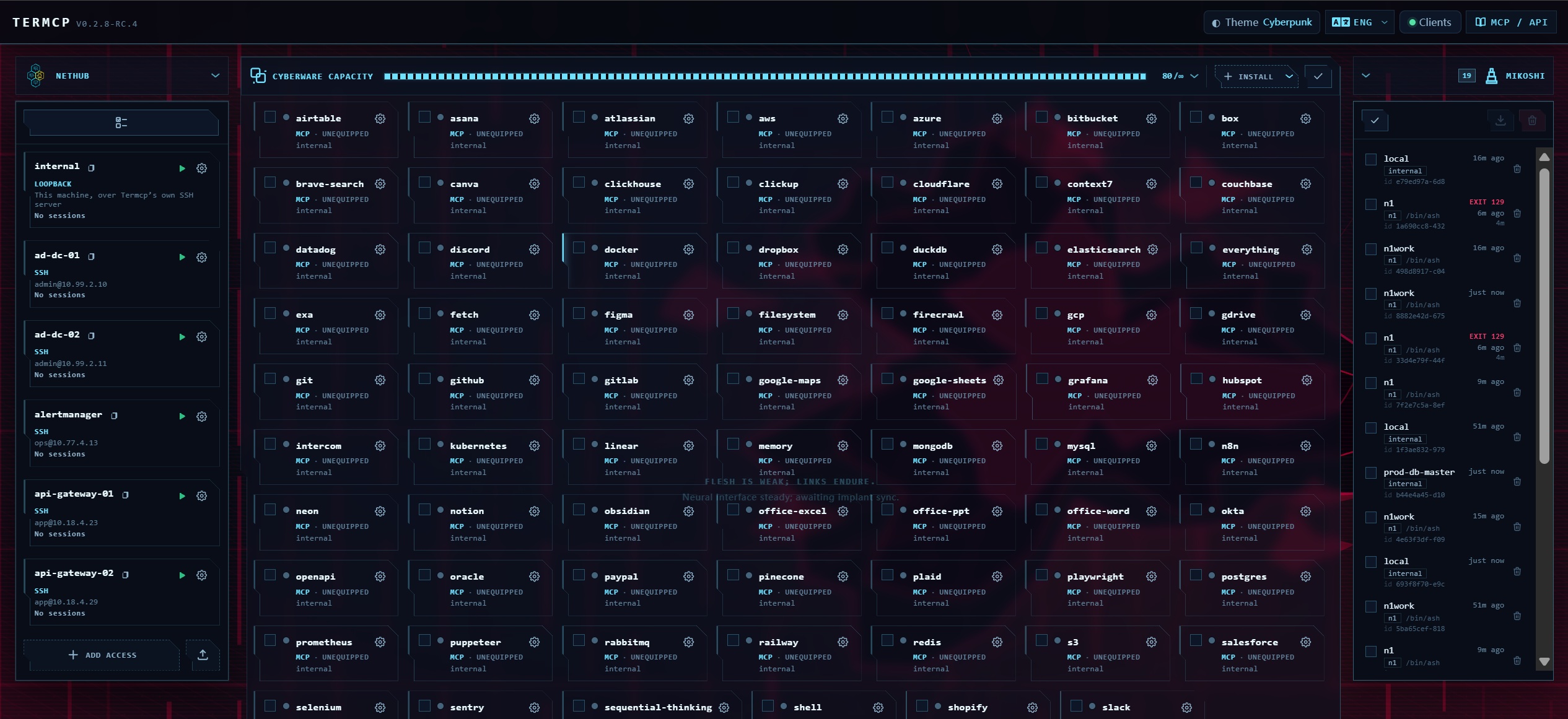
Install 80+ MCP servers and skills.
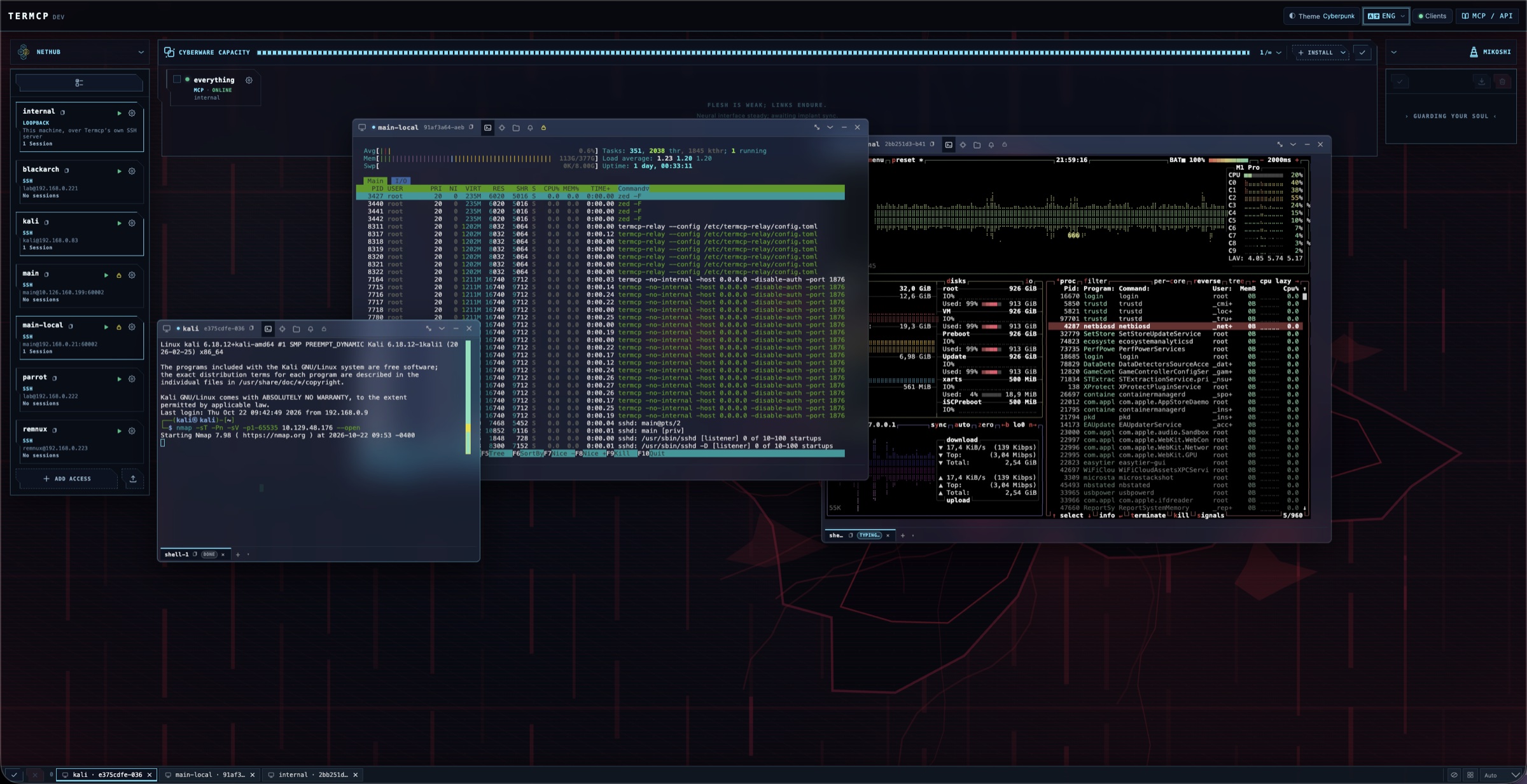
Host management.
Install
0 · AI install
Install npx -y @open-mcp-ai/termcp daemon stdio as an MCP named termcp.
Copy this to the AI.
1 · One command per agent
| Agent | Command |
|---|---|
| Claude Code | claude mcp add termcp -- npx -y @open-mcp-ai/termcp daemon stdio |
| Codex | codex mcp add termcp -- npx -y @open-mcp-ai/termcp daemon stdio |
| Gemini CLI | gemini mcp add termcp npx -- -y @open-mcp-ai/termcp daemon stdio |
2 · Config file
{
  "mcpServers": {
    "termcp": {
      "command": "npx",
      "args": ["-y", "@open-mcp-ai/termcp", "daemon", "stdio"]
    }
  }
}
Other install methods — npm / Go / Docker / prebuilt binary
| Command | |
|---|---|
| npm | npm i -g @open-mcp-ai/termcp — installs a termcp command; with it, drop npx -y @open-mcp-ai/termcp from every snippet above and use termcp. Wrapper: open-mcp-ai/Termcp-npm. |
| Go | go install github.com/open-mcp-ai/termcp@latest — GOPROXY=https://goproxy.cn,direct in mainland China; also usable as a module (go get github.com/open-mcp-ai/termcp). |
| Docker | docker run -d --name termcp -p 18765:18765 -v termcp-data:/home/termcp -e TERMCP_AUTH_TOKEN=change-me-to-a-long-random-secret ghcr.io/open-mcp-ai/termcp:latest termcp --no-internal --host 0.0.0.0 --port 18765 |
| Binary | Prebuilt releases — linux / darwin / windows on amd64 / arm64, one static file each. |
The npm wrapper downloads the matching prebuilt binary (override with TERMCP_VERSION, TERMCP_MIRROR,
TERMCP_BIN, TERMCP_SKIP_DOWNLOAD). Flags: docs/cli.md. Docker recipes, Compose and a
token-free loopback setup: docs/deploy.md.
HTTP transport, when an instance is already answering somewhere (npx -y @open-mcp-ai/termcp):
{
  "mcpServers": {
    "termcp": {
      "type": "http",
      "url": "http://localhost:18765/stream"
    }
  }
}
Reachable from a client in Docker as http://host.docker.internal:18765/stream (macOS/Windows) or the host's
LAN IP; from another container on the same network as http://termcp:18765/stream. Legacy SSE uses
http://localhost:18765/sse — only /sse, JSON-RPC goes to /message by itself. With
--auth-token, add a bearer header: "headers": {"Authorization": "Bearer <token>"}.
Docs
docs/cli.md | Every flag and subcommand, capability gates, authentication. |
docs/clients.md | All four entrances end to end: MCP transports, the stdio bridge, authentication, REST examples, and the one-tool surface. |
docs/deploy.md | Docker, multi-stage builds, Compose, pure-API build. |
docs/protocol.md | TERM/1 specification: wire format, status codes, headers, the 19 directives, the three gates. |
docs/capabilities.md | The full capability surface and the security model. |
docs/api.md | REST endpoints, WebSocket frames, locator resolution. |
docs/capabilities.md | Full capability surface and the security model. |
docs/architecture.md | Session kernel, entrances, storage. |
docs/design/ | Design records: Web UI, resource model, session storage, font stack, mobile terminal. |
CHANGELOG.md | Release notes. |
Benchmark
Comming Soon
Functional security testing
Comming Soon
Star History
License
Released under the MIT License. Thanks to friends in the linux.do community for the discussions, feedback, and support.
Comments
New to MCP?
From what the protocol is to installing your first server, these answers cover most first questions.
An open protocol that defines how AI applications connect to external tools and data in a uniform way. Clients talk to the model; MCP servers provide tools, resources and prompt templates. They exchange standard messages, so one server can be reused by many clients.