
Bullrun: Global Stock & UCITS ETF Research
RemoteAbout Bullrun: Global Stock & UCITS ETF Research
Bullrun is an MCP server for global stock and UCITS ETF research, aimed at investors and researchers exploring markets, company risks, and fund data. Figures include dates and currencies, and missing data is identified as unknown; signed-in users can also inspect portfolios and create reviewable paper-portfolio drafts.
Key features
- 01Screen global stocks and ETFs
- 02Compare UCITS ETF costs and holdings overlap
- 03Retrieve company fundamentals, risks, and macro data
- 04Show dates, reporting periods, and native currencies
- 05Manage research shortlists and portfolio drafts when signed in
Use cases
- 01Screen candidates outside the US market
- 02Compare UCITS fund costs and holdings overlap
- 03Review company risks and business dependencies
- 04Analyze a personal portfolio and create a draft for review
MCP support
It provides remote MCP servers exposing tools for stock, ETF, company-risk, macro, and portfolio research. Public research needs no sign-in; personal portfolio features use an OAuth account endpoint.
Configuration
Remote servers need no local install. Pick your client, then copy the config or install in one click.
https://mcp.bull-run.org/mcpclaude mcp add --transport http org-bull-run-bullrun https://mcp.bull-run.org/mcp{"mcpServers":{"org-bull-run-bullrun":{"type":"http","url":"https://mcp.bull-run.org/mcp"}}}Open in Cursor{"servers":{"org-bull-run-bullrun":{"type":"http","url":"https://mcp.bull-run.org/mcp"}}}Open in VS Code{"mcpServers":{"org-bull-run-bullrun":{"type":"http","url":"https://mcp.bull-run.org/mcp"}}}{"mcpServers":{"org-bull-run-bullrun":{"serverUrl":"https://mcp.bull-run.org/mcp"}}}Run commands in a terminal; paste JSON into the client’s MCP config and restart. Servers that need sign-in will prompt on first connect.
Tools
40| Parameter | Type | Required | Description |
|---|---|---|---|
| mode | enum | No | Deprecated alias for lookbackMode; kept for compatibility.annual | quarterly |
| limit | integer | No | Maximum number of stocks to return (1-100). |
| order | enum | No | Sort direction. Nulls always sort last regardless of direction.desc | asc |
| rules | array | No | Fundamental rules. Same groupId means AND; different groupIds mean OR. |
| sector | string | No | Exact sector name to filter by, e.g. "Technology", "Healthcare". Omit for all sectors. |
| sortBy | enum | No | Metric to sort by. revenueGrowth is accepted as an alias for revenueGrowthPct.revenueGrowthPct | netIncomeGrowthPct | grossProfitGrowthPct | operatingIncomeGrowthPct | ebitdaGrowthPct | freeCashflowGrowthPct | epsGrowthPct | operatingCashflowGrowthPct | dividendGrowthPct | latestRevenue | latestNetIncome | latestGrossProfit | latestOperatingIncome | latestEbitda | latestDilutedEps | latestDividendsPerShare | latestFreeCashflow | latestOperatingCashflow | latestCash | latestTotalAssets | latestTotalDebt | latestStockholdersEquity | marketCap | peRatio | dividendYield | revenueGrowth |
| country | string | No | Exact country name to filter by, e.g. "United States", "Germany". Omit for all countries. |
| periods | integer | No | Deprecated alias for lookback; kept for compatibility. |
| industry | string | No | Exact industry name to filter by, e.g. "Software - Infrastructure". Omit for all industries. |
| lookback | integer | No | How many reporting periods to evaluate. Growth rules need at least 2 comparable periods. |
| countries | array | No | Exact country names to include. Use this for multi-country screens; it overrides country when provided. |
| lookbackMode | enum | No | Whether rule evaluation uses annual or quarterly reporting periods.annual | quarterly |
| minMarketCap | number | No | Compatibility shortcut: adds marketCap >= this absolute value to every rule group. |
| includeInactive | boolean | No | Include delisted/inactive tickers with no recent price bar. Default false. |
| includeSecondary | boolean | No | Include secondary cross-listings of the same security. Default false (primary listings only). |
Details
From the project READMEBullrun: Global Stock & UCITS ETF Research
An MCP server for researching stocks and ETFs beyond the US. Find global stock candidates, compare UCITS ETF costs and overlap, and inspect company risks from your MCP client. Every figure shows its date, reporting period and native currency, and missing data is reported as unknown. Public research needs no API key or Bullrun account. Connect your free Bullrun account when you want to save research, read your portfolios or create a reviewable paper-portfolio draft.
Free: 700 successful MCP tool calls per rolling 30 days. Pro and active trials: 1,000 successful tool calls per rolling 5 hours. Bullrun Pro costs CHF 5/month or CHF 50/year. See plans and subscription details, then connect the account endpoint through OAuth to use your Pro allowance. Website screening and manual research have separate allowances.
| Public research | https://mcp.bull-run.org/mcp (Streamable HTTP) |
| Personal research and portfolios | https://mcp.bull-run.org/account/mcp (OAuth) |
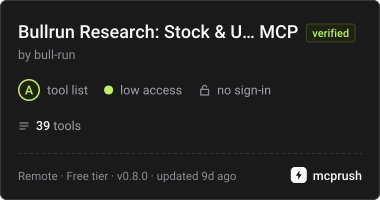
| Research tools only, no sign-in | https://mcp.bull-run.org/research/mcp (the 39 research tools, no account tools or prompts) |
| Web app | bull-run.org |
| Registry | org.bull-run/bullrun |
| Glama | Server · Connector |
| mcprush | Bullrun MCP · Bullrun Research (research tools only, with quotas per installation) |
| Privacy | Privacy policy |
Connect
Add the hosted endpoint as a remote MCP server in your client. Public market research is anonymous. To save a research shortlist or work with your portfolios, add the account endpoint above and authorize the requested OAuth scopes. These features, including AI-generated drafts, are available to signed-in free accounts. Free use includes 700 successful MCP tool calls per rolling 30 days, per free account or anonymous network, shared across the official public, research and OAuth endpoints. Connected Pro and active-trial accounts get 1,000 successful tool calls per rolling 5 hours. Each successful call counts once, regardless of how much data it loads; failed calls use no allowance. Allowances refill automatically as earlier calls leave the rolling window. Temporary capacity limits and tool pacing may ask you to wait; follow the reply's retry guidance. Website and marketplace allowances are unchanged. Your shortlist persists in Research Shortlist, and paper drafts remain pending until you review and accept them. Saving never enables monitoring or email.
{
  "mcpServers": {
    "bullrun": { "url": "https://mcp.bull-run.org/mcp" }
  }
}
Configuration formats vary by client. See the connection guide.
Start with a research question
- “Find Nestlé's stock listing and show the available company data.”
- “List your preset stock screens, then find European companies with positive earnings and free cash flow.”
- “Show six months of Apple's daily prices, RSI and moving averages.”
- “Find peers for Microsoft and compare their fundamentals.”
- “Show recent company news for NVIDIA, with publication dates and freshness.”
- “Which UCITS funds track the S&P 500 at the lowest ongoing cost?”
- “Compare the underlying overlap of these two ETFs.”
- “Which companies share suppliers or customers with Apple?”
Use the prompt menu for find_ml_candidates (compare model candidates with business fundamentals), compare_ucits_costs (fund-level cost comparison) and research_shortlist_briefing (review your saved queue). These workflows retrieve research; saving requires your instruction.
Tools
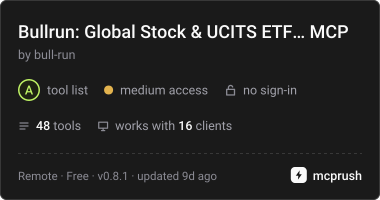
Version 0.8.1 exposes 48 focused tools in both hosted and local builds (39 research tools on the marketplace connection). The exact tools and parameters are available through MCP tools/list.
| Workflow | Tools |
|---|---|
| Find stocks and screen | search_stocks, screen_stocks, find_stock_peers |
| Prices and news | get_stock_price_history, get_company_news, get_stock_metrics |
| Fundamentals | compare_stocks, get_financial_history, get_quality_moat_metrics, get_revenue_breakdown |
| Coverage and optional datasets | get_company_data_coverage, get_forward_estimates, get_operating_kpis, get_earnings_call_transcript |
| Company risk and dependencies | get_company_risk, get_company_relationships, compare_company_exposures, get_company_risk_history, screen_risk_board, get_risk_movers |
| Corporate calendar | get_corporate_calendar |
| ETF discovery | search_etfs, screen_etfs, get_etf_filter_options, get_etf_index_group, get_etf_fund |
| ETF research | get_etf_snapshot, get_etf_holdings, get_etf_timeseries, get_etf_exposures, get_etf_risk, compare_etfs, simulate_etf_cost |
| Macro | get_global_markets_overview, get_country_macro, get_macro_indicators, get_macro_history |
| Bullrun valuation models | get_valuation_model, screen_valuation_model |
| Research Shortlist (sign-in) | save_research_shortlist, list_research_shortlist |
| Personal portfolios (sign-in) | list_portfolios, get_portfolio_context, get_portfolio_analytics, get_capabilities |
| Reviewable paper drafts (sign-in) | create_portfolio_from_positions, create_portfolio_draft, create_position_draft |
The consolidated tools preserve existing defaults and fetch extra analysis only when requested:
screen_stocks({action: "list_presets"})lists transparent rules without running a screen. Pass apresetsuch asprofitable_valueto run it, or supply customrules; do not combine preset and custom rule inputs.compare_etfs({tickers: [...], include: ["overlap"]})returns pairwise shared holdings, weighted overlap, snapshot dates and partial-coverage warnings. Other comparison modules can be requested alongside overlap.get_portfolio_analytics({portfolioId, candidateTicker, includeLookThrough: true})adds ETF/direct-holding duplicate exposure. It requires portfolio access and retains the selectedprivacyMode; ordinary analytics does not fetch holdings look-through.
Migrating older clients
The four retired names remain available in the opt-in compatibility catalog at https://mcp.bull-run.org/legacy/mcp. OAuth clients that need a login challenge can use https://mcp.bull-run.org/account/legacy/mcp. Both retain the existing authentication rules. The modern endpoints omit these aliases:
| Legacy name | Modern call |
|---|---|
screen_stock_presets | screen_stocks with action: "list_presets" or a named preset |
analyze_etf_overlap | compare_etfs with include: ["overlap"] |
analyze_portfolio_fit | get_portfolio_analytics with candidateTicker and includeLookThrough: true |
query_etfs | search_etfs, get_etf_snapshot, get_etf_holdings, and get_etf_timeseries, according to the requested operation |
Reconnect after changing endpoints; modern and compatibility sessions cannot be shared. For local compatibility, run node dist/stdio.js --legacy-tools. Legacy responses retain their existing fields and units, including raw fractional ratios in query_etfs; modern ETF ratios use percentage points.
Read the returned coverage and dates. Stored prices are daily observations, not live stock quotes. Technical indicators and price returns use stored closes; an adjusted total-return series is not implied. Weekly/monthly bars are aggregated from daily data. News reads return cached articles and, except on the research endpoint, can request a bounded background refresh; an empty result is not proof that no news exists.
Consensus estimates use available Yahoo revenue/EPS targets and EPS revisions; EBITDA, management guidance and revenue revisions are not supplied by this feed. Estimate reads can queue a free consensus refresh, and US transcript reads a bounded import of the latest two calls from the existing free DefeatBeta source; the first cached response may be empty while that runs. The research endpoint (/research/mcp) queues nothing: its news, estimate and transcript reads return stored rows only, so every tool there is read-only. Non-US transcript coverage is not configured. Operating KPI observations remain limited to stored rows, with no broad KPI ingestion pipeline. Use get_company_data_coverage before relying on an optional dataset. Missing data is unknown. A risk band describes measured strain, and a model valuation gap describes relative pricing; neither is a price target or buy/sell recommendation.
The same UCITS fund can trade on several venues under different symbols. Resolve ISINs with get_etf_fund and treat those listings as one holding when evaluating overlap.
Shortlist access uses read:shortlist and write:shortlist. Reconnect the account endpoint to grant these scopes if you connected an older version. save_research_shortlist takes 1-20 exact stock or ETF listing tickers; confirmed saves and individual failures are returned separately.
Successful answers offer an optional contextual link to Bullrun's charts, screens, company networks or saved draft. Link descriptions identify settings that the app cannot reproduce. Opening a draft link never accepts it or changes holdings.
Local stdio build
The remote endpoint is the simplest connection. To build the connector for local clients or directory inspection:
npm ci
npm run build
node dist/stdio.js
The stdio build reads public data from https://bull-run.org by default. Set BULLRUN_API_BASE to use another Bullrun API deployment. Anonymous stdio clients cannot read personal portfolios or create drafts.
Release verification
npm test
npm run test:catalog
The public repository contains the MCP connector, not the application database or data services. The connector source, version and catalog are synchronized from the application repository's release process. MIT license.
Comments
New to MCP?
From what the protocol is to installing your first server, these answers cover most first questions.
An open protocol that defines how AI applications connect to external tools and data in a uniform way. Clients talk to the model; MCP servers provide tools, resources and prompt templates. They exchange standard messages, so one server can be reused by many clients.