About jt-mcp
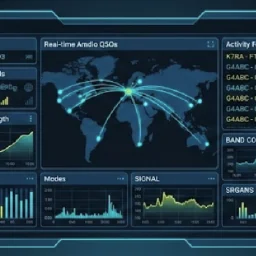
jt-mcp is a read-only MCP server for WSJT-X users and AI apps. It listens to WSJT-X UDP messages and exposes status, decodes, CQ activity, heard stations, and WSPR spots without controlling the radio.
Key features
- 01WSJT-X status and tuning details
- 02CQ activity and category filters
- 03Recent decode search and filtering
- 04Heard-station signal history
- 05WSPR spot details
- 06UDP listener diagnostics
Use cases
- 01Check who is calling CQ POTA
- 02Review recent DX decodes by signal strength
- 03See whether a station was heard and its SNR
- 04Troubleshoot missing UDP messages
MCP support
Exposes WSJT-X information through MCP tools for compatible clients. It is permanently read-only and cannot send commands to WSJT-X.
Configuration
Local server config is the same for every client. Copy it into your client’s MCP config file.
Tools
7Saved tool list · updated 2w ago
This tool takes no parameters.
Details
From the project READMEjt-mcp

Ask an AI app what WSJT-X is hearing. WSJT-X sends what it is doing and every decode to a UDP Server address; jt-mcp listens there and answers: who is calling CQ, and what kind of CQ (DX, POTA, a contest, a region), who has been heard and how well, what WSJT-X is tuned to, recent decodes and WSPR spots.
Read-only, permanently. jt-mcp never sends WSJT-X a message, so it cannot answer a call, key your transmitter or change a setting. No write, no PTT, no transmit control — a permanent constraint, not a first-version limit. The tests assert it against the source.
WSJT-X first, and WSJT-X defines the protocol. The UDP message definitions come from the
WSJT-X project — Network/NetworkMessage.hpp, at the schema WSJT-X states — because the project
that owns a definition is its authority. The code is
qso-graph-lib's, the same that
qso-graph-sim plays WSJT-X's messages with. JTDX,
WSJT-Z and MSHV are supported where they work with those definitions, and where one does not, its
difference is not implemented here. JS8Call, whose API is its own, follows WSJT-X.
This server was js8call-mcp until 2026-10-29. Part of the qso-graph
project.
Install
uvx jt-mcp # run it; nothing to install
Set up WSJT-X
In WSJT-X: File, Settings, Reporting, UDP Server: 127.0.0.1, port 2237 (WSJT-X's
defaults). That is all jt-mcp needs when WSJT-X runs on the same PC.
Only one program can listen on a UDP port. If GridTracker, JTAlert or another logger already
listens on 2237, give jt-mcp a different port (--udp-port) and point WSJT-X at that one.
Tools
| Tool | Answers |
|---|---|
jt_cq | Who is calling CQ, and what kind: plain, DX, activity (POTA, SOTA, WWFF, IOTA), contest (TEST, FD, RU, WW), region (NA, EU, ...), or a frequency (CQ 290). The latest per station |
jt_status | What each WSJT-X is doing: dial frequency and band, mode, DX call and grid, Tx enabled or transmitting, your call and grid |
jt_decodes | Recent decodes, each read into its parts (who is calling whom, grid, report, sign-off); filter by callsign, CQ only, SNR, band |
jt_heard | Stations heard: how often, last SNR, last grid, mode and band |
jt_wspr | WSPR spots WSJT-X decoded: call, grid, power, SNR, drift |
jt_diagnostics | The listener: where it listens, who may send, what arrived, what was dropped and from where, each WSJT-X's version |
get_version_info | Service version and status |
Times are UTC. Several WSJT-X instances (two radios, two bands) are kept apart by the Id each
sends, such as WSJT-X - FT-991A.
Questions it will answer
"Who's calling CQ POTA on 20 m right now?"
"Any DX calling CQ in the last ten minutes, strongest first?"
"Has W9XYZ been heard, and how strong?"
"What is WSJT-X tuned to, and is Tx enabled?"
"Why isn't anything showing up?" —
jt_diagnostics
Configure your MCP client
jt-mcp works with any MCP-compatible client. Add the server and restart the client.
Claude Desktop
Add to claude_desktop_config.json (~/Library/Application Support/Claude/ on macOS,
%APPDATA%\Claude\ on Windows):
{
  "mcpServers": {
    "jt": {
      "command": "uvx",
      "args": ["jt-mcp"]
    }
  }
}
Claude Code
claude mcp add jt -- uvx jt-mcp
ChatGPT Desktop
Configure via Settings > Apps & Connectors, or in your agent definition, with the same
command and args as above.
WSJT-X on another PC
By default jt-mcp listens on 127.0.0.1, this PC alone. For WSJT-X on another PC, give one
address of this PC with --bind, and name each PC that may send with --allow:
"args": ["jt-mcp", "--bind", "192.168.1.50", "--allow", "192.168.1.40"]
and set WSJT-X's UDP Server to 192.168.1.50. Listening on every interface at once
(0.0.0.0) is refused, --allow is required with a network address, and names are not
accepted, only IP addresses. A datagram from anyone else is dropped unread and counted, and
jt_diagnostics shows the count and the addresses.
What the allow list does not do. It keeps other machines out. It is not proof of who sent: a UDP sender's address can be forged by anything on the same network. What contains that is that jt-mcp only reads, so a forged datagram can mislead about what WSJT-X is doing and cannot make anything happen.
Options
jt-mcp [--bind ADDR] [--allow ADDR ...] [--udp-port N]
       [--transport stdio|streamable-http] [--port N] [--version] [--help]
| Option | Default | |
|---|---|---|
--bind ADDR | 127.0.0.1 | where to listen for WSJT-X |
--allow ADDR | this PC | a PC that may send; repeatable; required with a network --bind |
--udp-port N | 2237 | WSJT-X's UDP Server port |
--transport | stdio | streamable-http binds 127.0.0.1 only |
--port N | 8031 | the streamable-http port |
Licence
GPL-3.0-or-later. See LICENSE.
Comments
New to MCP?
From what the protocol is to installing your first server, these answers cover most first questions.
An open protocol that defines how AI applications connect to external tools and data in a uniform way. Clients talk to the model; MCP servers provide tools, resources and prompt templates. They exchange standard messages, so one server can be reused by many clients.