
About Verdi Bridge
Verdi Bridge connects AI agents to a live Synopsys Verdi session for RTL debugging. It provides typed tools for waveform inspection and RTL navigation, while leaving analysis to the agent; a licensed Verdi installation is required.
Key features
- 01Find and display simulation signals
- 02Navigate simulation time and error windows
- 03Inspect waveform values and transitions
- 04Summarize changes across long windows
- 05Trace signal drivers into RTL source
Use cases
- 01Investigate a signal around a simulation failure
- 02Check handshake timing and signal transitions
- 03Follow a waveform value to its driving RTL
- 04Inspect large FSDB traces while keeping the GUI responsive
MCP support
Verdi Bridge exposes 18 typed MCP tools for observing waveforms and navigating RTL in Synopsys Verdi. It can run locally or over SSH with an existing licensed Verdi setup.
Configuration
Local server config is the same for every client. Copy it into your client’s MCP config file.
uvx verdi-bridgeVERDI_BRIDGE_DIRPrivate bridge directory on the Verdi host; omit to use the default ~/.verdi-bridge/session.VERDI_BRIDGE_HOSTSSH user@host; omit for a local Verdi GUI.VERDI_BRIDGE_CONTROL_PATHOptional existing SSH ControlMaster socket path.Local servers need a runtime on your machine (e.g. Node.js 18+). Config file locations differ by client; see your client’s docs.
Tools
18Saved tool list · updated 2w ago
This tool takes no parameters.
Details
From the project README



Getting started · Tool reference · Architecture · 中文
Give your RTL debugging agent eyes on the waveform
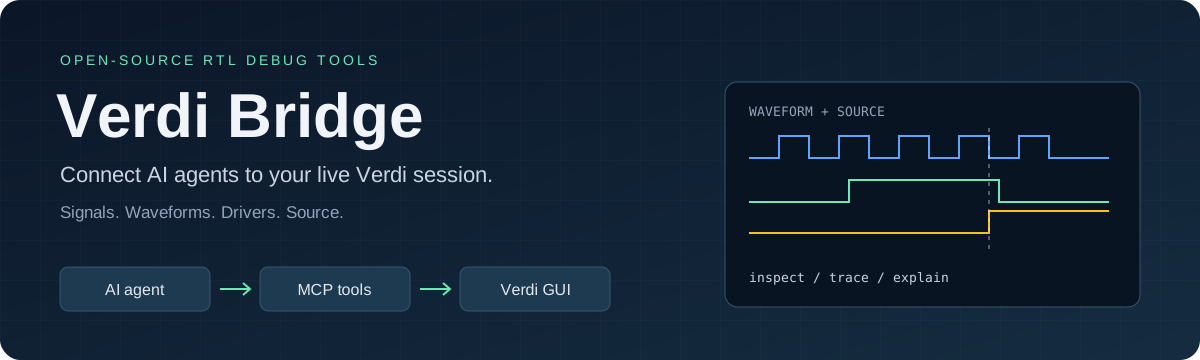
Connect your AI agent to live Synopsys Verdi. Let it find signals, inspect transitions, move through simulation time, and open the driving RTL—all in the same GUI you use to debug.
“Add the FIFO read/write pointers, go 20 cycles before the error, and investigate why full stayed high.”
“When did BVALID drop? Show the handshake signals and the code that drives it.”
Verdi Bridge turns those requests into observations from your simulation and visible actions in nWave and nTrace. The agent reasons; the bridge observes. Eighteen typed MCP tools work locally or over SSH with your existing Verdi setup.
Video walkthrough
Ask an agent to investigate a bug, then watch it choose signals, inspect live waveforms and navigate RTL. A 1m38s silent demo: an English prompt and original English agent replies beside synchronized Verdi capture. This is a separate English-language run, not a translation. Tool calls are selected by the agent, not a replay script.
https://github.com/user-attachments/assets/b041c1bd-4be5-4040-b281-2f15001b1e35
How this was recorded · Installation tutorial
Quick start
pip install verdi-bridge
Or run without a checkout using uv:
uvx verdi-bridge tcl-path
This prints the bundled Tcl adapter path. Load it in Verdi and connect your MCP
client, then use uvx verdi-bridge serve as the stdio server.
A licensed Verdi installation is required. Client: Python 3.11+; remote host:
Python 3.6+ and Verdi's Tcl 8.6. No vendor software is bundled.
What you can do
| Workflow | Tools |
|---|---|
| Find and display signals | find_signals, browse_scope, add_signals |
| Navigate an error window | set_cursor, set_time_window, jump_before_error |
| Inspect actual waveform values | find_transitions, get_value_changes, sample_signals |
| Summarize long windows | count_changes, sample_on_clock |
| Discover error times and clocks | read_log, measure_clock |
| Follow drivers into RTL | trace_driver, read_source, read_source_file, goto_source |
Waveform queries preserve X/Z values. Long windows on large FSDBs can run through Verdi's NPI reader outside the GUI, so the GUI stays responsive. Time arguments carry explicit units. The same interface works with different RTL designs; no FIFO-specific logic is built into the bridge. See the Python and CLI examples.
See it in a real debugging session
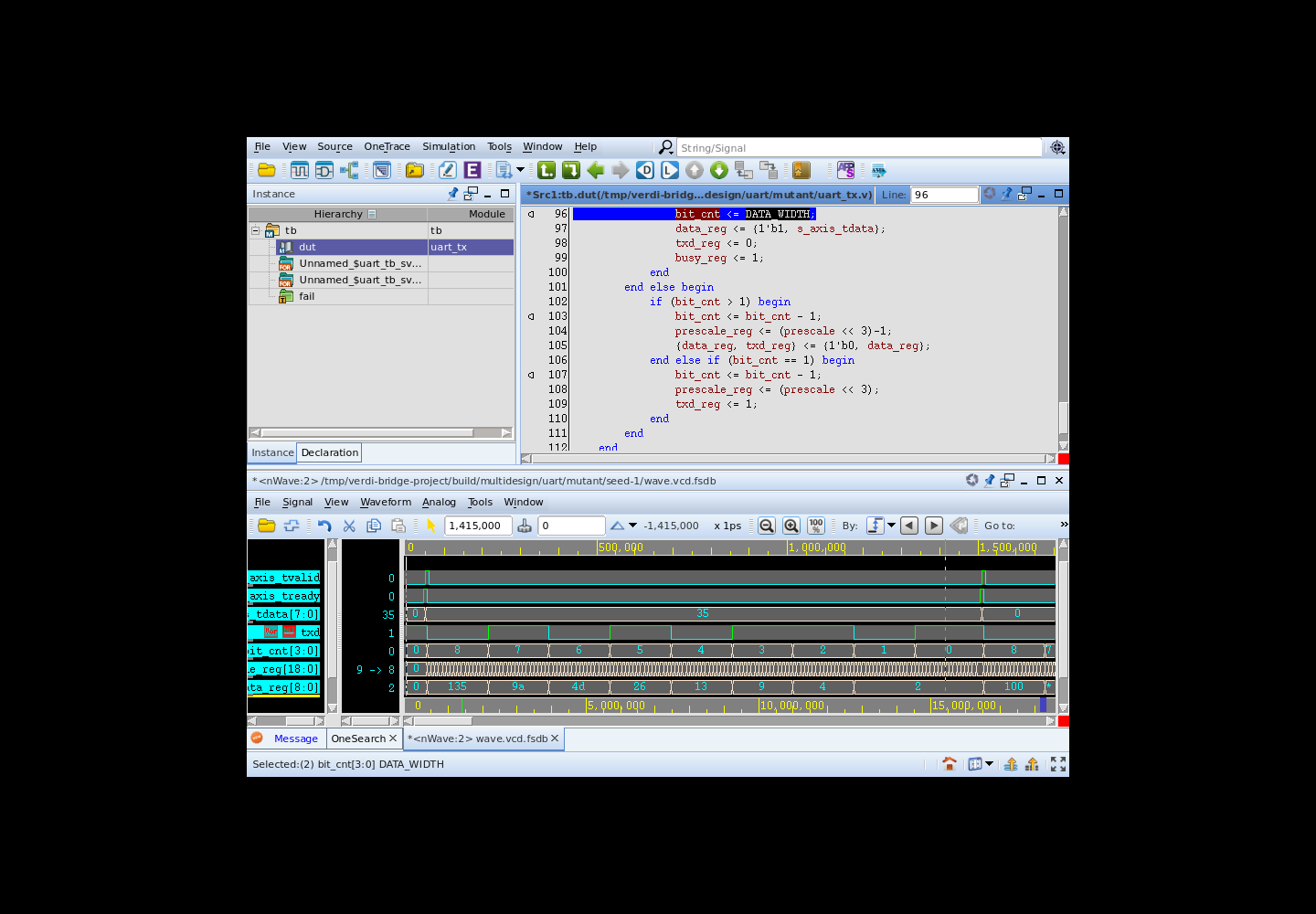
Tested with UART TX, AXI-Lite, FIFO and arbiter RTL in licensed VCS/Verdi sessions. The agent can put relevant signals on screen, inspect their changes, and navigate to source while you follow along.
Real RTL examples · Blind debugging trial · Validation results and limitations
Project status
Experimental v0.3.3. Live checks used Verdi T-2022.06-SP2-1 on Linux, including the SSH, session and large-FSDB changes of v0.3.2–v0.3.3 (up to a 2.7 GB FSDB). New-session startup is verified; attachment to an arbitrary existing GUI is not yet separately validated. The bridge does not automatically compile, edit or repair RTL.
Contributing · Trust boundary · Validation limits · Report an issue
Inspired by the agent-to-EDA-tool workflow of virtuoso-bridge-lite. This is an independent implementation. MIT licensed; see third-party notices. Not affiliated with Synopsys. Verdi is a Synopsys trademark.
Comments
New to MCP?
From what the protocol is to installing your first server, these answers cover most first questions.
An open protocol that defines how AI applications connect to external tools and data in a uniform way. Clients talk to the model; MCP servers provide tools, resources and prompt templates. They exchange standard messages, so one server can be reused by many clients.